HUSKY Shortcodes Overview
HUSKY provides a big set of shortcodes (more than 10) for the filter form, product listings and individual filter elements.
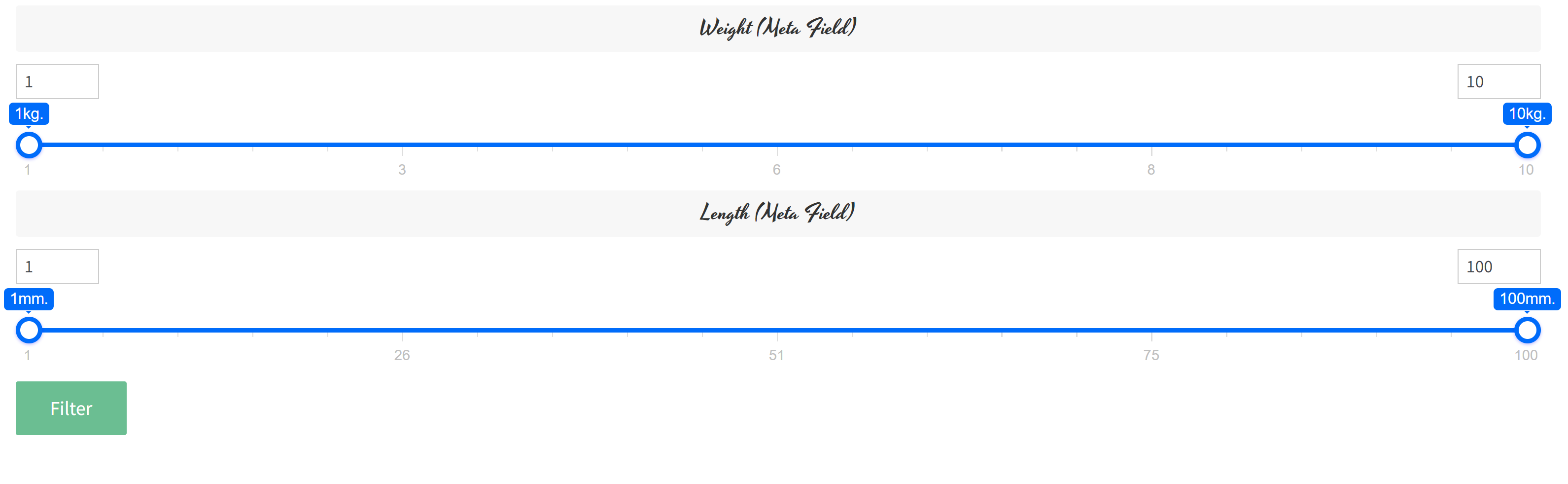
Main shortcodes are [woof] which generates filter form and shortcode [woof_products] which generates the shop products. This shortcodes can be placed on special pages of your shop, and special params let you create pages with only specific products and specific filters. The [woof] shortcode creates the exact form you need, with overloaded global parameters and a different order of filter sections. For example you want only filter by width, length: [woof sid=”custom” autohide=0 tax_only=’none’ by_only=’_width,_length’ start_filtering_btn=1 autosubmit=0] + [woof_products per_page=12 columns=4 is_ajax=1] – on this example assembled filter and displayed products on the way need by possible need. Results: https://demo.products-filter.com/products-by-width-height-length-weight
Shop administrator can add specific product filter on the page they are need, and hide on another pages. How to display filter only on one or couple selected pages? Use plugins like ‘Show Widget by Logic‘.
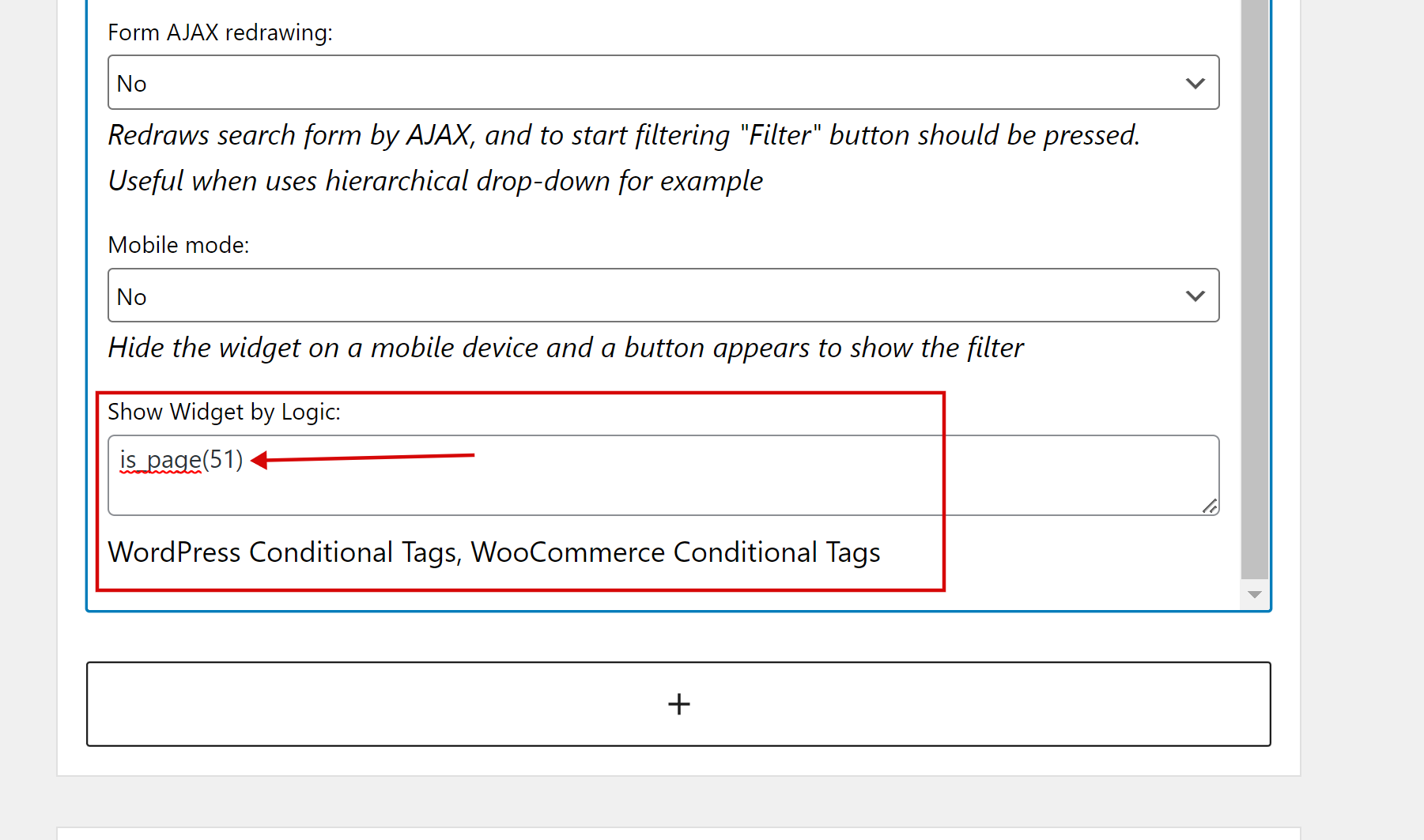
Read about WordPress and WooCommerce conditions tags.
Use shortcode [woof] to assemble your own custom filter with its own parameters. But one note – 1 page == 1 filter, another way use param ‘start_filtering_btn=1‘: [woof start_filtering_btn=1] – in this way filter form will be represented as 1 button, and click on this button by AJAX load filter form, here is an example: https://demo.products-filter.com/hidden-search-form
Full list of shortcodes you find here: {{ urlPrefix }}/codex – play with them and their parameters to find exact the way you need for your product filtering …
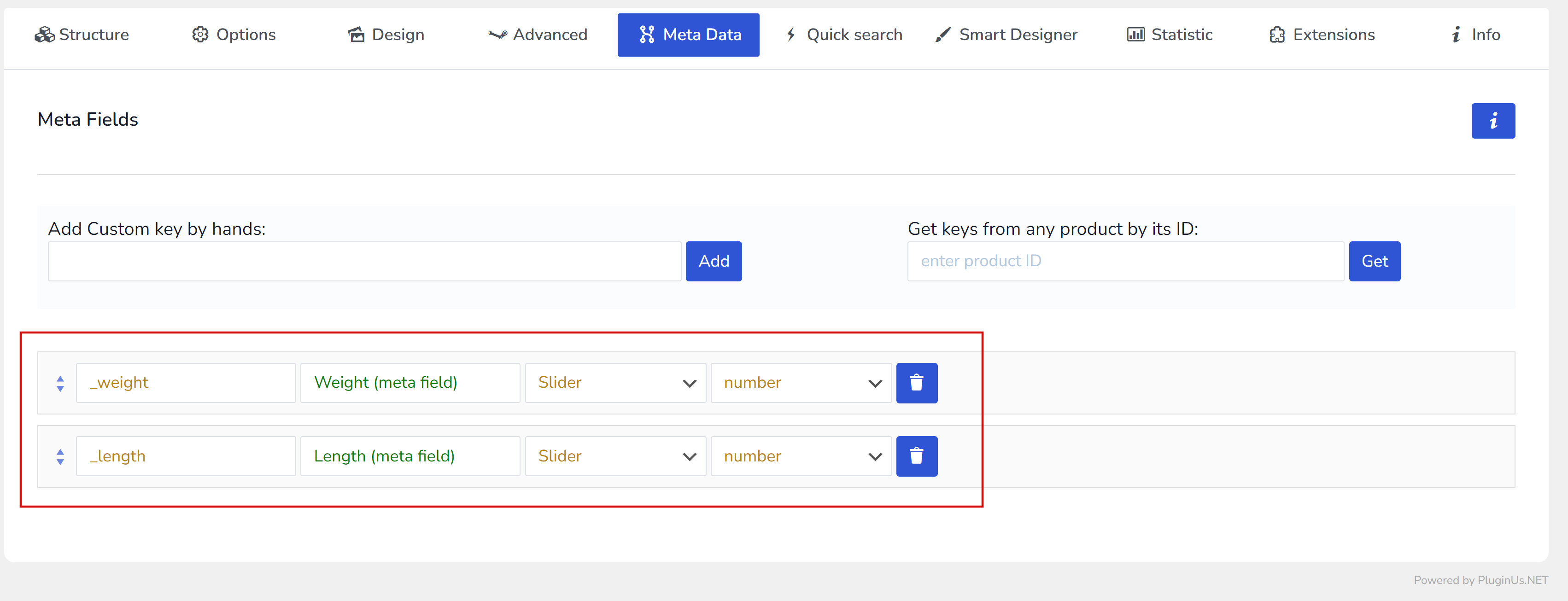
Note: if you want to use meta data in the filter firstly you should add it using tab ‘Meta Data‘:
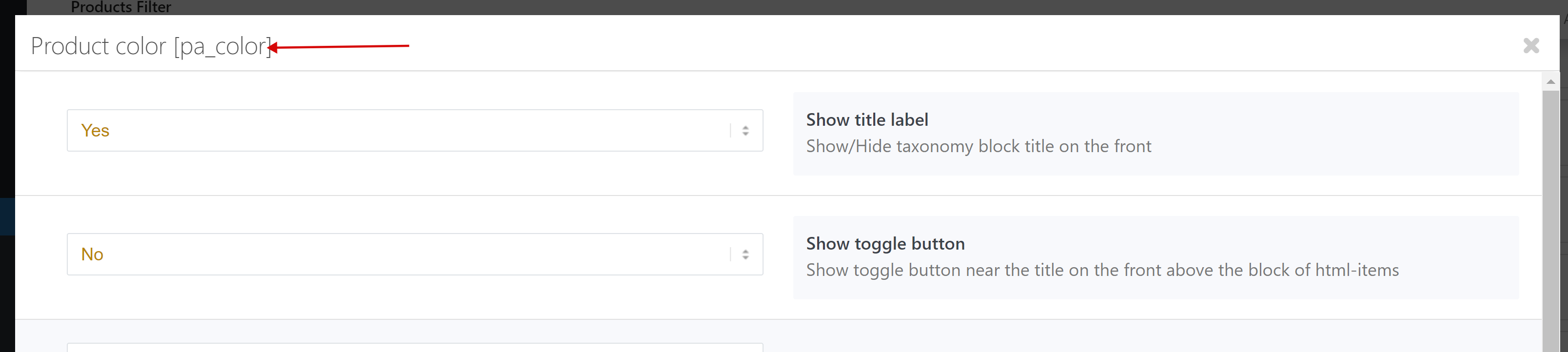
All the keys you need to assemble shortcode [woof] (taxonomies, meta fields) you can find by clicking its ‘Additional Options‘ button -> see title of appeared popup: