Meta Data and Custom Fields in the Filter
Meta Data is key=>value pairs, which are for example in woocommerce it is: Width (_width), Height (_height), Length (_length), Weight(_weight). You can add and edit your own product meta data with a special plugin, for example: BEAR – Bulk Editor and Products Manager Professional for WooCommerce, Advanced Custom Fields (ACF), etc. …
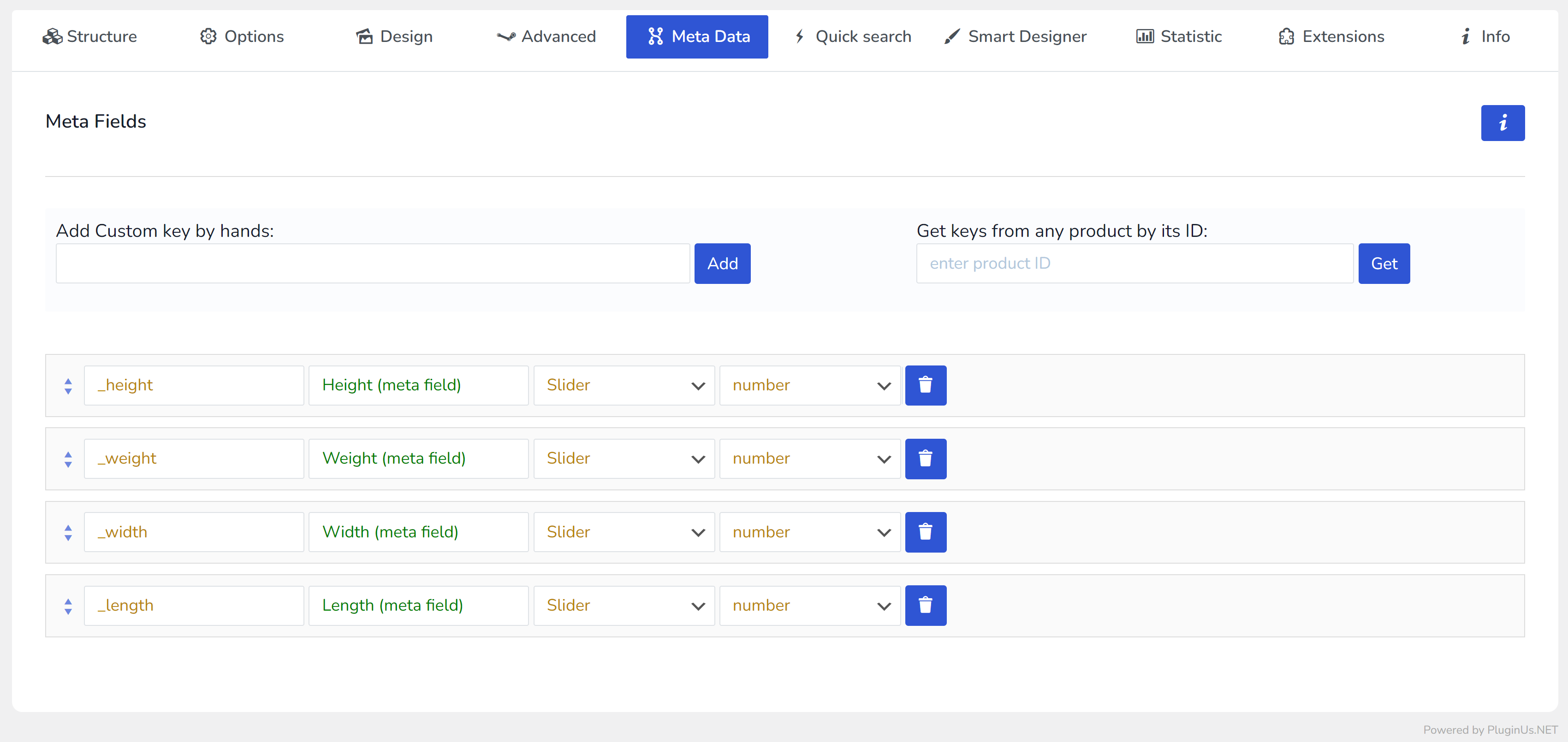
HUSKY filters products by meta fields when you activate its extension ‘Meta Filter‘. After activation you should:
- add meta keys by hands or automatically using any product ID
- set just added meta fields titles
- set just added meta fields types (number, string, date)
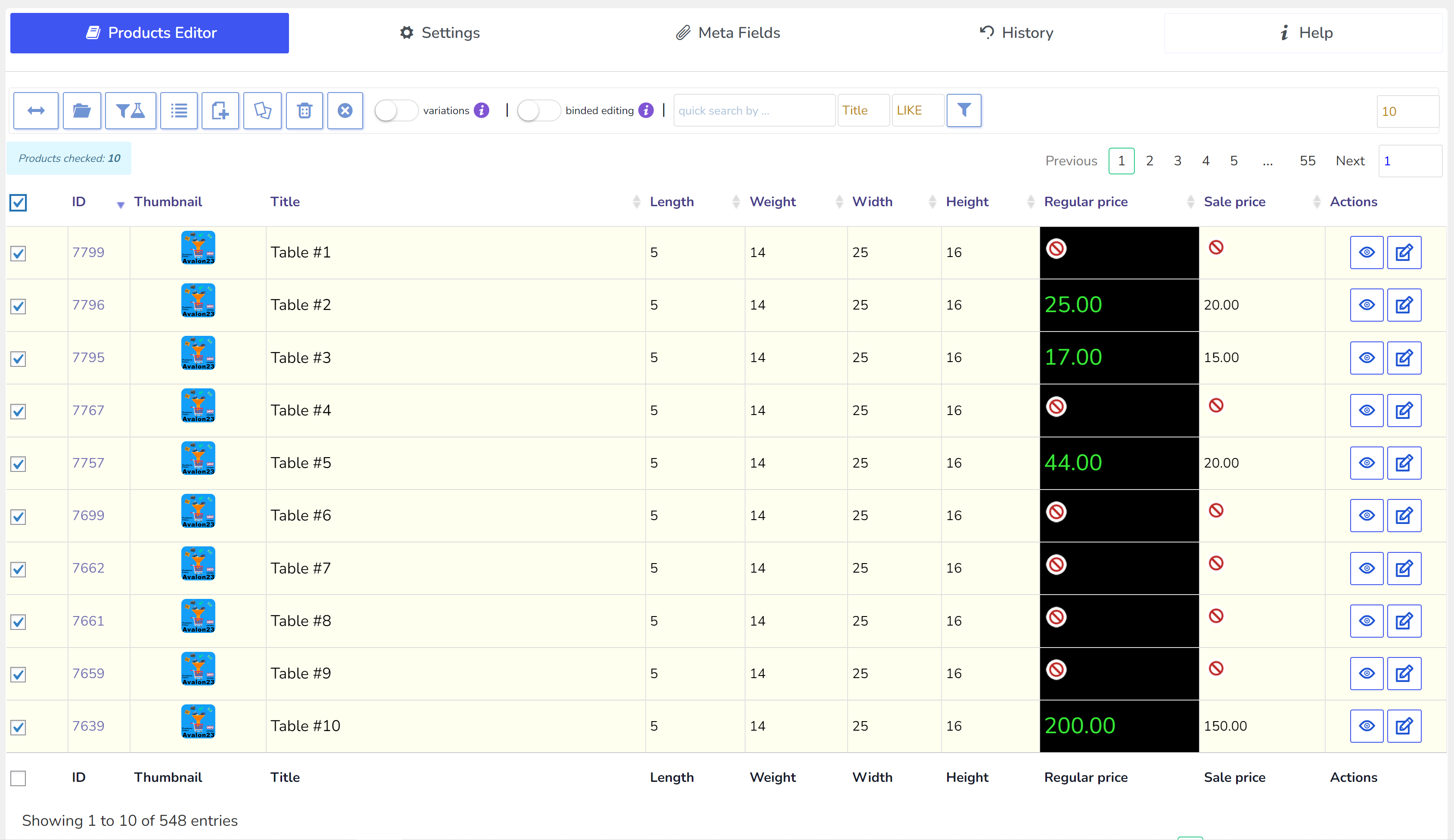
- attach to your products its values for new meta fields, its recommended use BEAR for this:
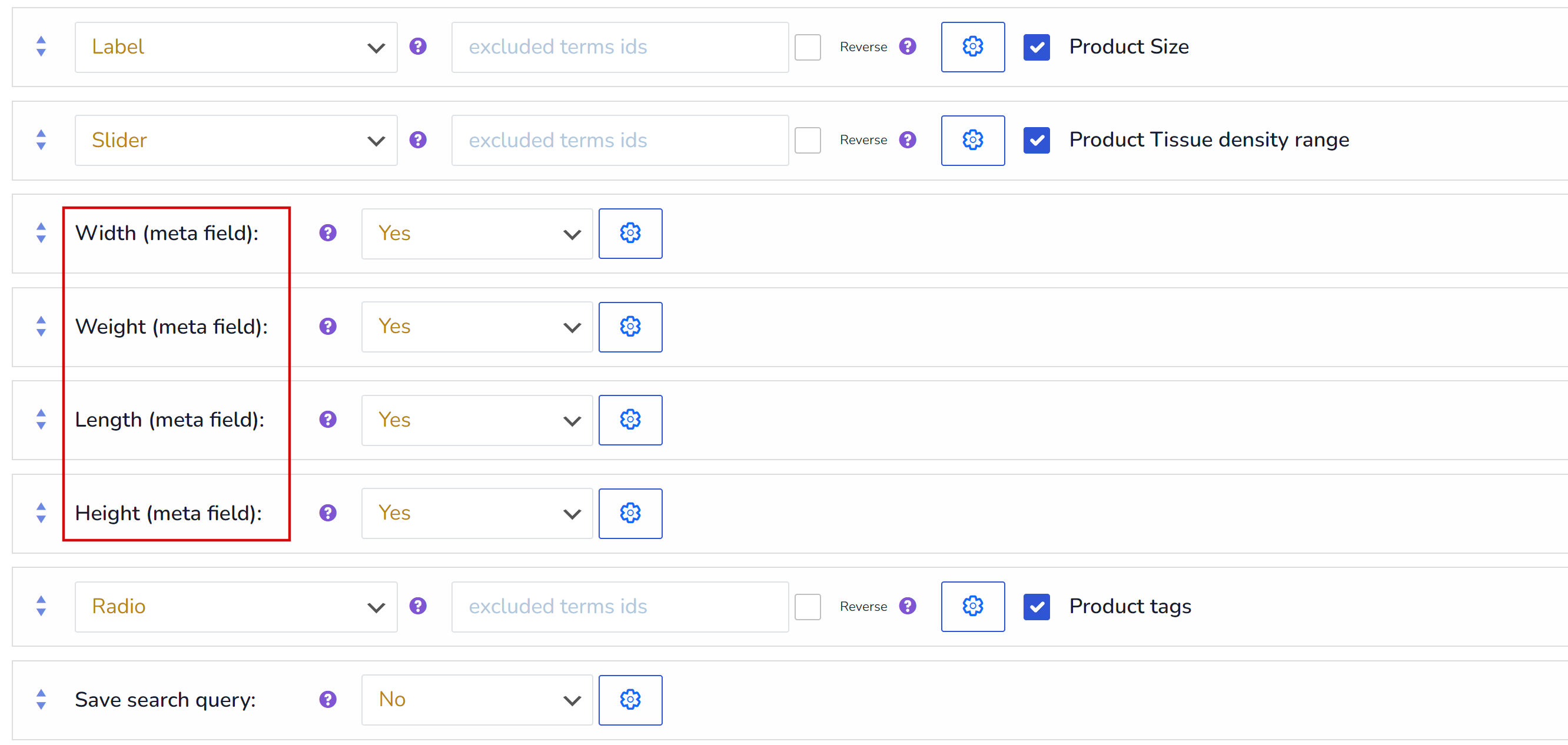
- add meta fields into HUSKY filter (set Yes on its drop-downs):
- or use it in the product filter shortcode: [woof by_only=’_weight,_length,_height,_width‘]
- use
Make you attention on meta fields types: string, number, date (unix timestamp in DB) – only this types can also work with famous plugin as ACF.
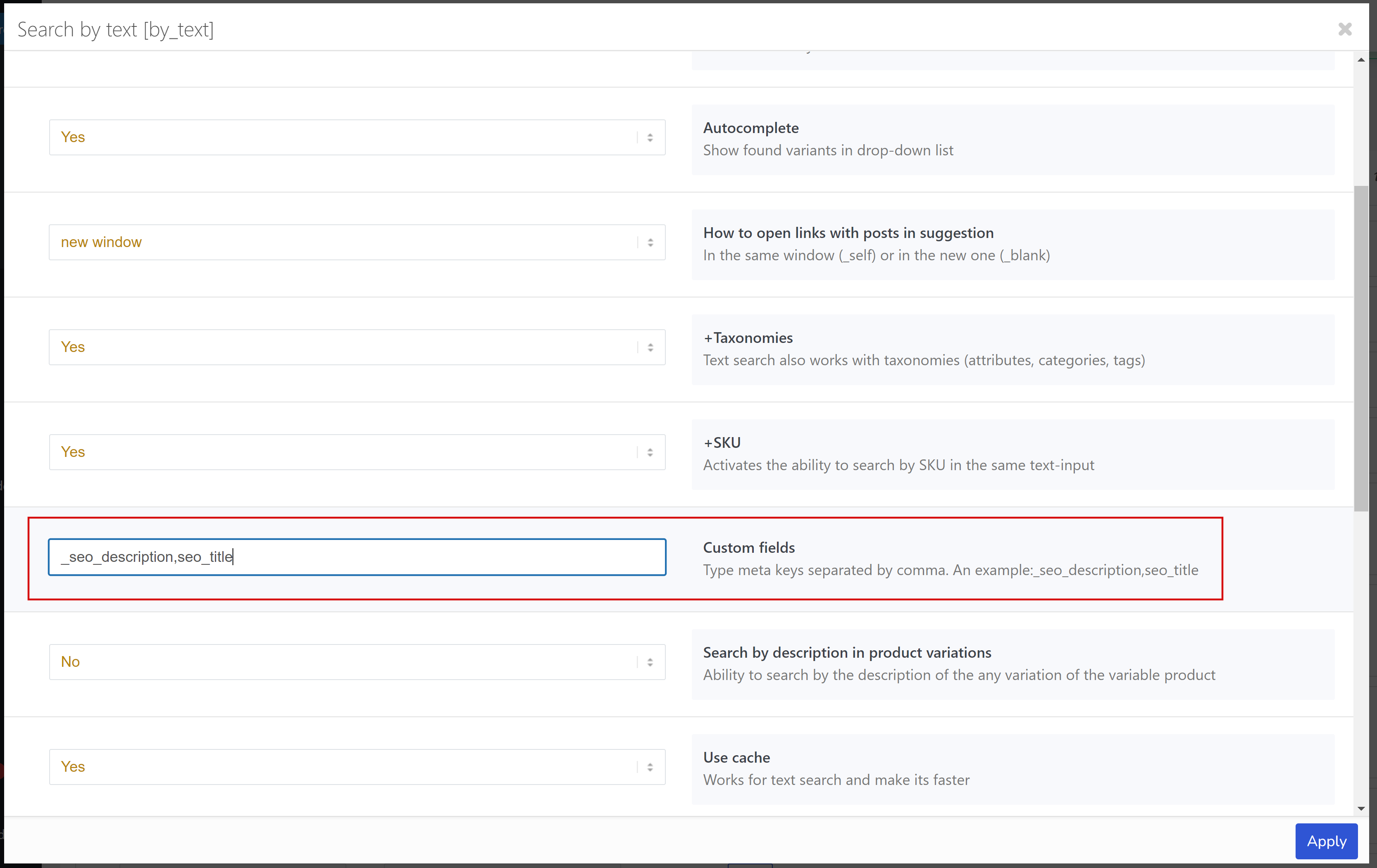
HUSKY can also search by text meta fields – for example, by SEO fields such as: _seo_description,seo_title – use for it extension ‘Search by text‘
More information: {{ urlPrefix }}/extencion/woocommerce-filter-by-meta-fields/