MCP Server: Let Shoppers Search Your Shop from Claude and ChatGPT
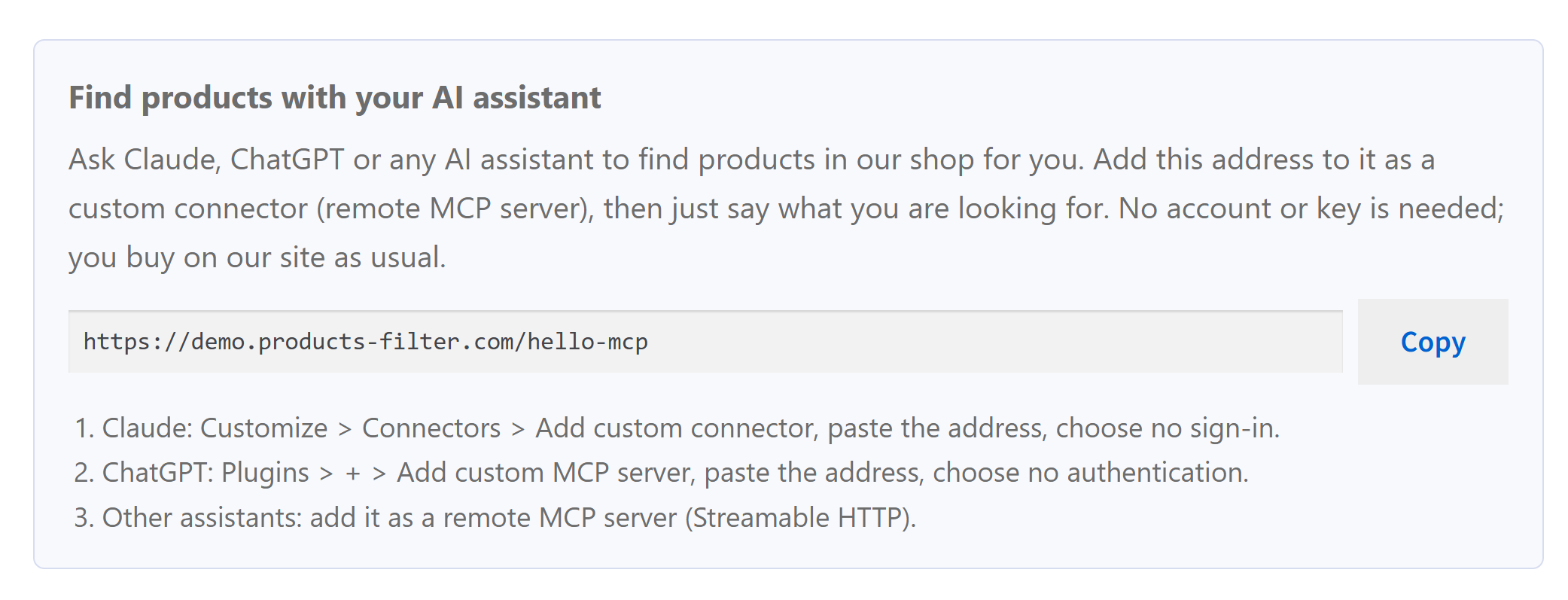
More and more people start shopping in a chat window. They ask Claude or ChatGPT for "waterproof hiking boots in size 43 under 120 euros" and expect the assistant to come back with products they can buy. The assistant can only recommend what it can read. A shop that is just a website gets crawled now and then. A shop with its own MCP server gets searched live, with its real filters, prices and stock, every time someone asks.
Since version 3.4.7, HUSKY adds an MCP server to your WooCommerce shop. MCP (Model Context Protocol) is the standard way AI assistants connect to outside data. Once it is on, an assistant connected to your shop filters your catalog exactly the way your HUSKY filter form does and answers with your products, prices and links. The customer then opens your product page and buys on your site, as usual.
Try it now on our demo shop: add https://demo.products-filter.com/hello-mcp as a connector in Claude or ChatGPT and ask for something, for example "red clothing under 30 dollars".
What you get from it
- A shopping assistant for your customers, free for you and for them. You do not pay for an AI service. Your customer uses the assistant they already have, adds one address, and talks to your catalog in their own words and language.
- Large catalogs become easy to search. On a shop with thousands of products and dozens of attributes, people give up on long filter forms. The assistant reads all your filters, combines them and narrows the result step by step: "only in stock", "the cheaper ones", "the same in blue".
- Answers you can trust. The assistant does not guess from an old copy of your site. Every search runs through the same query as your filter form, so it sees the same filters, the same logic (OR, AND, NOT IN), the same values and the same counts a visitor sees.
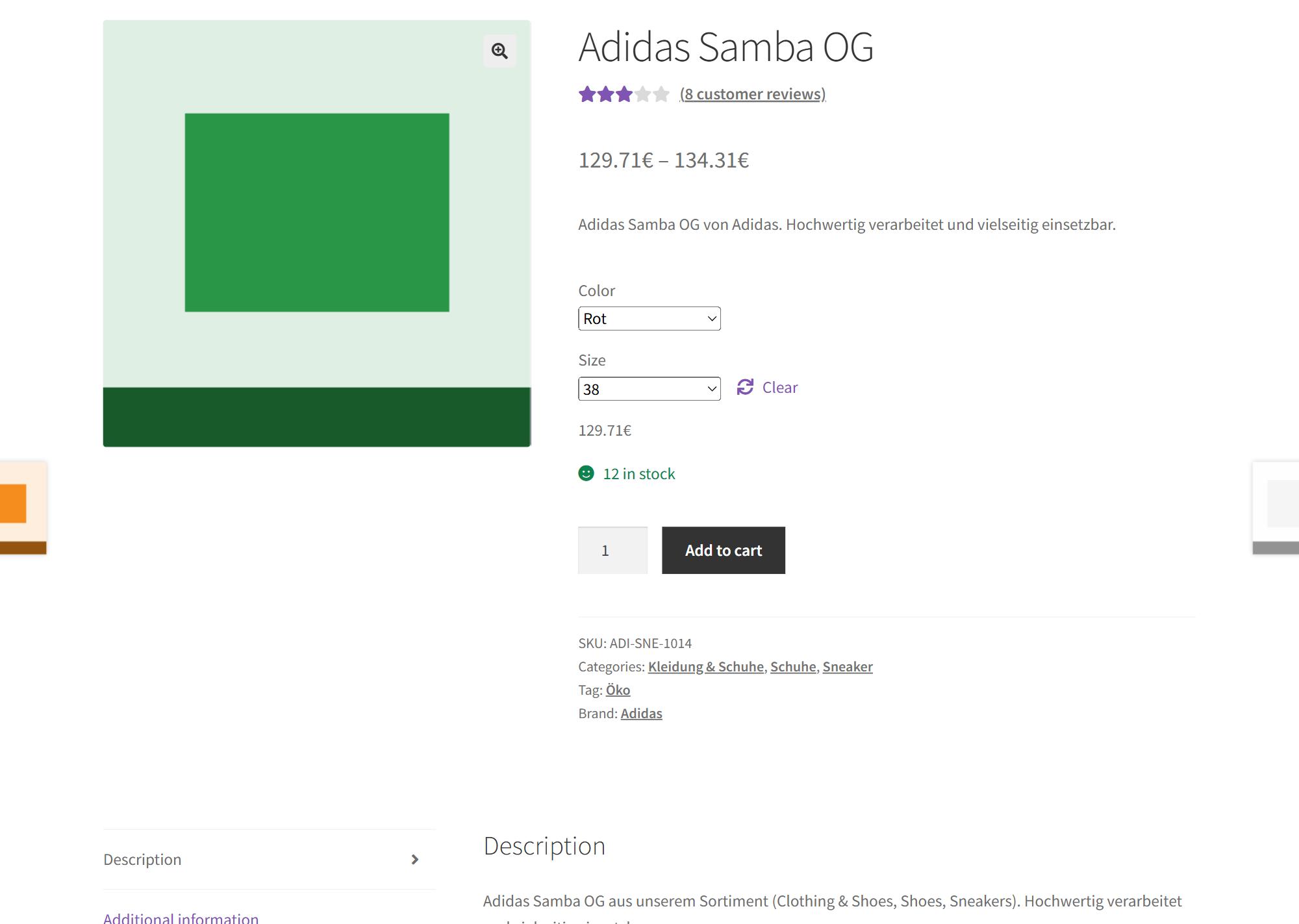
- Traffic to your product pages. Every result links to your product page. If the search narrowed a variable product to one variation, the link opens it with that variation already selected, for example
?attribute_pa_color=red&attribute_pa_size=42. - Your languages and currencies. With WPML or Polylang the assistant can search in the shopper's language. With FOX Currency Switcher it can show prices in the shopper's currency, and the product link opens in that currency too.
- A visible claim. A box on your site tells customers they can shop with their AI assistant, and AI tools find your server on their own through standard discovery files.
Is it safe for my shop?
The server is built to show the public catalog and nothing else.
- Off by default. Until you switch it on, the server, its addresses, the discovery files, the head link, the llms.txt section and the shortcode box do not exist on your site.
- Read-only. All three tools only read. Nothing can be bought, added to a cart, edited or deleted through the server. No checkout links are ever returned.
- Works as a guest visitor. It never returns drafts, private products, password-protected products or products hidden from the catalog. If WooCommerce hides out-of-stock items, the server hides them too. In WooCommerce "Coming soon" mode the tools refuse to answer.
- No accounts, no keys, no personal data. The server needs no sign-in because it only reads what any visitor can see. It sets no cookies and stores nothing about the caller.
- Rate limits. Every address gets a strict limit, by default 60 requests per minute with bursts of 20. Over the limit the caller gets HTTP 429 with the number of seconds to wait. The block is temporary and lifts itself, nothing to unlock by hand.
- A separate limit for AI platforms. Shoppers using claude.ai or ChatGPT reach your shop from the assistant's own servers, so many shoppers share a few addresses. The address ranges that Anthropic and OpenAI publish for this get their own, higher limit, so a popular shop does not lock out its own customers.
- Cache. Repeated identical searches come from a short cache (90 seconds by default), so the same question asked a hundred times does not run a hundred database queries. Any change to products, stock, prices, terms or filter settings clears it.
- Browser origins. If you do not want browser-based MCP clients on other websites to use your server, list the origins you allow.
Requirements
HUSKY 3.4.7 or newer, WordPress 6.0 or newer, WooCommerce, PHP 7.4 to 8.5. On WordPress 6.9 and newer the tools are also registered in the WordPress Abilities API.
1. Switch it on
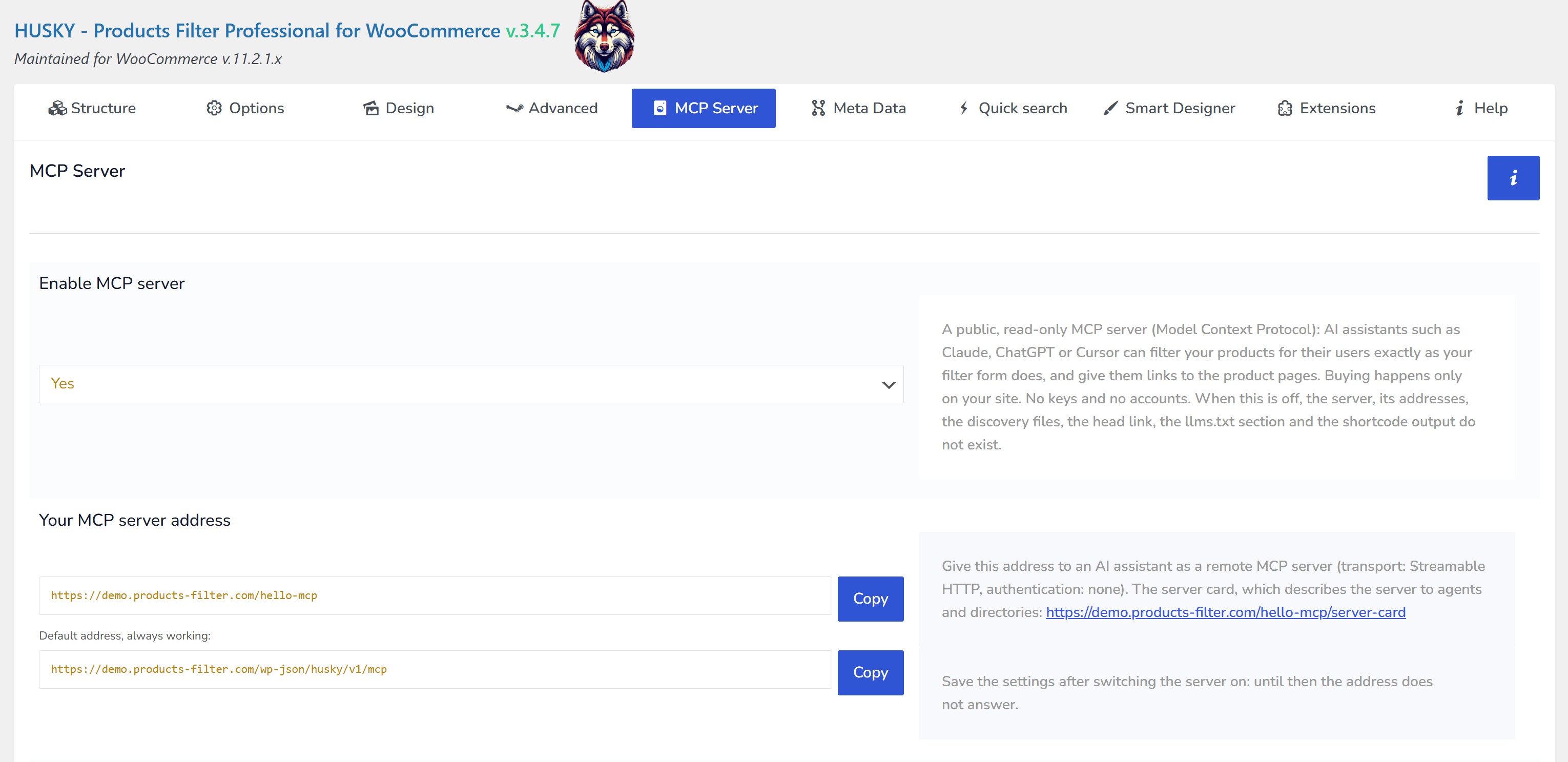
- Open the HUSKY settings and go to the MCP Server tab.
- Set Enable MCP server to Yes.
- Click Save changes. Until you save, the address does not answer.
The tab now shows Your MCP server address with a Copy button.
2. Your server address
| Address | When |
|---|---|
https://your-shop.com/wp-json/husky/v1/mcp |
the default address, always works |
https://your-shop.com/index.php?rest_route=/husky/v1/mcp |
the default address with plain permalinks |
https://your-shop.com/ai-shop |
your own short address, if you set one |
Your own address. In Your own address (pretty URL) type any free path, for example ai-shop. The field checks it as you type and warns you when a page, post, category or file already uses it. A short address is easier to give to customers. The default address keeps working, and the server card, llms.txt, the head link and the shortcode box switch to the short one. It works with any permalink structure, plain included, as long as the web server passes unknown addresses to WordPress (the standard .htaccess and nginx try_files rules do).
For MCP clients: transport Streamable HTTP, no authentication, protocol versions 2026-07-28, 2025-11-25 and 2025-06-18 on the same address.
3. Tell your customers about it
A server nobody knows about helps nobody. HUSKY gives you two ways to announce it: one for people, one for AI tools.
A box on your pages
Put the shortcode [woof_mcp_connect] anywhere: on a page, in a post, or in a Text or Shortcode widget in your sidebar or footer. In the block editor use the block AI assistant connection (HUSKY MCP). The box shows your server address with a Copy button and three short steps for Claude, ChatGPT and other assistants.
The title and text are set once on the MCP Server tab under Box for your shop pages, or per use:
[woof_mcp_connect title="Shop with your AI assistant" text="Add this address to Claude or ChatGPT and just say what you are looking for."]
The texts can be translated with the HUSKY taxonomy label translations field, like the rest of the filter.
A good place for the box is the shop sidebar, the footer, or a short page such as "Shop with AI" linked from your menu.
Discovery files for AI tools
AI agents and directories look for machine-readable descriptions of a site. While the server is on, HUSKY publishes them for you:
- llms.txt. This is a plain text file at the root of your site that tells AI tools what the site is and where to look. HUSKY adds a section with your MCP server to it:
- if Rank Math or the Website LLMs.txt plugin generates your llms.txt, the section is added to their file;
- if your site has no llms.txt, HUSKY serves one at
/llms.txtwhile the server is on; - a physical
llms.txtfile is never changed. The tab shows the section ready to paste into it. - Server card at
<your address>/server-card, with the server name, description and addresses. /.well-known/ai-catalog.json, pointing to the server card.- Links in the page head (
<link rel="ai-catalog">and<link rel="service-desc">) on every page.
You can switch the llms.txt section and the head link off on the tab under Discovery.
4. How a customer connects
The tab shows every snippet below with your address already filled in and a Copy button next to each one. Replace https://your-shop.com/ai-shop with your own address.
Claude (claude.ai, Claude Desktop)
- Open Customize → Connectors (
claude.ai/customize/connectors). - Click Add custom connector and paste the address.
- Leave the OAuth fields empty and click Add.
In a chat, turn the connector on in the tools menu and ask, for example: "Find red sneakers in size 42 under 150 euros."
ChatGPT
- Open
chatgpt.com/plugins, press + and choose Add custom MCP server. - Enter a name, paste the address as Server URL and choose No authentication.
- Confirm, choose Create as a plugin, then type
@in a chat and pick it.
Which plans and workspace roles may add custom connectors is decided by Anthropic, OpenAI and the workspace admin, not by your shop.
Claude Code
claude mcp add --transport http my-shop https://your-shop.com/ai-shop
Cursor
.cursor/mcp.json in a project, or ~/.cursor/mcp.json for all projects:
{
    "mcpServers": {
        "my-shop": {
            "url": "https://your-shop.com/ai-shop"
        }
    }
}
VS Code (GitHub Copilot)
.vscode/mcp.json, or the command MCP: Add Server → HTTP:
{
    "servers": {
        "my-shop": {
            "type": "http",
            "url": "https://your-shop.com/ai-shop"
        }
    }
}
Any other MCP client
Add it as a remote server: Streamable HTTP, no authentication. To check the server from a terminal:
npx @modelcontextprotocol/inspector --cli https://your-shop.com/ai-shop --transport http --method tools/list
5. What the assistant can do
| Tool | What it does |
|---|---|
husky_get_filter_schema |
Lists the filters of your form in their order: categories, attributes, brands, price, stock, on sale, meta fields, text search and so on, each with its values, product counts and logic, plus the sort orders, languages and currencies. |
husky_search_products |
Searches with any combination of those filters. Returns the page of products with name, price, sale price, stock, image, rating, attributes and link, and the counts of the remaining values so the assistant can narrow the search. When nothing is found, it says which filter to drop and suggests the nearest alternatives. |
husky_get_product |
One product by ID, URL or SKU: description, gallery, categories, attributes, variations with prices and stock, and the link. |
Requests your customers can make:
- "Laptops with 16 GB RAM under 800, in stock."
- "Something like this jacket, but waterproof and in blue."
- "The cheapest headphones on sale, with a link."
- "Gibt es diese Schuhe in Größe 42? Preise bitte in Euro."
Instructions for agents. Every assistant receives a short text on how to use the tools: call the schema first, use only real filter values, give links. You can edit it on the tab under Instructions for agents, for example to add your return policy or the tone you want. Reset to default brings back the text of your HUSKY version. While you keep the default, you get its improvements with updates.
Name, title and description shown to agents are taken from your site title and can be changed on the tab.
6. Languages and currencies
- WPML and Polylang. The assistant can pass a language. Results, counts, names and links are then in that language, and only products of that language are returned. Without a language, the default language is used.
- FOX Currency Switcher. Prices are in your base currency unless the assistant asks for another one. A shopper's currency choice, geo-IP and cookies never affect the server. When a currency is requested, prices are converted by FOX exactly as on your storefront, fixed per-currency prices included, and product links carry the currency (
?currency=EUR), so the product page opens with the same price the assistant quoted.
7. Rate limit and cache settings
| Setting | Default |
|---|---|
| Per IP address | 60 requests per minute, bursts of 20 |
| AI platforms (each published range) | 1200 requests per minute, bursts of 300 |
| Cache for identical searches | 90 seconds (0 switches the cache off) |
| Products per page at most | 50 (you can set 1 to 100) |
- The default AI platform list holds only ranges the vendors publish in their own documentation: Anthropic (Claude) and OpenAI (ChatGPT connectors). While you keep the default list, it follows HUSKY updates. If you edit it, your list is kept, and Reset to default loads the list of your HUSKY version.
0switches one limit off. Rate limit: Off switches all of them off.- Counters live in your persistent object cache (Redis, Memcached) or APCu when available, otherwise in the database.
8. Troubleshooting
| Symptom | What to check |
|---|---|
| The address answers 404 | The server is off, or the settings were not saved after switching it on. |
| The short address answers 404 | Another page or file uses it (the tab shows the conflict), or the web server does not pass unknown addresses to WordPress. The default address still works. |
/.well-known/ai-catalog.json is not found |
WordPress is installed in a subfolder and cannot answer at the domain root. The server card and the head link still work. |
/.well-known/ai-catalog.json answers 403 |
Your nginx config blocks all addresses starting with a dot. Add location ^~ /.well-known/ { try_files $uri $uri/ /index.php?$args; } above that rule. |
| Opening the address in a browser or pasting it into a chat gives 405 | Expected. The address is not a web page: it answers MCP requests only. Add it to the assistant as a connector (section 4). |
| The assistant says "too many requests" | The rate limit was reached. Raise the numbers on the tab or add the platform's published range. |
| Prices are in the base currency | Expected. Ask the assistant for another currency ("in euros"). |
| A firewall or security plugin blocks the assistant | Allow the MCP address for non-browser requests. claude.ai and ChatGPT call from their own servers. |
| Results differ from what you see in the shop | Password-protected products are never in MCP results. Check also that you are logged out: some products are visible only to logged-in users. |
9. For developers
| Filter | Purpose |
|---|---|
woof_mcp_filters |
Change the filter list given to agents |
woof_mcp_product_card |
Change a product card in search results |
woof_mcp_product_details |
Change the answer of husky_get_product |
woof_mcp_product_is_public |
Decide whether a product may be shown |
woof_mcp_server_card |
Change the server card |
woof_mcp_llms_txt |
Change the llms.txt section |
woof_mcp_default_ai_ranges |
Change the default AI platform ranges |
woof_mcp_client_ip |
Tell HUSKY the real caller IP behind a proxy |
woof_mcp_respect_coming_soon |
Allow the tools in "Coming soon" mode |
On WordPress 6.9 and newer the same three operations are registered in the WordPress Abilities API (husky/get-filter-schema, husky/search-products, husky/get-product), so the WordPress MCP Adapter can expose them as well.