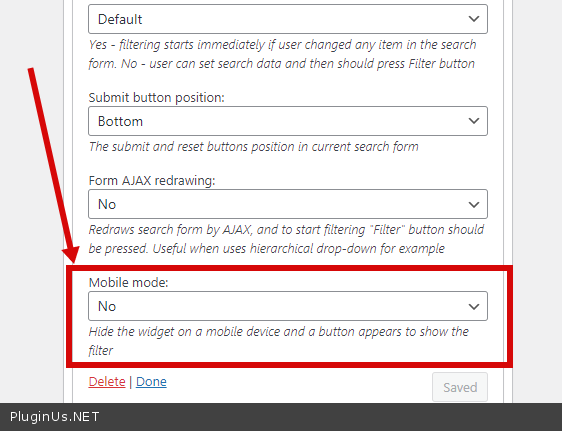
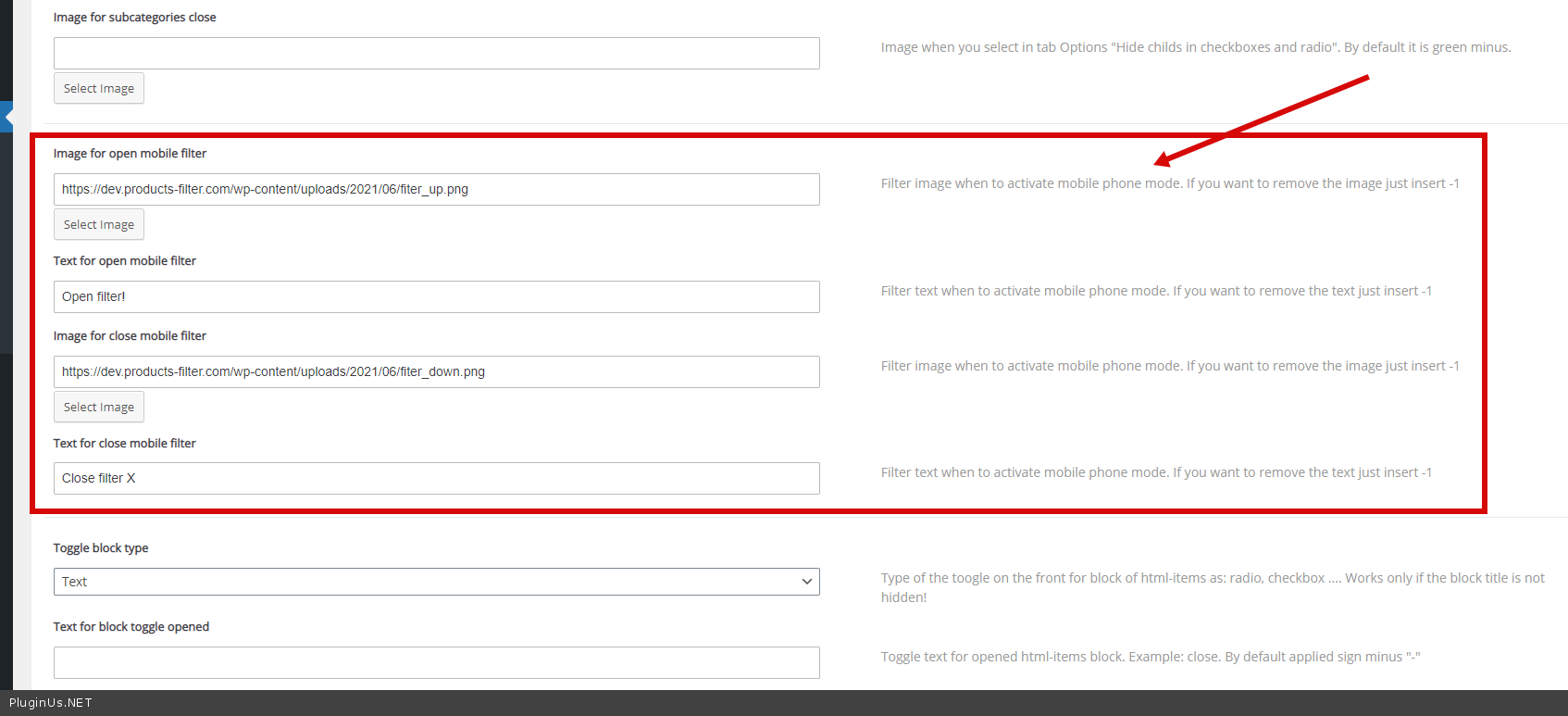
New option for widget ‘Mobile mode‘ – Hide the widget on a mobile device and a button appears to show the filter. See its options in tab ‘Design‘.
New attribute for shortcode [woof mobile_mode=1 sid=’test’] – Hide the WOOF filter form on a mobile device and a button appears to show the filter. Attribute ‘sid‘ must be! See its options in tab ‘Design‘. The button is automatically added to the ‘.woocommerce-products-header‘ selector can be changed using hook ‘woof_mobile_btn_place_container‘. To display the button in a specific place use the shortcode [woof_mobile] – this shortcode adds a container to which the button is inserted.
🌸
Shortcodes, hooks and extensions reference for HUSKY WooCommerce Product Filter
Codex — HUSKY Product Filter
We use cookies to ensure that we give you the best experience on our website. If you continue to use this site we will assume that you are happy with it.
 The button is automatically added to the ‘.woocommerce-products-header‘ selector can be changed using hook ‘woof_mobile_btn_place_container‘. To display the button in a specific place use the shortcode [woof_mobile] – this shortcode adds a container to which the button is inserted.