WooCommerce Product Filter on Mobile: How to Display It
HUSKY ships with a mobile mode for the WooCommerce product filter. Open the HUSKY demo site on a phone and you will see the mobile filter button at the top:
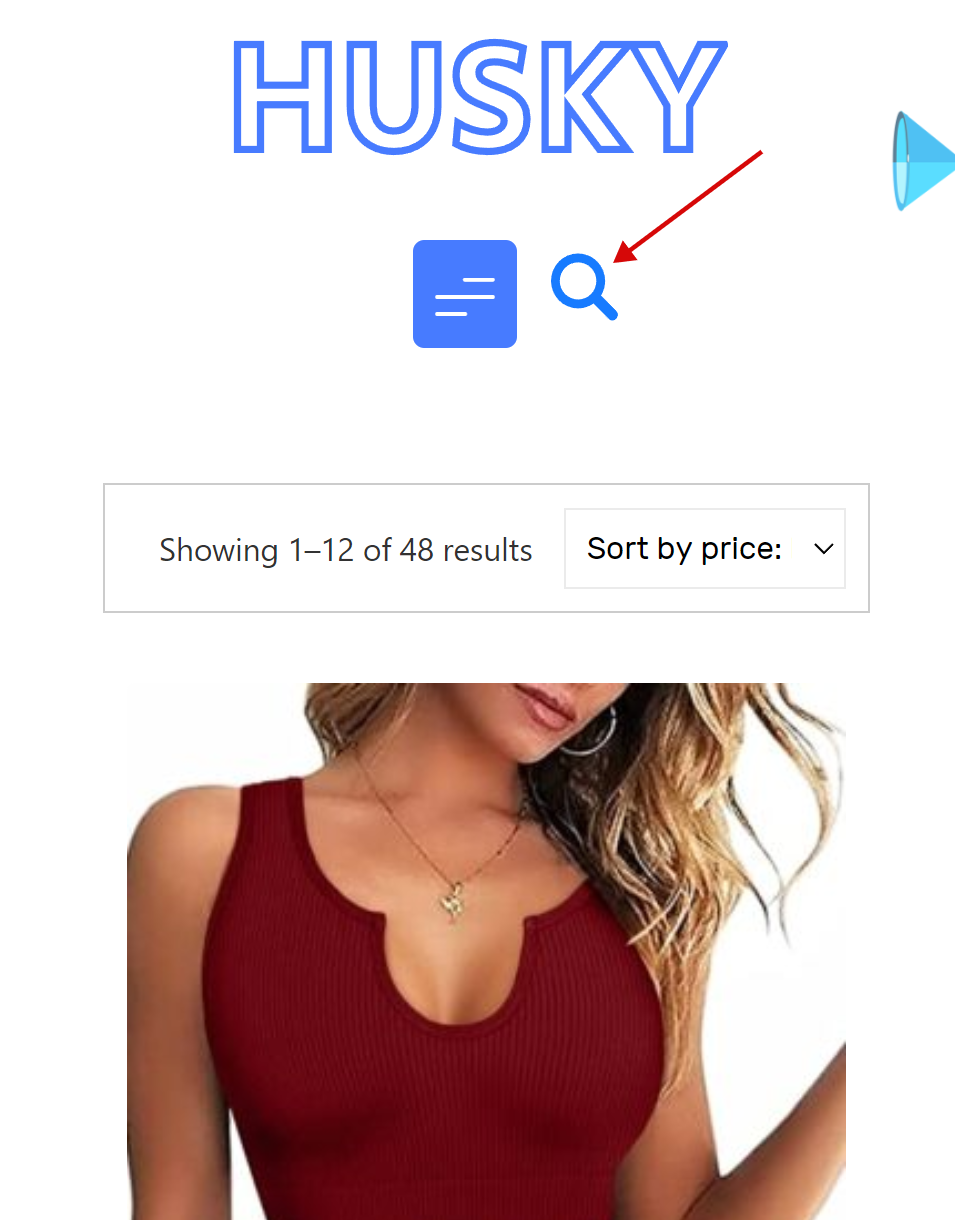
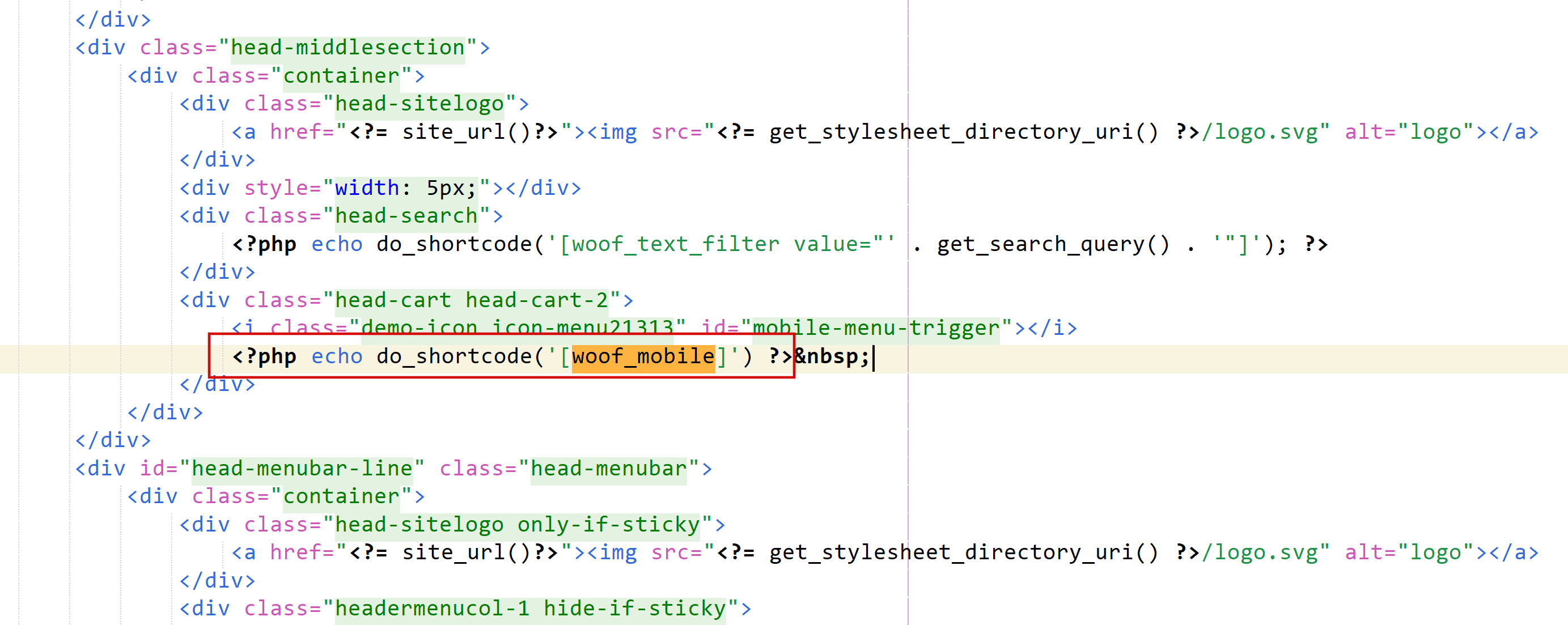
To get such effect you need to place shortcode [woof_mobile] on the place where you want to see this button:
- If you uses shortcode [woof] you should set there attribute 'sid' and set attribute 'mobile_mode=1'
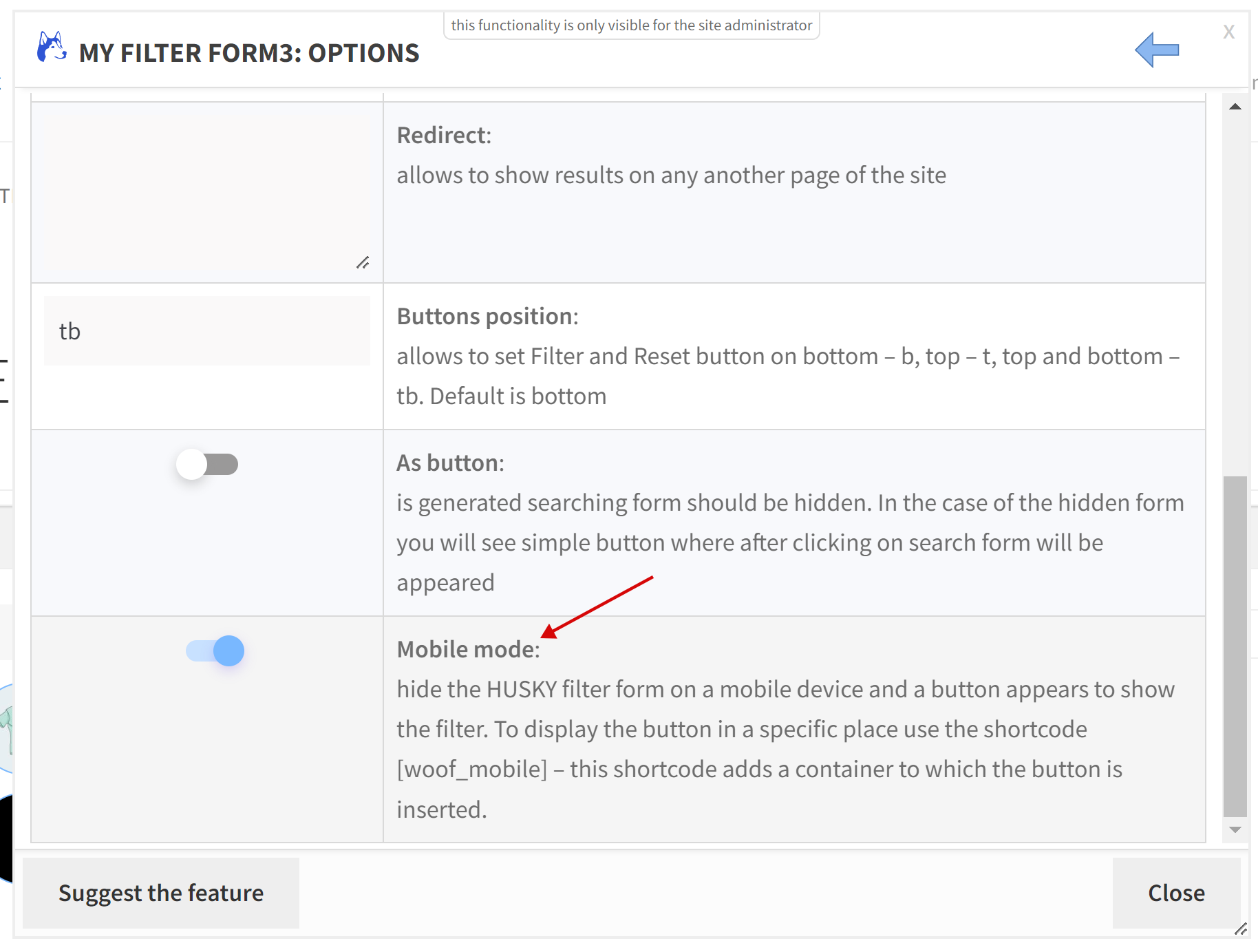
- If you uses shortcode [woof_front_builder] enable in its options popup option 'Mobile mode':