Smart Designer — 自定义筛选元素
此扩展让您能够创建自定义筛选元素
演示站点:https://demo-sd.products-filter.com/
默认情况下,WOOF SD 提供 4 个基础元素可供自定义:
- 复选框(默认)
- 单选框
- 开关
- 颜色
更多自定义元素可在 WOOF SD 画廊 中找到。如果您有关于自定义元素的想法,请通过 支持论坛 联系我们。
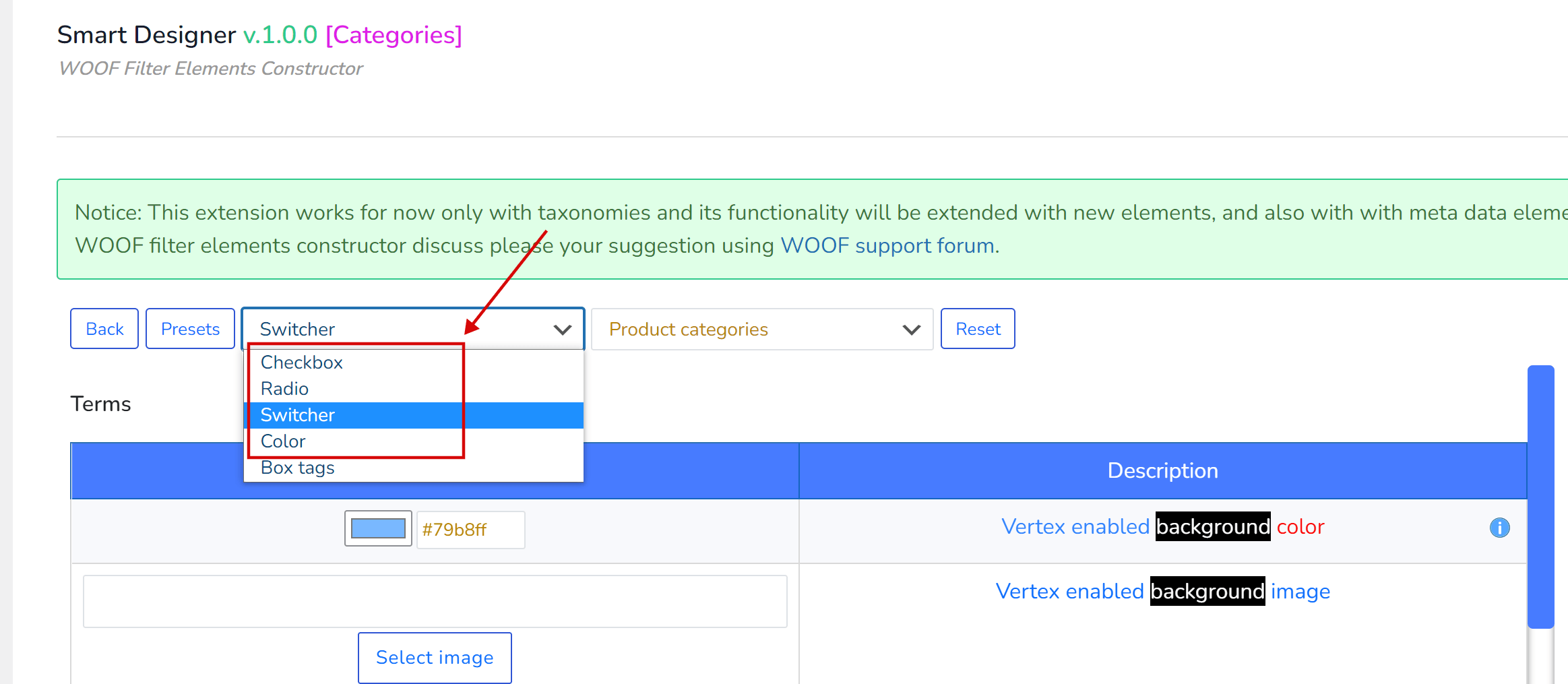
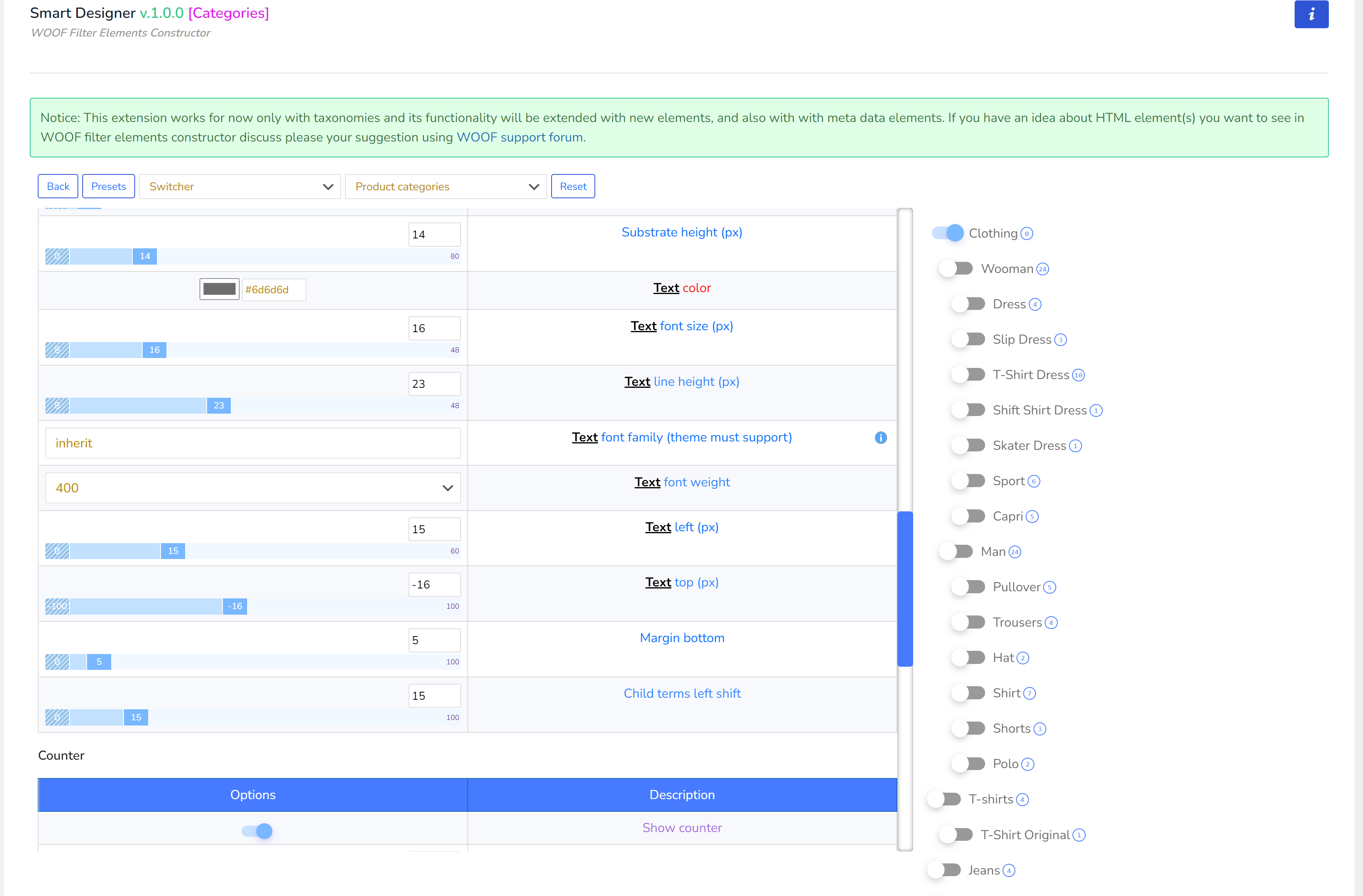
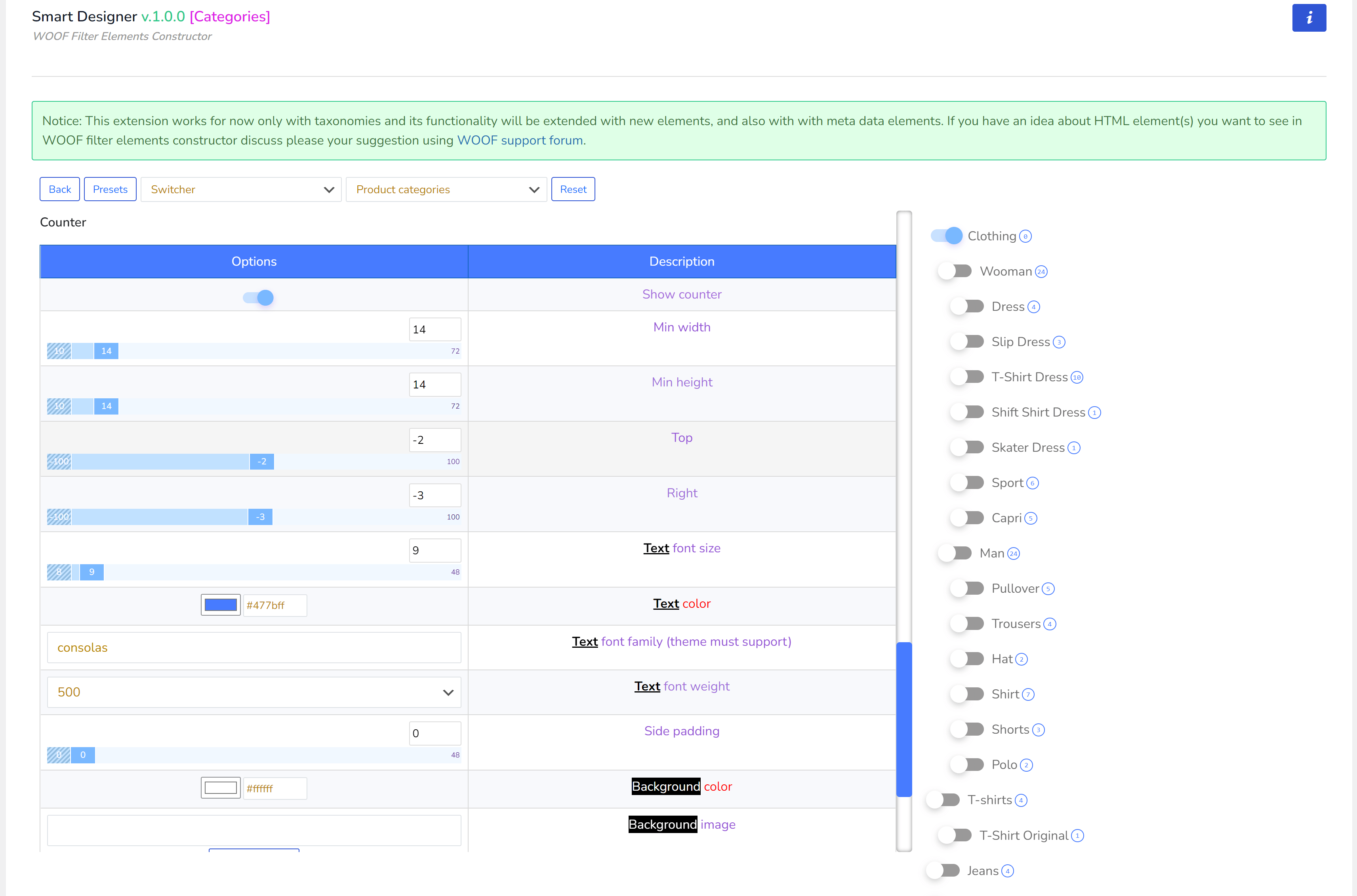
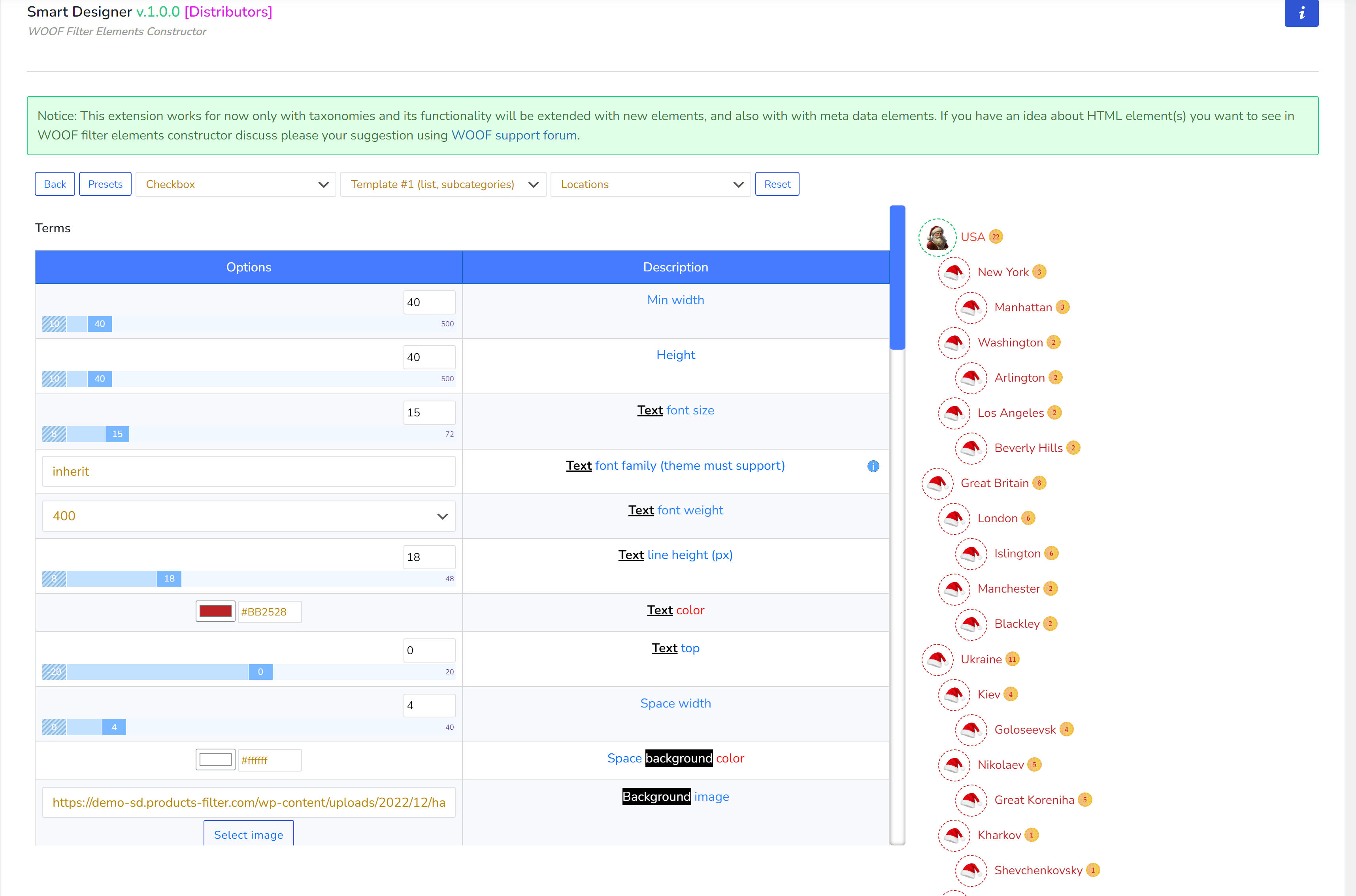
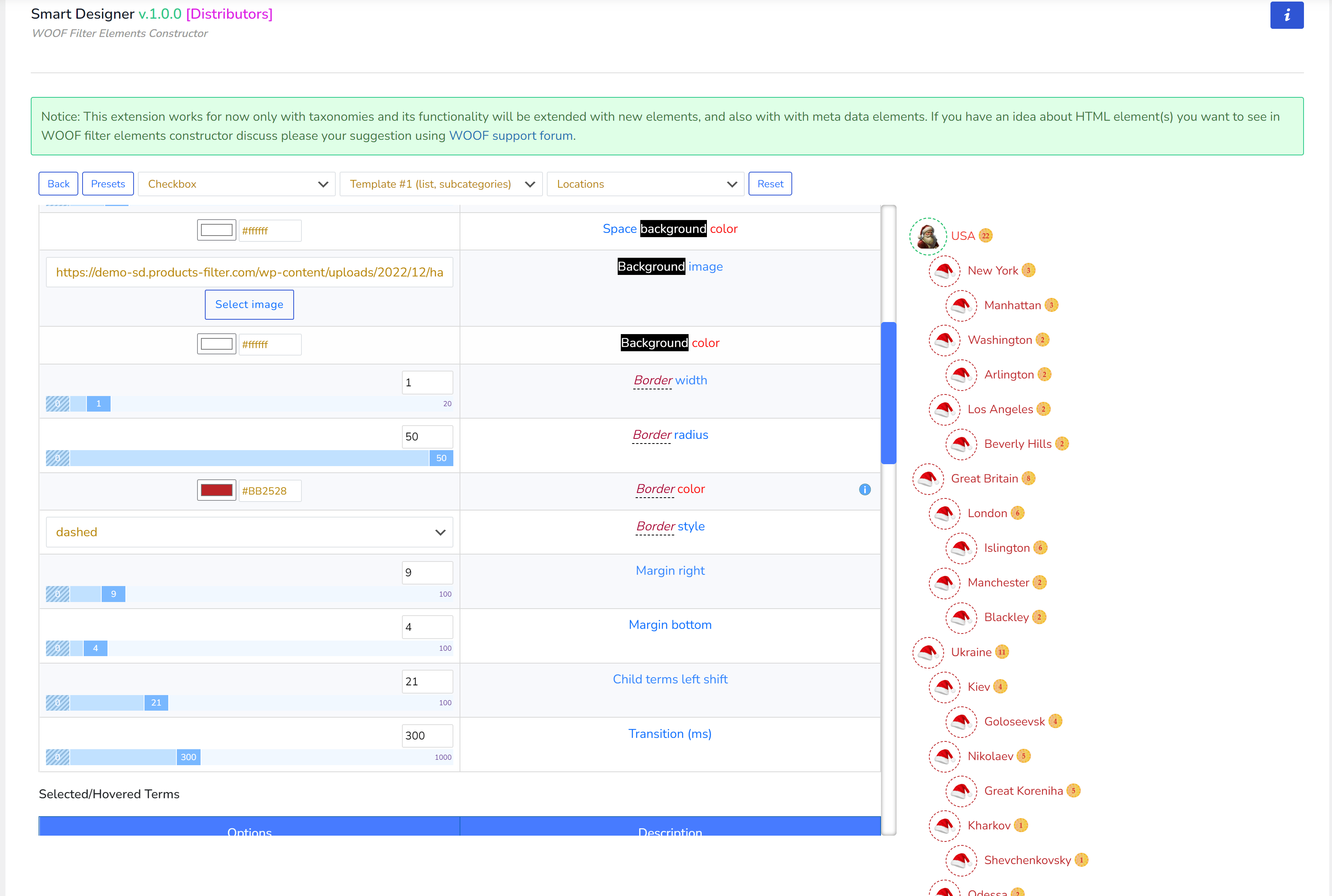
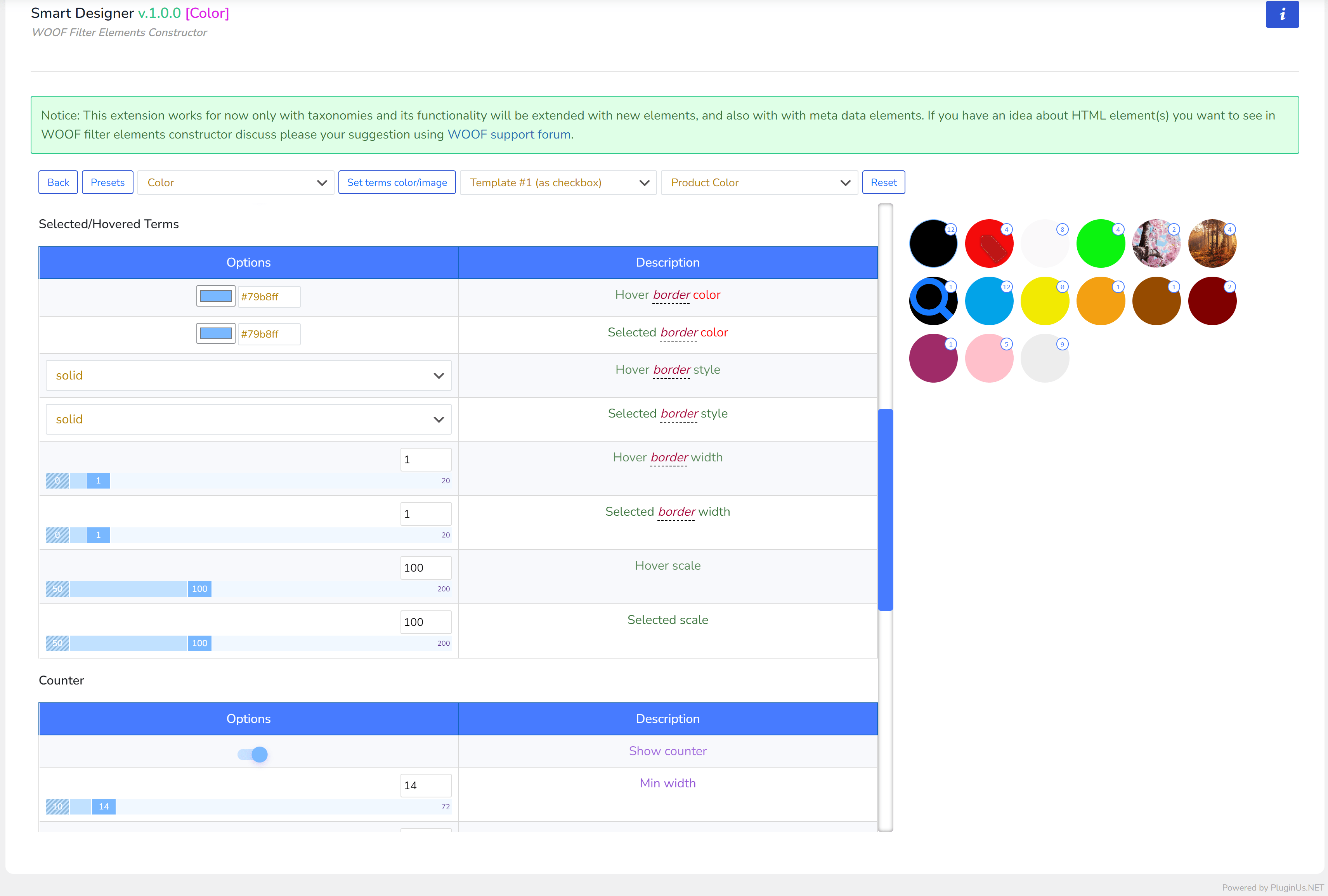
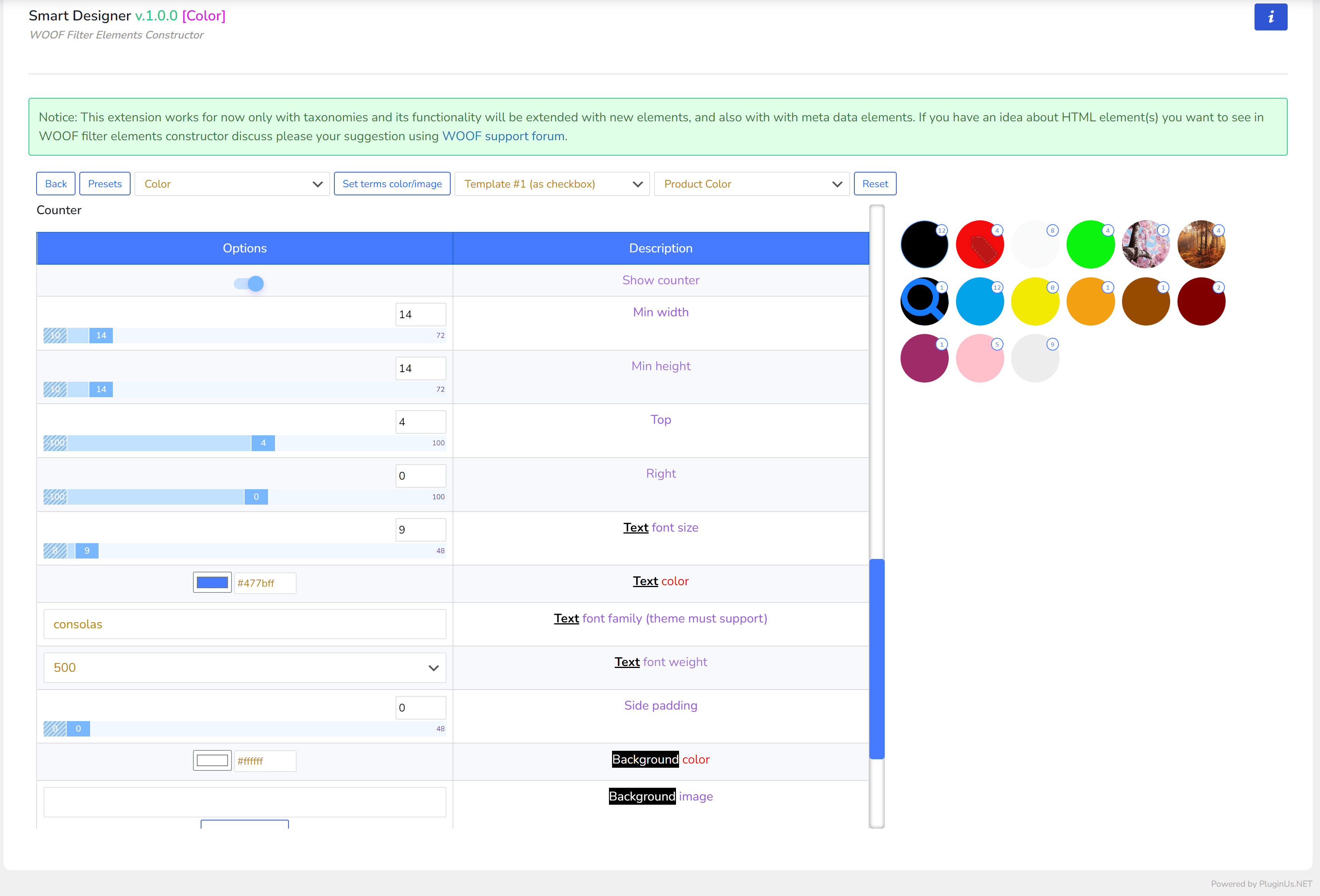
顶部面板
- 返回 – 返回元素列表
- 预设 – 管理员可以保存当前选项集,然后将其应用于相同类型的其他元素
- 下拉菜单 – 包含系统中所有可能的元素类型。上方屏幕中的“盒子标签”是放置在子 WordPress 主题中的自定义元素。如何创建此类元素请阅读下文。
- 下拉菜单 – 包含商店中所有真实的 WooCommerce 分类法,仅为构建筛选元素时提供视觉辅助。也用于“颜色”元素类型,以便将颜色和图像附加到由此下拉菜单选中的分类法下的术语上(关于颜色的说明见下文)
- 重置 – 单击可将当前筛选元素的所有自定义选项恢复为默认值
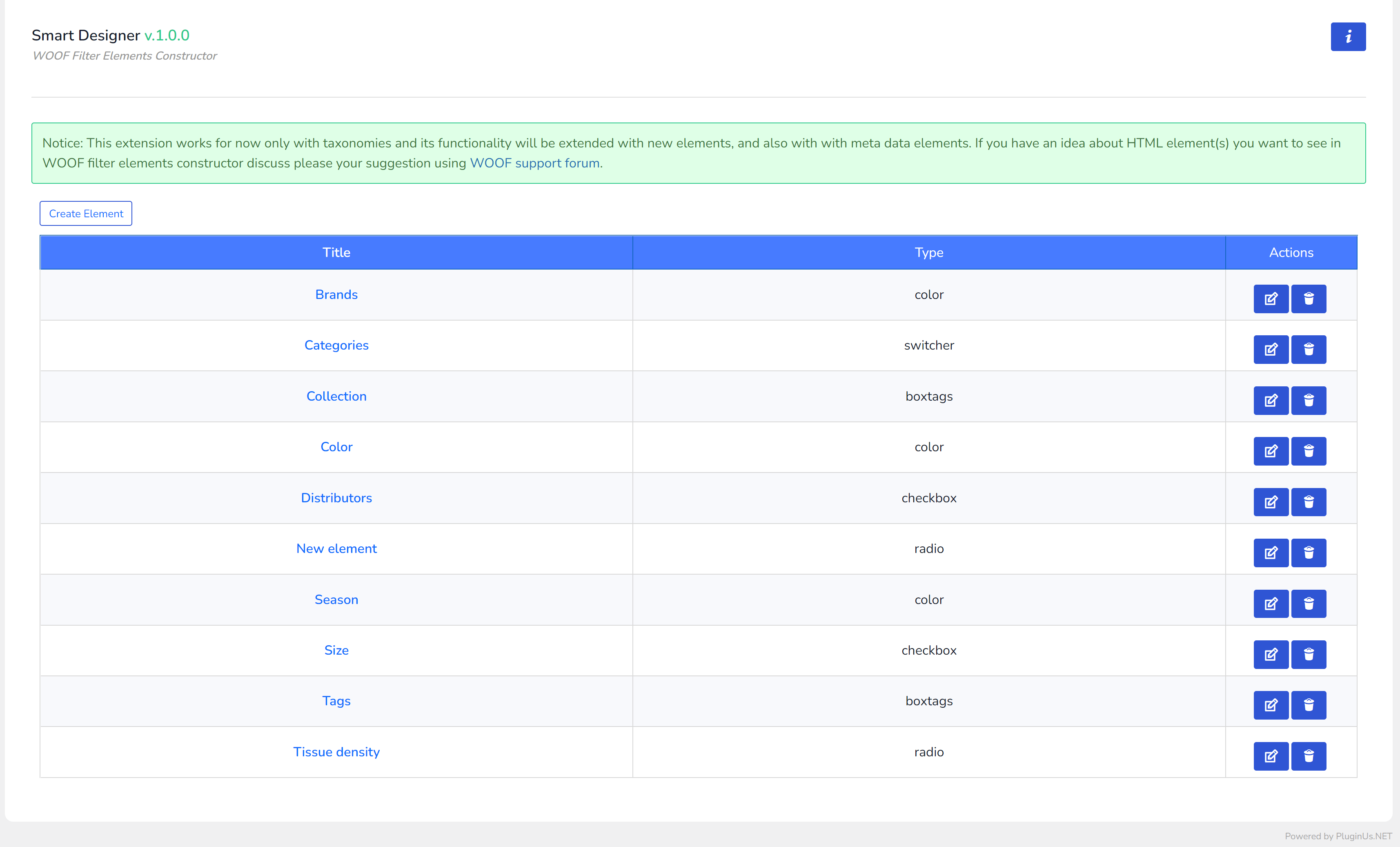
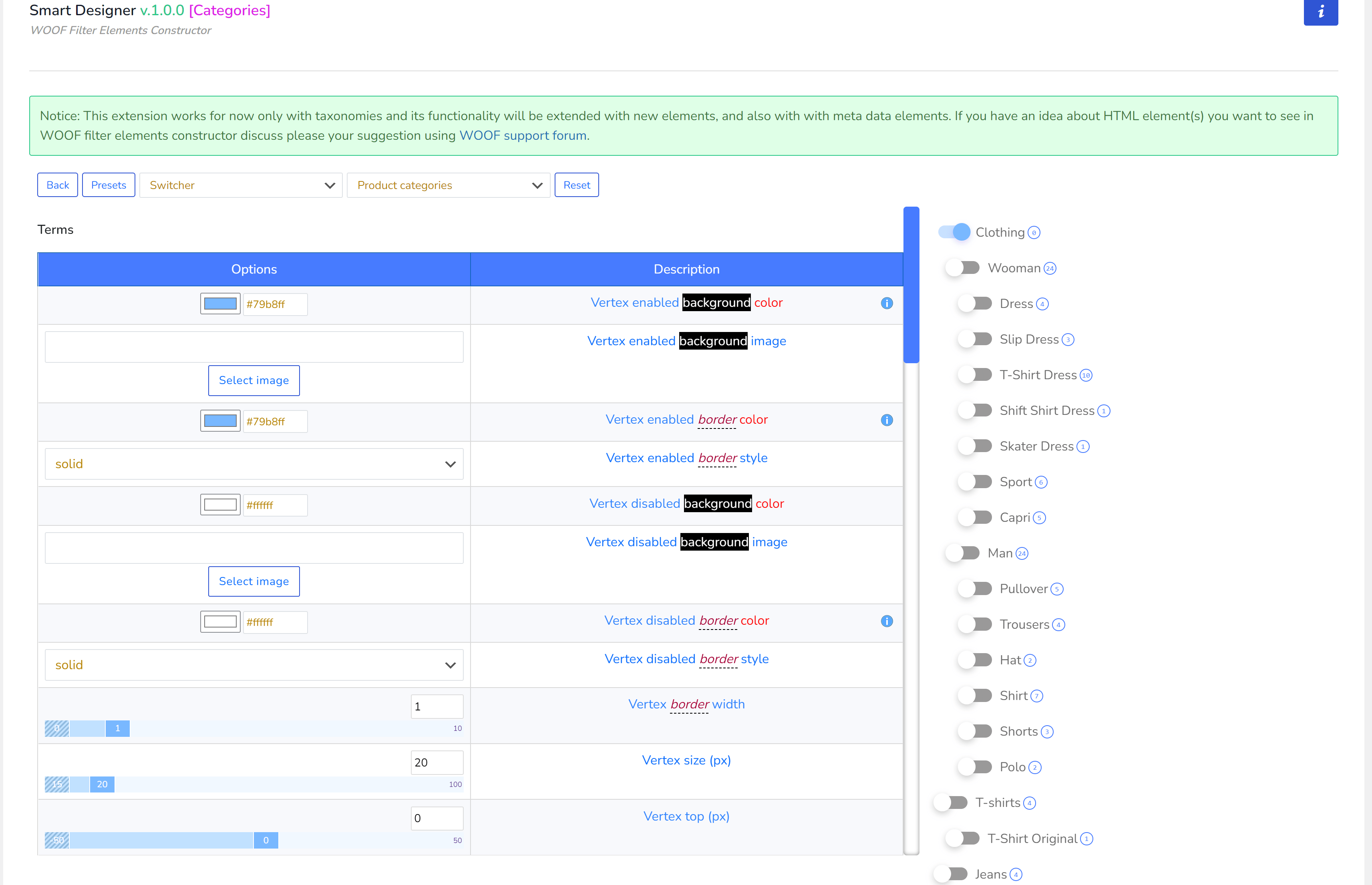
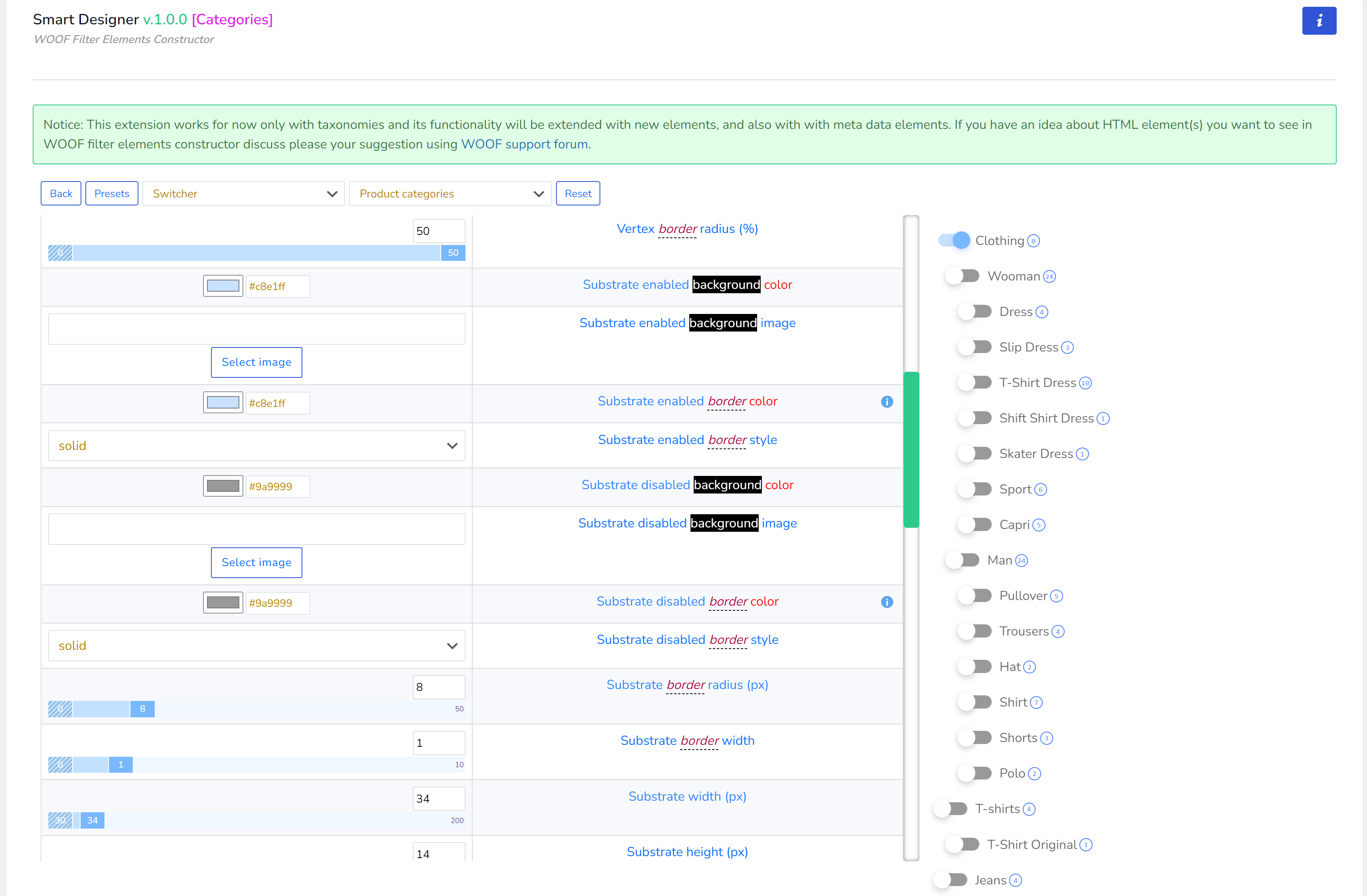
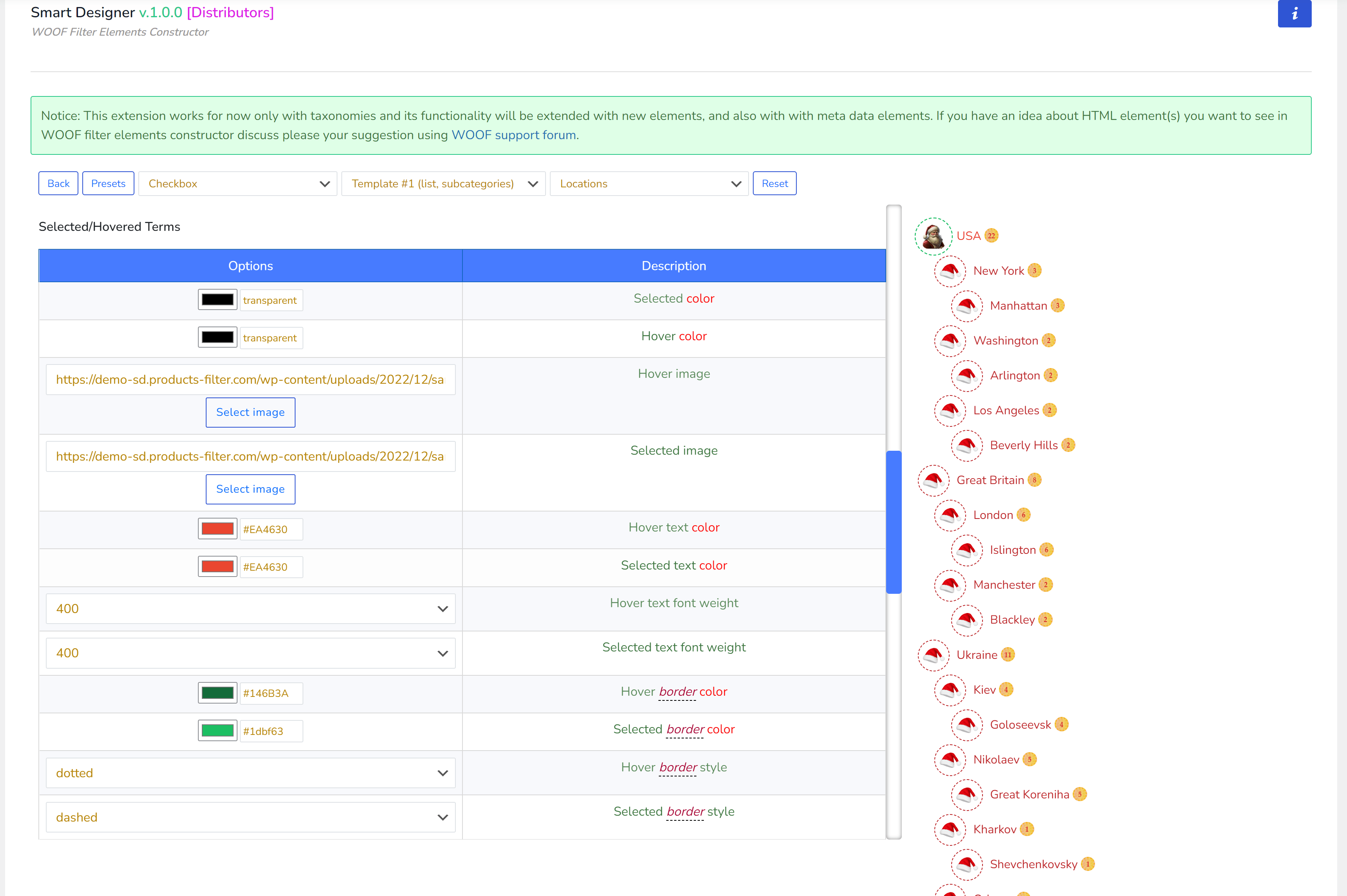
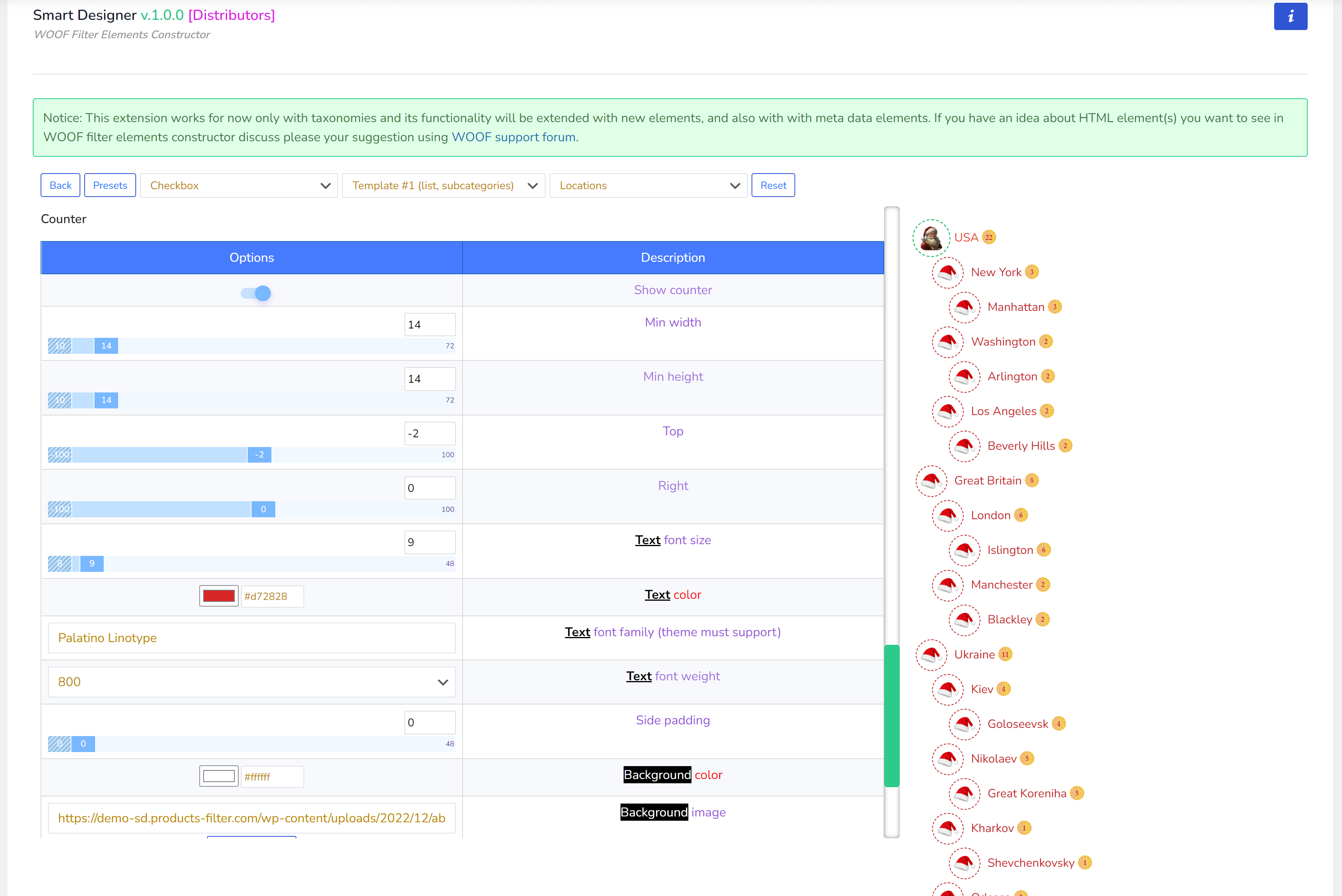
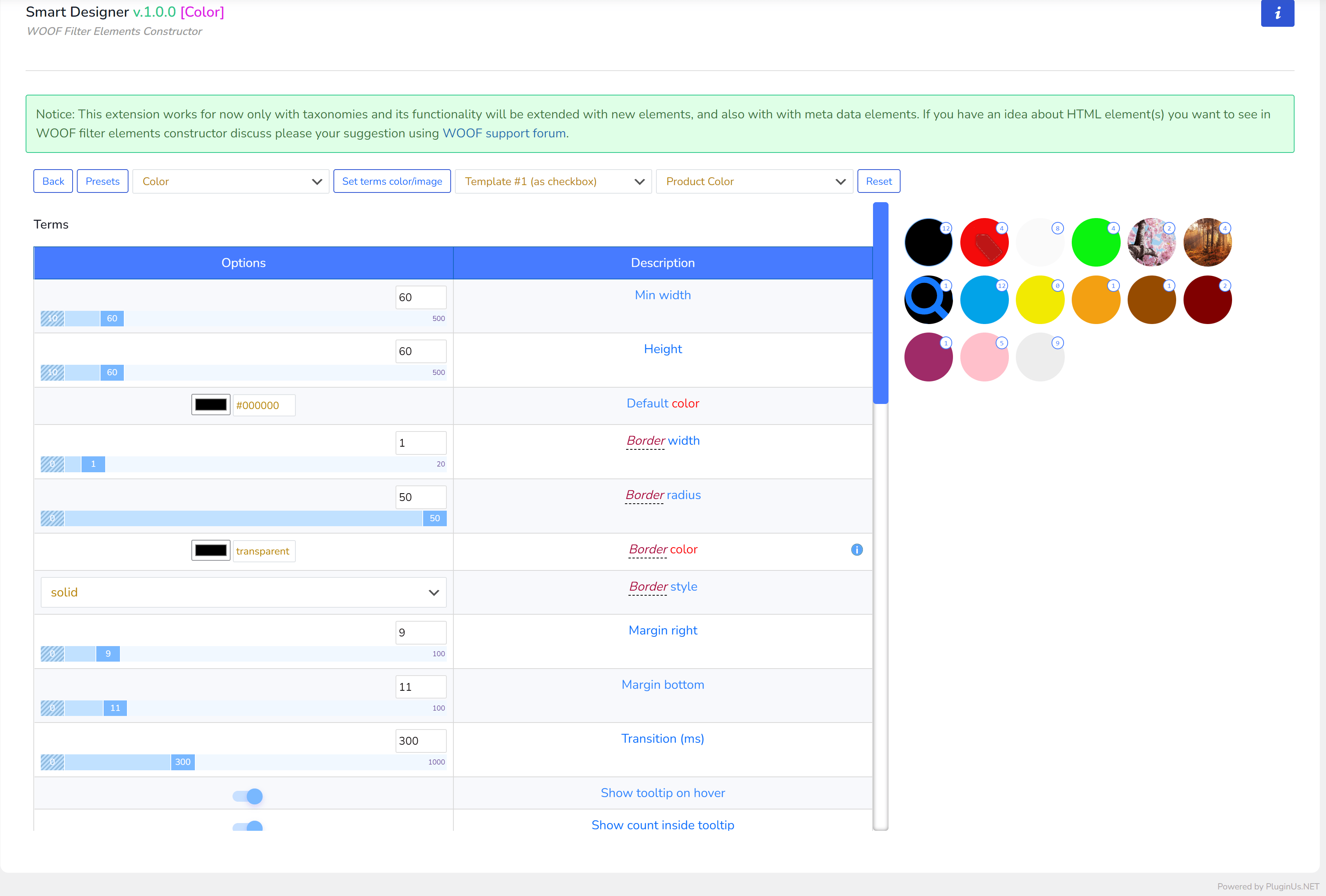
创建与应用
- 在“扩展”选项卡中,激活“Smart Designer”扩展(如果尚未激活),然后点击保存按钮
- 页面重新加载后,转到“Smart Designer”选项卡
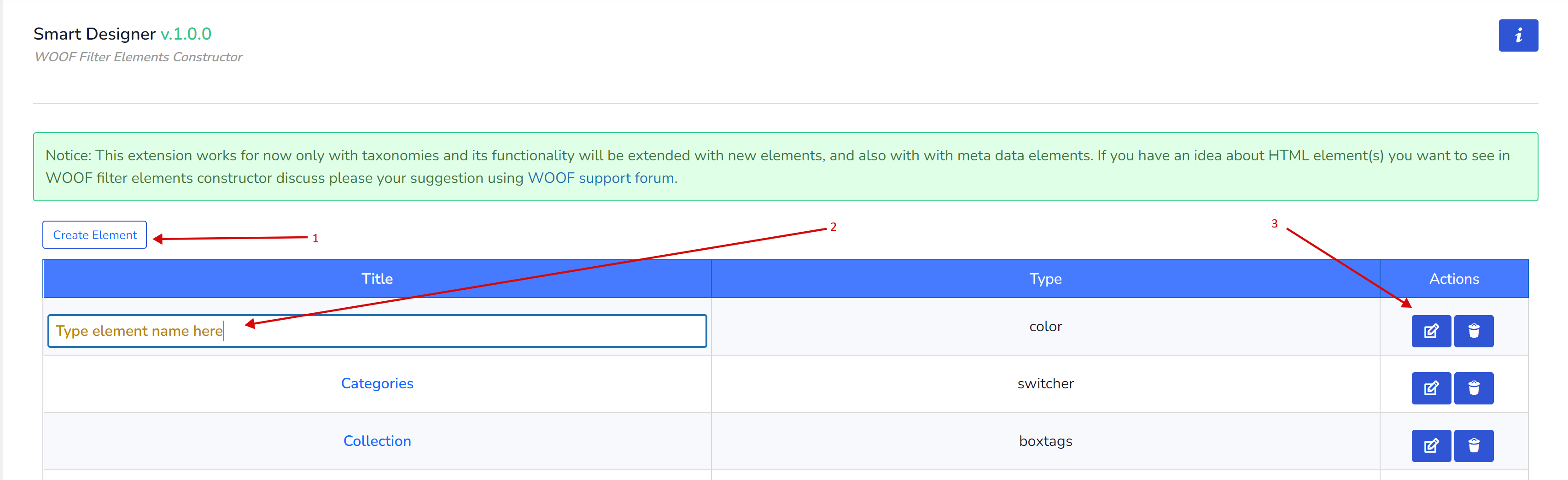
- 点击“创建元素”按钮
- 设置新元素的标题(点击其字段)
- 点击“编辑”按钮进入新元素的选项
- 进入元素选项后,您需要选择其类型:复选框、单选框、开关、颜色,或根据您站点 WordPress 主题中已安装的元素选择其他类型(自定义元素类型说明见下文)。每种类型都有自己的一套选项,且与其他元素类型的选项不重叠!
- 除开关外,所有基础元素还提供布局模板(列表、平铺或单选框、复选框),请选择适合您需求的模板。

- 为了方便,您可以选择当前元素所针对的分类法
- 根据选项描述进行配置,以实现您想要的自定义效果
- 所有更改通过 AJAX 自动保存
- 当您认为设置足够时,可以点击“预设”按钮,将当前自定义选项保存下来,供未来元素使用(避免从零开始创建新元素)
- 最后一步是转到“结构”选项卡,将刚刚创建的元素类型附加到某个分类法上。所有通过 Smart Designer 创建的元素,其标题都带有前缀“SD:”
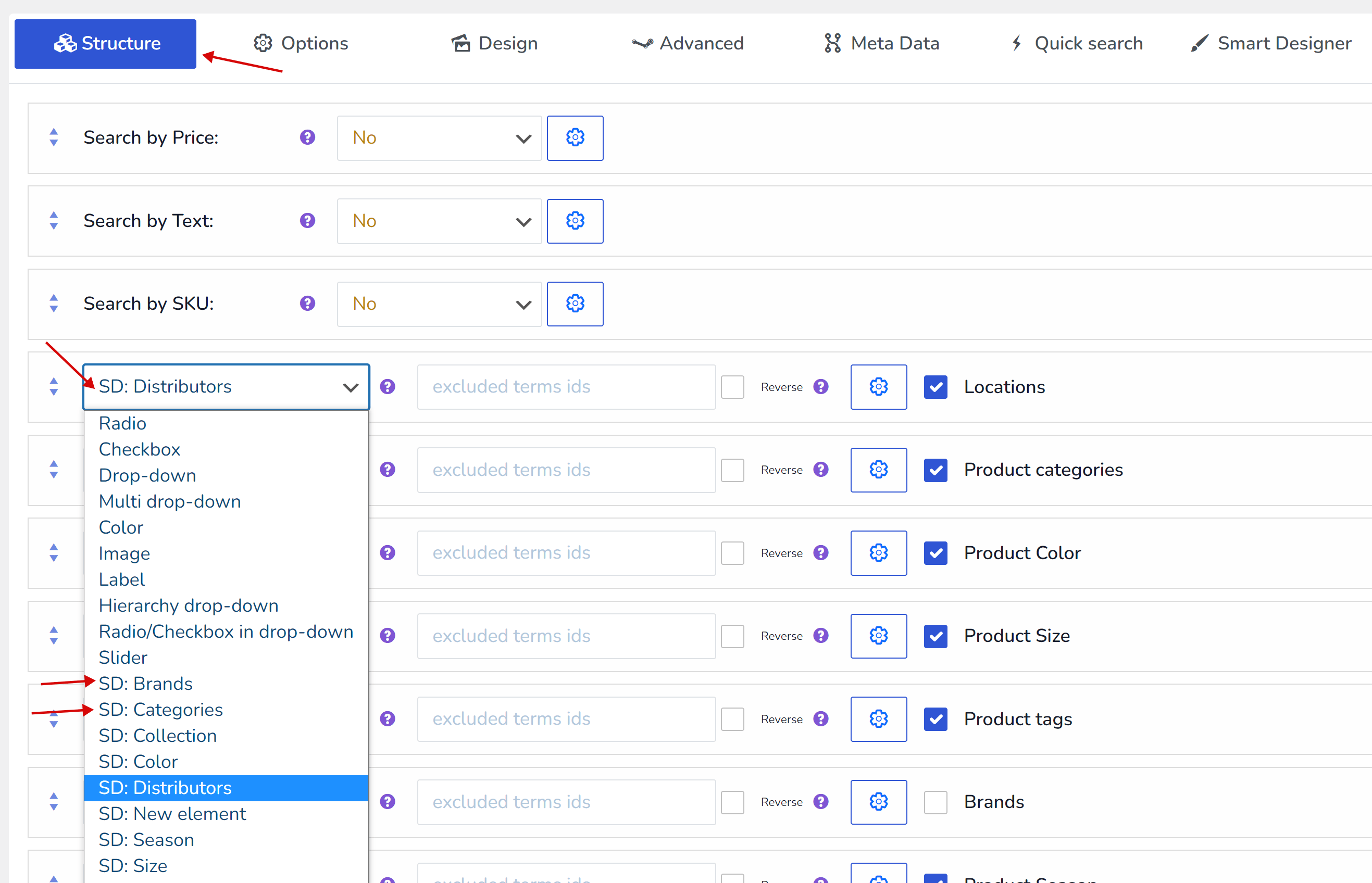
- 点击下方的保存按钮
- 前往商店前端页面,尽情享受吧 🙂
自定义小贴士
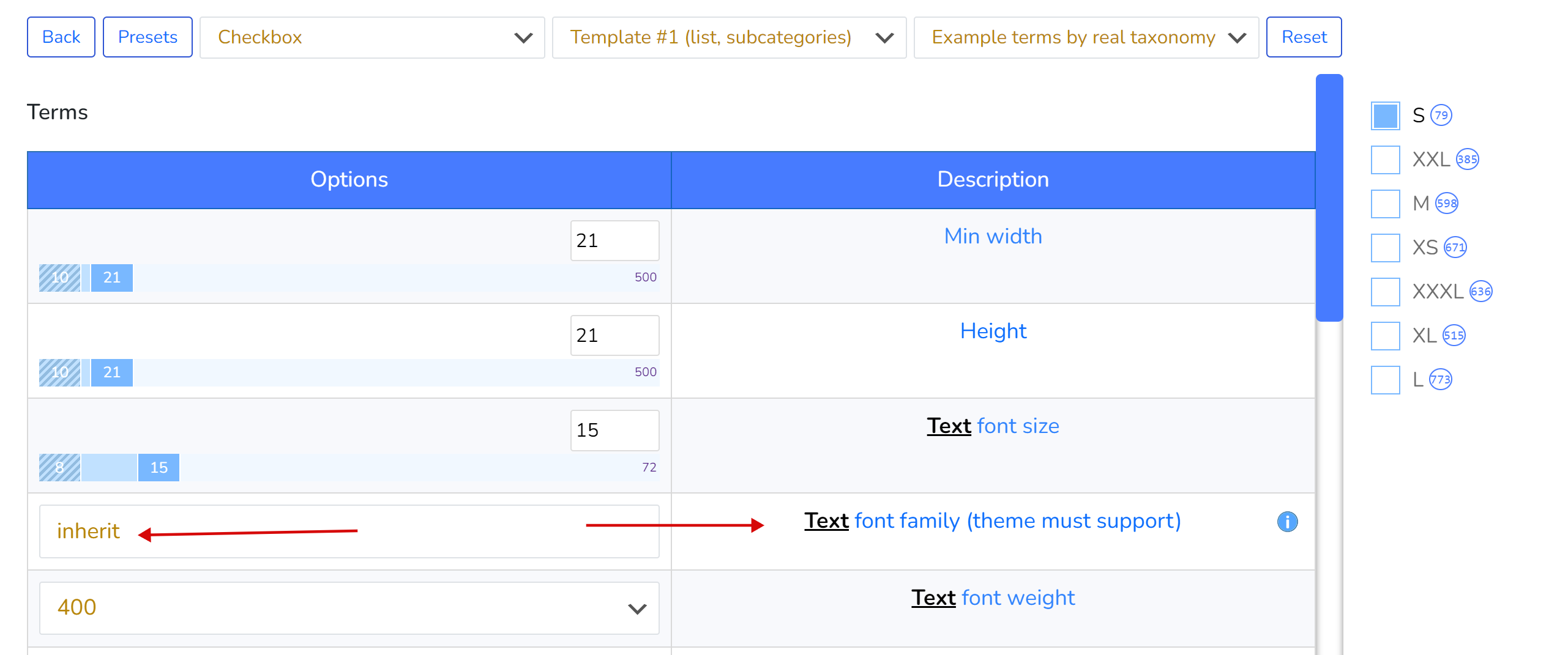
- 如果不知道为文本应用哪种字体系列,请使用单词“inherit”,这将继承当前 WordPress 主题的字体系列。请记住,如果您应用了某个字体系列,它必须得到当前 WordPress 主题的支持,并且不能保证该字体已包含在站点的 wp-admin 端,因此后端与前端看到的视觉效果可能无法 100% 一致。
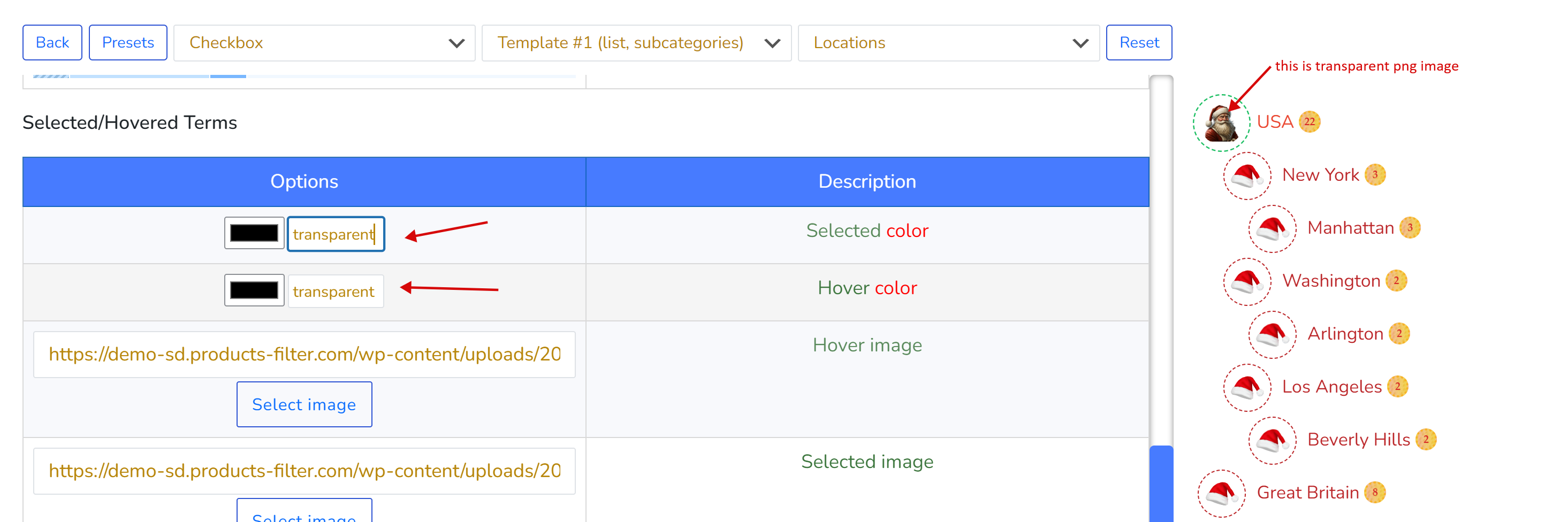
- 如果不需要为透明 PNG 背景图像设置颜色,请使用单词“transparent”代替颜色十六进制代码
- 您可以通过 Google 搜索关键词“背景图案图片”找到不同的图像图案
- 如果你正在寻找漂亮的颜色,可以在此处找到,例如 https://codebeautify.org/hex-to-pantone-converter
- 颜色代码转换器 https://rgbacolorpicker.com/hex-to-rgba
预设
预设保存你的选项,以便你可以将它们应用于相似的元素,从而缩短生产时间。你可以进行以下操作:
- 创建预设
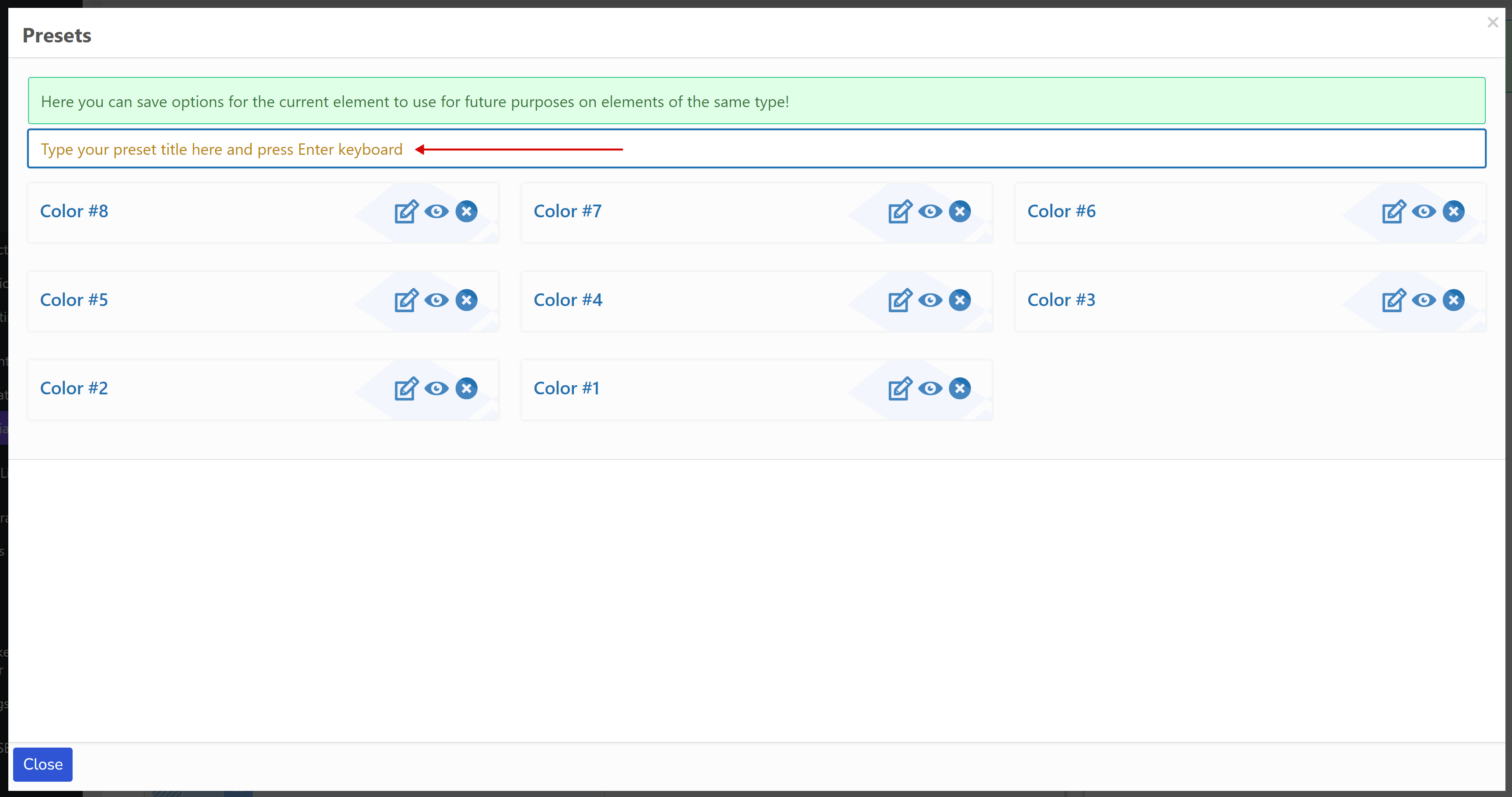
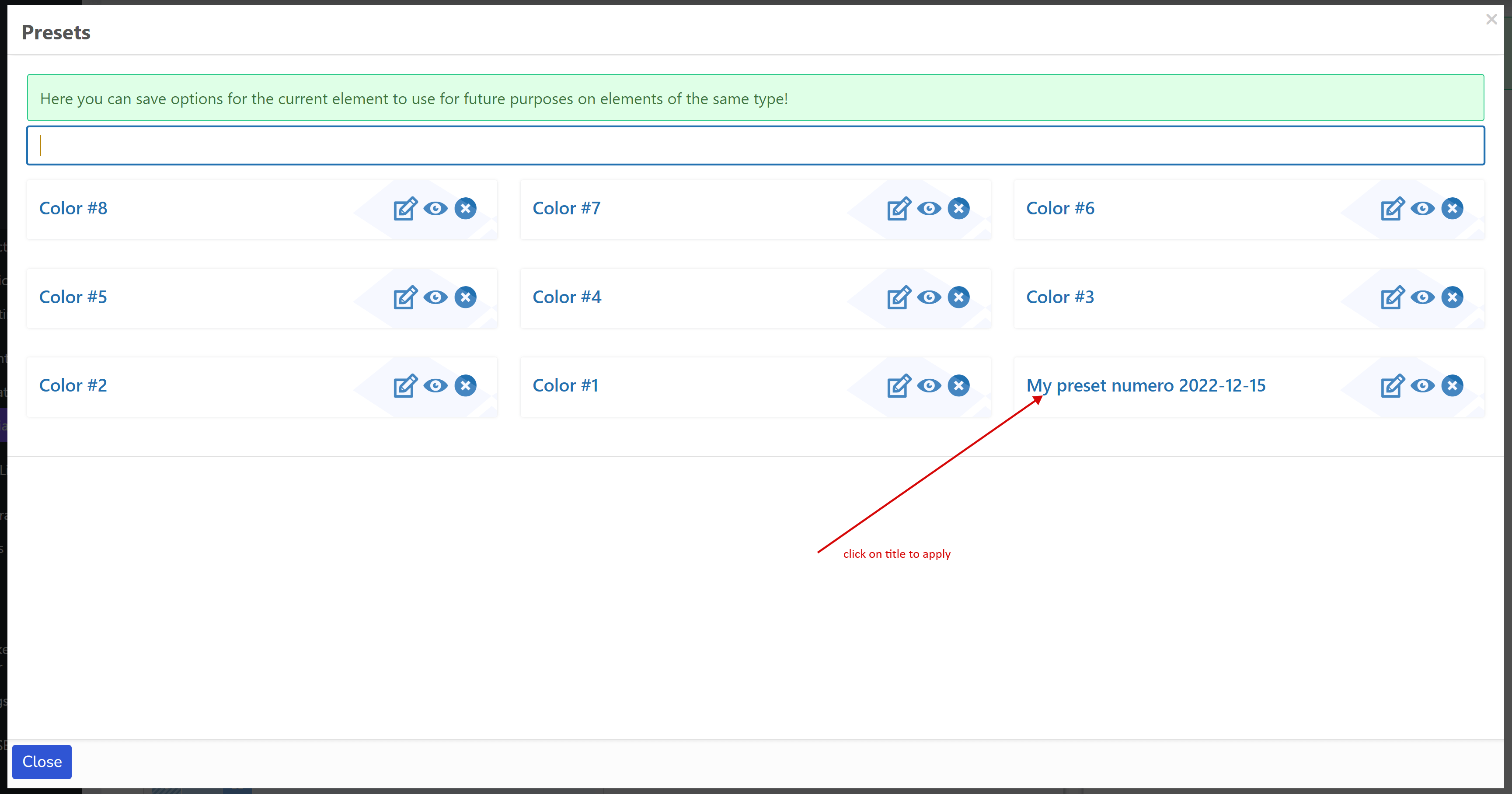
- 将预设应用于同一类型的新元素(复选框、单选、颜色、开关、任何自定义类型)——只需点击其标题。例如,为单选创建的预设对复选框不可见,反之亦然。
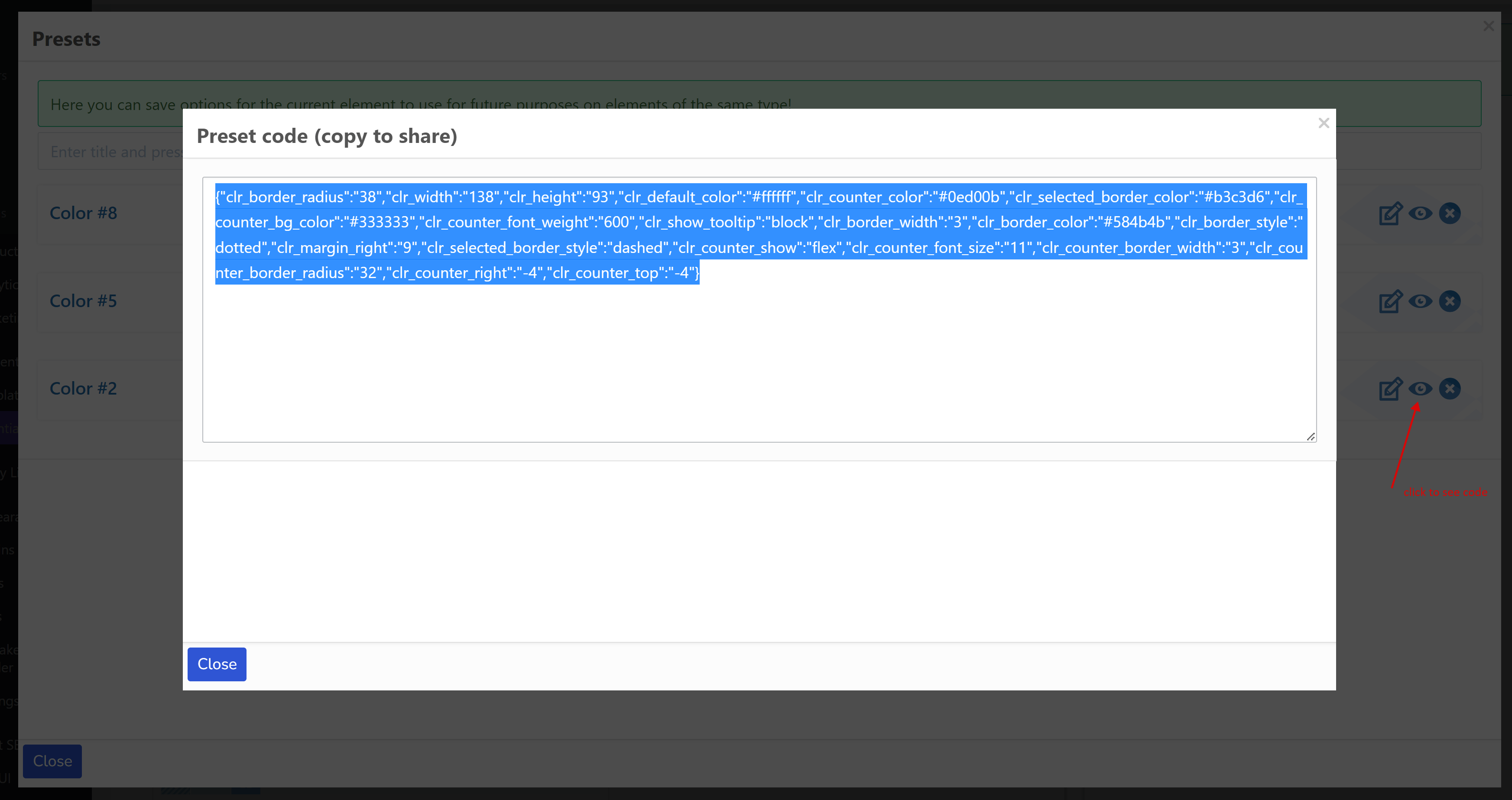
- 将你的预设以文本信息的形式分享给其他人(开发者、同事、网站等……)。点击眼睛按钮。
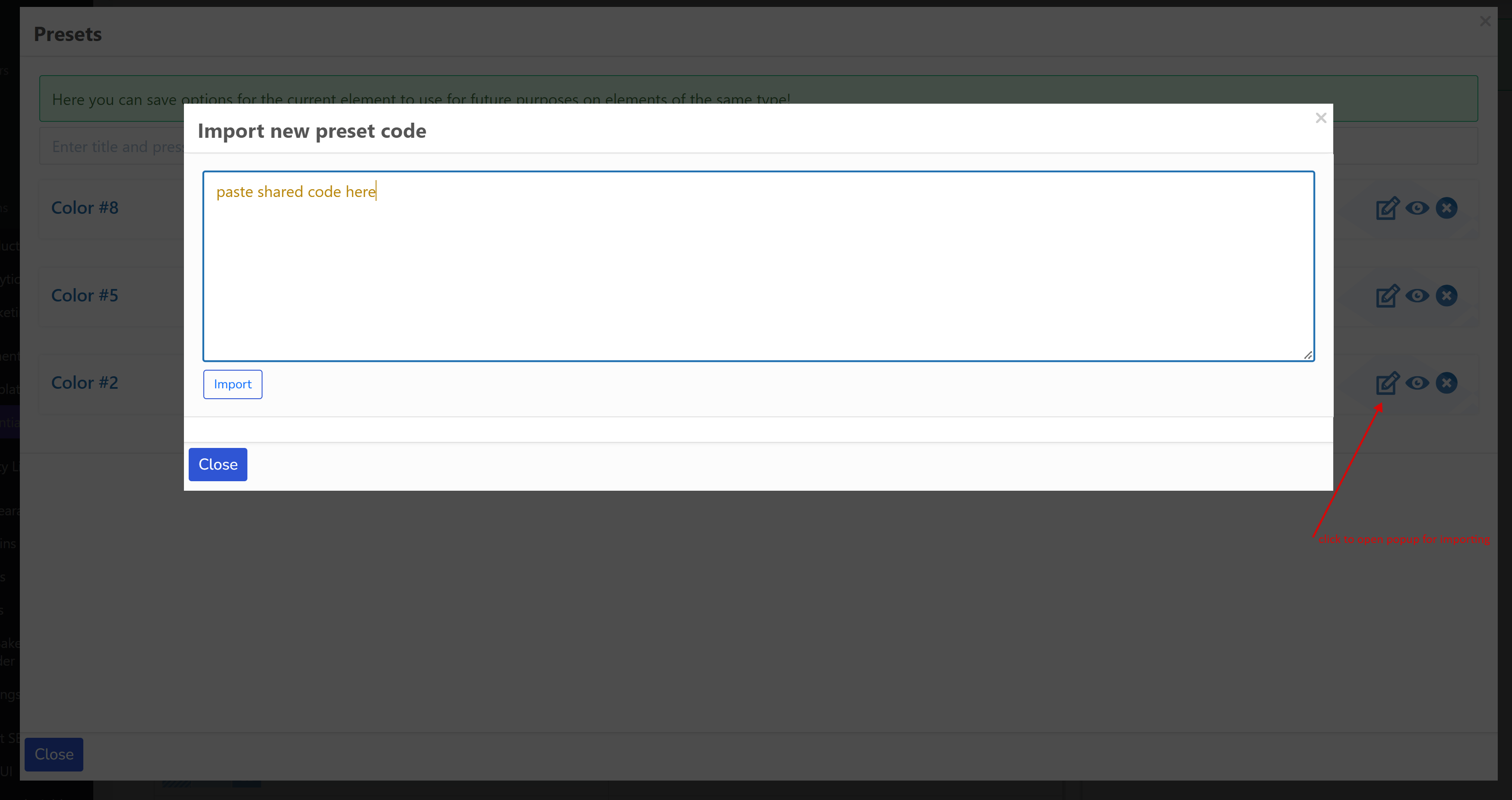
- 导入他人分享给你的预设代码。点击编辑按钮。粘贴代码。点击‘导入’按钮。
颜色
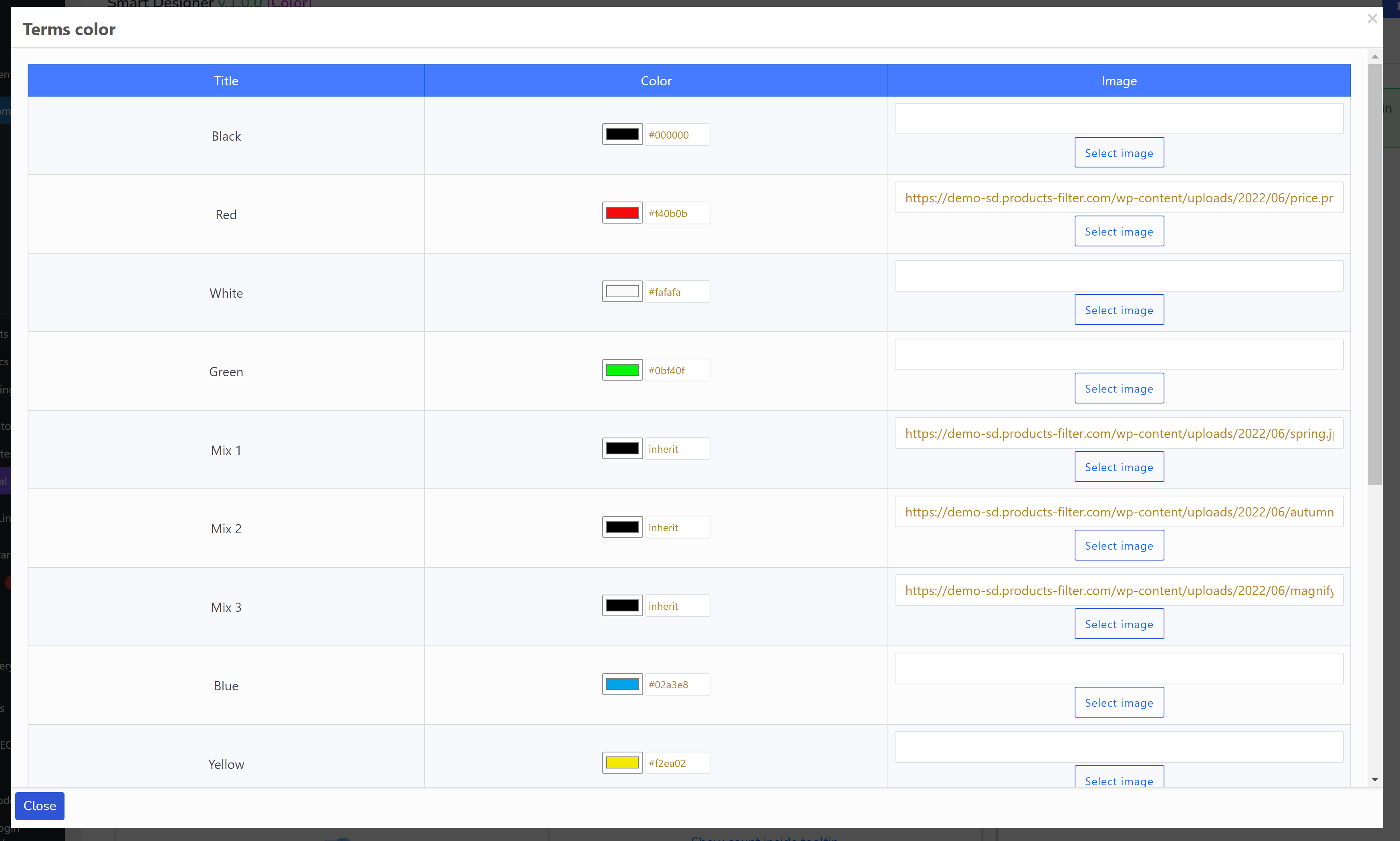
颜色元素——是一个特殊元素,具有其自己的功能——通过弹出窗口为所选分类的每个术语分配颜色和图像(参见‘重置’按钮前的下拉菜单)
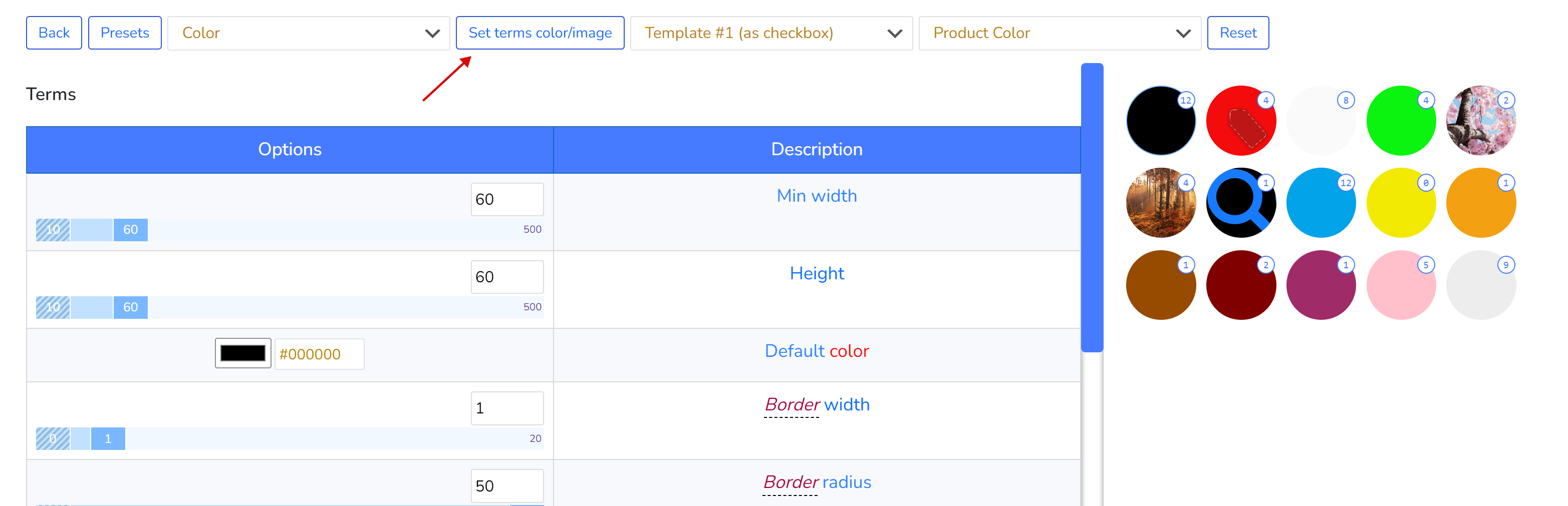
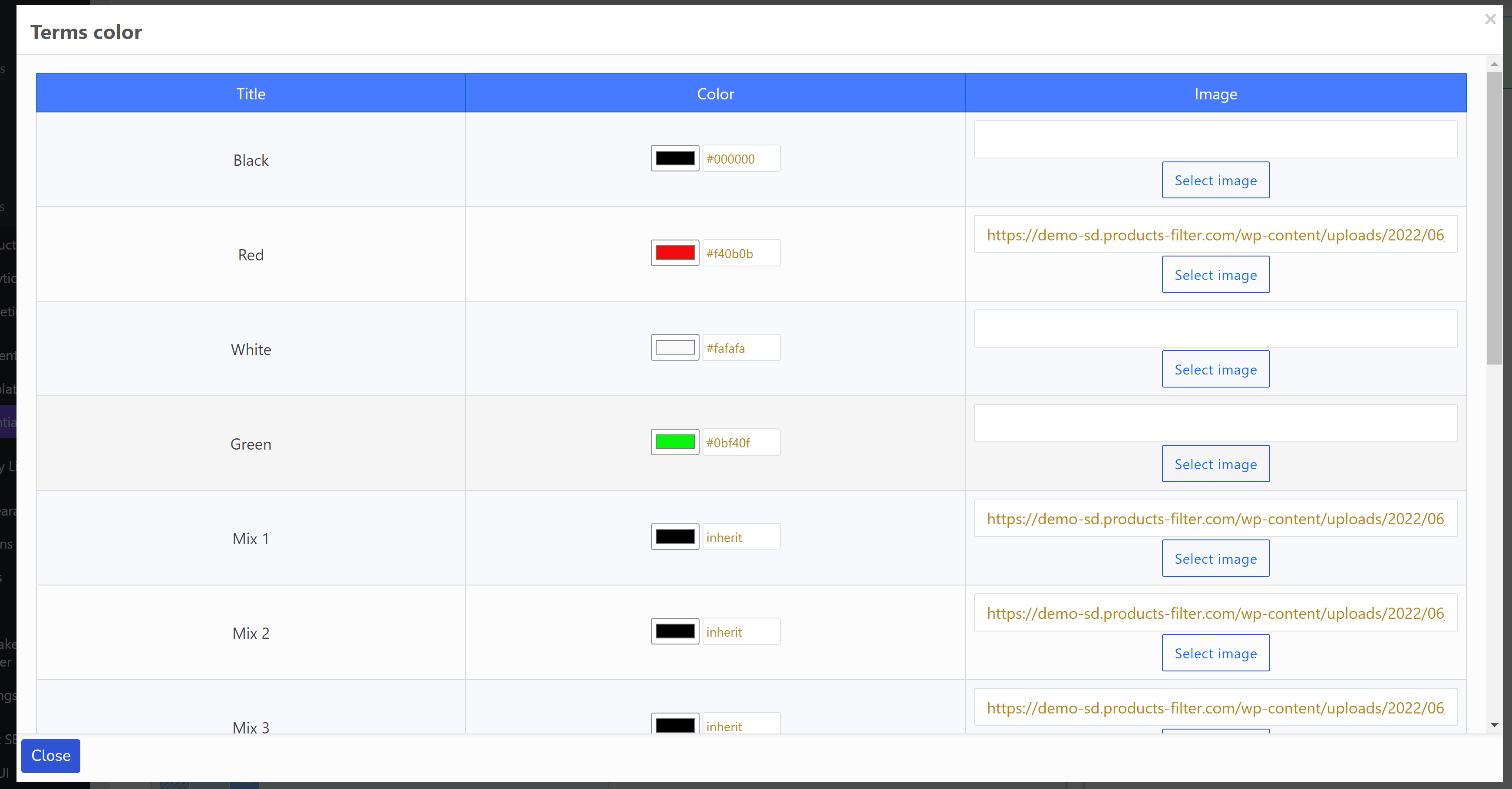
数据存储在特殊的术语元键中:
- woof_sd_color
- woof_sd_color_image
这些键可以在当前 WordPress 主题的 functions.php 文件中重载,用于你已经以自己方式为术语设置颜色选项的情况,使用以下钩子:
- get_woof_sd_term_color_key —— 用于存储分类术语颜色数据的钩子
add_filter('get_woof_sd_term_color', function ($term_id) { $meta_key = '__YOUR_OWN_KEY__'; $color = get_term_meta($term_id, $meta_key, true);//you can use your own code to get term color using its $term_id return $color ? $color : 'inherit'; }); - get_woof_sd_term_color_image_key —— 用于存储分类术语图像数据的钩子
add_filter('get_woof_sd_term_color_image', function ($term_id) {
    $meta_key = '__YOUR_OWN_KEY__';
    $img = get_term_meta($term_id, $meta_key, true);//you can use your own code to get term color using its $term_id
    return $img ? $img : '__YOU_CAN_PLACE_HERE_YOUR_DEFAULT_IMAGE_LINK__';
});
仅限开发者的自定义元素
WOOF SD 允许开发者创建自己的自定义元素,所需要的只是良好的 CSS+HTML 代码。这里有一个示例:https://codepen.io/quinlo/pen/ReMRXz —— 这足以创建筛选元素,你可以在 演示网站 上看到它 -> ‘产品标签’
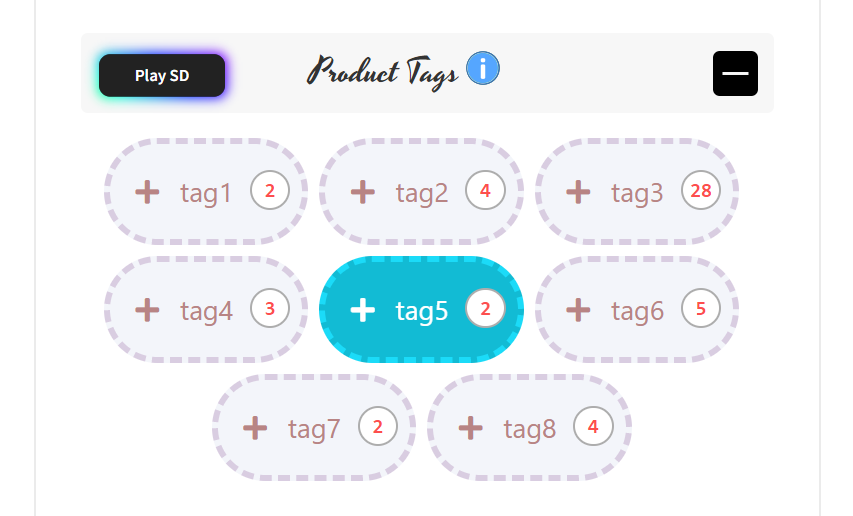
下图展示了如何将这样的元素添加到系统中:
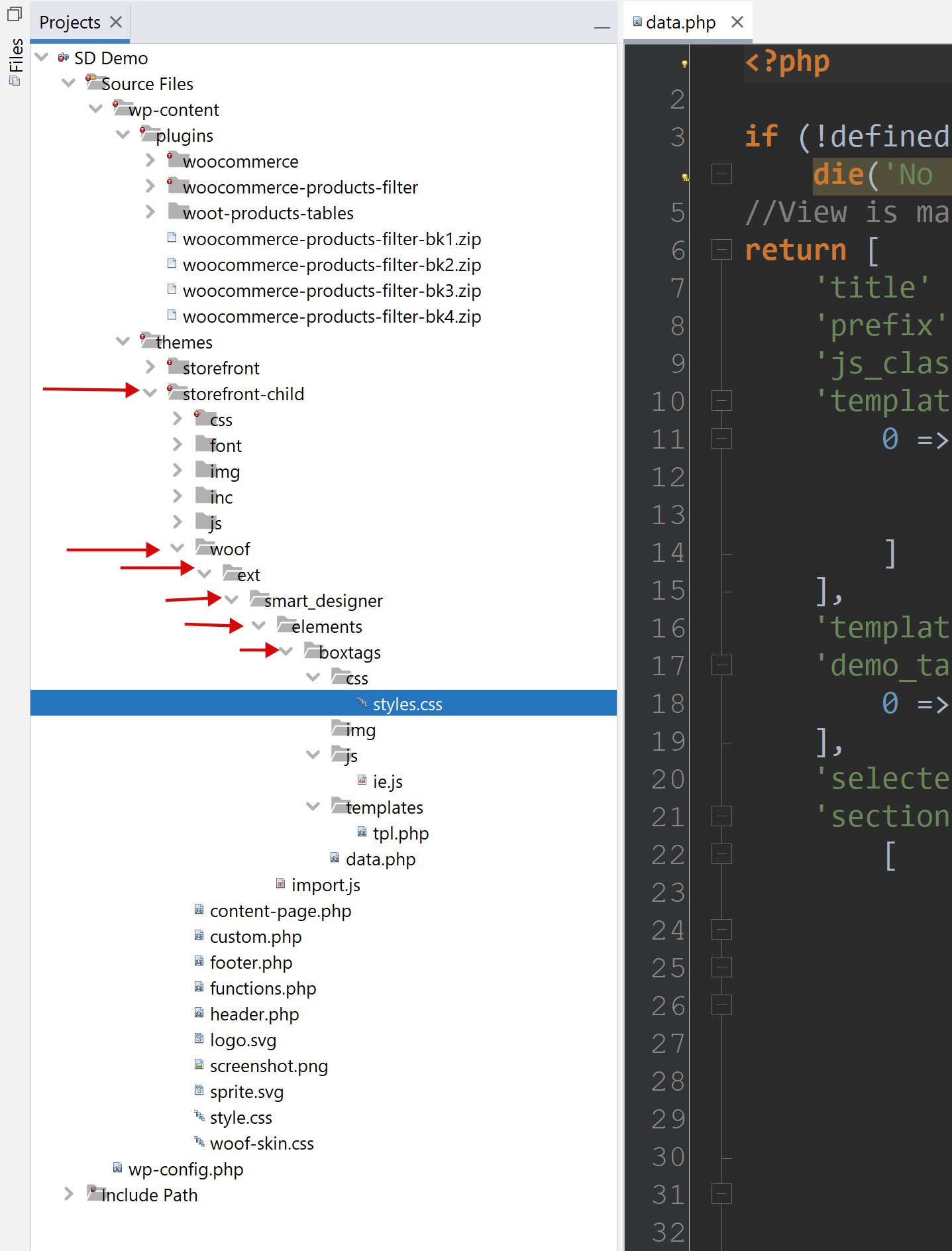
- 在当前 WordPress 主题(最好使用子主题)中创建文件夹 ‘woof’
- 在文件夹 ‘woof’ 中创建文件夹 ‘ext’
- 在文件夹 ‘ext’ 中创建文件夹 ‘smart_designer’
- 在文件夹 ‘smart_designer’ 中创建文件夹 elements
- 在文件夹 ‘elements’ 中按照你想要的名称创建文件夹,必要时使用下划线
- 自定义元素类型文件夹必须包含以下文件:
- css/styles.css —— 元素的所有 CSS 代码
- js/ie.js —— 你的 JS 类,扩展 IE,只需复制粘贴:
'use strict';
import {IE, Helper} from '../../../import.js';//created automatically
//This class is for constructor on backend
//!!Rename class and put its name into file data.php field js_class
export default class Boxtags extends IE {
    draw() {
        super.draw();

        Helper.ajax(null, {}, template => {
            let terms = this.visor.sd.demo_taxonomies_terms;
            let block = this.assemble_terms(terms, template);

            this.container.insertAdjacentHTML('afterbegin', block);
            if (this.container.querySelectorAll('input')) {
                this.container.querySelectorAll('input')[0].setAttribute('checked', true);//for visual test
            }

            this.container.className = `woof_list_${this.template_folder}_sd_${this.template_num}`;
            this.wrapper.appendChild(this.container);
        }, false, this.template_url);
    }
}
重命名你的 JS 类(代替 Boxtags),这很重要,并在 data.php 中使用
- templates/tpl.php —— 如果需要,可以有更多文件,命名为 tpl-1.php、tpl-2.php 等……所有模板文件必须在 data.php 中声明。
- data.php —— 这里是选项数组,其键用于文件 css/styles.css 和模板中
<?php if (!defined('ABSPATH')) die('No direct access allowed'); //View is managed by the Data! return [ 'title' => 'Box tags', //!! 'prefix' => 'boxtags_', //!!unique prefix for css vars 'js_class' => 'Boxtags', //!!important, class name from ie.js 'templates' => [ 0 => [ 'title' => esc_html__('Template #1', 'woocommerce-products-filter'), 'use_subterms' => 0//will subterms display or only parent terms depending of the current taxonomy ] ], 'template' => 0, 'demo_taxonomies' => [ 0 => esc_html__('Example terms by real taxonomy', 'woocommerce-products-filter') ], 'selected_demo_taxonomy' => 0, //demo data for visor 'sections' => [ [ 'title' => esc_html__('Terms', 'woocommerce-products-filter'), 'table' => [ 'header' => [ [ 'value' => esc_html__('Options', 'woocommerce-products-filter'), 'width' => '50%', 'action' => 'save_custom_element_option' ], [ 'value' => esc_html__('Description', 'woocommerce-products-filter'), 'width' => '50%', ], ], 'rows' => [ 'padding_vertical' => [ ['value' => ['element' => 'ranger', 'value' => 8, 'min' => 0, 'max' => 30], 'measure' => 'px'], ['value' => esc_html__('Padding vertical', 'woocommerce-products-filter')] ], 'padding_side' => [ ['value' => ['element' => 'ranger', 'value' => 12, 'min' => 0, 'max' => 30], 'measure' => 'px'], ['value' => esc_html__('Padding horizontal', 'woocommerce-products-filter')] ], 'font_family' => [ ['value' => ['element' => 'text', 'value' => 'Segoe UI'], 'measure' => ''], ['value' => esc_html__('Text font family (theme must support)', 'woocommerce-products-filter'), 'help' => '#'] ], 'font_size' => [ ['value' => ['element' => 'ranger', 'value' => 13, 'min' => 8, 'max' => 24], 'measure' => 'px'], ['value' => esc_html__('Text font size', 'woocommerce-products-filter')] ], 'font_weight' => [ ['value' => ['element' => 'select', 'value' => 400, 'options' => [ '100' => '100', '200' => '200', '300' => '300', '400' => '400', '500' => '500', '600' => '600', '700' => '700', '800' => '800' ], 'conditions' => []]], ['value' => 'Text font weight'], //cell ], 'color' => [ ['value' => ['element' => 'color', 'value' => '#adadad']], ['value' => esc_html__('Text color', 'woocommerce-products-filter')] ], 'margin_right' => [ ['value' => ['element' => 'ranger', 'value' => 5, 'min' => 0, 'max' => 30], 'measure' => 'px'], ['value' => esc_html__('Margin right', 'woocommerce-products-filter')] ], 'margin_bottom' => [ ['value' => ['element' => 'ranger', 'value' => 5, 'min' => 0, 'max' => 30], 'measure' => 'px'], ['value' => esc_html__('Margin bottom', 'woocommerce-products-filter')] ], 'bg_color_r' => [ ['value' => ['element' => 'ranger', 'value' => 255, 'min' => 0, 'max' => 255], 'measure' => ''], ['value' => esc_html__('Background color red channel', 'woocommerce-products-filter')] ], 'bg_color_g' => [ ['value' => ['element' => 'ranger', 'value' => 255, 'min' => 0, 'max' => 255], 'measure' => ''], ['value' => esc_html__('Background color green channel', 'woocommerce-products-filter')] ], 'bg_color_b' => [ ['value' => ['element' => 'ranger', 'value' => 255, 'min' => 0, 'max' => 255], 'measure' => ''], ['value' => esc_html__('Background color blue channel', 'woocommerce-products-filter')] ], 'bg_color_op' => [ ['value' => ['element' => 'ranger', 'value' => 9, 'min' => 0, 'max' => 10], 'measure' => ''], ['value' => esc_html__('Background color opacity', 'woocommerce-products-filter')] ], 'bg_image' => [ ['value' => ['element' => 'image', 'value' => ''], 'before' => 'url(', 'after' => ')'], //cell ['value' => esc_html__('Background image', 'woocommerce-products-filter')] //cell ], 'border_width' => [ ['value' => ['element' => 'ranger', 'value' => 2, 'min' => 0, 'max' => 10], 'measure' => 'px'], ['value' => esc_html__('Border width', 'woocommerce-products-filter')] ], 'border_style' => [ ['value' => ['element' => 'select', 'value' => 'solid', 'options' => [ 'dotted' => 'dotted', 'dashed' => 'dashed', 'solid' => 'solid', 'double' => 'double', 'groove' => 'groove', 'ridge' => 'ridge', 'inset' => 'inset', 'outset' => 'outset', 'none' => 'none', 'hidden' => 'hidden' ]]], ['value' => 'Border style'], ], 'border_radius' => [ ['value' => ['element' => 'ranger', 'value' => 25, 'min' => 0, 'max' => 50], 'measure' => 'px'], ['value' => esc_html__('Border radius', 'woocommerce-products-filter')] ], 'border_color_r' => [ ['value' => ['element' => 'ranger', 'value' => 139, 'min' => 0, 'max' => 255], 'measure' => ''], ['value' => esc_html__('Border color red channel', 'woocommerce-products-filter')] ], 'border_color_g' => [ ['value' => ['element' => 'ranger', 'value' => 139, 'min' => 0, 'max' => 255], 'measure' => ''], ['value' => esc_html__('Border color green channel', 'woocommerce-products-filter')] ], 'border_color_b' => [ ['value' => ['element' => 'ranger', 'value' => 139, 'min' => 0, 'max' => 255], 'measure' => ''], ['value' => esc_html__('Border color blue channel', 'woocommerce-products-filter')] ], 'border_color_op' => [ ['value' => ['element' => 'ranger', 'value' => 3, 'min' => 0, 'max' => 10], 'measure' => ''], ['value' => esc_html__('Border color opacity', 'woocommerce-products-filter')] ], 'checkbox_font_family' => [ ['value' => ['element' => 'text', 'value' => 'Font Awesome 5 Free'], 'measure' => '', 'before' => '"', 'after' => '"'], ['value' => esc_html__('Checkbox font family (theme must support)', 'woocommerce-products-filter'), 'help' => '#'] ], 'checkbox_font_size' => [ ['value' => ['element' => 'ranger', 'value' => 12, 'min' => 8, 'max' => 72], 'measure' => 'px'], ['value' => esc_html__('Checkbox font size', 'woocommerce-products-filter')] ], 'checkbox_content' => [ ['value' => ['element' => 'text', 'value' => "\f067"], 'measure' => '', 'before' => '"', 'after' => '"'], ['value' => esc_html__('Checkbox content', 'woocommerce-products-filter'), 'help' => '#'] ], 'checkbox_content_selected' => [ ['value' => ['element' => 'text', 'value' => "\f00c"], 'measure' => '', 'before' => '"', 'after' => '"'], ['value' => esc_html__('Checkbox content selected', 'woocommerce-products-filter'), 'help' => '#'] ], 'transition' => [ ['value' => ['element' => 'ranger', 'value' => 200, 'min' => 0, 'max' => 1000], 'measure' => 's'], //cell ['value' => esc_html__('Transition (ms)', 'woocommerce-products-filter')] //cell ], ] ] ], [ 'title' => esc_html__('Hovered(Selected) Terms', 'woocommerce-products-filter'), 'table' => [ 'header' => [ [ 'value' => esc_html__('Options', 'woocommerce-products-filter'), 'width' => '50%', 'action' => 'save_custom_element_option' ], [ 'value' => esc_html__('Description', 'woocommerce-products-filter'), 'width' => '50%' ], ], 'rows' => [ 'selected_color' => [ ['value' => ['element' => 'color', 'value' => '#ffffff']], ['value' => esc_html__('Text color', 'woocommerce-products-filter')] ], 'selected_bg_color_r' => [ ['value' => ['element' => 'ranger', 'value' => 18, 'min' => 0, 'max' => 255], 'measure' => ''], ['value' => esc_html__('Background color red channel', 'woocommerce-products-filter')] ], 'selected_bg_color_g' => [ ['value' => ['element' => 'ranger', 'value' => 187, 'min' => 0, 'max' => 255], 'measure' => ''], ['value' => esc_html__('Background color green channel', 'woocommerce-products-filter')] ], 'selected_bg_color_b' => [ ['value' => ['element' => 'ranger', 'value' => 212, 'min' => 0, 'max' => 255], 'measure' => ''], ['value' => esc_html__('Background color blue channel', 'woocommerce-products-filter')] ], 'selected_bg_color_op' => [ ['value' => ['element' => 'ranger', 'value' => 10, 'min' => 0, 'max' => 10], 'measure' => ''], ['value' => esc_html__('Background color opacity', 'woocommerce-products-filter')] ], 'selected_bg_image' => [ ['value' => ['element' => 'image', 'value' => ''], 'before' => 'url(', 'after' => ')'], //cell ['value' => esc_html__('Background image', 'woocommerce-products-filter')] //cell ], 'selected_border_color_r' => [ ['value' => ['element' => 'ranger', 'value' => 27, 'min' => 0, 'max' => 255], 'measure' => ''], ['value' => esc_html__('Border color red channel', 'woocommerce-products-filter')] ], 'selected_border_color_g' => [ ['value' => ['element' => 'ranger', 'value' => 219, 'min' => 0, 'max' => 255], 'measure' => ''], ['value' => esc_html__('Border color green channel', 'woocommerce-products-filter')] ], 'selected_border_color_b' => [ ['value' => ['element' => 'ranger', 'value' => 248, 'min' => 0, 'max' => 255], 'measure' => ''], ['value' => esc_html__('Border color blue channel', 'woocommerce-products-filter')] ], 'selected_border_color_op' => [ ['value' => ['element' => 'ranger', 'value' => 10, 'min' => 0, 'max' => 10], 'measure' => ''], ['value' => esc_html__('Border color opacity', 'woocommerce-products-filter')] ], 'selected_border_width' => [ ['value' => ['element' => 'ranger', 'value' => 2, 'min' => 0, 'max' => 10], 'measure' => 'px'], ['value' => esc_html__('Border width', 'woocommerce-products-filter')] ], 'selected_border_style' => [ ['value' => ['element' => 'select', 'value' => 'solid', 'options' => [ 'dotted' => 'dotted', 'dashed' => 'dashed', 'solid' => 'solid', 'double' => 'double', 'groove' => 'groove', 'ridge' => 'ridge', 'inset' => 'inset', 'outset' => 'outset', 'none' => 'none', 'hidden' => 'hidden' ]]], ['value' => 'Border style'], ], 'selected_scale' => [ ['value' => ['element' => 'ranger', 'value' => 100, 'min' => 50, 'max' => 200], 'measure' => ''], //cell ['value' => esc_html__('Scale', 'woocommerce-products-filter')] //cell ], ] ] ], [ 'title' => esc_html__('Counter', 'woocommerce-products-filter'), 'table' => [ 'header' => [ [ 'value' => esc_html__('Options', 'woocommerce-products-filter'), 'width' => '50%', 'action' => 'save_custom_element_option' ], [ 'value' => esc_html__('Description', 'woocommerce-products-filter'), 'width' => '50%', ] ], 'rows' => [ 'counter_show' => [ ['value' => ['element' => 'switcher', 'value' => 'inline-flex', 'yes' => 'inline-flex', 'no' => 'none']], //cell ['value' => esc_html__('Show counter', 'woocommerce-products-filter')] //cell ], 'counter_width' => [ ['value' => ['element' => 'ranger', 'value' => 14, 'min' => 10, 'max' => 72, 'conditions' => [ 'hide' => [ 'counter_show' => 'none'//if this selected element will be hidden ]]], 'measure' => 'px'], ['value' => esc_html__('Min width', 'woocommerce-products-filter')] ], 'counter_height' => [ ['value' => ['element' => 'ranger', 'value' => 14, 'min' => 10, 'max' => 72, 'conditions' => [ 'hide' => [ 'counter_show' => 'none'//if this selected element will be hidden ]]], 'measure' => 'px'], ['value' => esc_html__('Min height', 'woocommerce-products-filter')] ], 'counter_top' => [ ['value' => ['element' => 'ranger', 'value' => -2, 'min' => -100, 'max' => 100, 'conditions' => [ 'hide' => [ 'counter_show' => 'none'//if this selected element will be hidden ]]], 'measure' => 'px'], //cell ['value' => esc_html__('Top', 'woocommerce-products-filter')] //cell ], 'counter_right' => [ ['value' => ['element' => 'ranger', 'value' => -3, 'min' => -100, 'max' => 100, 'conditions' => [ 'hide' => [ 'counter_show' => 'none'//if this selected element will be hidden ]]], 'measure' => 'px'], ['value' => esc_html__('Right', 'woocommerce-products-filter')] ], 'counter_font_size' => [ ['value' => ['element' => 'ranger', 'value' => 9, 'min' => 8, 'max' => 48, 'conditions' => [ 'hide' => [ 'counter_show' => 'none'//if this selected element will be hidden ]]], 'measure' => 'px'], //cell ['value' => esc_html__('Text font size', 'woocommerce-products-filter')] //cell ], 'counter_color' => [ ['value' => ['element' => 'color', 'value' => '#777777', 'conditions' => [ 'hide' => [ 'counter_show' => 'none'//if this selected element will be hidden ]]]], //cell ['value' => esc_html__('Text color', 'woocommerce-products-filter')] //cell ], 'counter_font_family' => [ ['value' => ['element' => 'text', 'value' => 'consolas', 'conditions' => [ 'hide' => [ 'counter_show' => 'none'//if this selected element will be hidden ]]], 'measure' => ''], //cell ['value' => esc_html__('Text font family (theme must support)', 'woocommerce-products-filter')], //cell ], 'counter_font_weight' => [ ['value' => ['element' => 'select', 'value' => 500, 'options' => [ '100' => '100', '200' => '200', '300' => '300', '400' => '400', '500' => '500', '600' => '600', '700' => '700', '800' => '800' ], 'conditions' => [ 'hide' => [ 'counter_show' => 'none'//if this selected element will be hidden ]]]], ['value' => 'Text font weight'], //cell ], 'counter_side_padding' => [ ['value' => ['element' => 'ranger', 'value' => 0, 'min' => 0, 'max' => 48, 'conditions' => [ 'hide' => [ 'counter_show' => 'none'//if this selected element will be hidden ]]], 'measure' => 'px'], //cell ['value' => esc_html__('Side padding', 'woocommerce-products-filter')] //cell ], 'counter_bg_color' => [ ['value' => ['element' => 'color', 'value' => '#ffffff', 'conditions' => [ 'hide' => [ 'counter_show' => 'none'//if this selected element will be hidden ]]]], //cell ['value' => esc_html__('Background color', 'woocommerce-products-filter')] //cell ], 'counter_bg_image' => [ ['value' => ['element' => 'image', 'value' => '', 'conditions' => [ 'hide' => [ 'counter_show' => 'none'//if this selected element will be hidden ]]], 'before' => 'url(', 'after' => ')'], //cell ['value' => esc_html__('Background image', 'woocommerce-products-filter')] //cell ], 'counter_border_width' => [ ['value' => ['element' => 'ranger', 'value' => 1, 'min' => 0, 'max' => 10, 'conditions' => [ 'hide' => [ 'counter_show' => 'none'//if this selected element will be hidden ]]], 'measure' => 'px'], //cell ['value' => esc_html__('Border width', 'woocommerce-products-filter')] //cell ], 'counter_border_radius' => [ ['value' => ['element' => 'ranger', 'value' => 50, 'min' => 0, 'max' => 50, 'conditions' => [ 'hide' => [ 'counter_show' => 'none'//if this selected element will be hidden ]]], 'measure' => '%'], //cell ['value' => esc_html__('Border radius', 'woocommerce-products-filter')] //cell ], 'counter_border_color' => [ ['value' => ['element' => 'color', 'value' => '#adadad', 'conditions' => [ 'hide' => [ 'counter_show' => 'none'//if this selected element will be hidden ]]]], //cell ['value' => esc_html__('Border color', 'woocommerce-products-filter')] //cell ], 'counter_border_style' => [ ['value' => ['element' => 'select', 'value' => 'solid', 'options' => [ 'dotted' => 'dotted', 'dashed' => 'dashed', 'solid' => 'solid', 'double' => 'double', 'groove' => 'groove', 'ridge' => 'ridge', 'inset' => 'inset', 'outset' => 'outset', 'none' => 'none', 'hidden' => 'hidden' ], 'conditions' => [ 'hide' => [ 'counter_show' => 'none'//if this selected element will be hidden ]]]], ['value' => 'Border style'], //cell ], ] ] ], ] ]; - 在文件 data.php 中,注意字段:title —— 你的元素在 SD 顶部面板 中的名称,prefix —— CSS 变量的唯一前缀,js_class —— 重要,来自 ie.js 的类名
- 接下来在文件 tpl.php 中添加你的 HTML 代码:
<?php $custom_postfix = 'boxtags'; ?>
<div class="woof-sd-ie woof-sd-ie-<?php echo $custom_postfix ?> woof-sd-ie-<?php echo $custom_postfix ?>___TERM_ID__ __CLASS__">
    <input type="checkbox" hidden id="__ID__"
           data-tax="__DATA_TAX__"
           name="__SLUG__" data-term-id="__TERM_ID__"
           value="__VALUE__" __CHECKED__ __DISABLED__
           onchange="woof_checkbox_process_data(this, this.checked)"
           hidden
           />
    <label for="__ID__">
        <span>__CONTENT__ <span class="woof-sd-ie-count">__COUNT__</span></span>
    </label>

    <input type="hidden" value="__TERM_NAME__" data-anchor="woof_n___DATA_ANCHOR__" />

</div>
不要忘记将变量 $custom_postfix 更改为你元素文件夹的名称(与 data.php 文件中的 prefix 字段相同)。
- 模板中有特殊字符串,当 WOOF SD 在前端打印标签时会动态替换:
- __TERM_ID__ —— 当前打印术语的 ID
- __CLASS__ —— 系统 CSS 类
- __DATA_TAX__ —— 当前术语分类名称
- __SLUG__ —— 当前术语别名
- __ID__ —— 自动生成的标签 ID
- __VALUE__ —— 此处选中的值
- __CHECKED__ —— 应出现在复选框或单选按钮中,使其处于选中或未选中状态
- __DISABLED__ —— 应出现在复选框或单选按钮中,使其处于禁用或启用状态
- __CONTENT__ —— 显示给客户的术语标题
- __COUNT__ —— 术语数量
- __RESET_RADIO_BTN__ —— 仅用于单选,以重置前端的选中单选按钮
- __DATA_ANCHOR__ —— 隐藏输入始终需要
- __TERM_NAME__ —— 当前术语名称
- 始终使用与上面示例中相同的 div 包装器,并在其中放置你的 HTML 代码。两个输入,无论是复选框还是单选,以及隐藏输入必须始终存在!
- 模板中有特殊字符串,当 WOOF SD 在前端打印标签时会动态替换:
-
字段:
- templates —— 添加相同元素的布局模板,或其行为(单选或复选框)。
- template —— 默认选中的模板编号
- demo_taxonomies —— 按上方代码所示使用,需要在构造器中显示商店分类
- sections —— 这里按行放置选项,它们有自己唯一的键(相对于 data.php 文件),并且类型不同:
- ranger —— 创建一个从 min 到 max 的滑块范围控件
'padding_vertical' => [
      ['value' => ['element' => 'ranger', 'value' => 8, 'min' => 0, 'max' => 30], 'measure' => 'px'],
      ['value' => esc_html__('Padding vertical', 'woocommerce-products-filter')]
  ],
注意字段 ‘measure’,应该有适当的测量单位
- text —— 文本字段
'font_family' => [ ['value' => ['element' => 'text', 'value' => 'Segoe UI'], 'measure' => ''], ['value' => esc_html__('Text font family (theme must support)', 'woocommerce-products-filter'), 'help' => '#'] ], - select —— 下拉选择预定义值
'font_weight' => [ ['value' => ['element' => 'select', 'value' => 400, 'options' => [ '100' => '100', '200' => '200', '300' => '300', '400' => '400', '500' => '500', '600' => '600', '700' => '700', '800' => '800' ], 'conditions' => []]], ['value' => 'Text font weight'], //cell ], - color —— 生成颜色输入
'color' => [ ['value' => ['element' => 'color', 'value' => '#adadad']], ['value' => esc_html__('Text color', 'woocommerce-products-filter')] ], - image —— 生成文本输入和按钮,以便从站点媒体库中选择图像
'bg_image' => [ ['value' => ['element' => 'image', 'value' => ''], 'before' => 'url(', 'after' => ')'], //cell ['value' => esc_html__('Background image', 'woocommerce-products-filter')] //cell ], - 在所有元素中,字段值具有默认值,该值必须与 styles.css 中的相同
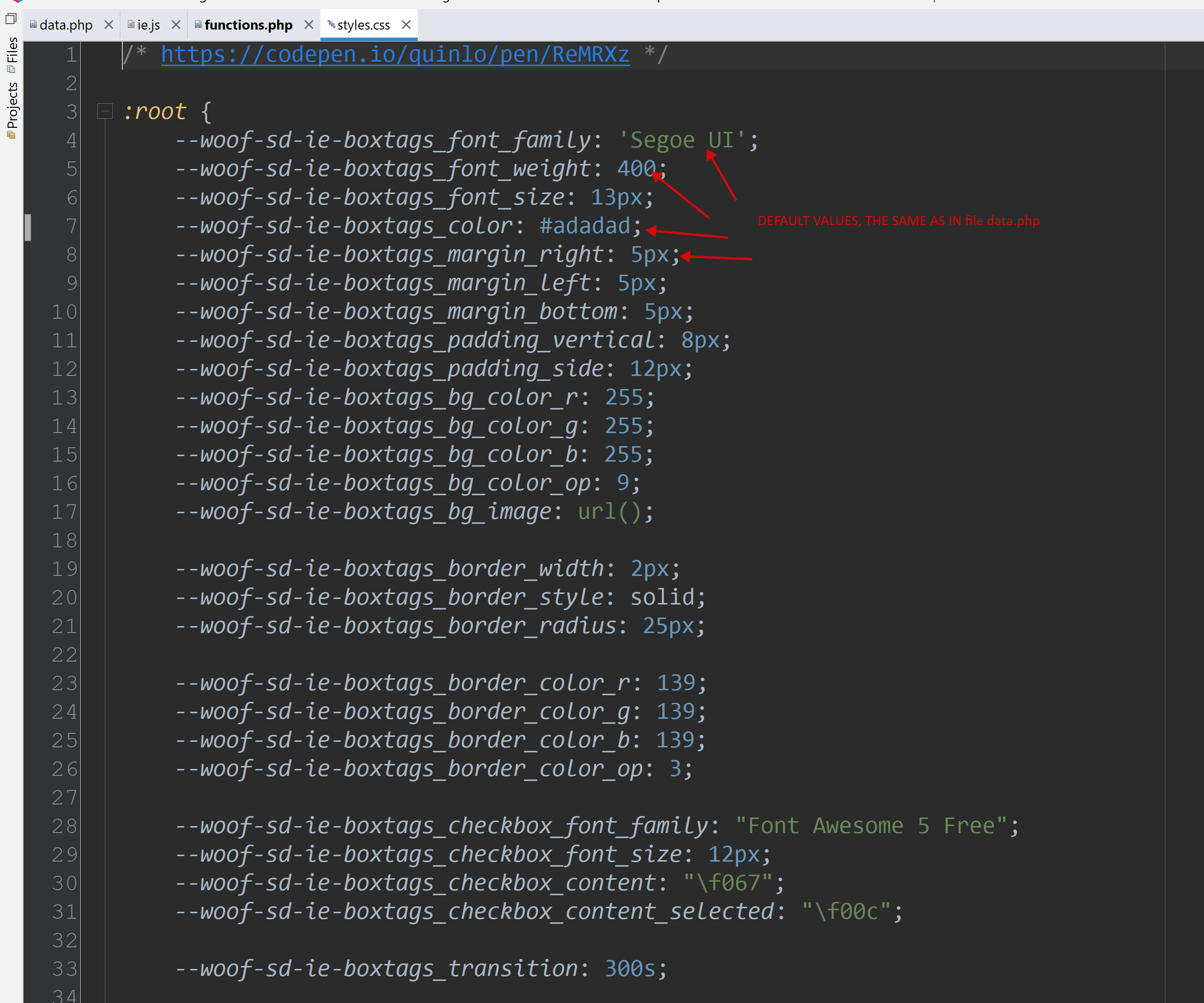
- CSS 文件中的所有键必须使用前缀 ‘--woof-sd-ie-’ + 从 data.php 文件字段 ‘prefix’ 中获取的前缀!
- ranger —— 创建一个从 min 到 max 的滑块范围控件
- 文件 woof/ext/smart_designer/import.js 由系统自动创建,不应手动更改!!
- 简而言之,你可以 下载自定义元素示例 并使用你自己的 CSS 和 HTML 重新创建它