Smart Designer — カスタムフィルター要素
この拡張機能を使用すると、カスタムフィルター要素を作成できます。
デモサイト:https://demo-sd.products-filter.com/
デフォルトでは、WOOF SD にはカスタマイズ可能な基本要素が4つ用意されています:
- チェックボックス(デフォルト)
- ラジオ
- スイッチャー
- カラー
さらにカスタム要素はWOOF SD Galleryでご覧いただけます。カスタム要素に関するアイデアがございましたら、サポートまでお問い合わせください。
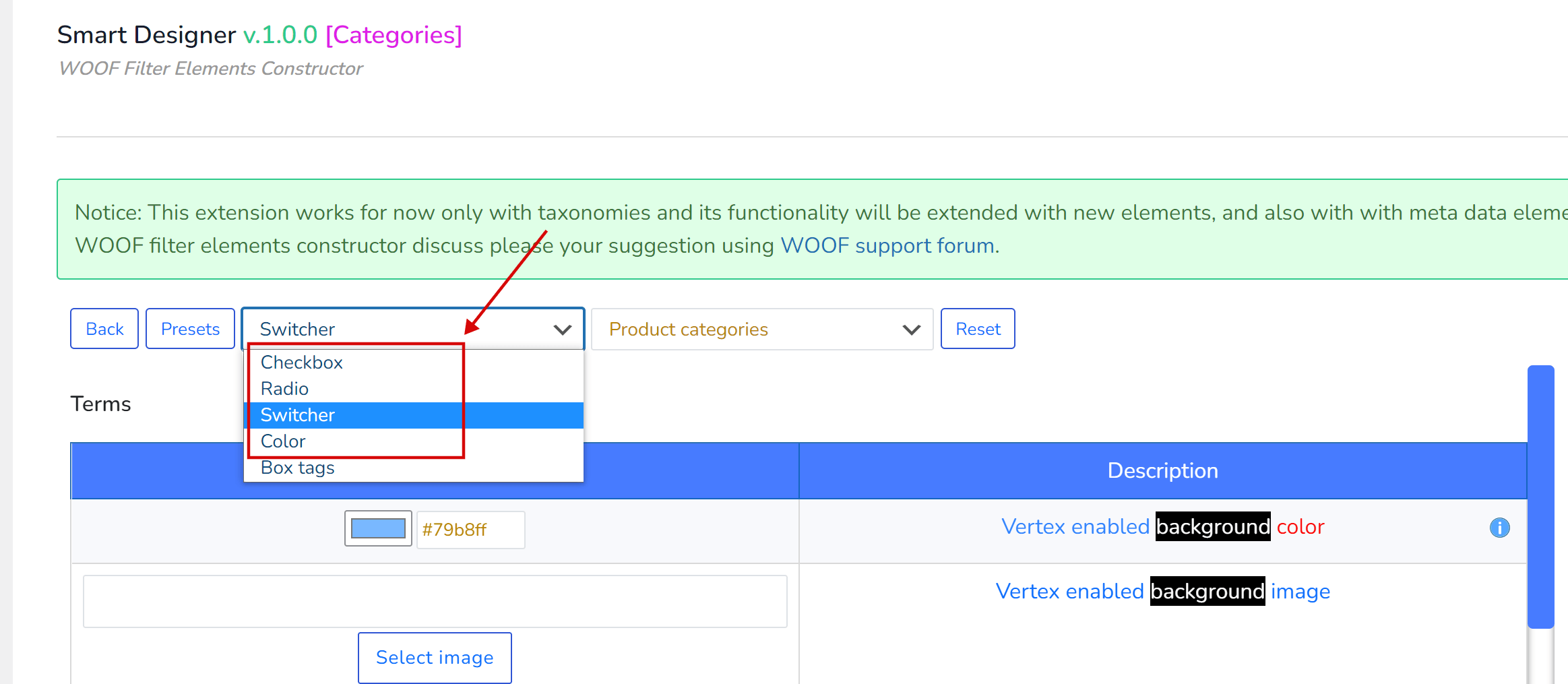
トップパネル
- 戻る – 要素一覧に戻ります
- プリセット – 管理者は現在のオプション設定を保存し、同じタイプの別の要素に適用できます
- システム上のすべての要素タイプを含むドロップダウン。上の画面の‘Box tags‘は子WordPressテーマに配置されたカスタム要素です。その作成方法については以下をお読みください。
- ショップのすべての実際のWooCommerceタクソノミーを含むドロップダウン。フィルター要素を構築する際の視覚的な補助としてのみ使用します。また、要素タイプ‘Color’で、このドロップダウンで選択したタクソノミーの用語に色や画像を関連付けるためにも使用します(Colorについての説明は以下を参照)。
- リセット – クリックして現在のフィルター要素のカスタムオプションをすべてデフォルトにリセットします
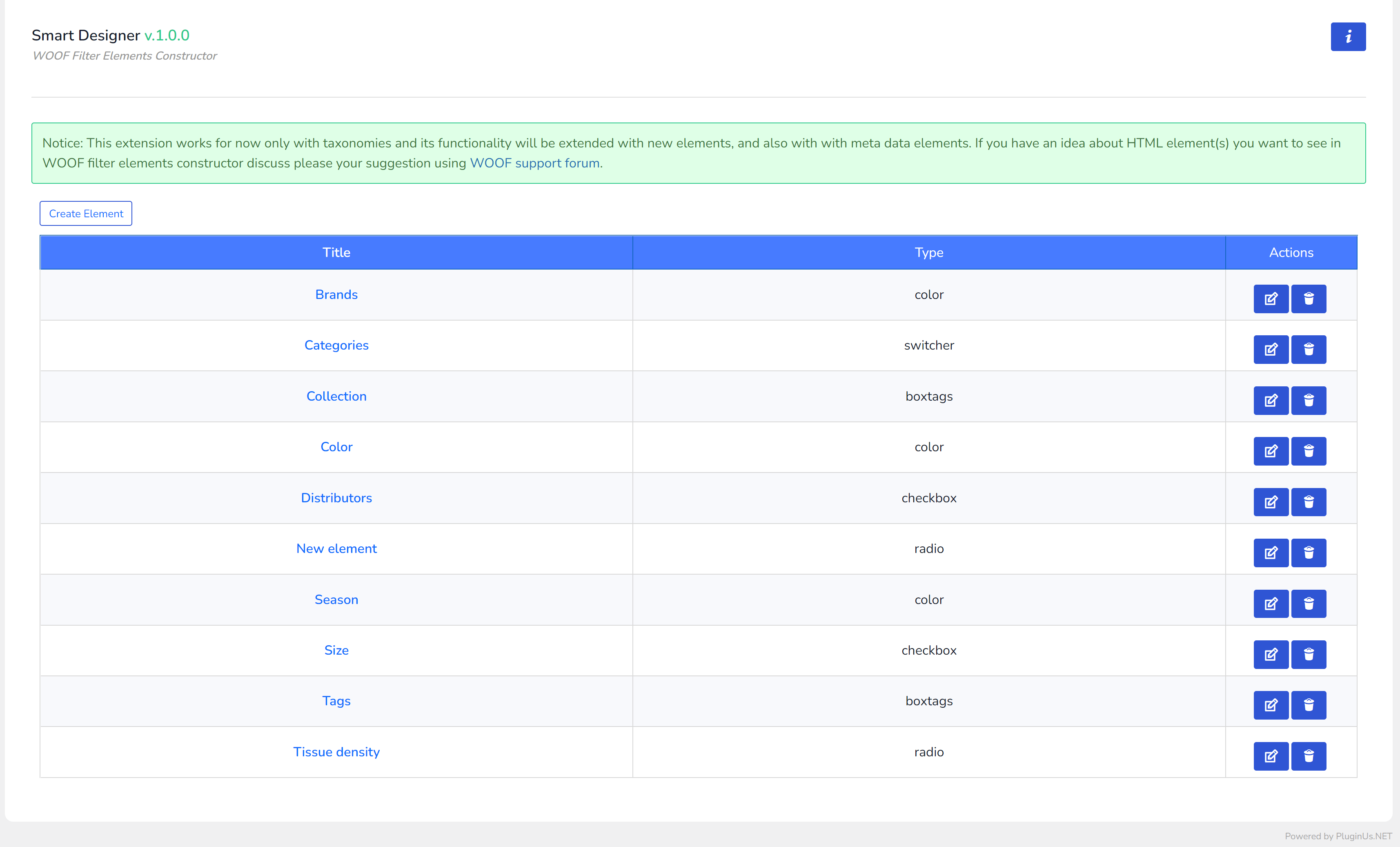
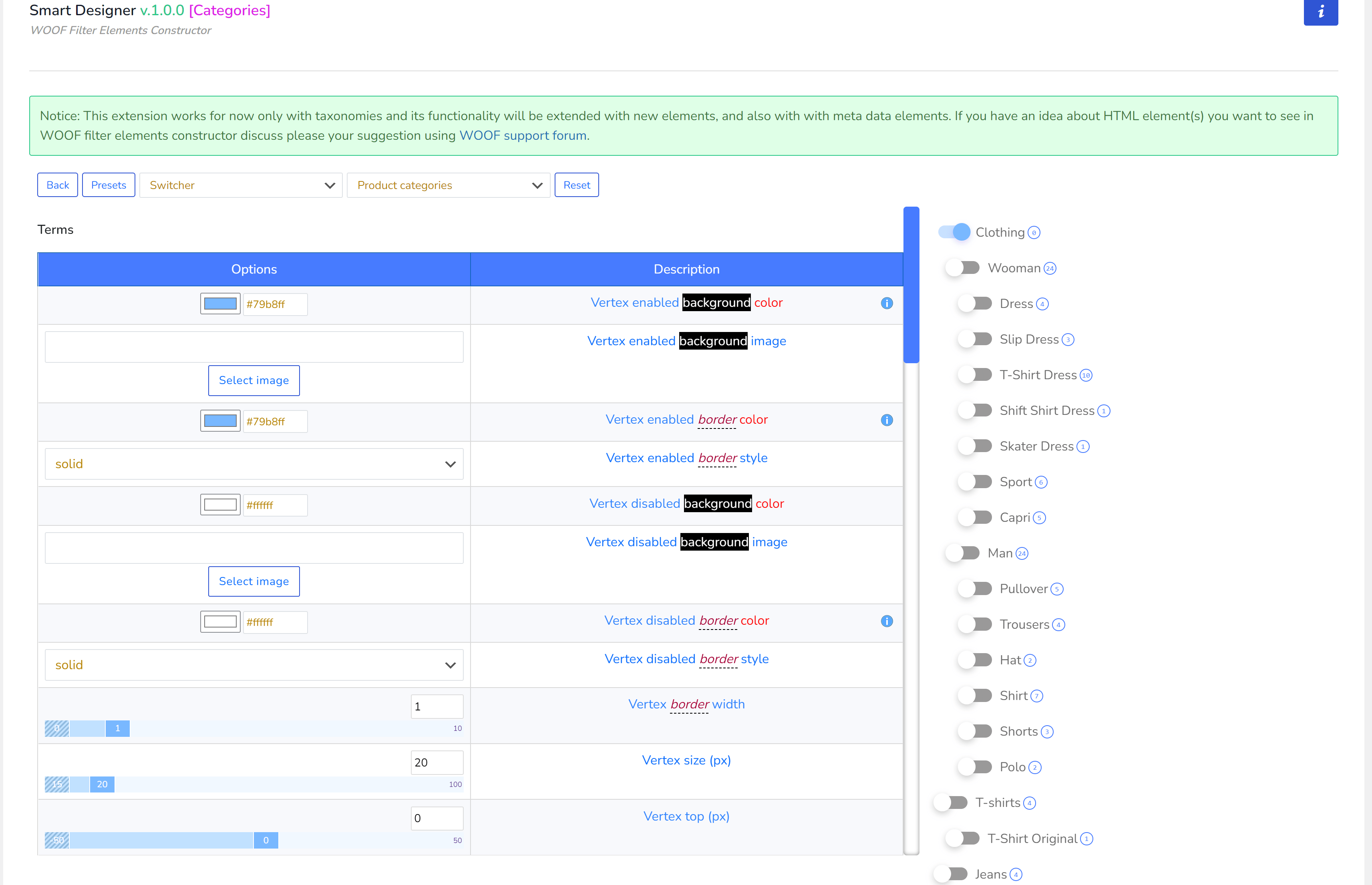
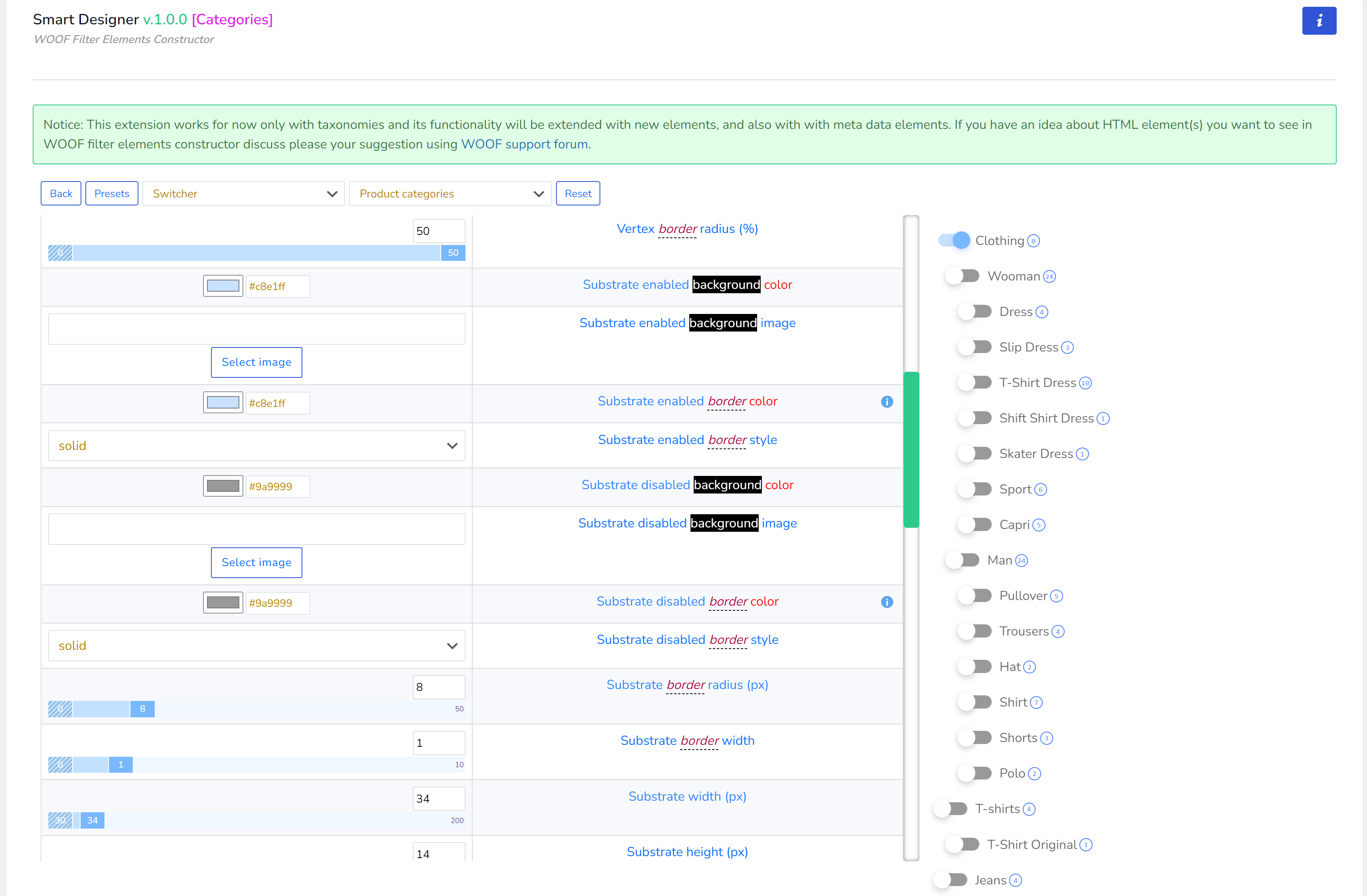
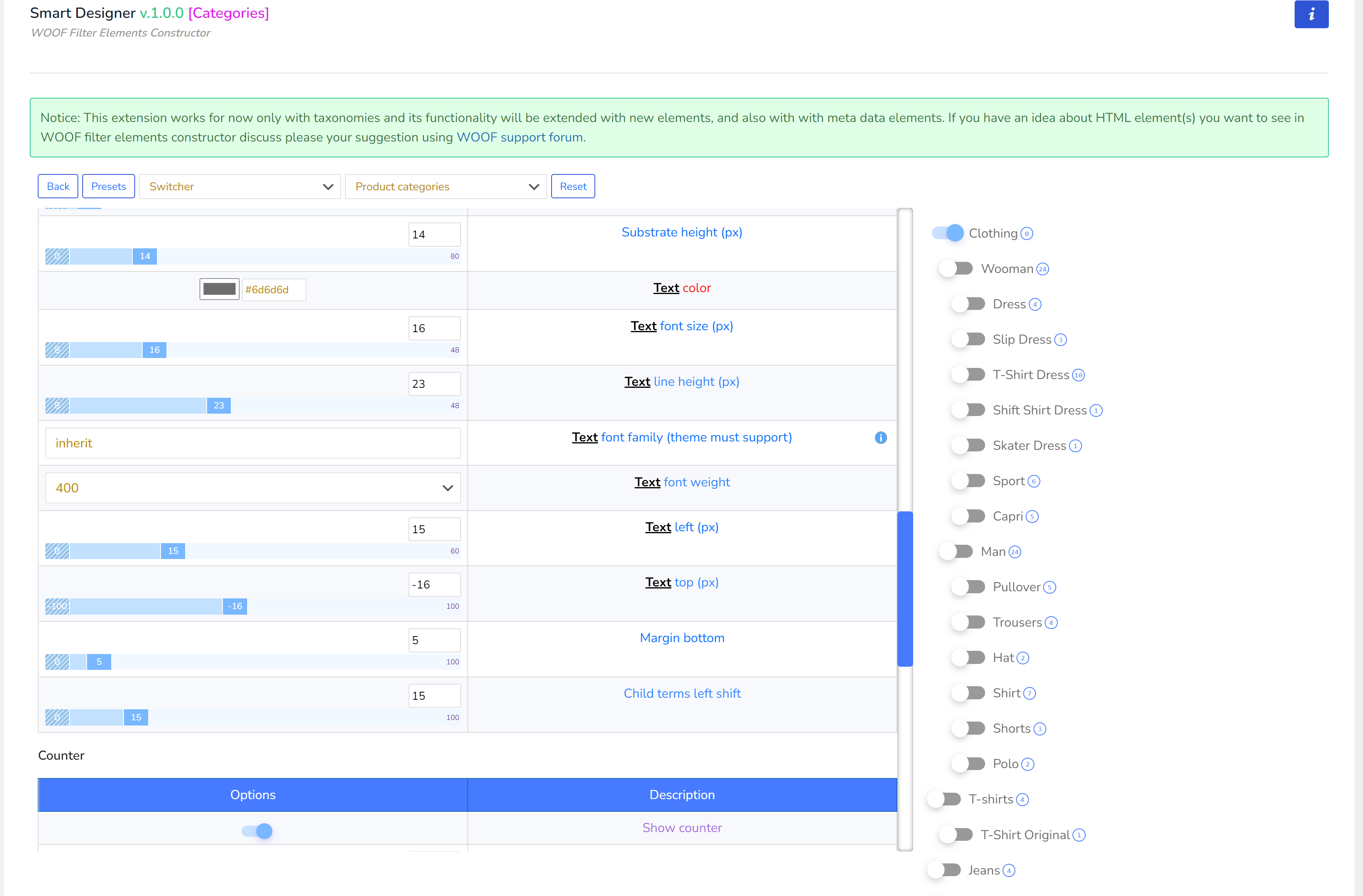
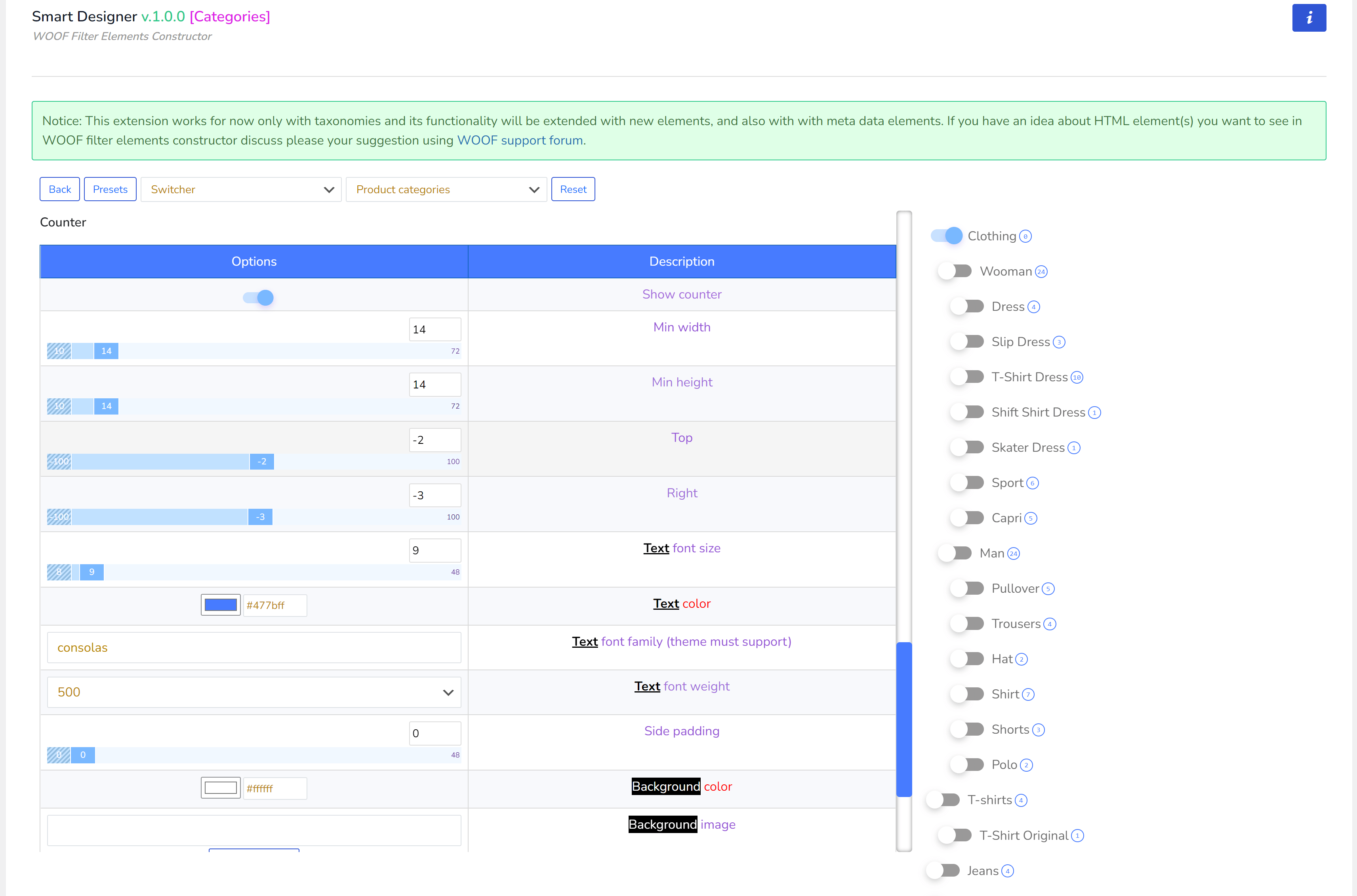
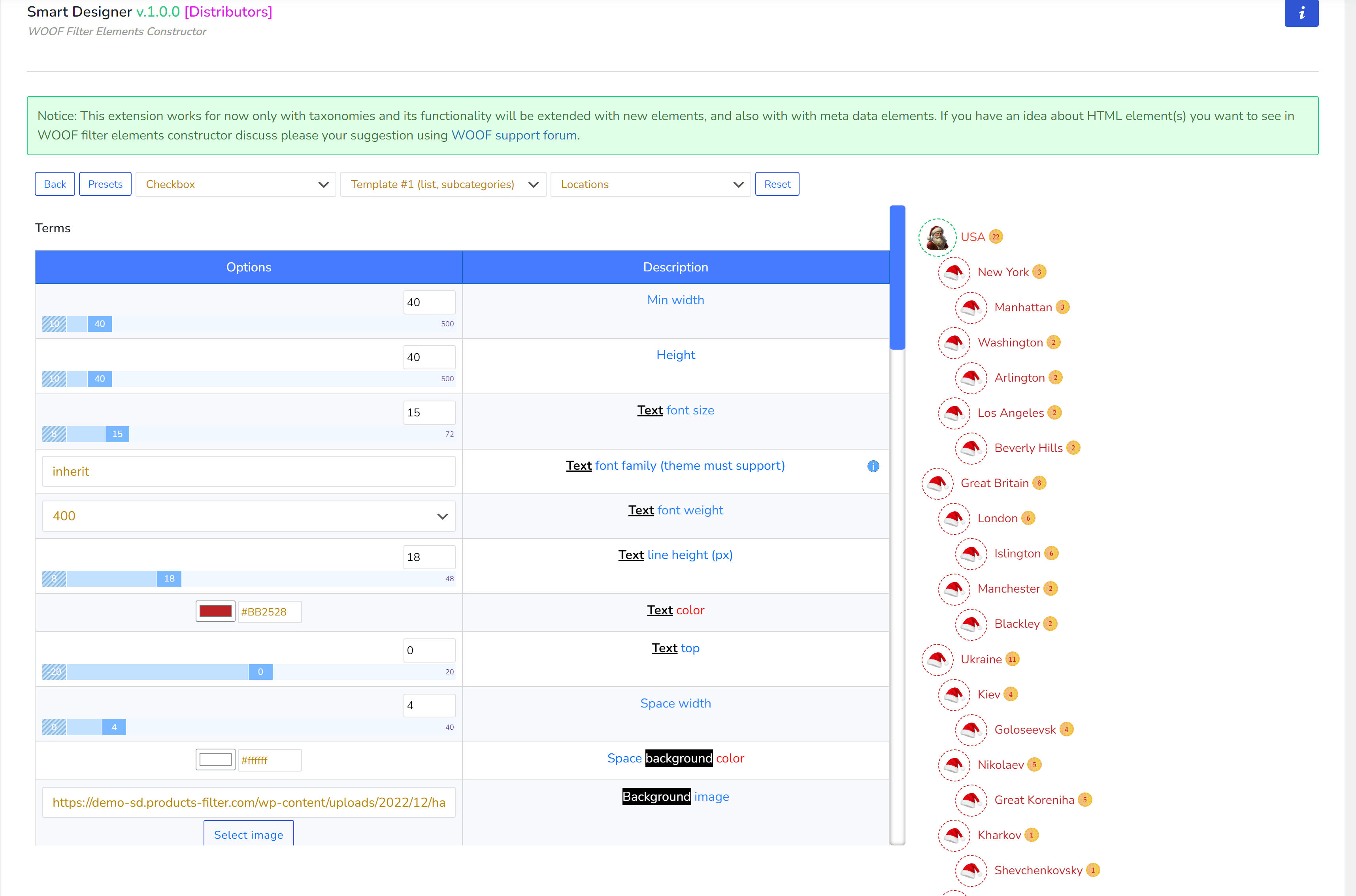
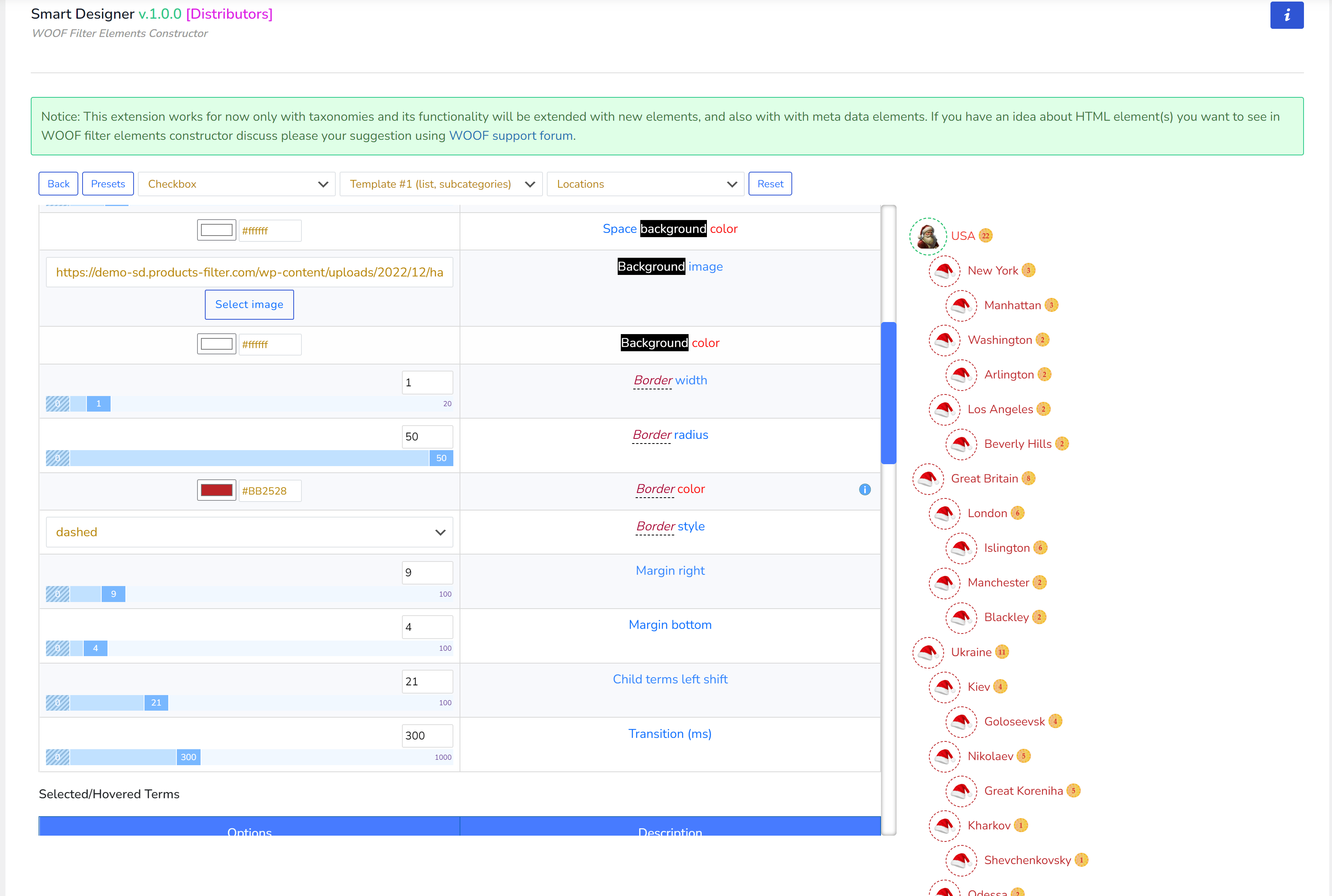
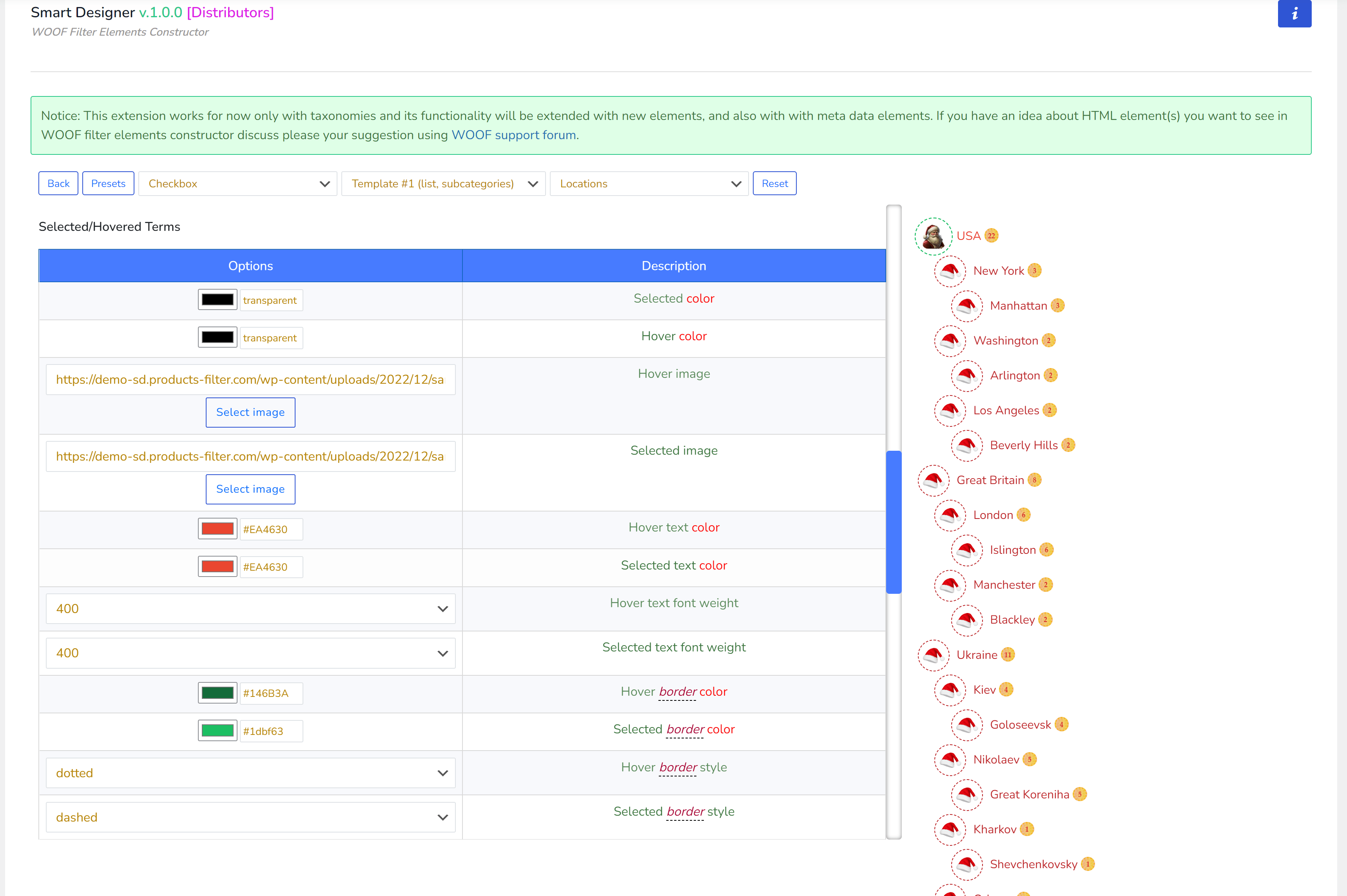
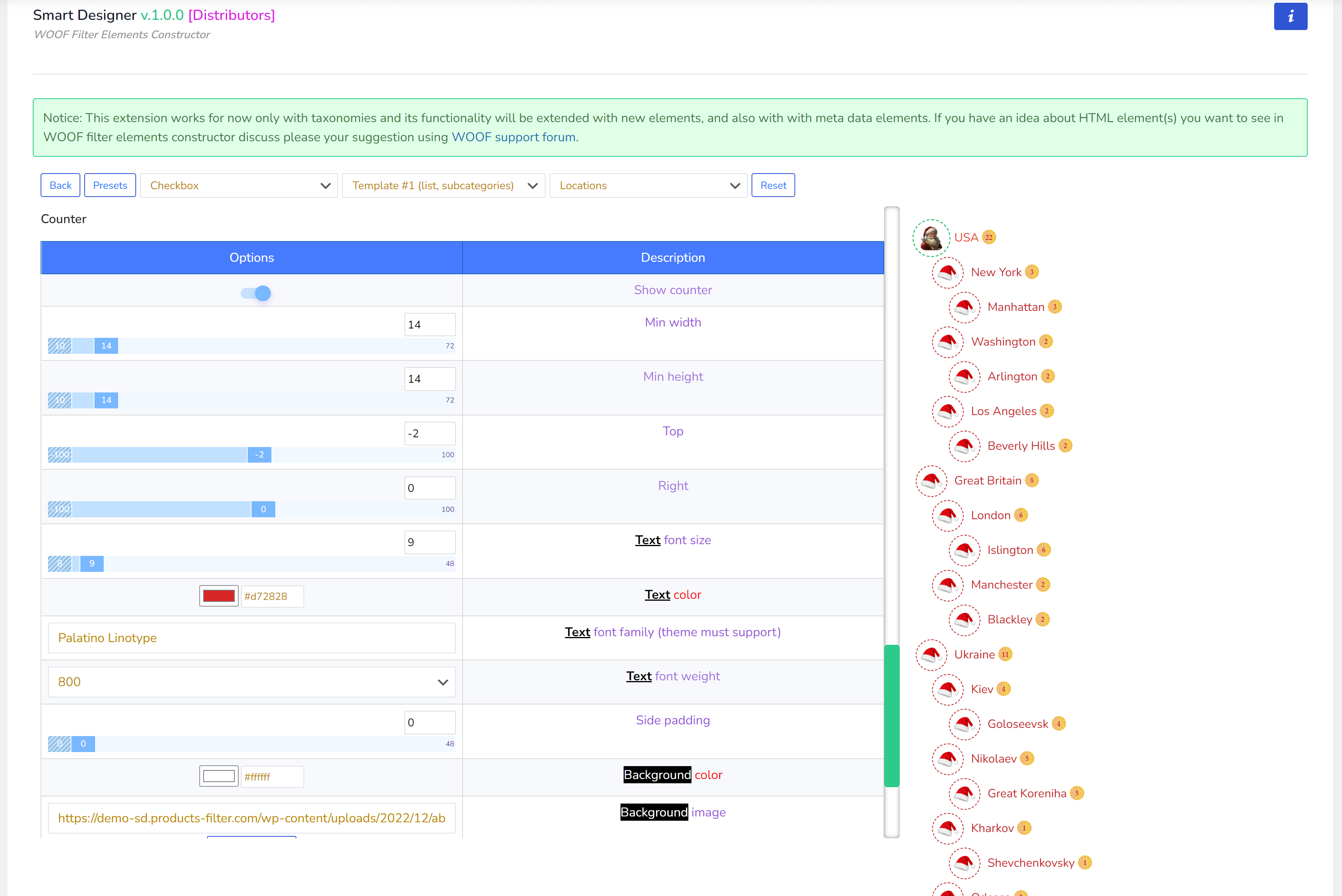
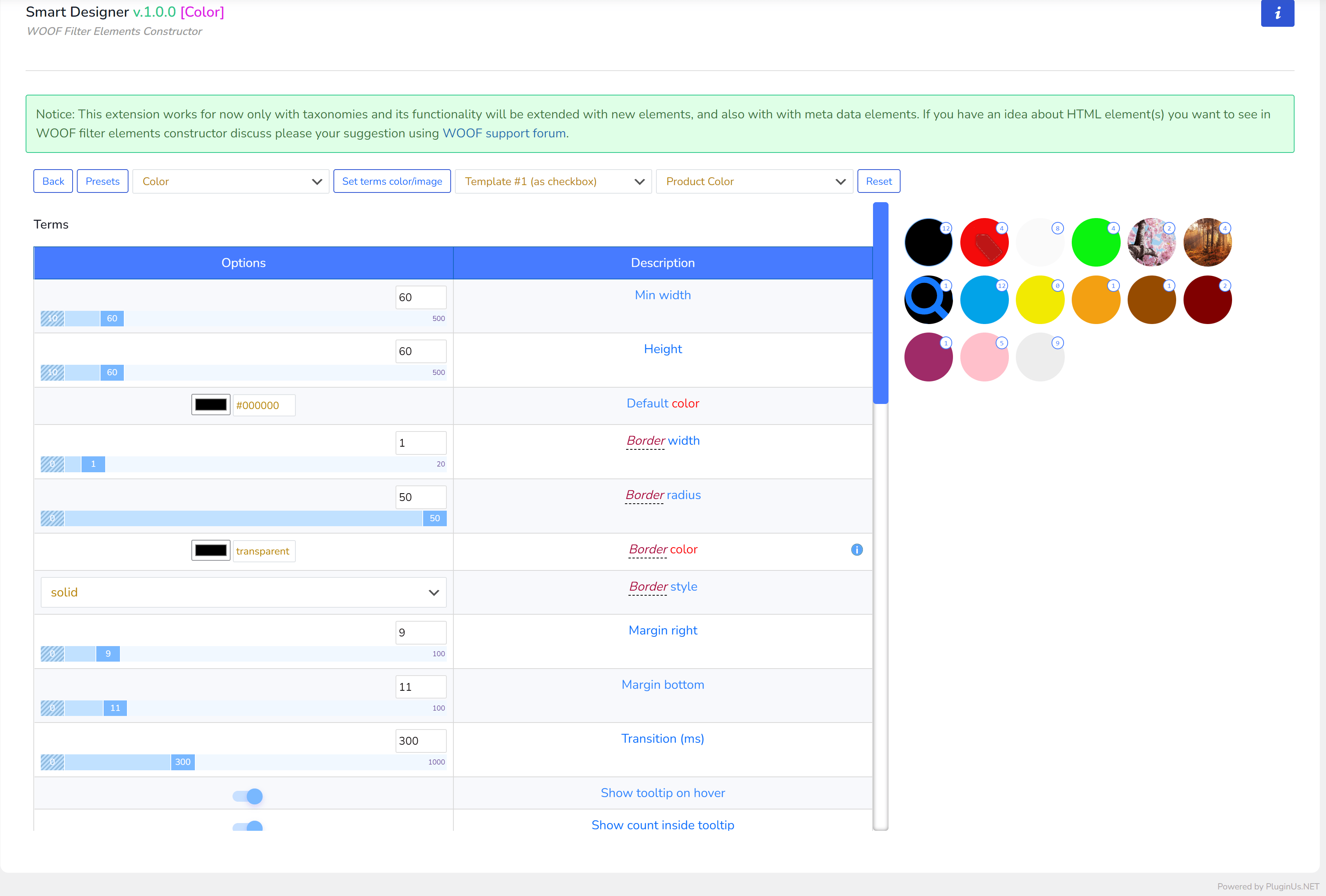
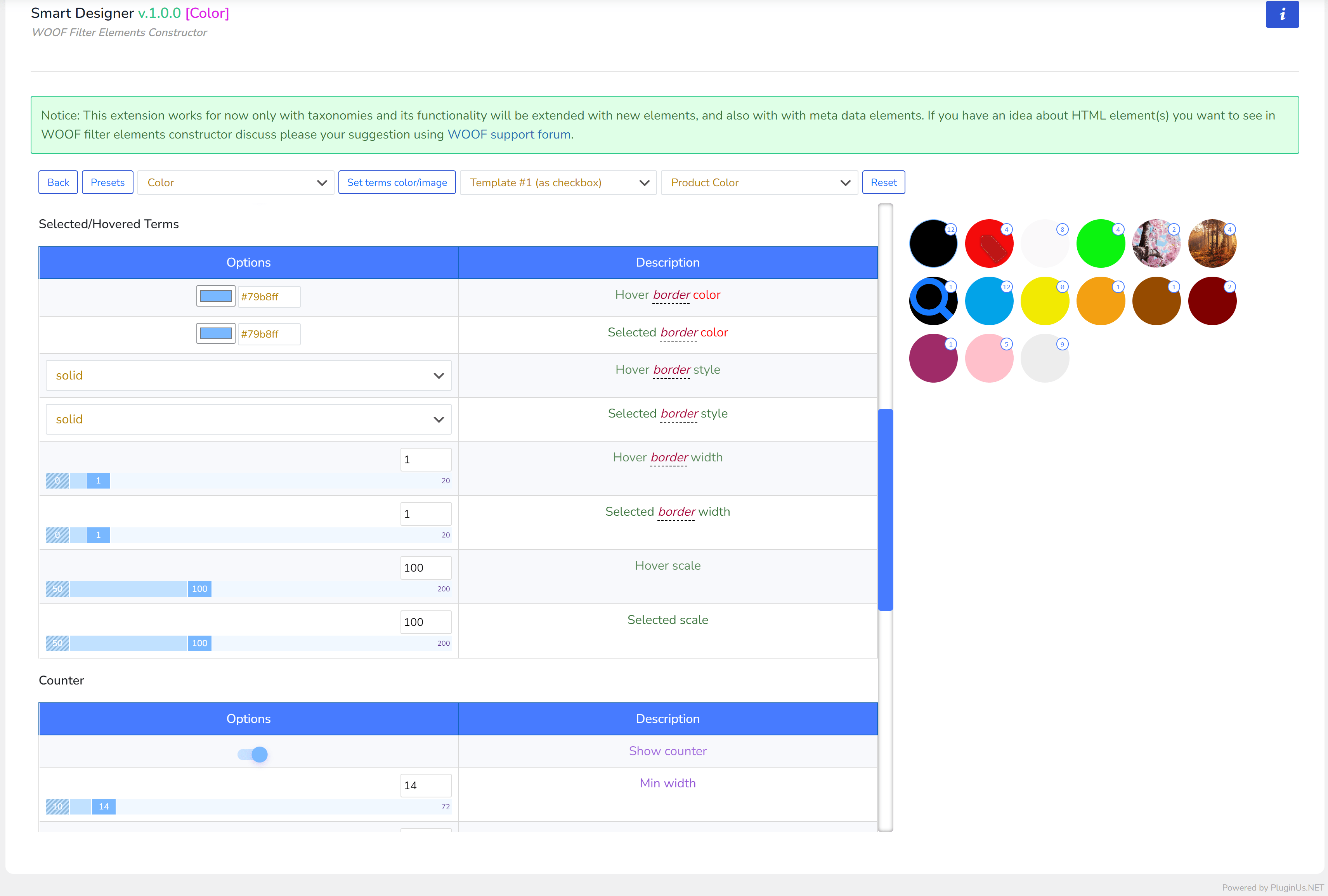
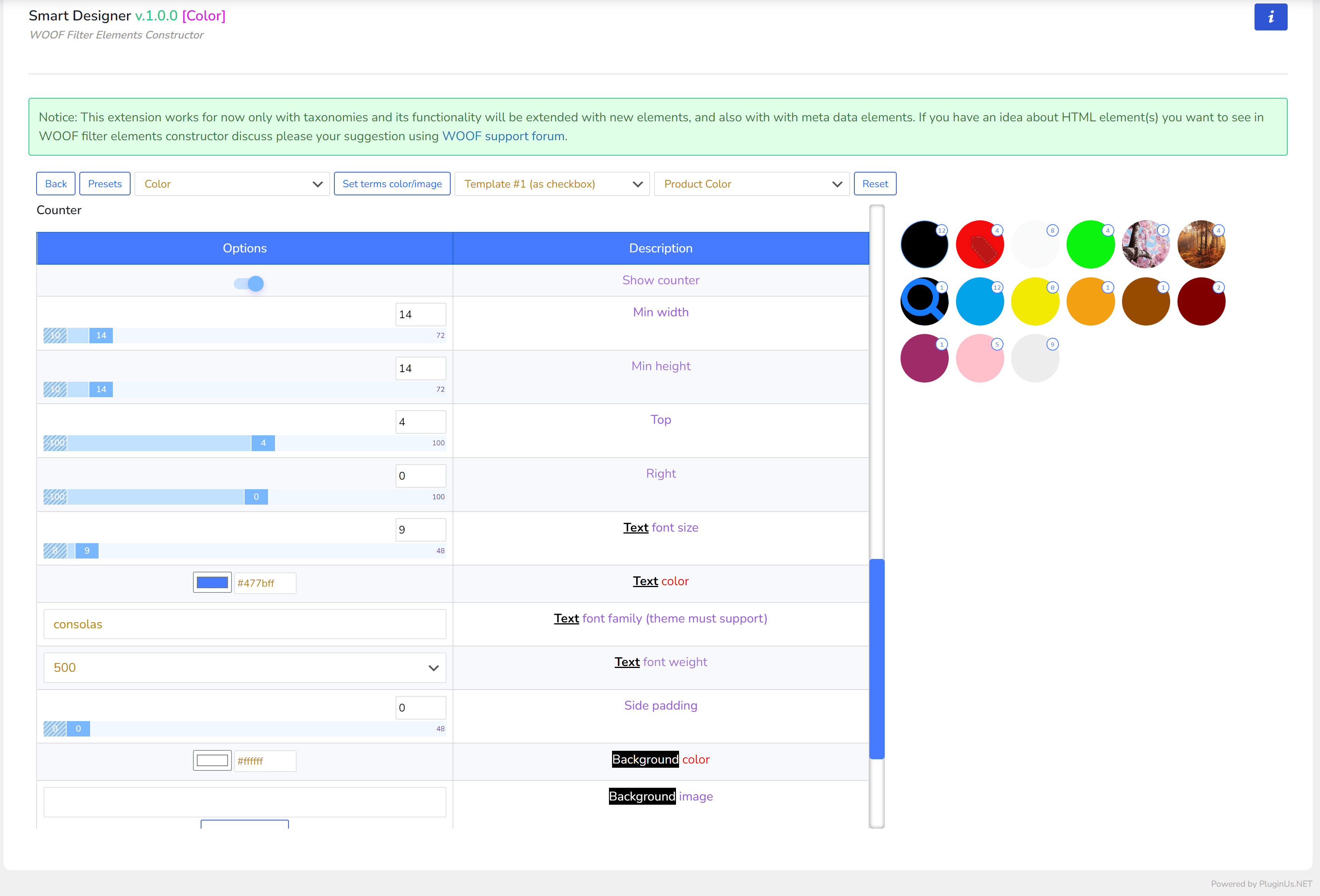
作成と適用
- ‘Extensions‘タブで拡張機能‘Smart Designer‘を有効にし(まだ有効でない場合)、保存ボタンをクリックします
- ページをリロード後、‘Smart Designer‘タブに移動します
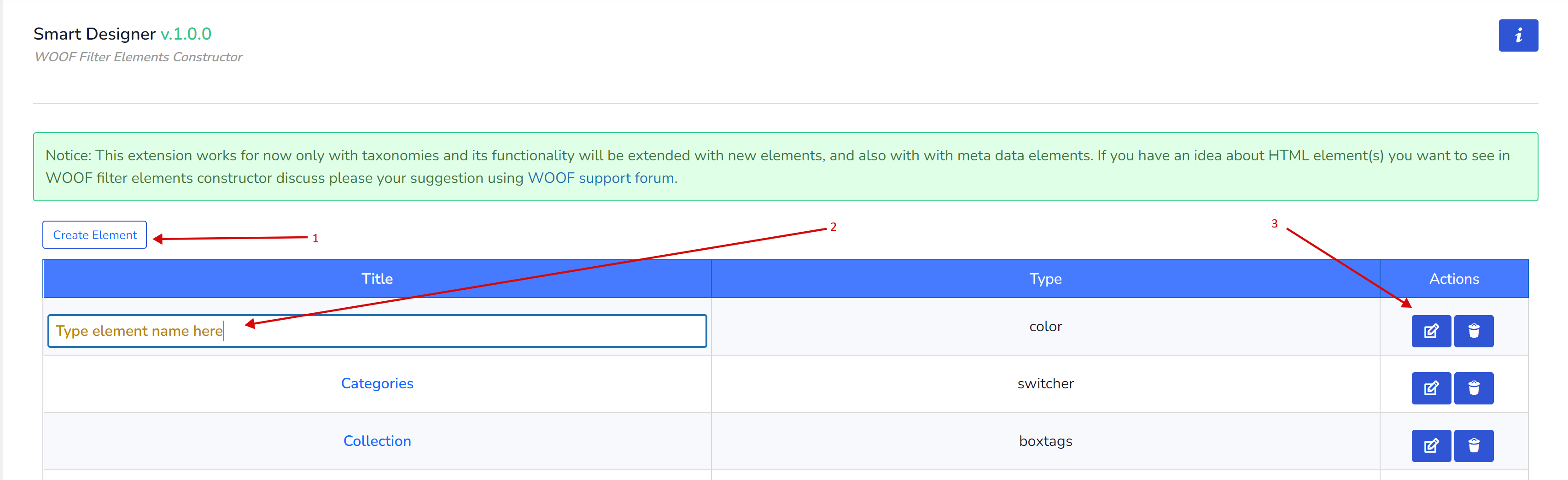
- ‘Create Element‘ボタンをクリックします
- 新しい要素のタイトルを設定します(フィールドをクリック)
- ‘Edit‘ボタンをクリックして新しい要素オプションに入ります
- 要素オプションに入ったら、そのタイプを選択します:Checkbox、Radio、Switcher、Color、またはサイトのWordPressテーマにインストールされた要素に応じたその他のタイプ(カスタム要素タイプについては後述)。各タイプには独自のオプションセットがあり、他の要素タイプと重複しません!
- スイッチャーを除くすべての基本要素にはレイアウトテンプレート(list、tile、radio、checkbox)もあります。ニーズに合ったものを選択してください。

- 便利なように、現在の要素を作成するタクソノミーを選択できます
- オプションの説明を参照しながら、希望するカスタマイズを作成してください
- すべての変更はajaxにより自動保存されます
- 十分だと思ったら、‘Presets‘ボタンをクリックして、将来の要素のためにカスタムオプションを保存できます(新しい要素をゼロから始めなくて済みます)
- 最後のステップは、‘Structure‘タブに移動し、作成したばかりの要素タイプをタクソノミーに割り当てることです。Smart Designerで作成されたすべての要素には、タイトルに‘SD:‘というプレフィックスが付いています。
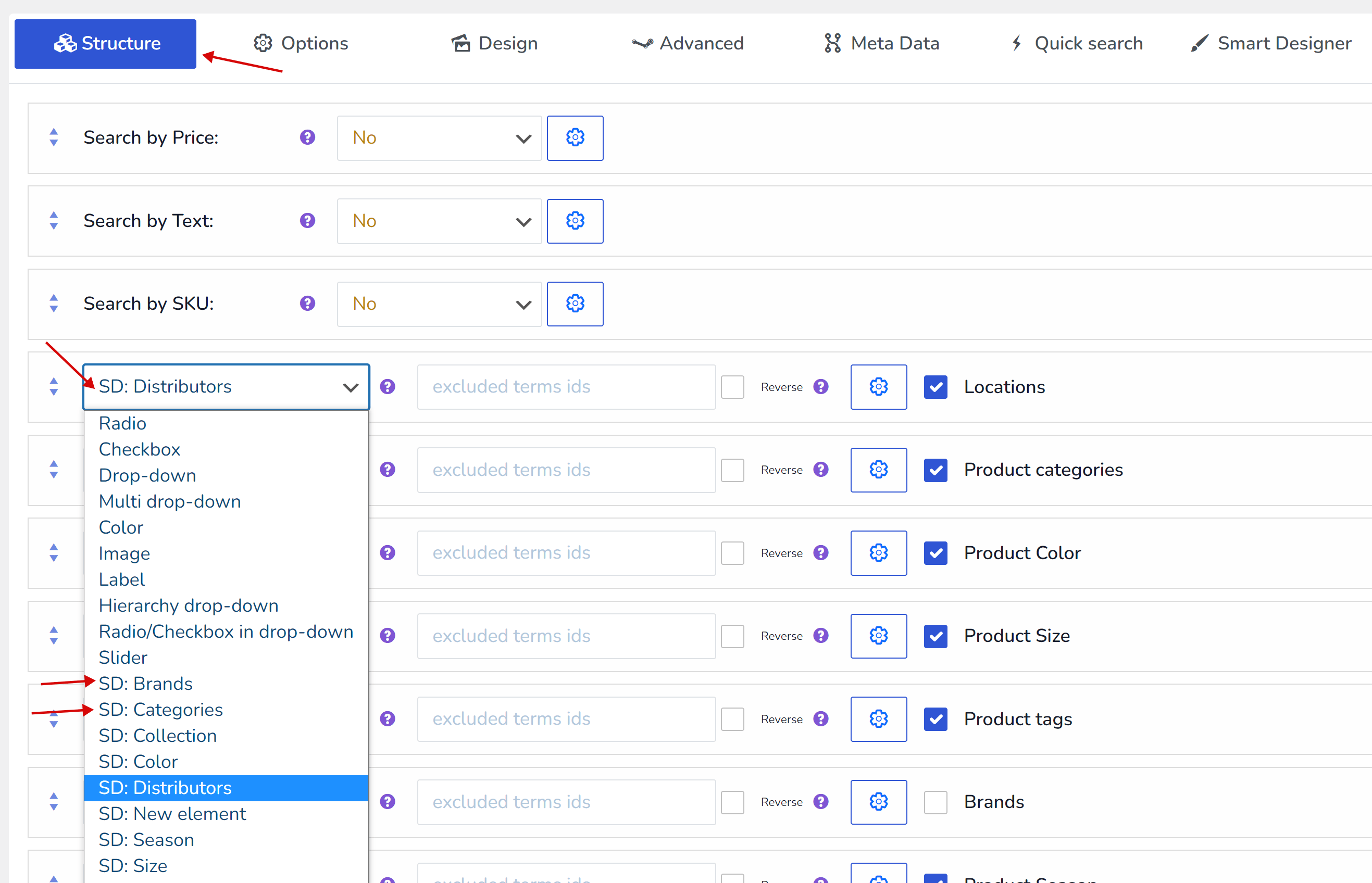
- 下の保存ボタンを押してください
- ショップのフロントエンドに移動してお楽しみください 🙂
カスタマイズのヒント
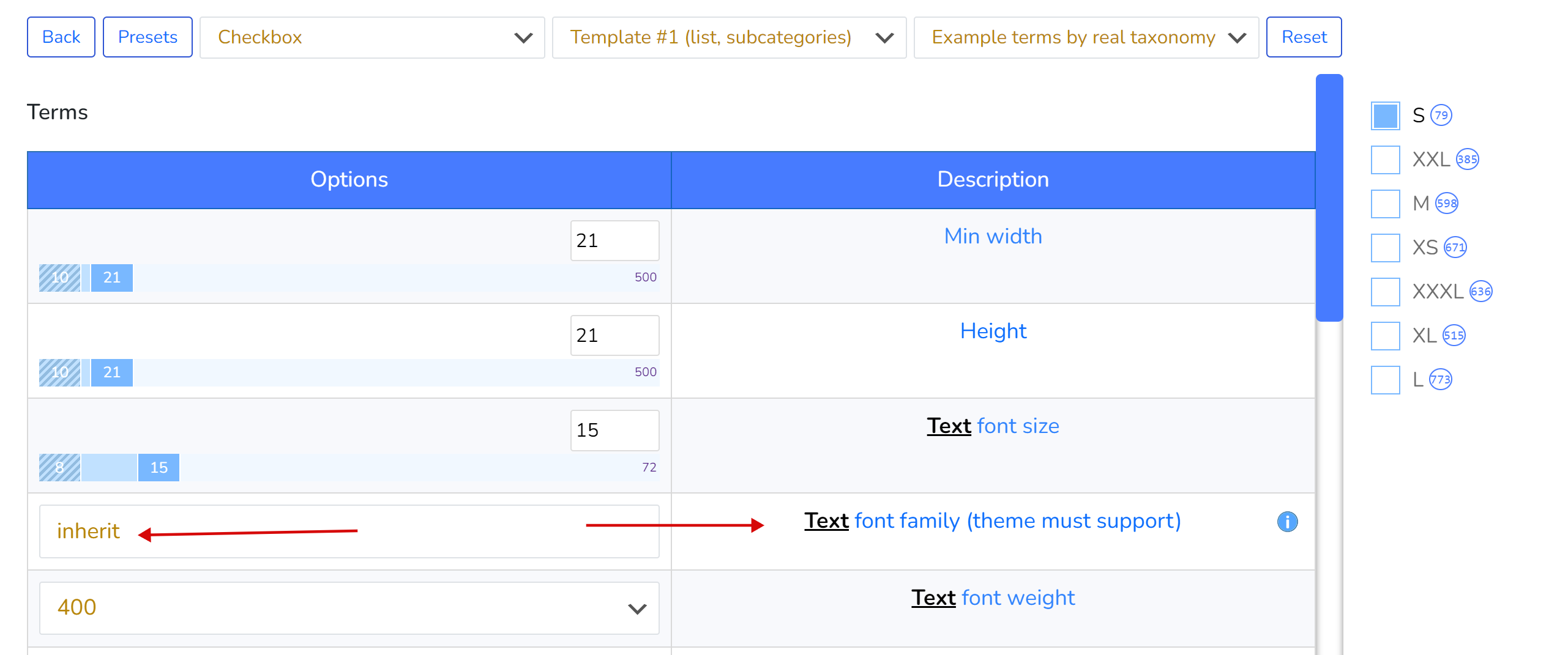
- テキストに適用するフォントファミリーがわからない場合は、‘inherit‘という単語を使用してください。現在のWordPressテーマのフォントファミリーが適用されます。また、フォントファミリーを適用する場合は、現在のWordPressテーマでサポートされている必要があり、そのフォントがサイトのwp-admin側に含まれている保証はないため、バックエンドとフロントエンドで視覚的な結果が100%一致するとは限らないことに注意してください。
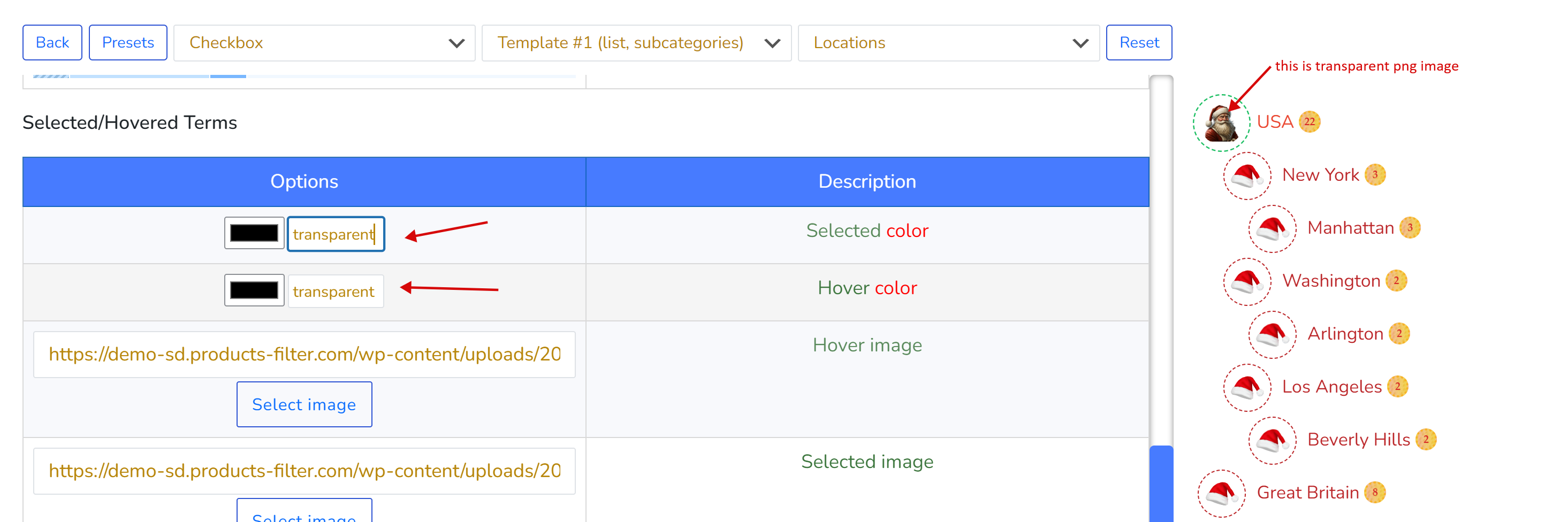
- 透明なPNG背景画像に色が必要ない場合は、カラーヘックスコードの代わりに‘transparent‘という単語を使用してください
- さまざまな画像パターンは、Googleで‘background patterns images‘というリクエストフレーズを使用して見つけることができます
- ビューティーカラーをお探しの場合は、こちらで見つけることができます。例:https://codebeautify.org/hex-to-pantone-converter
- カラーコード変換:https://rgbacolorpicker.com/hex-to-rgba
プリセット
プリセットはオプションを保存し、類似の要素に適用することで制作時間を短縮できます。以下の操作が可能です。
- プリセットを作成
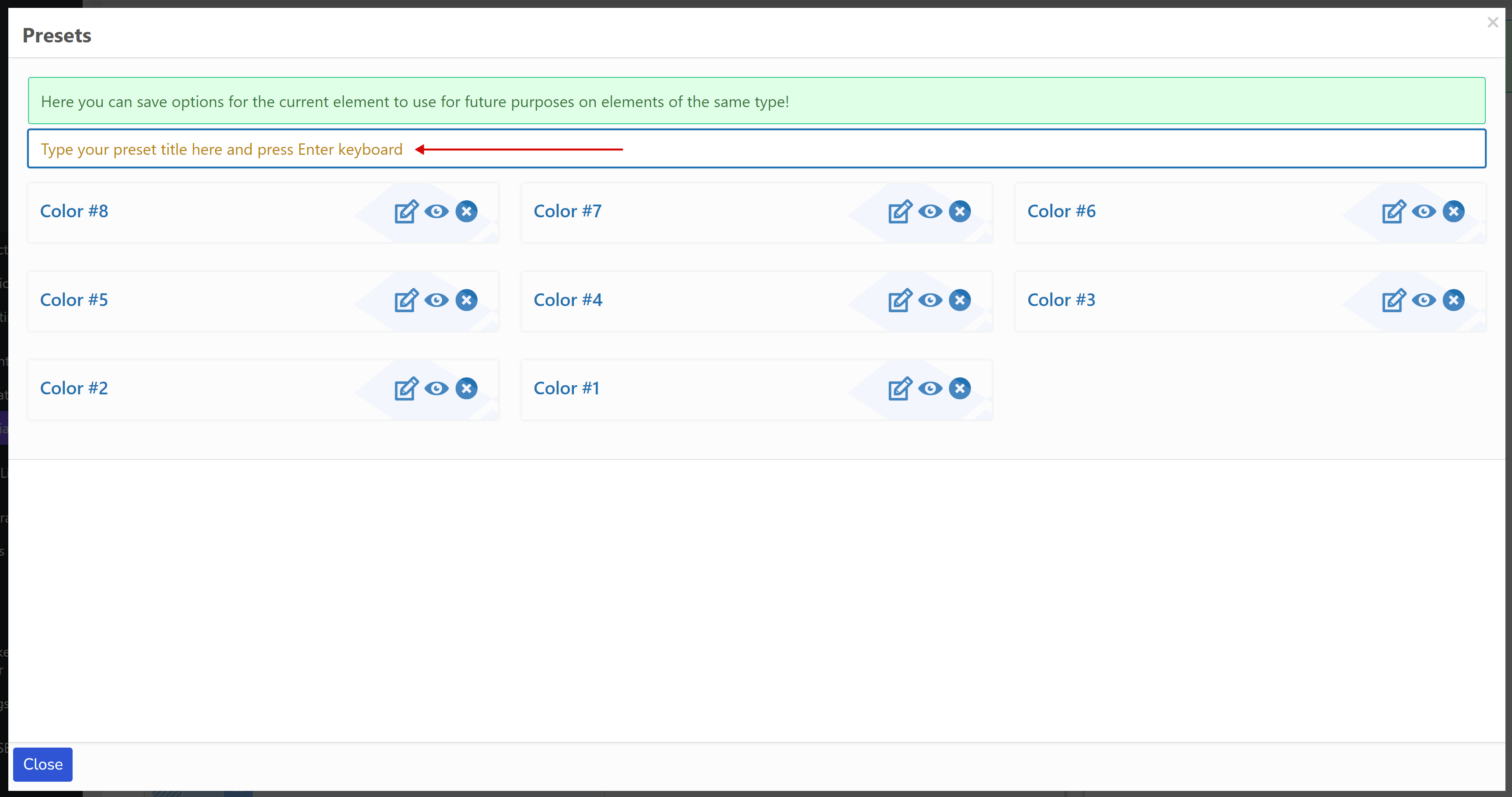
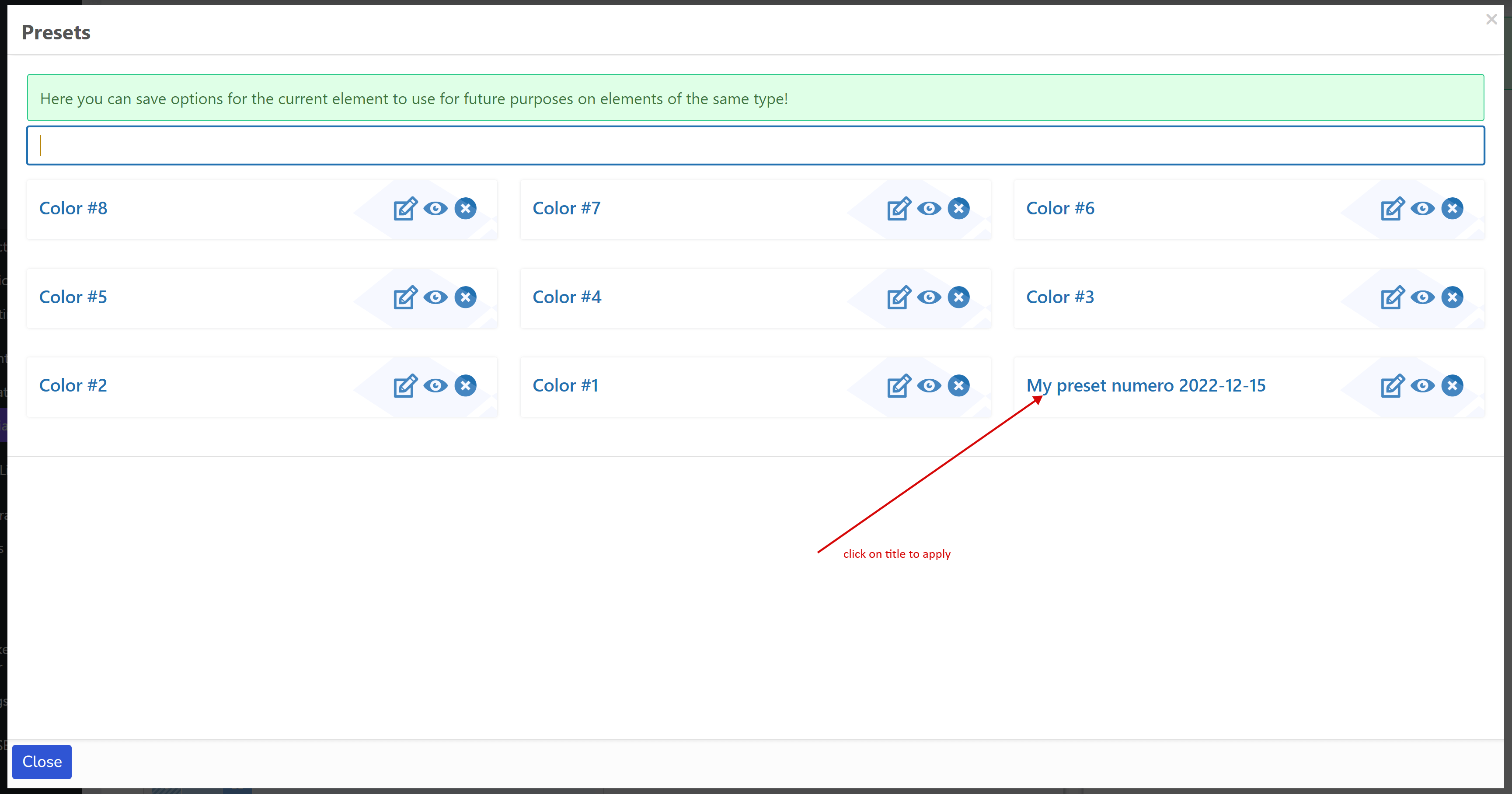
- 同じタイプの新しい要素(チェックボックス、ラジオボタン、カラー、スイッチャー、任意のカスタムタイプ)にプリセットを適用するには、そのタイトルをクリックします。例えば、ラジオボタン用に作成されたプリセットはチェックボックスでは表示されず、その逆も同様です。
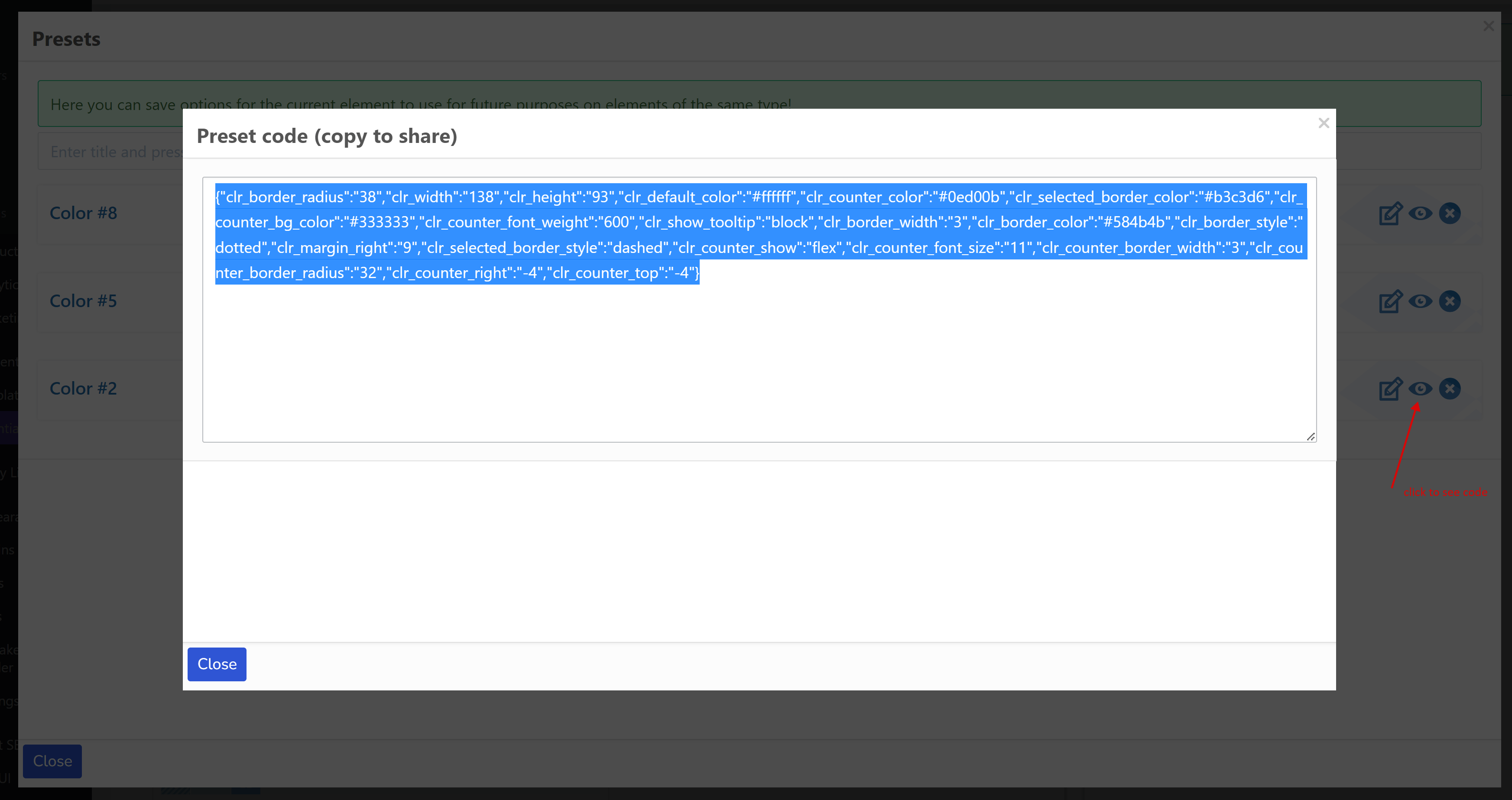
- プリセットをテキスト情報として他の人(開発者、同僚、サイトなど)と共有します。目のアイコンボタンをクリックしてください。
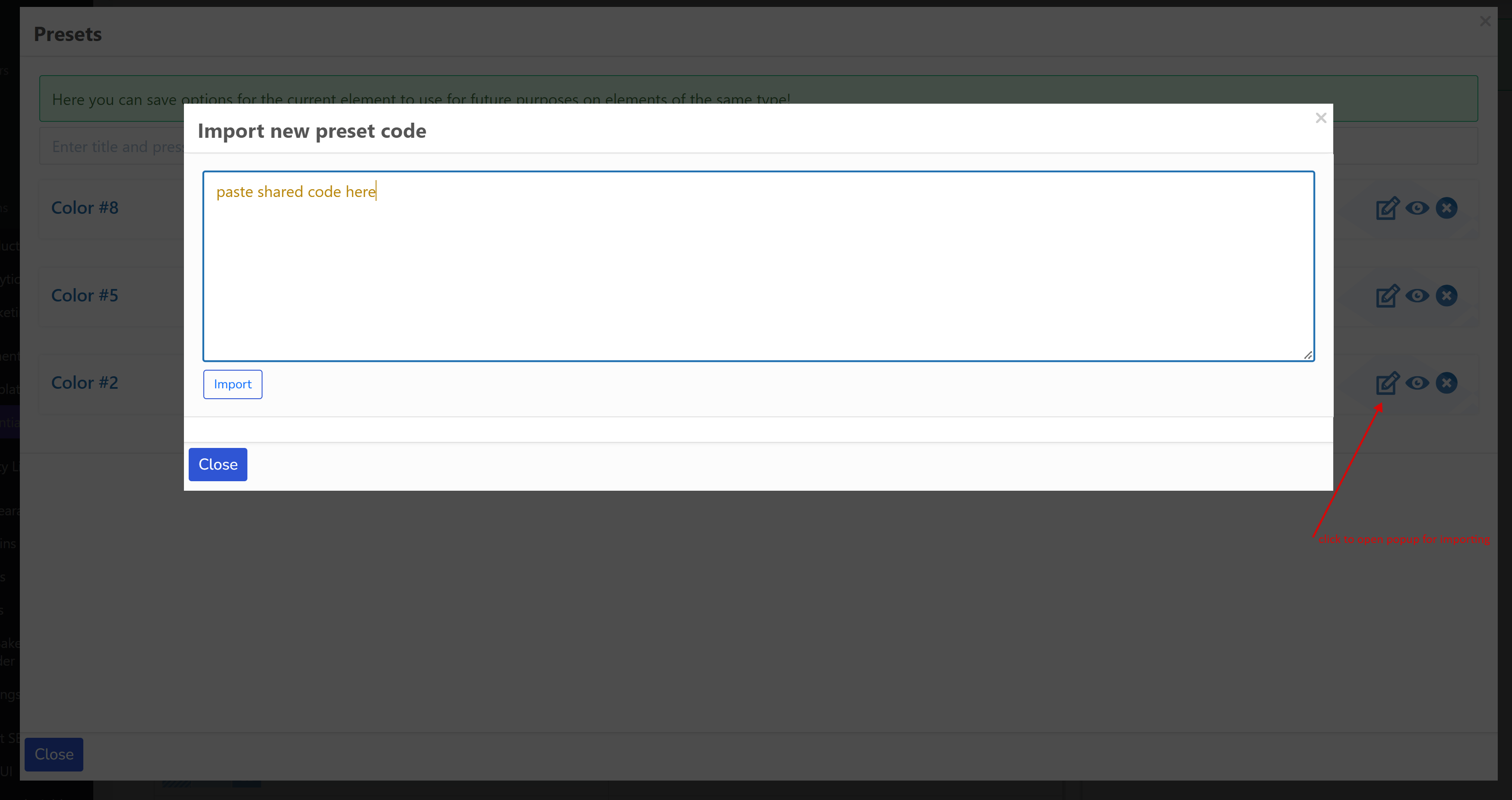
- 誰かから共有されたプリセットコードをインポートします。編集ボタンをクリックし、コードを貼り付けて、『インポート』ボタンを押してください。
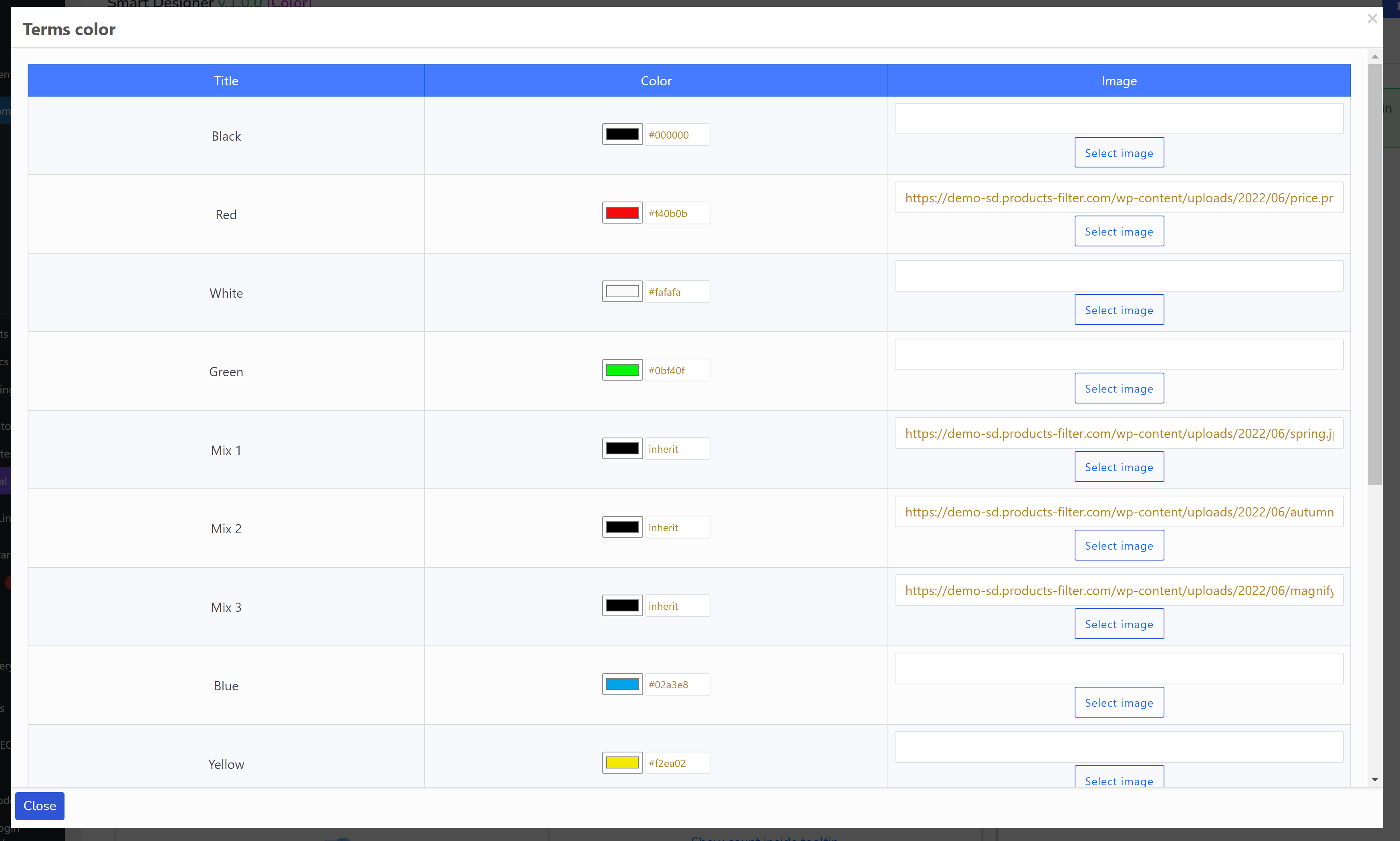
カラー
カラー要素は、選択したタクソノミーの各タームに色や画像を割り当てる独自の機能を持つ特別な要素です(「リセット」ボタンの前のドロップダウンを参照)。ポップアップを使用します。
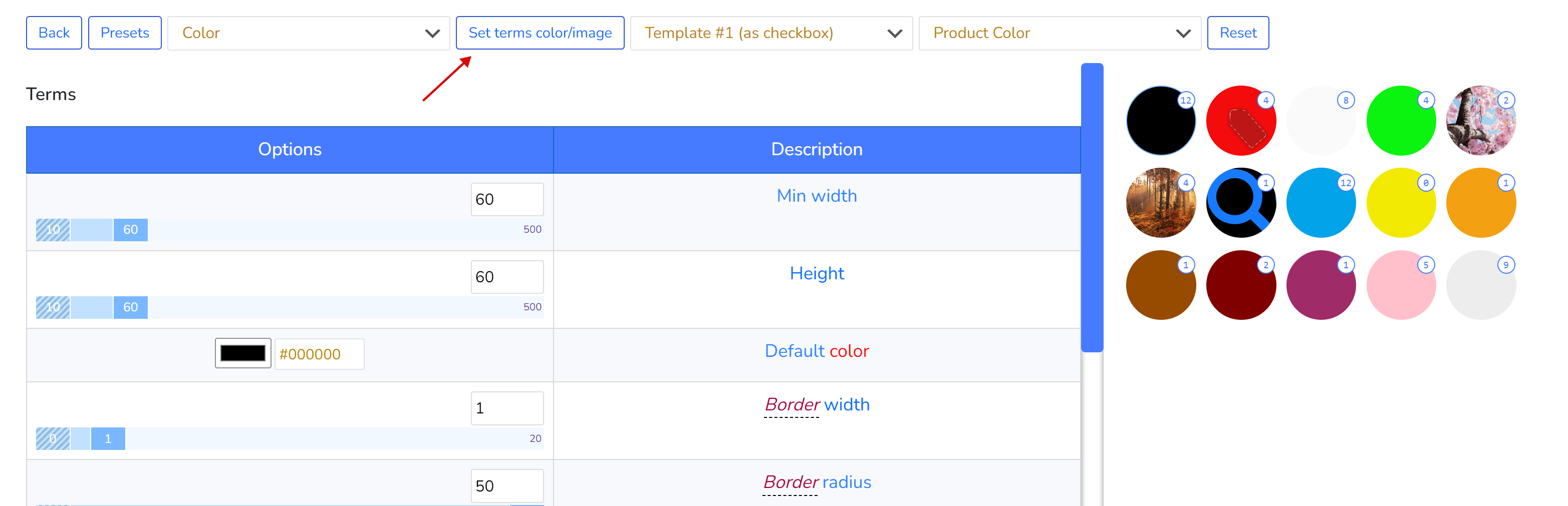
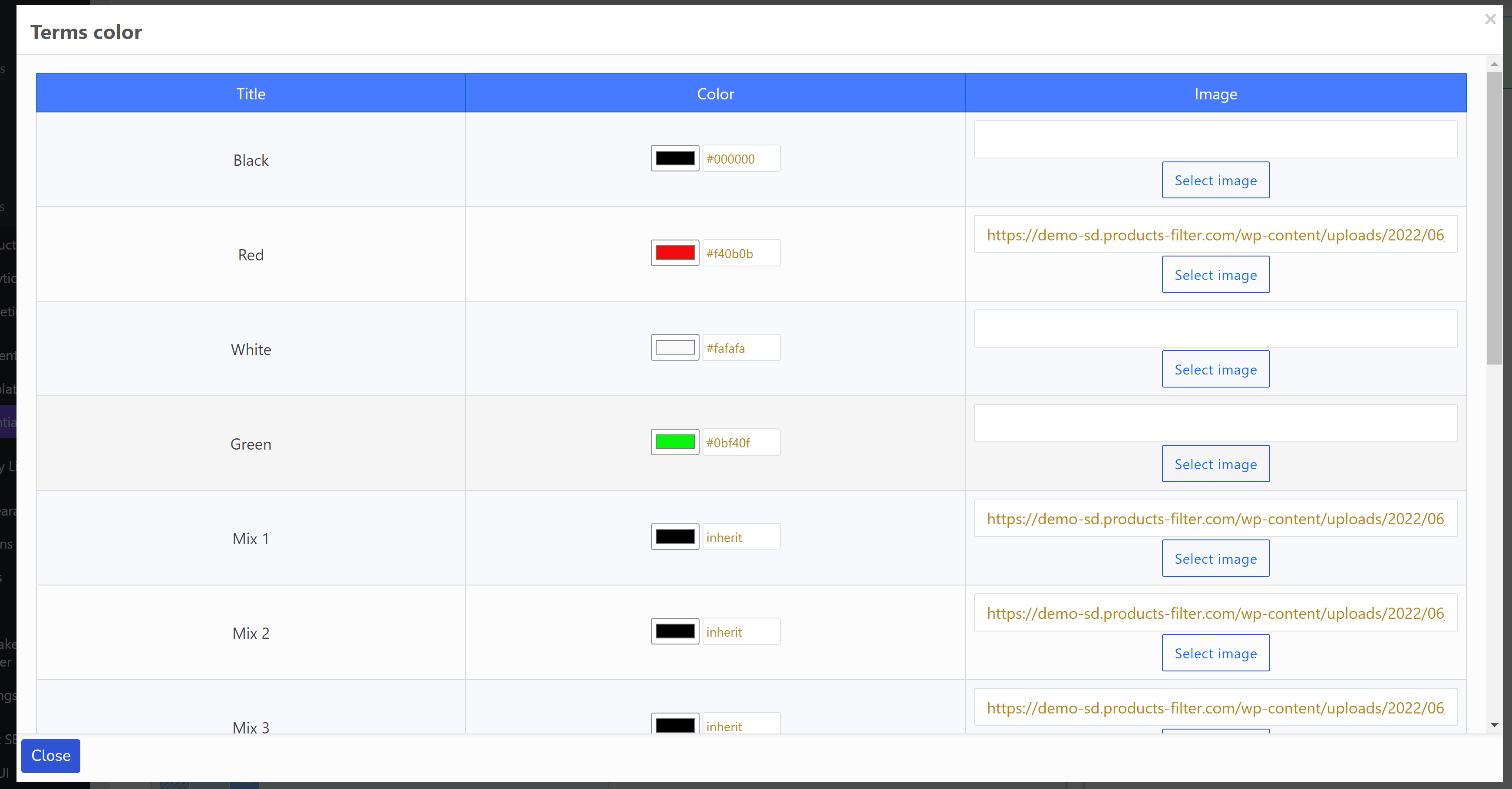
データは特別なタームメタキーに保存されます。
- woof_sd_color
- woof_sd_color_image
これらのキーは、現在のWordPressテーマのfunctions.phpファイルでオーバーロードできます。既に独自の方法でタームにカラーオプションを設定している場合は、次のフックを使用します。
- get_woof_sd_term_color_key – タクソノミータームのカラーデータを保存するためのフック
add_filter('get_woof_sd_term_color', function ($term_id) { $meta_key = '__YOUR_OWN_KEY__'; $color = get_term_meta($term_id, $meta_key, true);//you can use your own code to get term color using its $term_id return $color ? $color : 'inherit'; }); - get_woof_sd_term_color_image_key – タクソノミータームの画像データを保存するためのフック
add_filter('get_woof_sd_term_color_image', function ($term_id) {
    $meta_key = '__YOUR_OWN_KEY__';
    $img = get_term_meta($term_id, $meta_key, true);//you can use your own code to get term color using its $term_id
    return $img ? $img : '__YOU_CAN_PLACE_HERE_YOUR_DEFAULT_IMAGE_LINK__';
});
開発者専用のカスタム要素
WOOF SDでは、開発者が独自のカスタム要素を作成できます。必要なのは、優れたCSSとHTMLコードだけです。以下に例を示します。https://codepen.io/quinlo/pen/ReMRXz – これだけでフィルター要素を作成できます。デモサイトの「商品タグ」で確認できます。
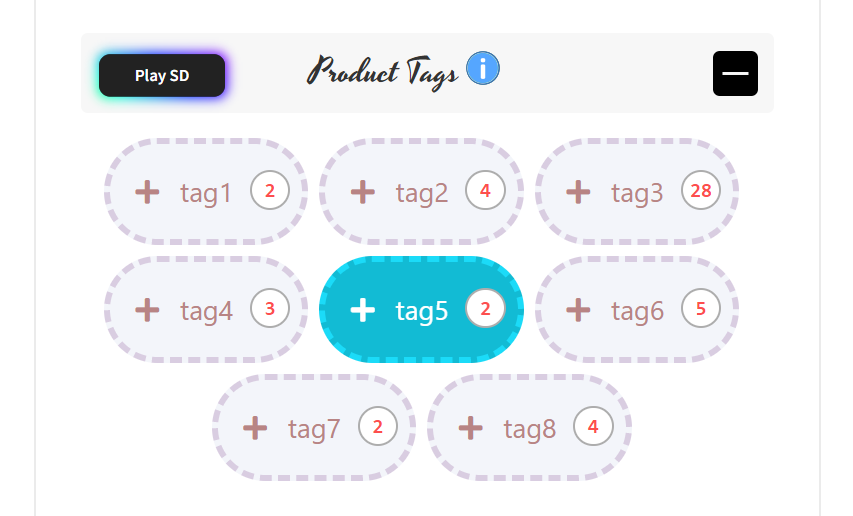
以下の画像は、そのような要素をシステムに追加する方法を示しています。
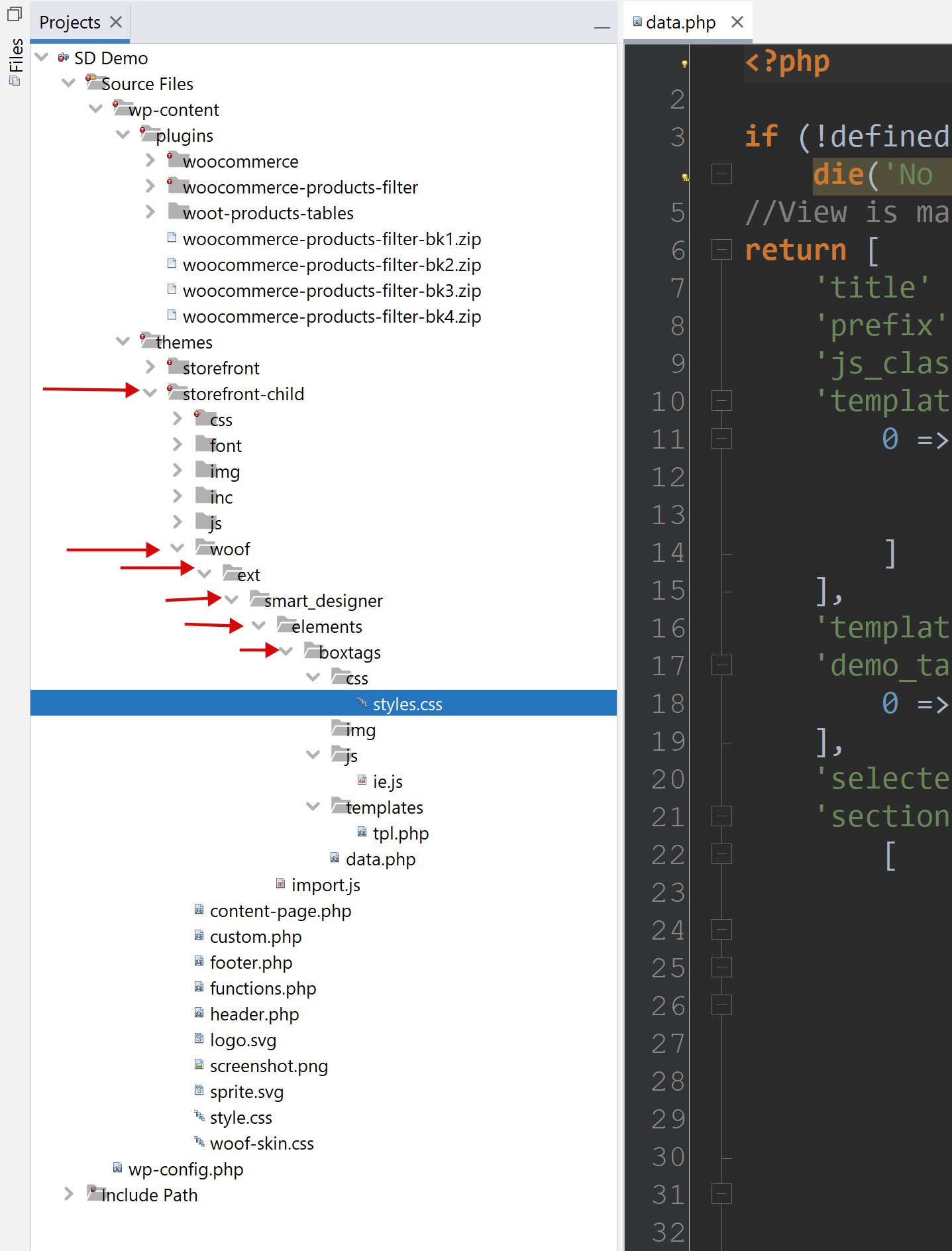
- 現在のWordPressテーマ(子テーマの使用を推奨)に「woof」フォルダを作成します。
- 「woof」フォルダ内に「ext」フォルダを作成します。
- 「ext」フォルダ内に「smart_designer」フォルダを作成します。
- 「smart_designer」フォルダ内に「elements」フォルダを作成します。
- 「elements」フォルダ内に任意の名前のフォルダを作成します(必要に応じてアンダースコアを使用)。
- カスタム要素タイプのフォルダには以下のファイルが必要です。
- css/styles.css – 要素のすべてのCSSコード
- js/ie.js – あなたのJSクラス。IEクラスを拡張します。以下のコードをコピー&ペーストしてください。
'use strict'; import {IE, Helper} from '../../../import.js';//created automatically //This class is for constructor on backend //!!Rename class and put its name into file data.php field js_class export default class Boxtags extends IE { draw() { super.draw(); Helper.ajax(null, {}, template => { let terms = this.visor.sd.demo_taxonomies_terms; let block = this.assemble_terms(terms, template); this.container.insertAdjacentHTML('afterbegin', block); if (this.container.querySelectorAll('input')) { this.container.querySelectorAll('input')[0].setAttribute('checked', true);//for visual test } this.container.className = `woof_list_${this.template_folder}_sd_${this.template_num}`; this.wrapper.appendChild(this.container); }, false, this.template_url); } }JSクラス名を適宜変更してください(Boxtags の代わりに)。これは重要で、data.phpファイルで使用されます。
- templates/tpl.php – 必要に応じてさらにファイルを追加できます(tpl-1.php、tpl-2.phpなど)。すべてのテンプレートファイルはdata.phpで宣言する必要があります。
- data.php – オプションの配列があり、そのキーはcss/styles.cssやテンプレートで使用されます。
<?php if (!defined('ABSPATH')) die('No direct access allowed'); //View is managed by the Data! return [ 'title' => 'Box tags', //!! 'prefix' => 'boxtags_', //!!unique prefix for css vars 'js_class' => 'Boxtags', //!!important, class name from ie.js 'templates' => [ 0 => [ 'title' => esc_html__('Template #1', 'woocommerce-products-filter'), 'use_subterms' => 0//will subterms display or only parent terms depending of the current taxonomy ] ], 'template' => 0, 'demo_taxonomies' => [ 0 => esc_html__('Example terms by real taxonomy', 'woocommerce-products-filter') ], 'selected_demo_taxonomy' => 0, //demo data for visor 'sections' => [ [ 'title' => esc_html__('Terms', 'woocommerce-products-filter'), 'table' => [ 'header' => [ [ 'value' => esc_html__('Options', 'woocommerce-products-filter'), 'width' => '50%', 'action' => 'save_custom_element_option' ], [ 'value' => esc_html__('Description', 'woocommerce-products-filter'), 'width' => '50%', ], ], 'rows' => [ 'padding_vertical' => [ ['value' => ['element' => 'ranger', 'value' => 8, 'min' => 0, 'max' => 30], 'measure' => 'px'], ['value' => esc_html__('Padding vertical', 'woocommerce-products-filter')] ], 'padding_side' => [ ['value' => ['element' => 'ranger', 'value' => 12, 'min' => 0, 'max' => 30], 'measure' => 'px'], ['value' => esc_html__('Padding horizontal', 'woocommerce-products-filter')] ], 'font_family' => [ ['value' => ['element' => 'text', 'value' => 'Segoe UI'], 'measure' => ''], ['value' => esc_html__('Text font family (theme must support)', 'woocommerce-products-filter'), 'help' => '#'] ], 'font_size' => [ ['value' => ['element' => 'ranger', 'value' => 13, 'min' => 8, 'max' => 24], 'measure' => 'px'], ['value' => esc_html__('Text font size', 'woocommerce-products-filter')] ], 'font_weight' => [ ['value' => ['element' => 'select', 'value' => 400, 'options' => [ '100' => '100', '200' => '200', '300' => '300', '400' => '400', '500' => '500', '600' => '600', '700' => '700', '800' => '800' ], 'conditions' => []]], ['value' => 'Text font weight'], //cell ], 'color' => [ ['value' => ['element' => 'color', 'value' => '#adadad']], ['value' => esc_html__('Text color', 'woocommerce-products-filter')] ], 'margin_right' => [ ['value' => ['element' => 'ranger', 'value' => 5, 'min' => 0, 'max' => 30], 'measure' => 'px'], ['value' => esc_html__('Margin right', 'woocommerce-products-filter')] ], 'margin_bottom' => [ ['value' => ['element' => 'ranger', 'value' => 5, 'min' => 0, 'max' => 30], 'measure' => 'px'], ['value' => esc_html__('Margin bottom', 'woocommerce-products-filter')] ], 'bg_color_r' => [ ['value' => ['element' => 'ranger', 'value' => 255, 'min' => 0, 'max' => 255], 'measure' => ''], ['value' => esc_html__('Background color red channel', 'woocommerce-products-filter')] ], 'bg_color_g' => [ ['value' => ['element' => 'ranger', 'value' => 255, 'min' => 0, 'max' => 255], 'measure' => ''], ['value' => esc_html__('Background color green channel', 'woocommerce-products-filter')] ], 'bg_color_b' => [ ['value' => ['element' => 'ranger', 'value' => 255, 'min' => 0, 'max' => 255], 'measure' => ''], ['value' => esc_html__('Background color blue channel', 'woocommerce-products-filter')] ], 'bg_color_op' => [ ['value' => ['element' => 'ranger', 'value' => 9, 'min' => 0, 'max' => 10], 'measure' => ''], ['value' => esc_html__('Background color opacity', 'woocommerce-products-filter')] ], 'bg_image' => [ ['value' => ['element' => 'image', 'value' => ''], 'before' => 'url(', 'after' => ')'], //cell ['value' => esc_html__('Background image', 'woocommerce-products-filter')] //cell ], 'border_width' => [ ['value' => ['element' => 'ranger', 'value' => 2, 'min' => 0, 'max' => 10], 'measure' => 'px'], ['value' => esc_html__('Border width', 'woocommerce-products-filter')] ], 'border_style' => [ ['value' => ['element' => 'select', 'value' => 'solid', 'options' => [ 'dotted' => 'dotted', 'dashed' => 'dashed', 'solid' => 'solid', 'double' => 'double', 'groove' => 'groove', 'ridge' => 'ridge', 'inset' => 'inset', 'outset' => 'outset', 'none' => 'none', 'hidden' => 'hidden' ]]], ['value' => 'Border style'], ], 'border_radius' => [ ['value' => ['element' => 'ranger', 'value' => 25, 'min' => 0, 'max' => 50], 'measure' => 'px'], ['value' => esc_html__('Border radius', 'woocommerce-products-filter')] ], 'border_color_r' => [ ['value' => ['element' => 'ranger', 'value' => 139, 'min' => 0, 'max' => 255], 'measure' => ''], ['value' => esc_html__('Border color red channel', 'woocommerce-products-filter')] ], 'border_color_g' => [ ['value' => ['element' => 'ranger', 'value' => 139, 'min' => 0, 'max' => 255], 'measure' => ''], ['value' => esc_html__('Border color green channel', 'woocommerce-products-filter')] ], 'border_color_b' => [ ['value' => ['element' => 'ranger', 'value' => 139, 'min' => 0, 'max' => 255], 'measure' => ''], ['value' => esc_html__('Border color blue channel', 'woocommerce-products-filter')] ], 'border_color_op' => [ ['value' => ['element' => 'ranger', 'value' => 3, 'min' => 0, 'max' => 10], 'measure' => ''], ['value' => esc_html__('Border color opacity', 'woocommerce-products-filter')] ], 'checkbox_font_family' => [ ['value' => ['element' => 'text', 'value' => 'Font Awesome 5 Free'], 'measure' => '', 'before' => '"', 'after' => '"'], ['value' => esc_html__('Checkbox font family (theme must support)', 'woocommerce-products-filter'), 'help' => '#'] ], 'checkbox_font_size' => [ ['value' => ['element' => 'ranger', 'value' => 12, 'min' => 8, 'max' => 72], 'measure' => 'px'], ['value' => esc_html__('Checkbox font size', 'woocommerce-products-filter')] ], 'checkbox_content' => [ ['value' => ['element' => 'text', 'value' => "\f067"], 'measure' => '', 'before' => '"', 'after' => '"'], ['value' => esc_html__('Checkbox content', 'woocommerce-products-filter'), 'help' => '#'] ], 'checkbox_content_selected' => [ ['value' => ['element' => 'text', 'value' => "\f00c"], 'measure' => '', 'before' => '"', 'after' => '"'], ['value' => esc_html__('Checkbox content selected', 'woocommerce-products-filter'), 'help' => '#'] ], 'transition' => [ ['value' => ['element' => 'ranger', 'value' => 200, 'min' => 0, 'max' => 1000], 'measure' => 's'], //cell ['value' => esc_html__('Transition (ms)', 'woocommerce-products-filter')] //cell ], ] ] ], [ 'title' => esc_html__('Hovered(Selected) Terms', 'woocommerce-products-filter'), 'table' => [ 'header' => [ [ 'value' => esc_html__('Options', 'woocommerce-products-filter'), 'width' => '50%', 'action' => 'save_custom_element_option' ], [ 'value' => esc_html__('Description', 'woocommerce-products-filter'), 'width' => '50%' ], ], 'rows' => [ 'selected_color' => [ ['value' => ['element' => 'color', 'value' => '#ffffff']], ['value' => esc_html__('Text color', 'woocommerce-products-filter')] ], 'selected_bg_color_r' => [ ['value' => ['element' => 'ranger', 'value' => 18, 'min' => 0, 'max' => 255], 'measure' => ''], ['value' => esc_html__('Background color red channel', 'woocommerce-products-filter')] ], 'selected_bg_color_g' => [ ['value' => ['element' => 'ranger', 'value' => 187, 'min' => 0, 'max' => 255], 'measure' => ''], ['value' => esc_html__('Background color green channel', 'woocommerce-products-filter')] ], 'selected_bg_color_b' => [ ['value' => ['element' => 'ranger', 'value' => 212, 'min' => 0, 'max' => 255], 'measure' => ''], ['value' => esc_html__('Background color blue channel', 'woocommerce-products-filter')] ], 'selected_bg_color_op' => [ ['value' => ['element' => 'ranger', 'value' => 10, 'min' => 0, 'max' => 10], 'measure' => ''], ['value' => esc_html__('Background color opacity', 'woocommerce-products-filter')] ], 'selected_bg_image' => [ ['value' => ['element' => 'image', 'value' => ''], 'before' => 'url(', 'after' => ')'], //cell ['value' => esc_html__('Background image', 'woocommerce-products-filter')] //cell ], 'selected_border_color_r' => [ ['value' => ['element' => 'ranger', 'value' => 27, 'min' => 0, 'max' => 255], 'measure' => ''], ['value' => esc_html__('Border color red channel', 'woocommerce-products-filter')] ], 'selected_border_color_g' => [ ['value' => ['element' => 'ranger', 'value' => 219, 'min' => 0, 'max' => 255], 'measure' => ''], ['value' => esc_html__('Border color green channel', 'woocommerce-products-filter')] ], 'selected_border_color_b' => [ ['value' => ['element' => 'ranger', 'value' => 248, 'min' => 0, 'max' => 255], 'measure' => ''], ['value' => esc_html__('Border color blue channel', 'woocommerce-products-filter')] ], 'selected_border_color_op' => [ ['value' => ['element' => 'ranger', 'value' => 10, 'min' => 0, 'max' => 10], 'measure' => ''], ['value' => esc_html__('Border color opacity', 'woocommerce-products-filter')] ], 'selected_border_width' => [ ['value' => ['element' => 'ranger', 'value' => 2, 'min' => 0, 'max' => 10], 'measure' => 'px'], ['value' => esc_html__('Border width', 'woocommerce-products-filter')] ], 'selected_border_style' => [ ['value' => ['element' => 'select', 'value' => 'solid', 'options' => [ 'dotted' => 'dotted', 'dashed' => 'dashed', 'solid' => 'solid', 'double' => 'double', 'groove' => 'groove', 'ridge' => 'ridge', 'inset' => 'inset', 'outset' => 'outset', 'none' => 'none', 'hidden' => 'hidden' ]]], ['value' => 'Border style'], ], 'selected_scale' => [ ['value' => ['element' => 'ranger', 'value' => 100, 'min' => 50, 'max' => 200], 'measure' => ''], //cell ['value' => esc_html__('Scale', 'woocommerce-products-filter')] //cell ], ] ] ], [ 'title' => esc_html__('Counter', 'woocommerce-products-filter'), 'table' => [ 'header' => [ [ 'value' => esc_html__('Options', 'woocommerce-products-filter'), 'width' => '50%', 'action' => 'save_custom_element_option' ], [ 'value' => esc_html__('Description', 'woocommerce-products-filter'), 'width' => '50%', ] ], 'rows' => [ 'counter_show' => [ ['value' => ['element' => 'switcher', 'value' => 'inline-flex', 'yes' => 'inline-flex', 'no' => 'none']], //cell ['value' => esc_html__('Show counter', 'woocommerce-products-filter')] //cell ], 'counter_width' => [ ['value' => ['element' => 'ranger', 'value' => 14, 'min' => 10, 'max' => 72, 'conditions' => [ 'hide' => [ 'counter_show' => 'none'//if this selected element will be hidden ]]], 'measure' => 'px'], ['value' => esc_html__('Min width', 'woocommerce-products-filter')] ], 'counter_height' => [ ['value' => ['element' => 'ranger', 'value' => 14, 'min' => 10, 'max' => 72, 'conditions' => [ 'hide' => [ 'counter_show' => 'none'//if this selected element will be hidden ]]], 'measure' => 'px'], ['value' => esc_html__('Min height', 'woocommerce-products-filter')] ], 'counter_top' => [ ['value' => ['element' => 'ranger', 'value' => -2, 'min' => -100, 'max' => 100, 'conditions' => [ 'hide' => [ 'counter_show' => 'none'//if this selected element will be hidden ]]], 'measure' => 'px'], //cell ['value' => esc_html__('Top', 'woocommerce-products-filter')] //cell ], 'counter_right' => [ ['value' => ['element' => 'ranger', 'value' => -3, 'min' => -100, 'max' => 100, 'conditions' => [ 'hide' => [ 'counter_show' => 'none'//if this selected element will be hidden ]]], 'measure' => 'px'], ['value' => esc_html__('Right', 'woocommerce-products-filter')] ], 'counter_font_size' => [ ['value' => ['element' => 'ranger', 'value' => 9, 'min' => 8, 'max' => 48, 'conditions' => [ 'hide' => [ 'counter_show' => 'none'//if this selected element will be hidden ]]], 'measure' => 'px'], //cell ['value' => esc_html__('Text font size', 'woocommerce-products-filter')] //cell ], 'counter_color' => [ ['value' => ['element' => 'color', 'value' => '#777777', 'conditions' => [ 'hide' => [ 'counter_show' => 'none'//if this selected element will be hidden ]]]], //cell ['value' => esc_html__('Text color', 'woocommerce-products-filter')] //cell ], 'counter_font_family' => [ ['value' => ['element' => 'text', 'value' => 'consolas', 'conditions' => [ 'hide' => [ 'counter_show' => 'none'//if this selected element will be hidden ]]], 'measure' => ''], //cell ['value' => esc_html__('Text font family (theme must support)', 'woocommerce-products-filter')], //cell ], 'counter_font_weight' => [ ['value' => ['element' => 'select', 'value' => 500, 'options' => [ '100' => '100', '200' => '200', '300' => '300', '400' => '400', '500' => '500', '600' => '600', '700' => '700', '800' => '800' ], 'conditions' => [ 'hide' => [ 'counter_show' => 'none'//if this selected element will be hidden ]]]], ['value' => 'Text font weight'], //cell ], 'counter_side_padding' => [ ['value' => ['element' => 'ranger', 'value' => 0, 'min' => 0, 'max' => 48, 'conditions' => [ 'hide' => [ 'counter_show' => 'none'//if this selected element will be hidden ]]], 'measure' => 'px'], //cell ['value' => esc_html__('Side padding', 'woocommerce-products-filter')] //cell ], 'counter_bg_color' => [ ['value' => ['element' => 'color', 'value' => '#ffffff', 'conditions' => [ 'hide' => [ 'counter_show' => 'none'//if this selected element will be hidden ]]]], //cell ['value' => esc_html__('Background color', 'woocommerce-products-filter')] //cell ], 'counter_bg_image' => [ ['value' => ['element' => 'image', 'value' => '', 'conditions' => [ 'hide' => [ 'counter_show' => 'none'//if this selected element will be hidden ]]], 'before' => 'url(', 'after' => ')'], //cell ['value' => esc_html__('Background image', 'woocommerce-products-filter')] //cell ], 'counter_border_width' => [ ['value' => ['element' => 'ranger', 'value' => 1, 'min' => 0, 'max' => 10, 'conditions' => [ 'hide' => [ 'counter_show' => 'none'//if this selected element will be hidden ]]], 'measure' => 'px'], //cell ['value' => esc_html__('Border width', 'woocommerce-products-filter')] //cell ], 'counter_border_radius' => [ ['value' => ['element' => 'ranger', 'value' => 50, 'min' => 0, 'max' => 50, 'conditions' => [ 'hide' => [ 'counter_show' => 'none'//if this selected element will be hidden ]]], 'measure' => '%'], //cell ['value' => esc_html__('Border radius', 'woocommerce-products-filter')] //cell ], 'counter_border_color' => [ ['value' => ['element' => 'color', 'value' => '#adadad', 'conditions' => [ 'hide' => [ 'counter_show' => 'none'//if this selected element will be hidden ]]]], //cell ['value' => esc_html__('Border color', 'woocommerce-products-filter')] //cell ], 'counter_border_style' => [ ['value' => ['element' => 'select', 'value' => 'solid', 'options' => [ 'dotted' => 'dotted', 'dashed' => 'dashed', 'solid' => 'solid', 'double' => 'double', 'groove' => 'groove', 'ridge' => 'ridge', 'inset' => 'inset', 'outset' => 'outset', 'none' => 'none', 'hidden' => 'hidden' ], 'conditions' => [ 'hide' => [ 'counter_show' => 'none'//if this selected element will be hidden ]]]], ['value' => 'Border style'], //cell ], ] ] ], ] ]; - data.phpファイルでは、以下のフィールドに注意してください。title – SDの上部パネルに表示される要素名、prefix – CSS変数用のユニークなプレフィックス、js_class – 重要。ie.jsのクラス名。
- 次に、tpl.phpファイルにHTMLコードを追加します。
<?php $custom_postfix = 'boxtags'; ?>
<div class="woof-sd-ie woof-sd-ie-<?php echo $custom_postfix ?> woof-sd-ie-<?php echo $custom_postfix ?>___TERM_ID__ __CLASS__">
    <input type="checkbox" hidden id="__ID__"
           data-tax="__DATA_TAX__"
           name="__SLUG__" data-term-id="__TERM_ID__"
           value="__VALUE__" __CHECKED__ __DISABLED__
           onchange="woof_checkbox_process_data(this, this.checked)"
           hidden
           />
    <label for="__ID__">
        <span>__CONTENT__ <span class="woof-sd-ie-count">__COUNT__</span></span>
    </label>

    <input type="hidden" value="__TERM_NAME__" data-anchor="woof_n___DATA_ANCHOR__" />

</div>
$custom_postfix変数を要素のフォルダ名(data.phpのprefixフィールドと同じ)に変更することを忘れないでください。
- テンプレートには、WOOF SDがフロントエンドにタグを出力する際に動的に置き換えられる特別な文字列があります。
- __TERM_ID__ – 現在出力されているタームのID
- __CLASS__ – システムCSSクラス
- __DATA_TAX__ – 現在のタームのタクソノミー名
- __SLUG__ – 現在のタームのスラッグ
- __ID__ – ラベル用に自動生成されるID
- __VALUE__ – ここに選択された値
- __CHECKED__ – チェックボックスまたはラジオボタンで選択状態にするために使用
- __DISABLED__ – チェックボックスまたはラジオボタンで無効状態にするために使用
- __CONTENT__ – 顧客に表示するタームのタイトル
- __COUNT__ – タームの数
- __RESET_RADIO_BTN__ – フロントエンドでラジオボタンの選択をリセットするために使用(ラジオのみ)
- __DATA_ANCHOR__ – 隠し入力に常に必要
- __TERM_NAME__ – 現在のターム名
- 上記の例のように、divラッパーは常に同じ構造を使用し、その内部にHTMLコードを配置します。チェックボックスまたはラジオボタン、および隠し入力の両方は常に必須です。
- テンプレートには、WOOF SDがフロントエンドにタグを出力する際に動的に置き換えられる特別な文字列があります。
-
フィールド
- templates – 同じ要素のレイアウトテンプレート、またはその動作(ラジオまたはチェックボックス)を追加します。
- template – デフォルトで選択されているテンプレート番号
- demo_taxonomies – 上記のコードのまま使用し、コンストラクターでショップのタクソノミーを表示するために必要です。
- sections – ここに行にオプションが配置され、それぞれ固有のキー(data.phpファイルに対する相対)を持ち、以下のタイプがあります。
- ranger – minからmaxまでのスライダー付き範囲コントロールを作成します。
'padding_vertical' => [ ['value' => ['element' => 'ranger', 'value' => 8, 'min' => 0, 'max' => 30], 'measure' => 'px'], ['value' => esc_html__('Padding vertical', 'woocommerce-products-filter')] ],「measure」フィールドには適切な測定単位を指定してください。
- text – テキストフィールド
'font_family' => [ ['value' => ['element' => 'text', 'value' => 'Segoe UI'], 'measure' => ''], ['value' => esc_html__('Text font family (theme must support)', 'woocommerce-products-filter'), 'help' => '#'] ], - select – 事前定義された値を選択するドロップダウン
'font_weight' => [ ['value' => ['element' => 'select', 'value' => 400, 'options' => [ '100' => '100', '200' => '200', '300' => '300', '400' => '400', '500' => '500', '600' => '600', '700' => '700', '800' => '800' ], 'conditions' => []]], ['value' => 'Text font weight'], //cell ], - color – カラー入力を作成します
'color' => [ ['value' => ['element' => 'color', 'value' => '#adadad']], ['value' => esc_html__('Text color', 'woocommerce-products-filter')] ], - image – テキスト入力と、サイトのメディアギャラリーから画像を選択するための近くのボタンを作成します
'bg_image' => [ ['value' => ['element' => 'image', 'value' => ''], 'before' => 'url(', 'after' => ')'], //cell ['value' => esc_html__('Background image', 'woocommerce-products-filter')] //cell ], - すべての要素において、フィールドの値はstyles.cssと同じデフォルト値を持ちます。
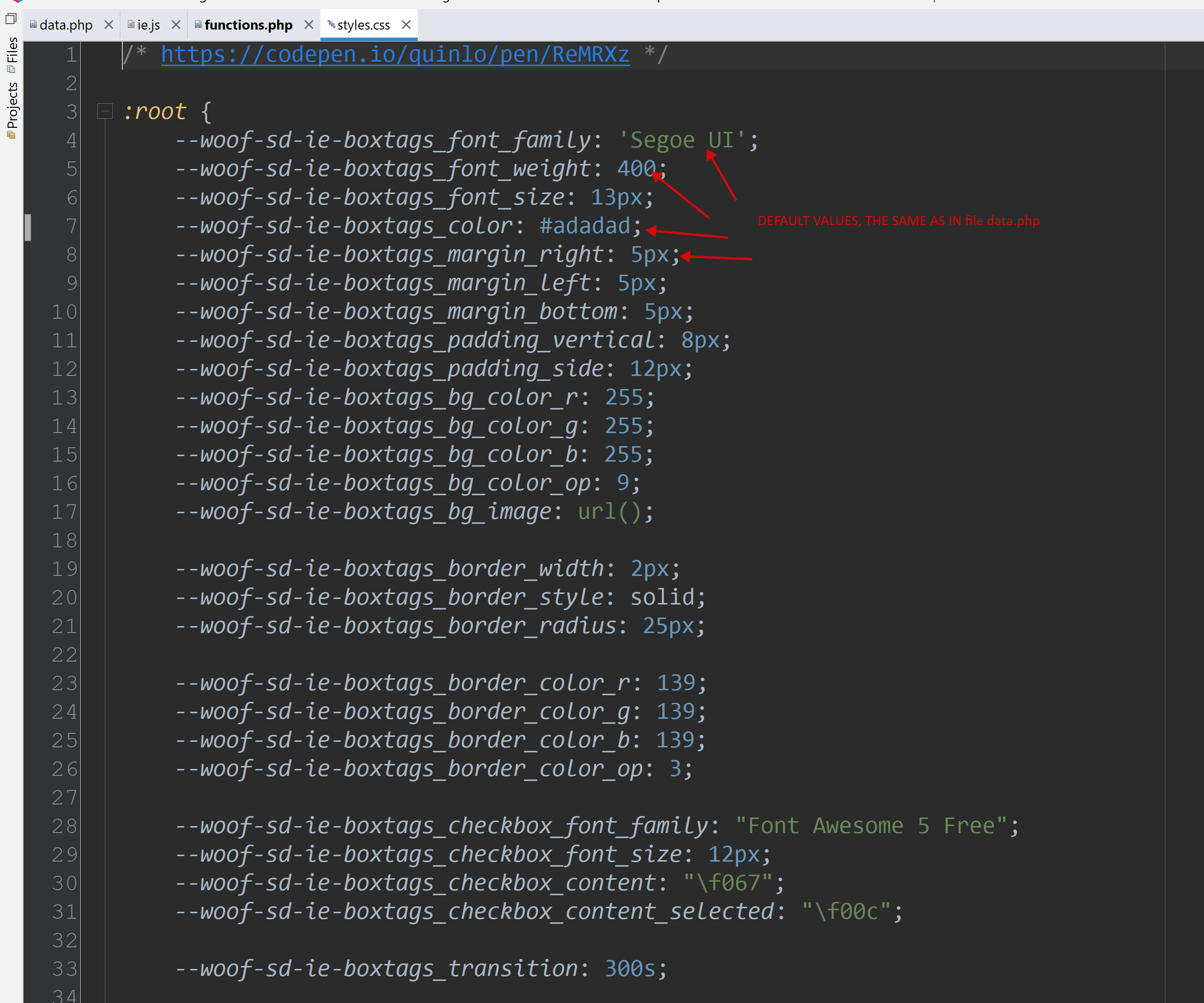
- cssファイル内のすべてのキーは、プレフィックス「--woof-sd-ie-」+ data.phpの「prefix」フィールドから取得したプレフィックスを使用する必要があります。
- ranger – minからmaxまでのスライダー付き範囲コントロールを作成します。
- ファイル woof/ext/smart_designer/import.js はシステムによって自動的に作成されるため、手動で変更しないでください!!
- 簡単に言うと、カスタム要素の例をダウンロードして、独自のCSSとHTMLで再作成できます。