Smart Designer — Elementi Filtro Personalizzati
Questa estensione ti permette di creare elementi di filtro personalizzati
Sito demo: https://demo-sd.products-filter.com/
Di default, WOOF SD ha 4 elementi di base pronti per personalizzazioni:
- Checkbox (predefinito)
- Radio
- Interruttore
- Colore
Puoi trovare più elementi personalizzati nella WOOF SD Gallery. Se hai un'idea per il tuo elemento personalizzato, scrivici al supporto.
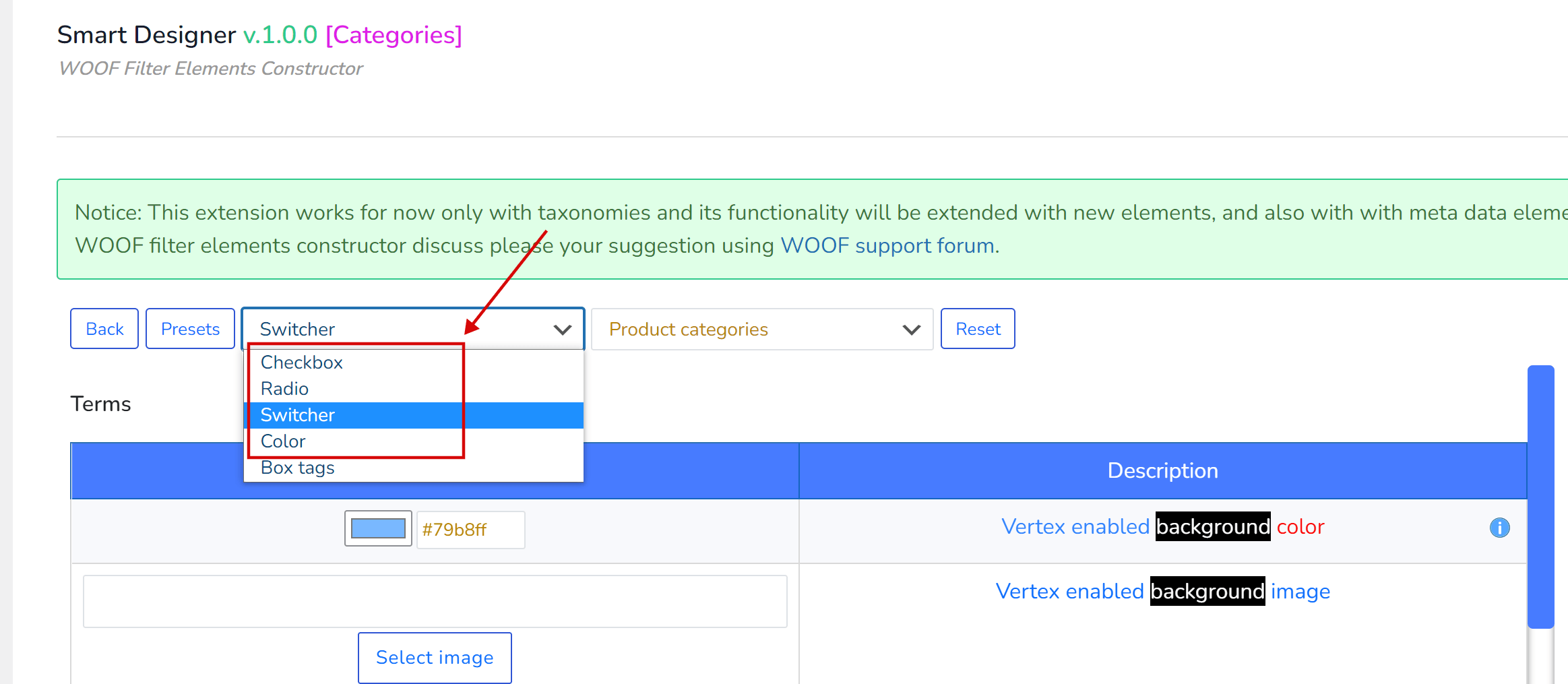
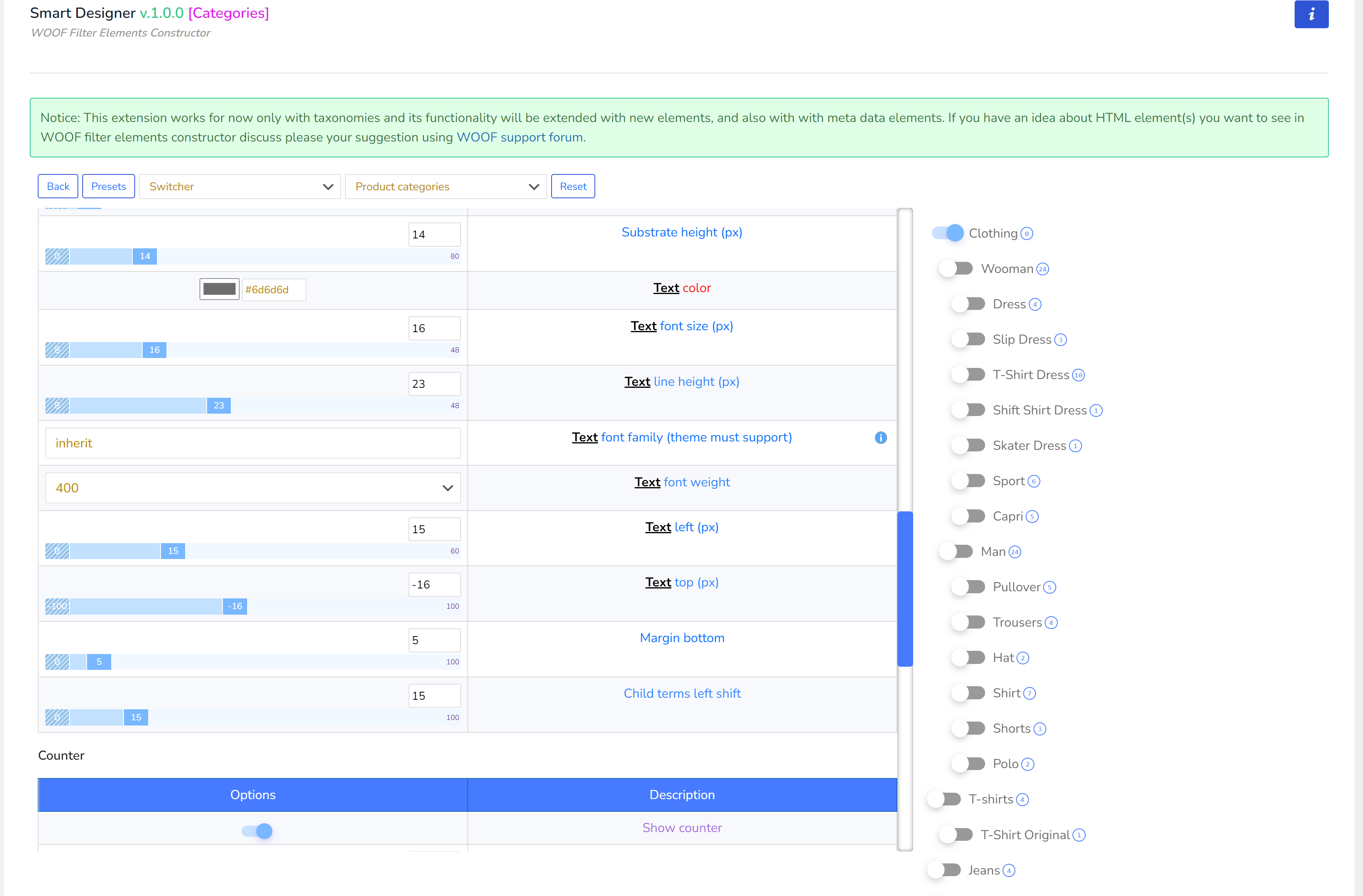
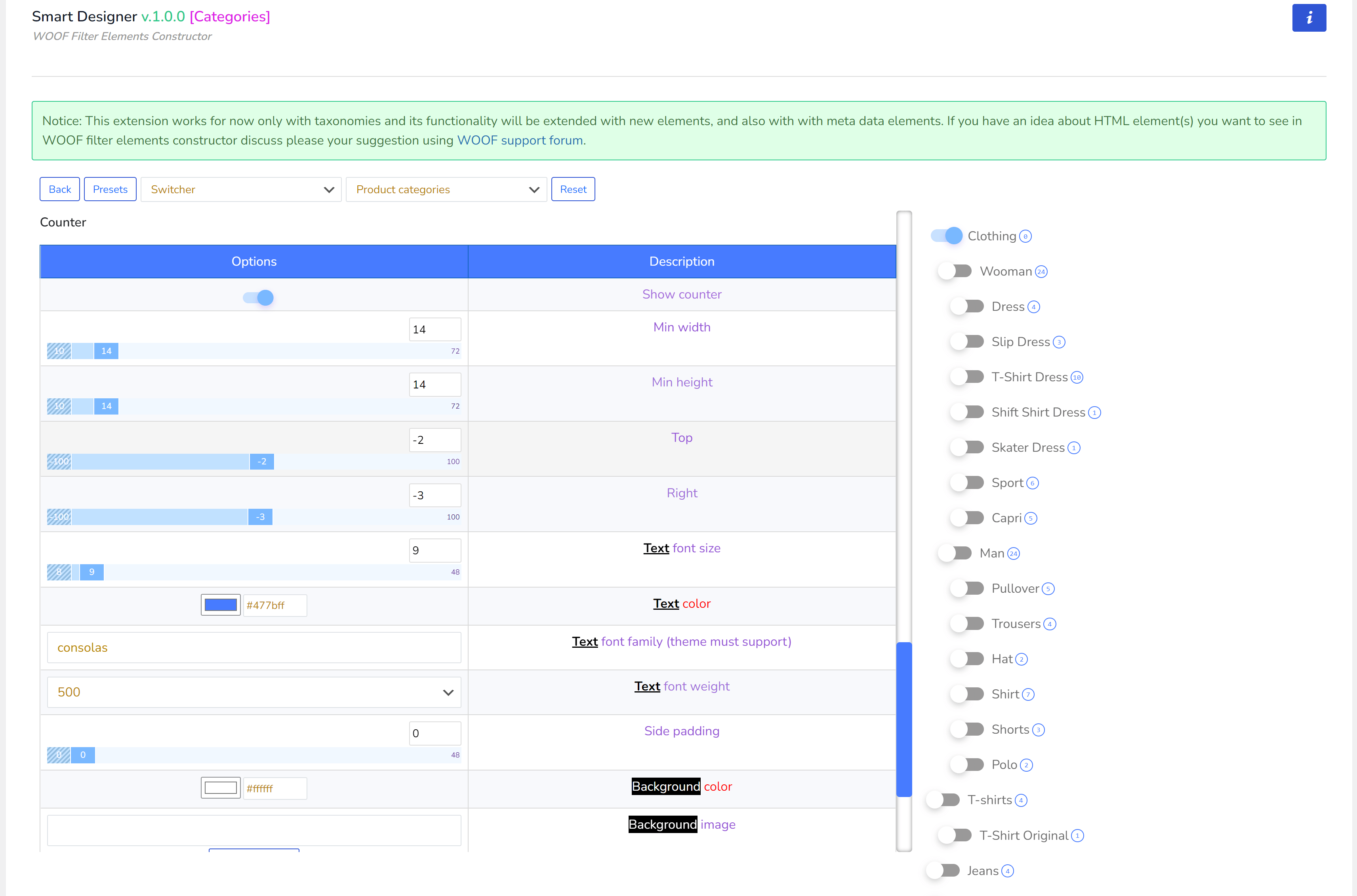
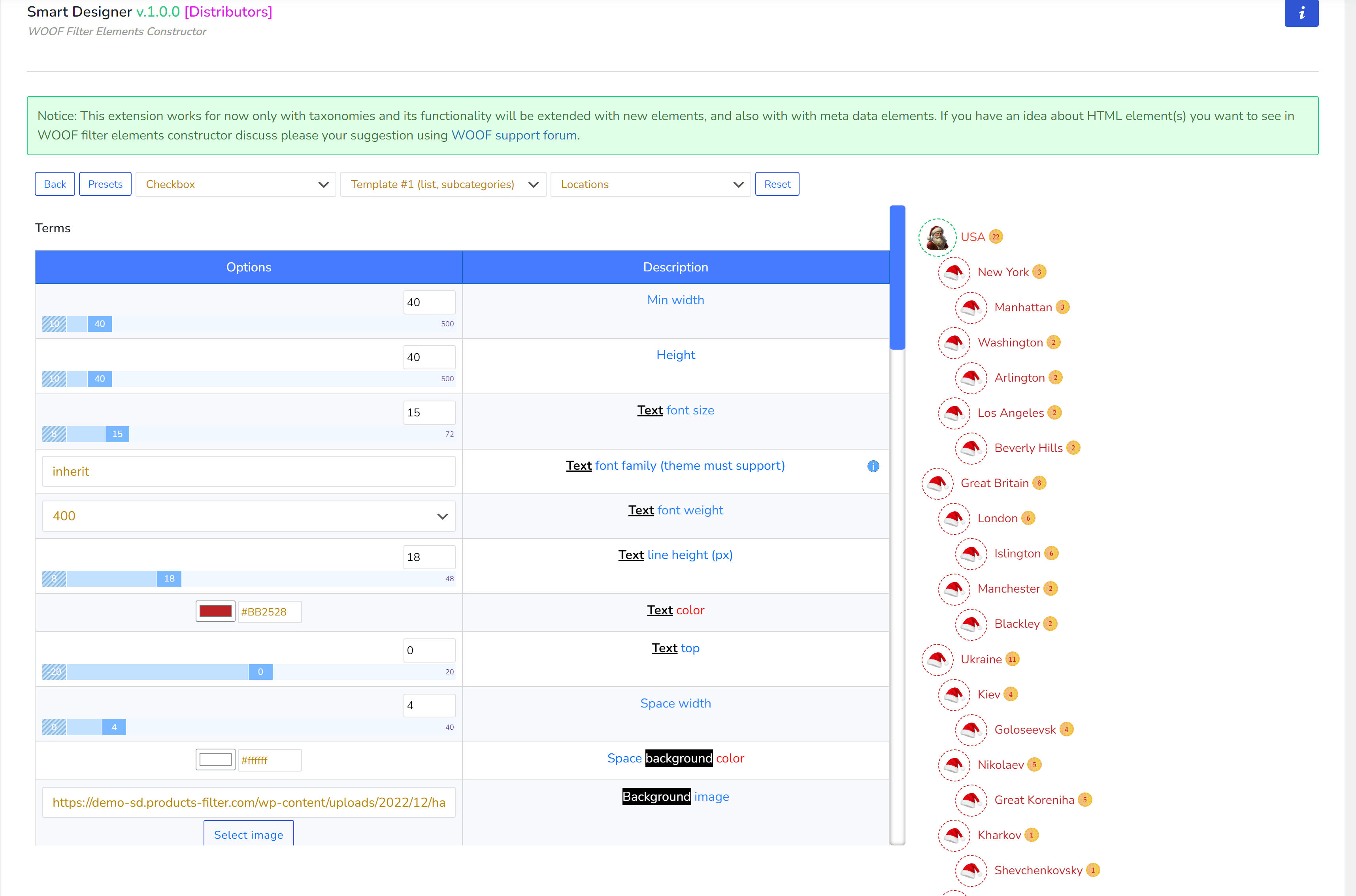
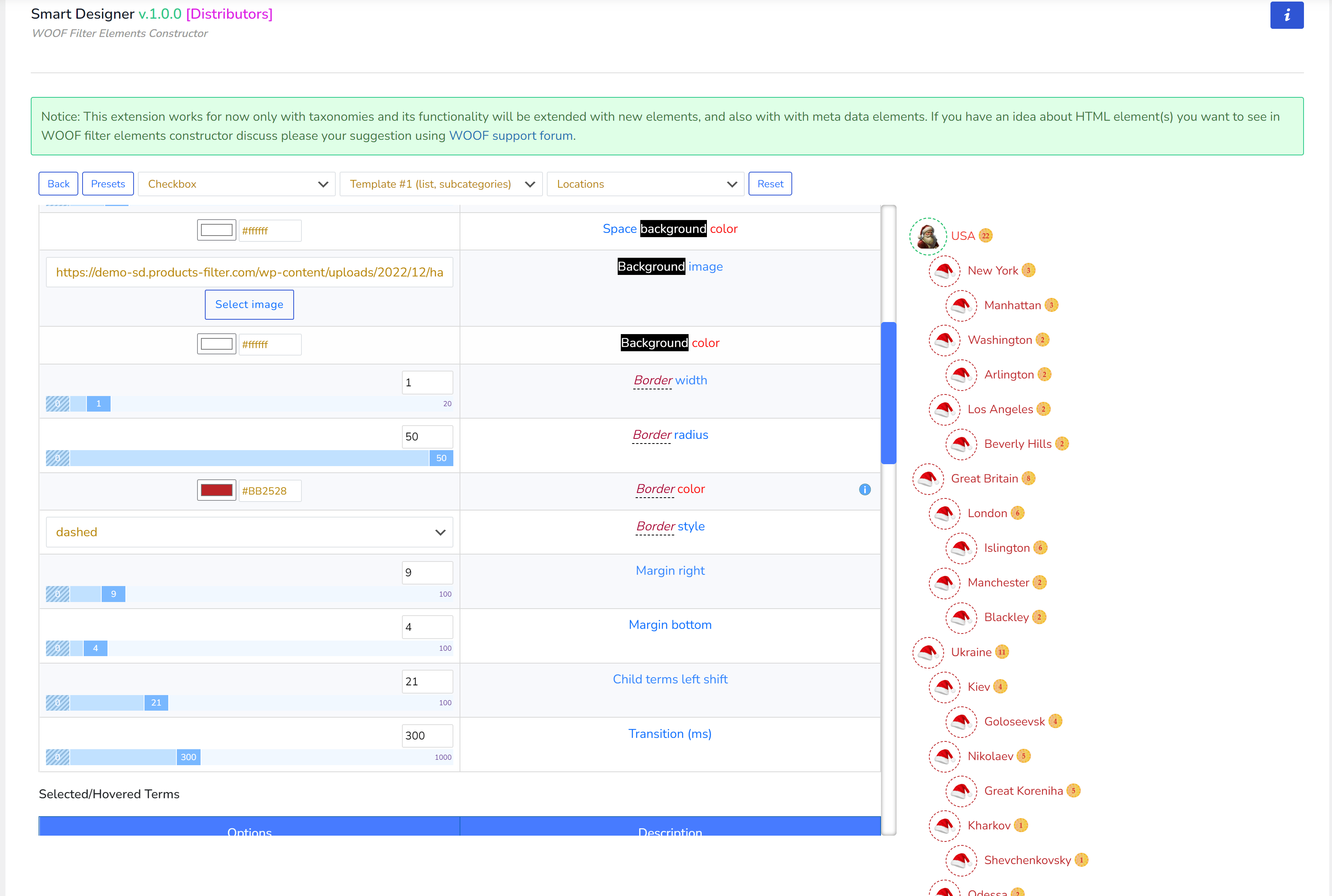
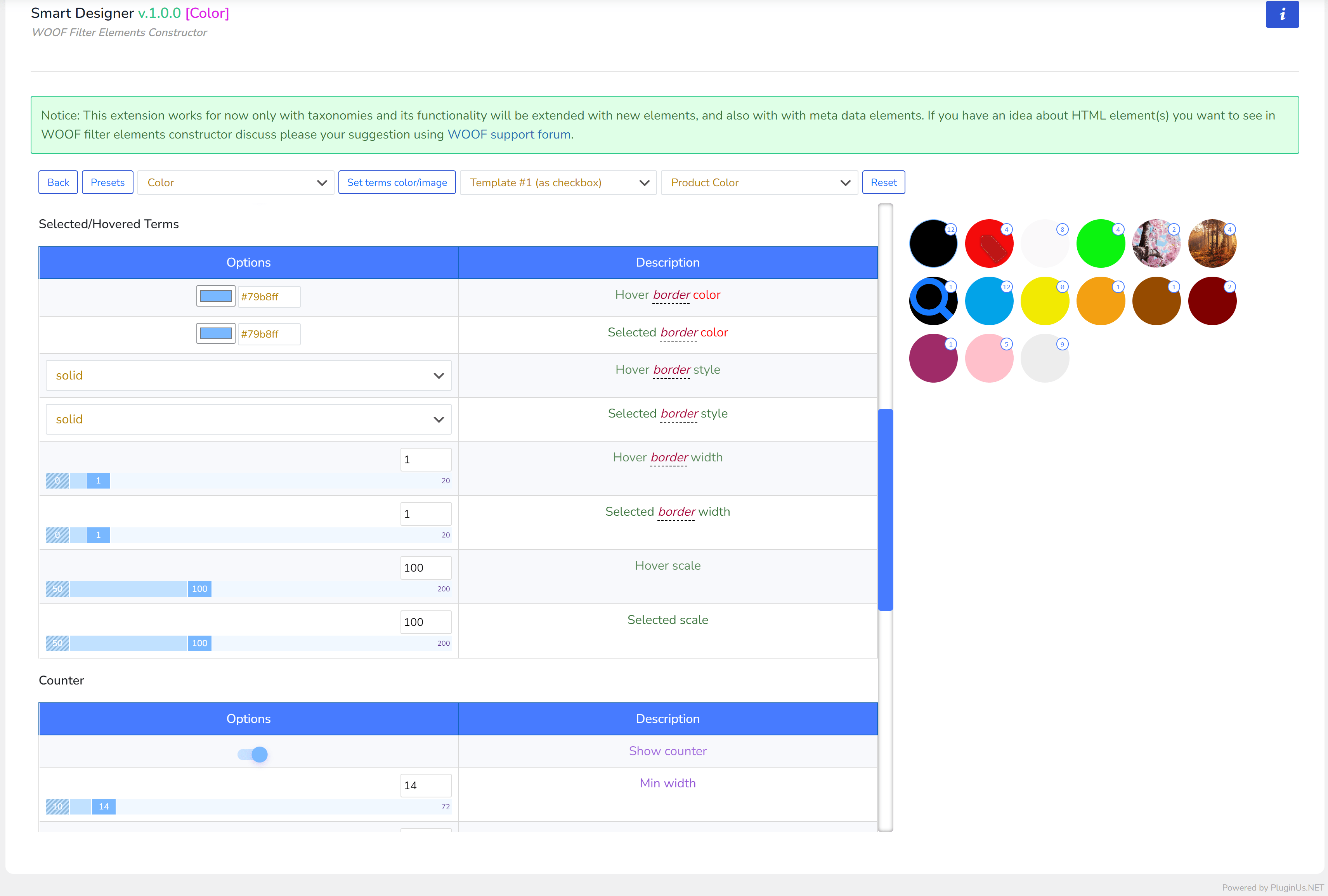
Pannello superiore
- Indietro – torna all'elenco degli elementi
- Presets – l'amministratore può salvare il set corrente di opzioni e poi applicarlo su altri elementi dello stesso tipo
- Menu a discesa con tutti i possibili tipi di elementi nel sistema. ‘Box tags‘ nello schermo sopra è un elemento personalizzato inserito nel tema child di WordPress. Come crearli, leggi sotto.
- Menu a discesa con tutte le tassonomie reali di WooCommerce del negozio, solo per aiuto visivo durante la creazione di un elemento filtro. Viene anche usato per il tipo di elemento ‘Colore’ per associare colori e immagini ai termini della tassonomia selezionata tramite questo menu a discesa (leggi su Colore sotto)
- Resetta – clicca per riportare tutte le opzioni personalizzate dell'elemento filtro corrente ai valori predefiniti
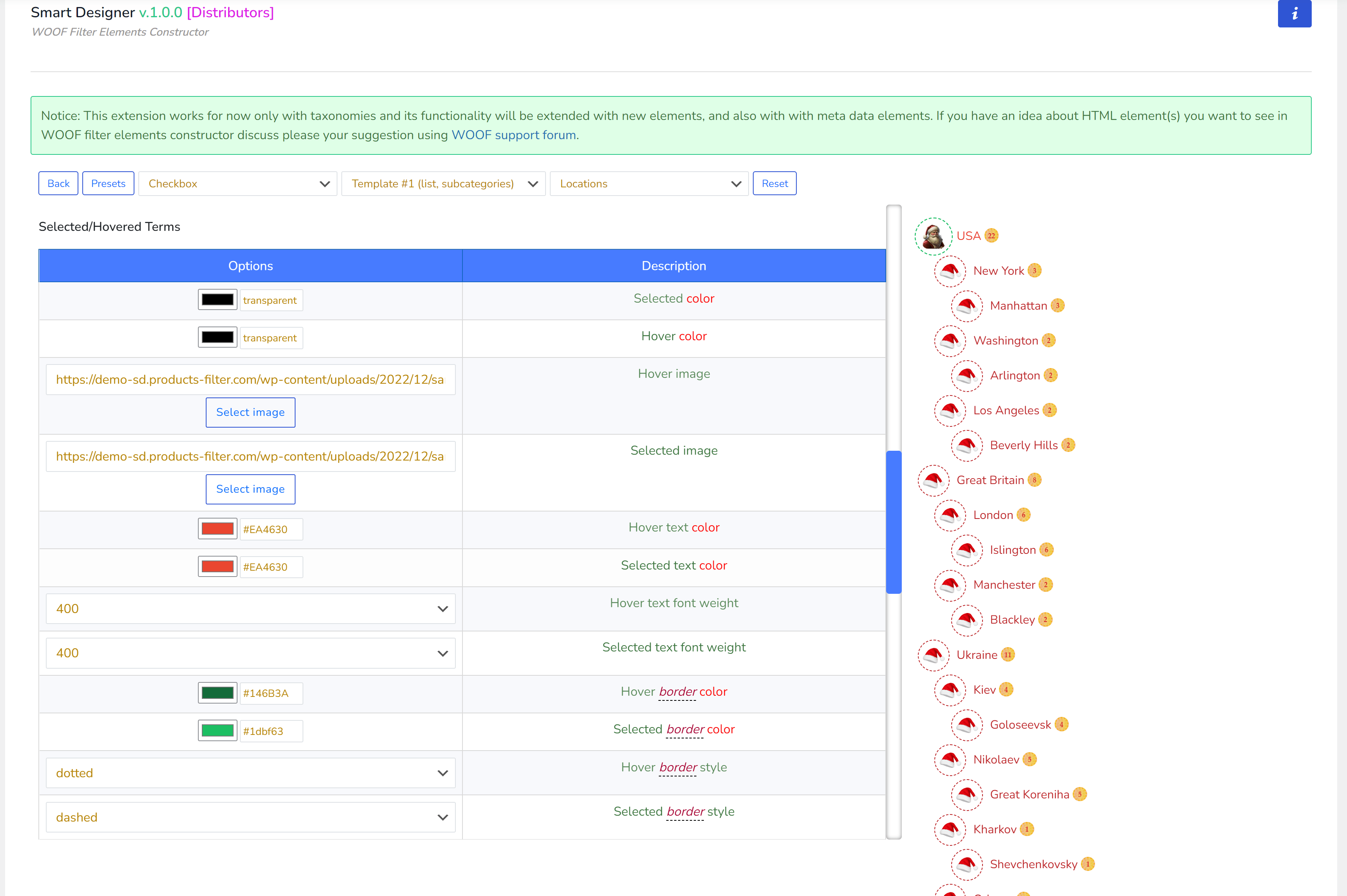
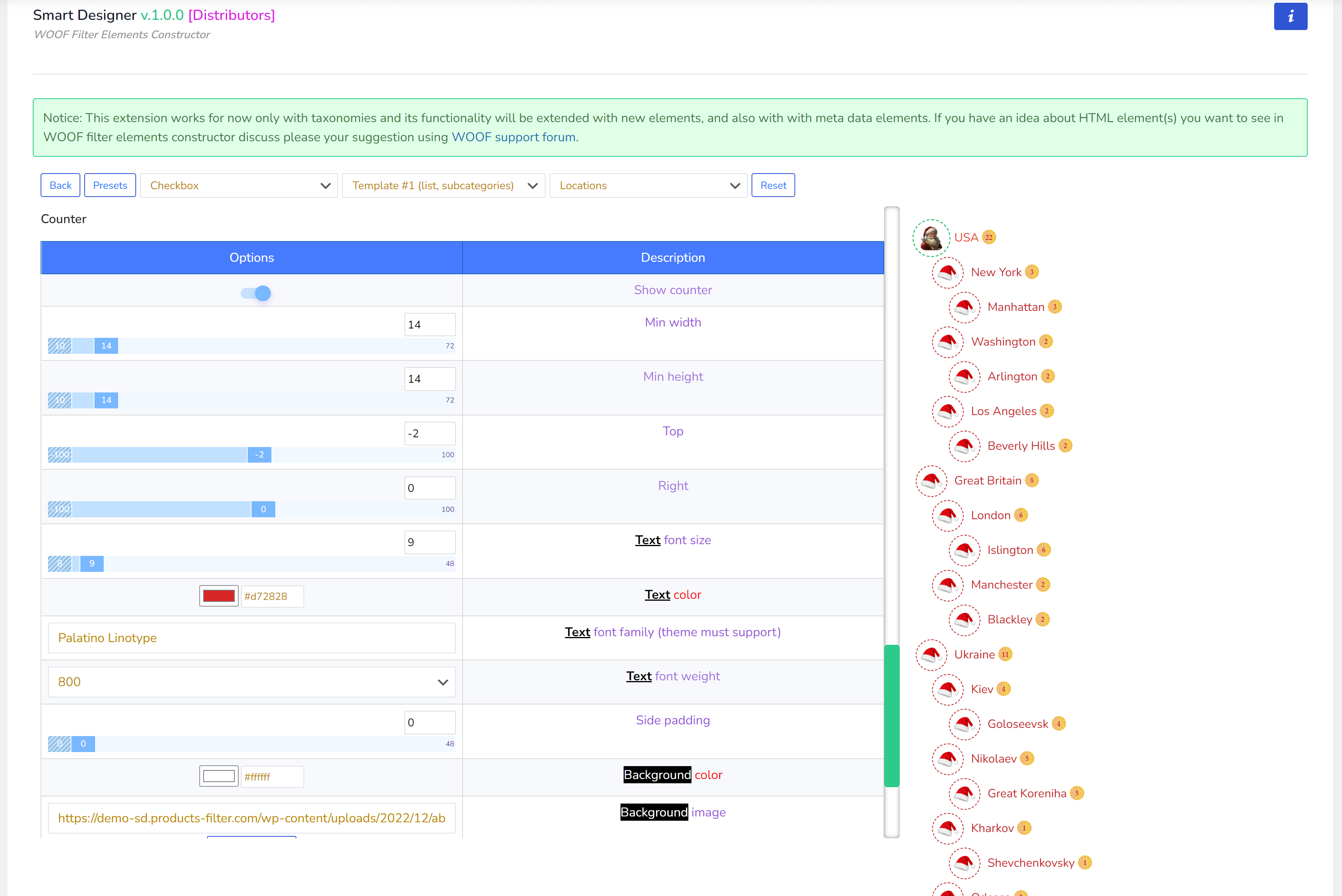
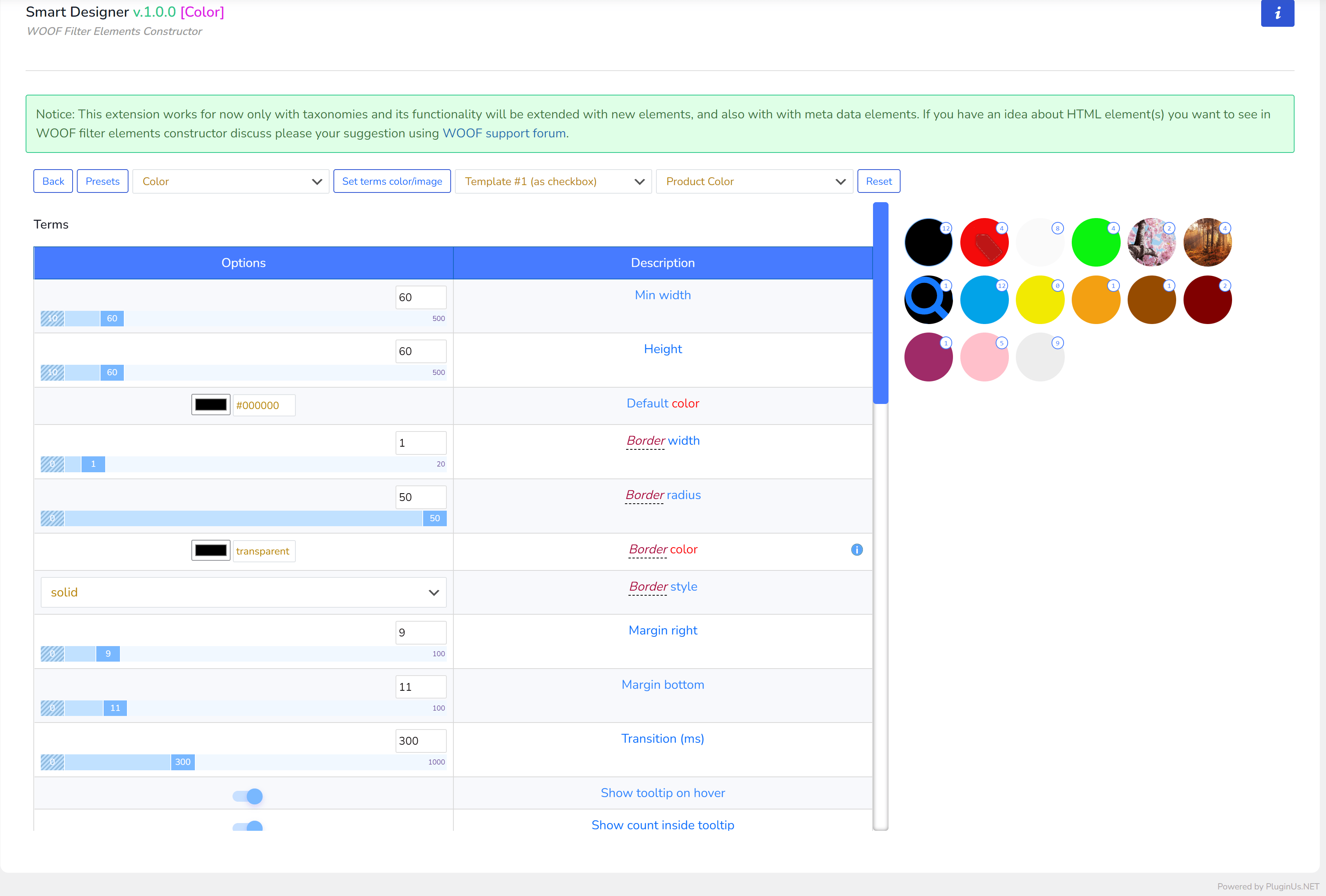
Crea e Applica
- Nella scheda ‘Estensioni‘ attiva l'estensione ‘Smart Designer‘ (se non è attiva) e premi il pulsante Salva
- Dopo il ricaricamento della pagina, vai alla scheda ‘Smart Designer‘
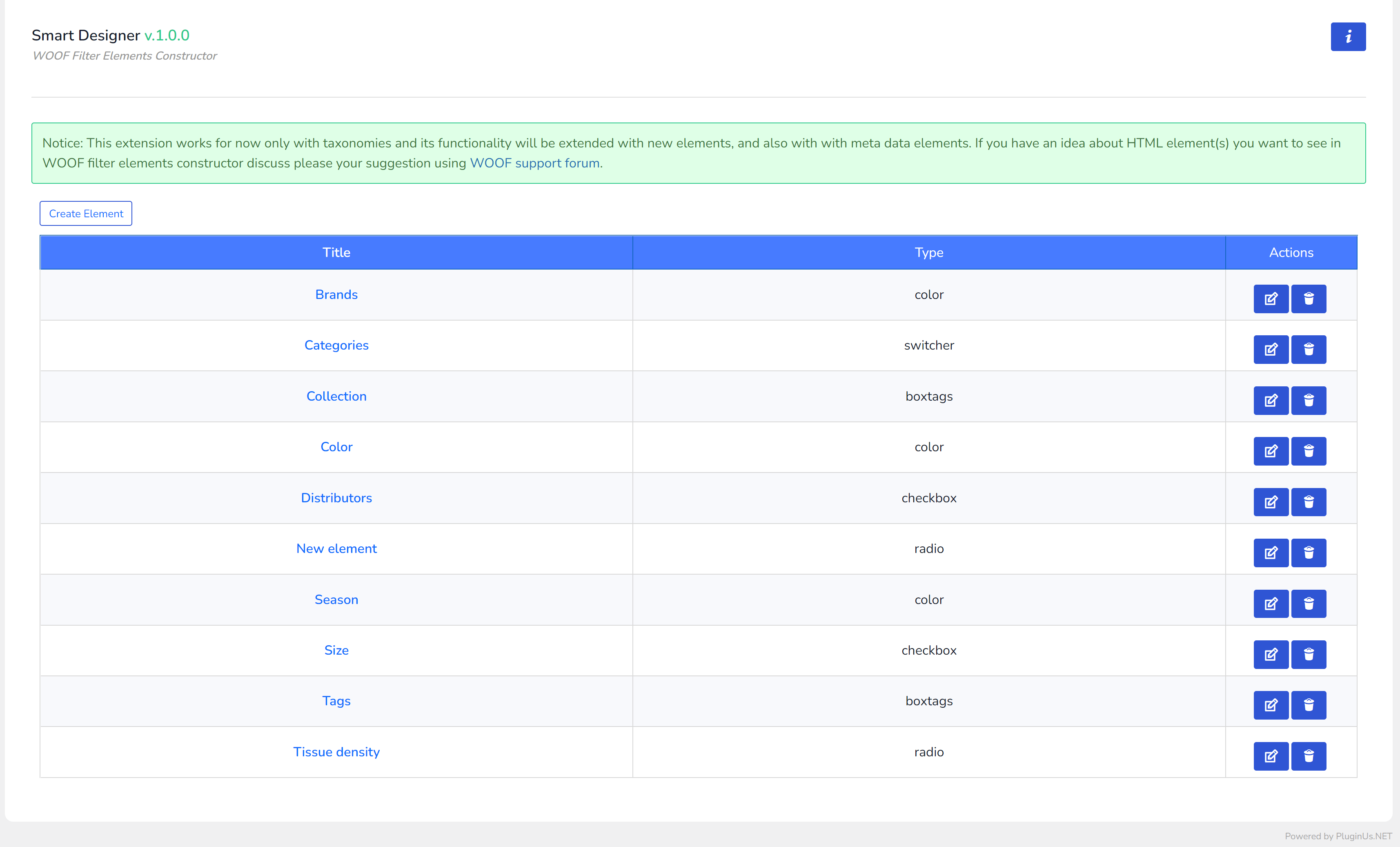
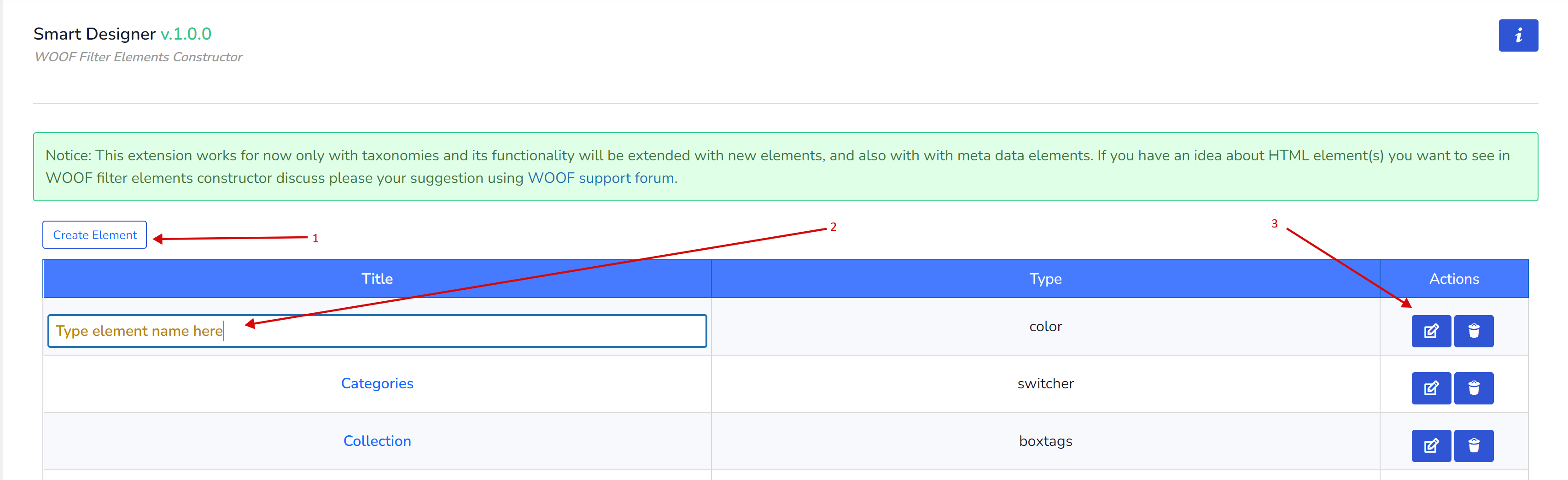
- Clicca sul pulsante ‘Crea Elemento‘
- Imposta il titolo del nuovo elemento (clicca sul suo campo)
- Clicca sul pulsante ‘Modifica‘ per entrare nelle opzioni del nuovo elemento
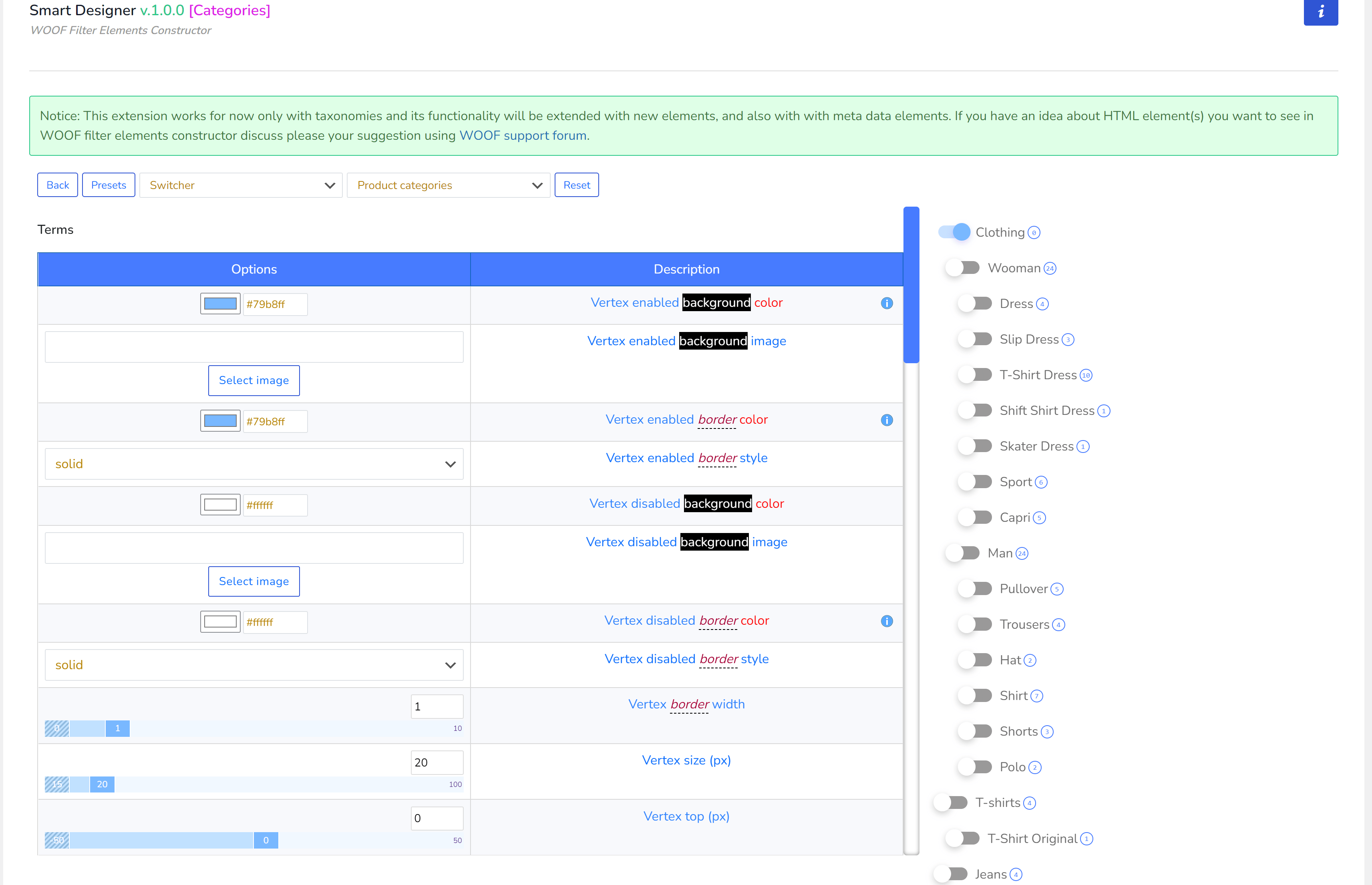
- Una volta entrato nelle opzioni dell'elemento, devi selezionare il suo tipo: Checkbox, Radio, Interruttore, Colore o un altro a seconda degli elementi installati nel tema WordPress del tuo sito (tipi di elementi personalizzati descritti sotto). Ogni tipo ha il proprio set di opzioni che non si sovrappongono con altri tipi di elemento!
- Tutti gli elementi di base tranne gli interruttori hanno anche modelli di layout (elenco, piastrella o radio, checkbox), seleziona quello che si adatta alle tue esigenze.

- Per tua comodità, puoi selezionare la tassonomia per cui stai creando l'elemento corrente
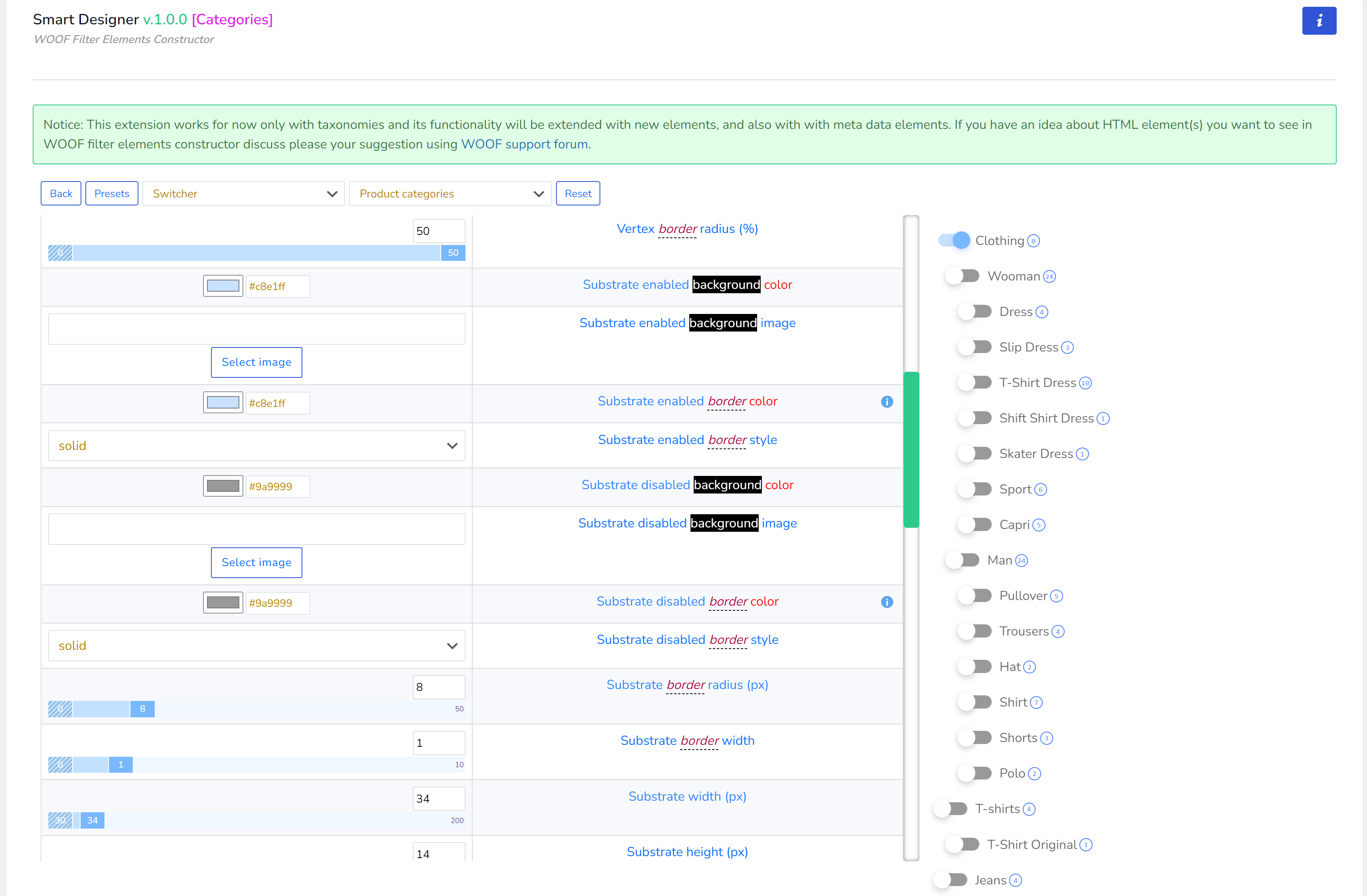
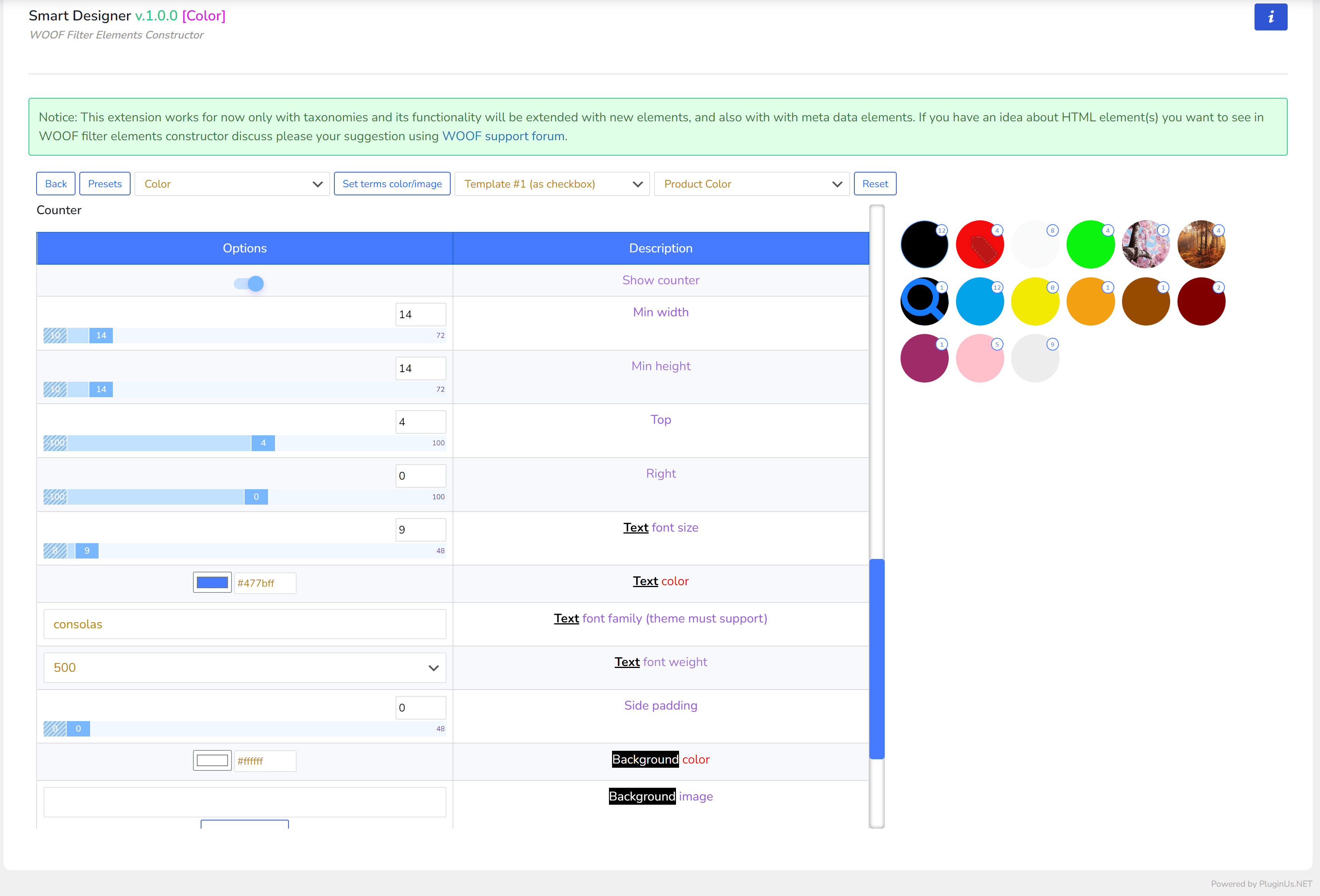
- Gioca con le opzioni utilizzando le loro descrizioni per creare le personalizzazioni desiderate
- Tutte le modifiche vengono salvate automaticamente tramite AJAX
- Quando decidi che è sufficiente, puoi cliccare sul pulsante ‘Presets‘ e salvare lì le tue opzioni personalizzate per elementi futuri (per non dover ricominciare da capo con un nuovo elemento)
- L'ultimo passo è andare alla scheda ‘Struttura‘ e associare a una tassonomia il tipo di elemento appena creato. Tutti gli elementi creati con Smart Designer hanno il prefisso ‘SD:‘ nel titolo
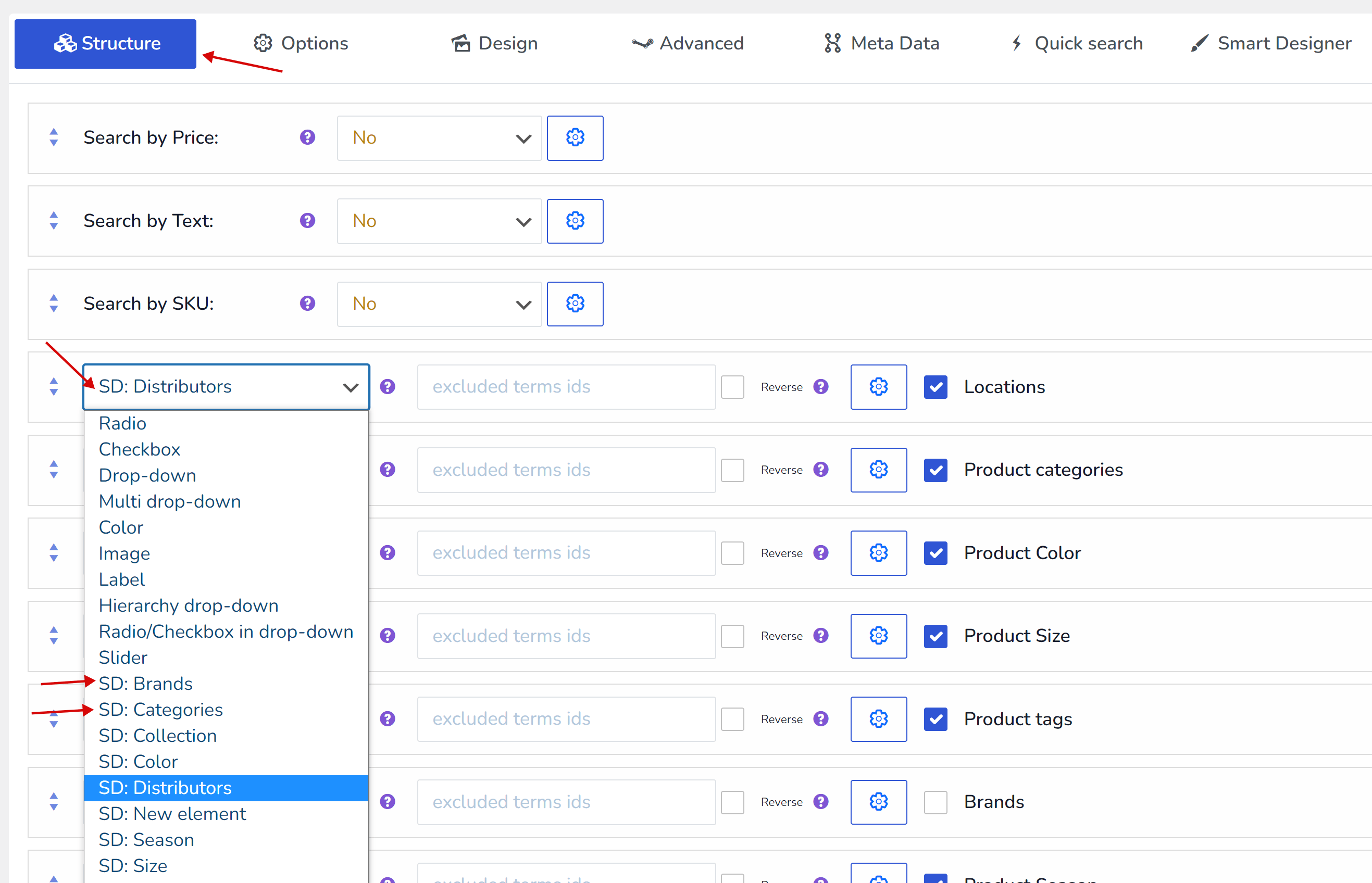
- Premi il pulsante Salva qui sotto
- Vai al frontend del negozio e divertiti 🙂
Suggerimenti sulle personalizzazioni
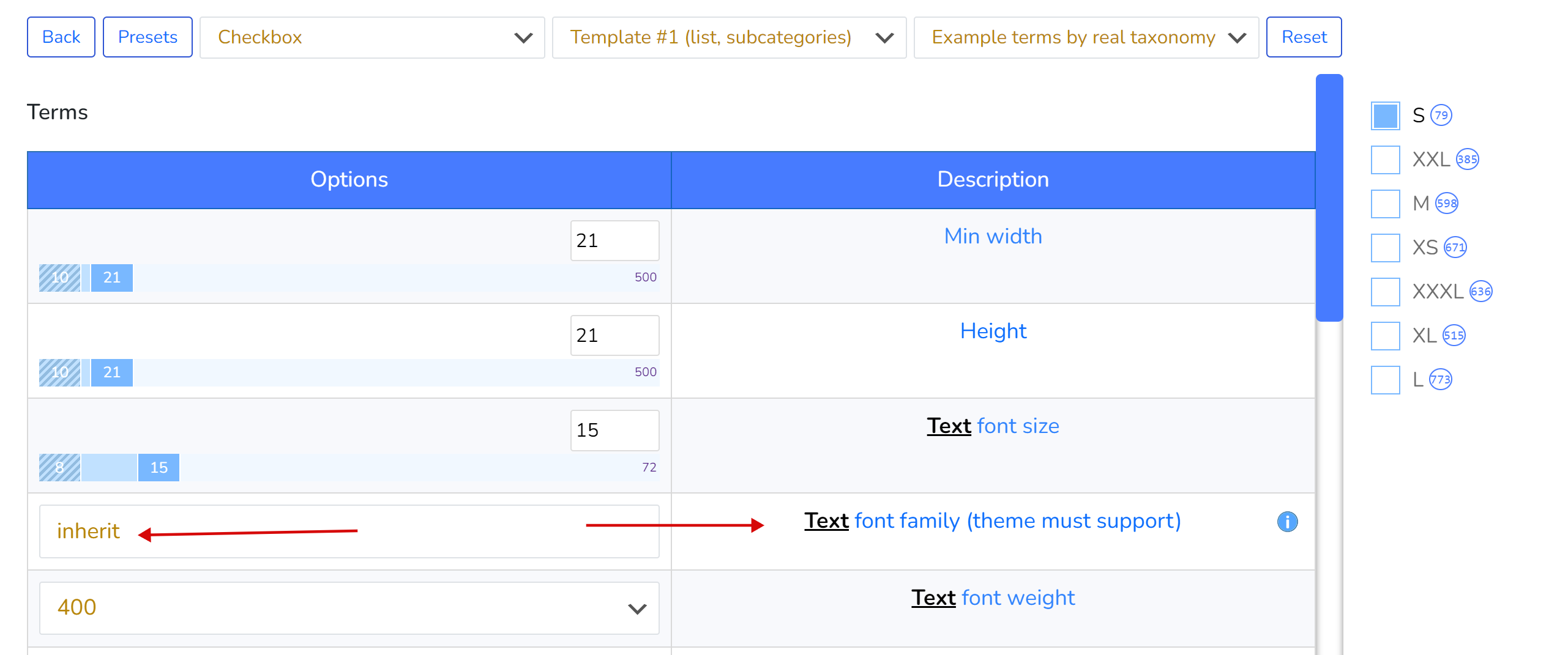
- Se non sai quale famiglia di caratteri applicare per il testo, usa la parola ‘inherit‘, che applicherà la famiglia di caratteri del tema WordPress corrente. E ricorda che se applichi una famiglia di caratteri, essa deve essere supportata dal tema WordPress corrente e non c'è garanzia che questo font sia incluso nel lato wp-admin del sito, quindi i risultati visivi non saranno al 100% uguali sia nel backend che nel frontend.
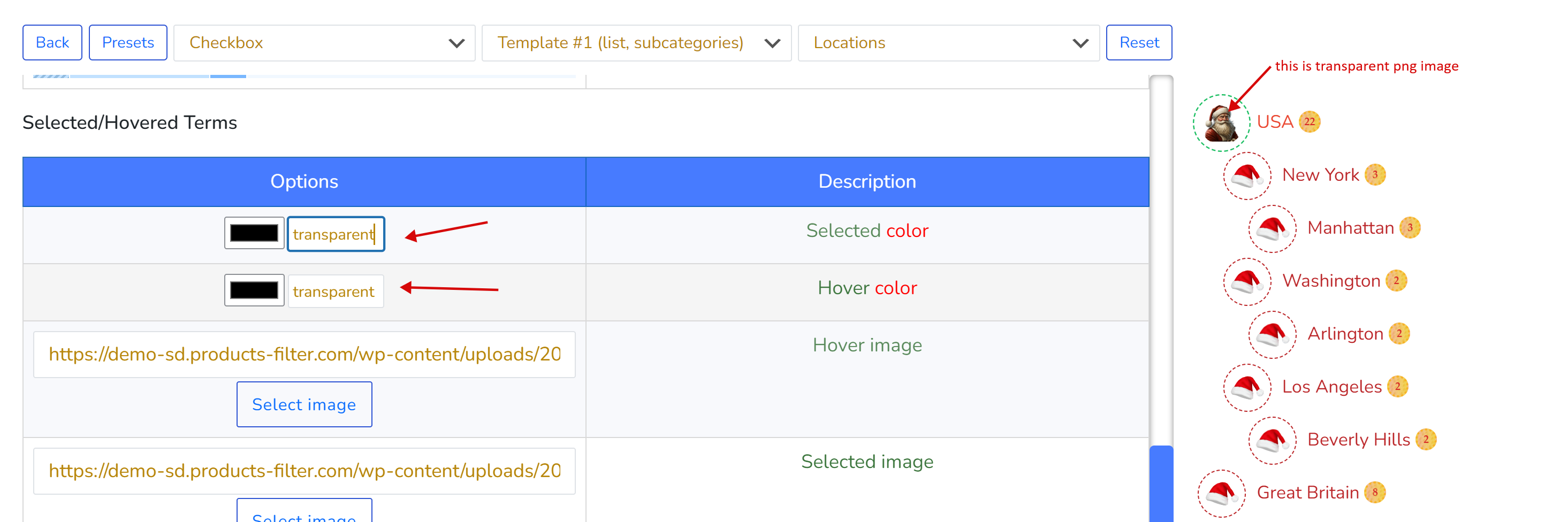
- Se non hai bisogno di colore per le immagini di sfondo PNG trasparenti, usa la parola ‘transparent‘ invece del codice esadecimale del colore
- Puoi trovare diverse immagini di pattern usando Google con la frase di ricerca ‘background patterns images‘
Preimpostazioni
Le preimpostazioni salvano le tue opzioni in modo da poterle applicare a elementi simili, riducendo i tempi di produzione. Puoi fare quanto segue:
- Crea preimpostazioni
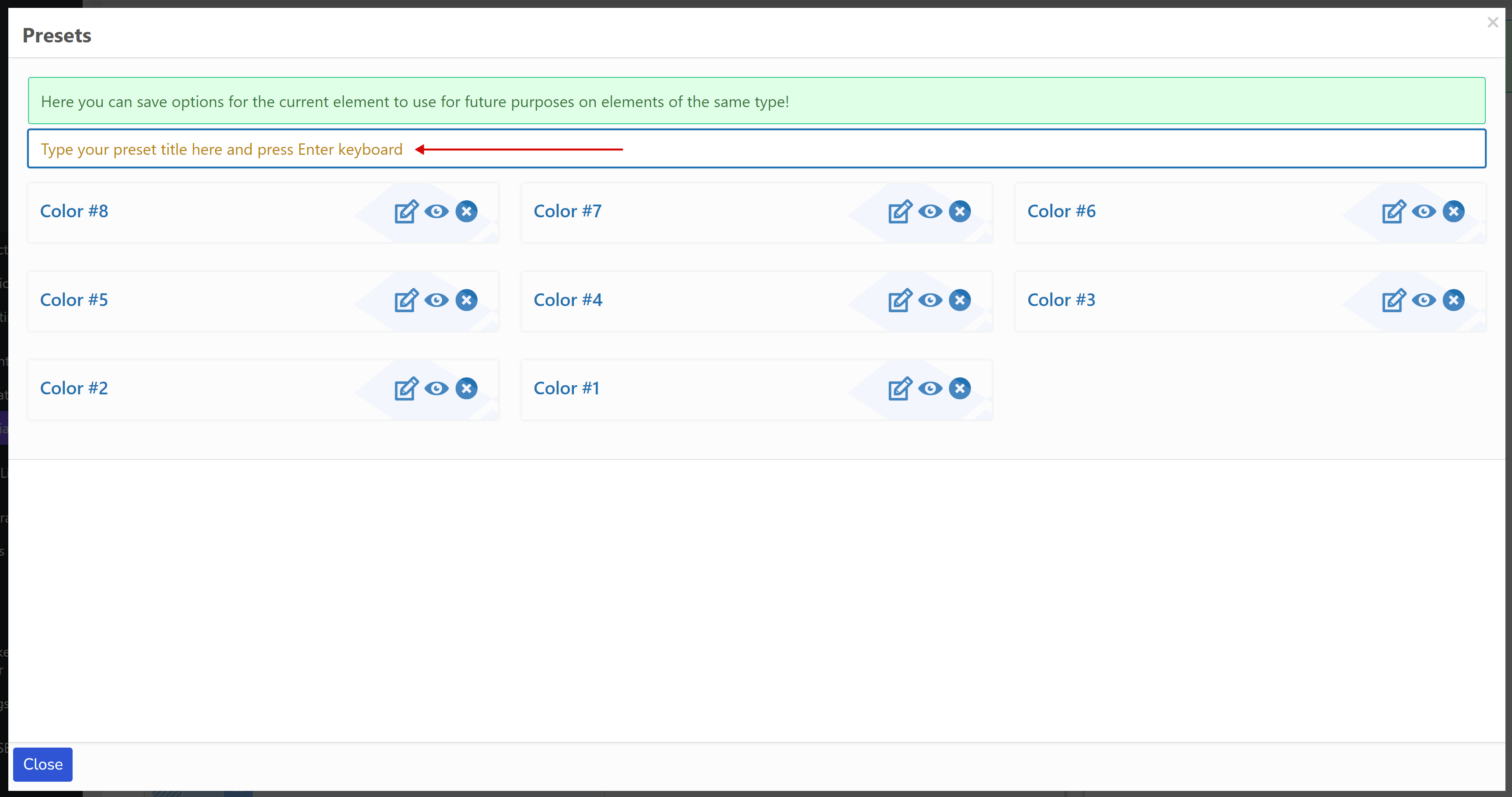
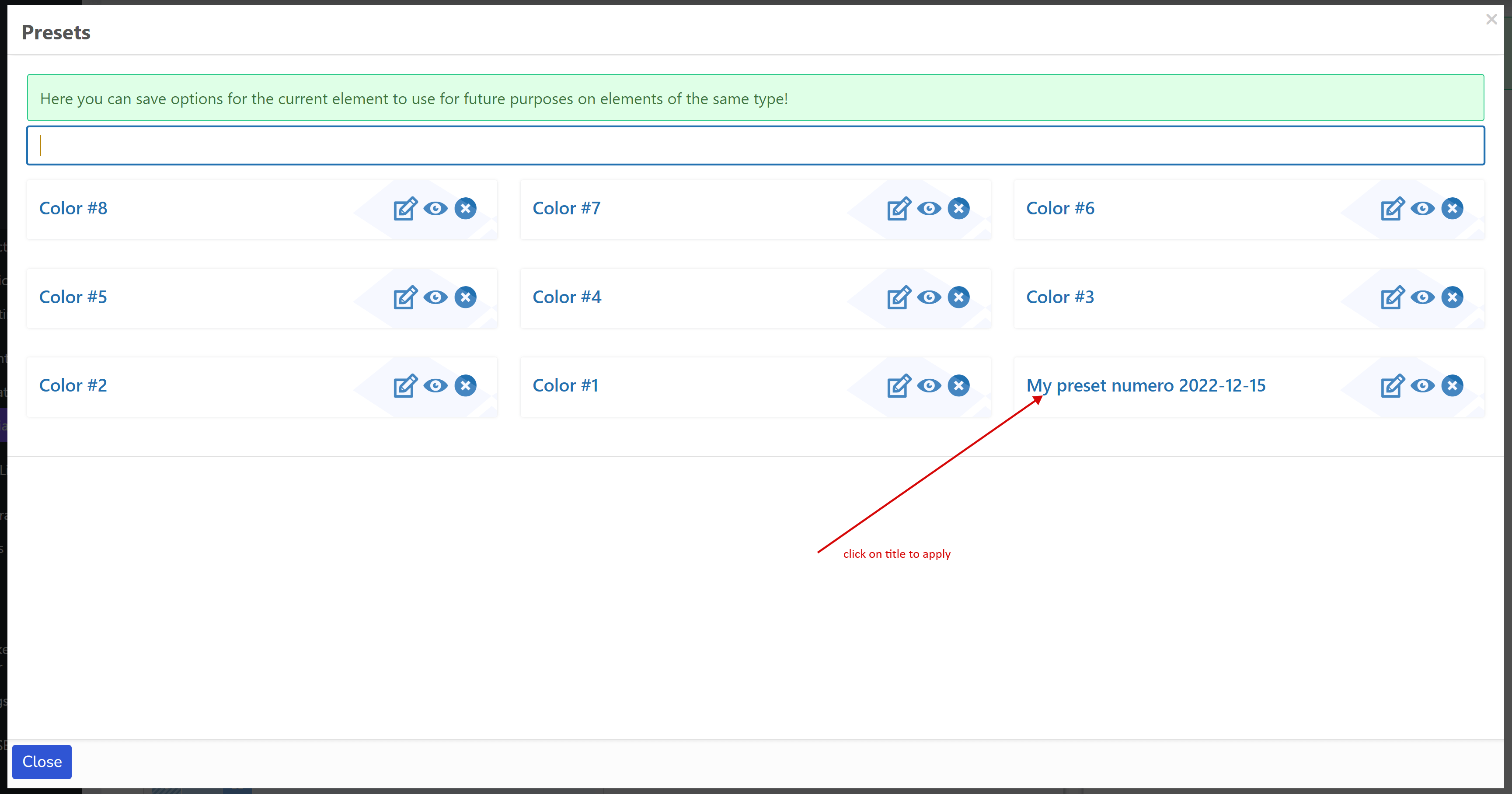
- Applica le preimpostazioni a nuovi elementi dello stesso tipo (checkbox, radio, colore, interruttore, qualsiasi tipo personalizzato) – basta cliccare sul suo titolo. Ad esempio, una preimpostazione creata per radio è invisibile per checkbox e viceversa.
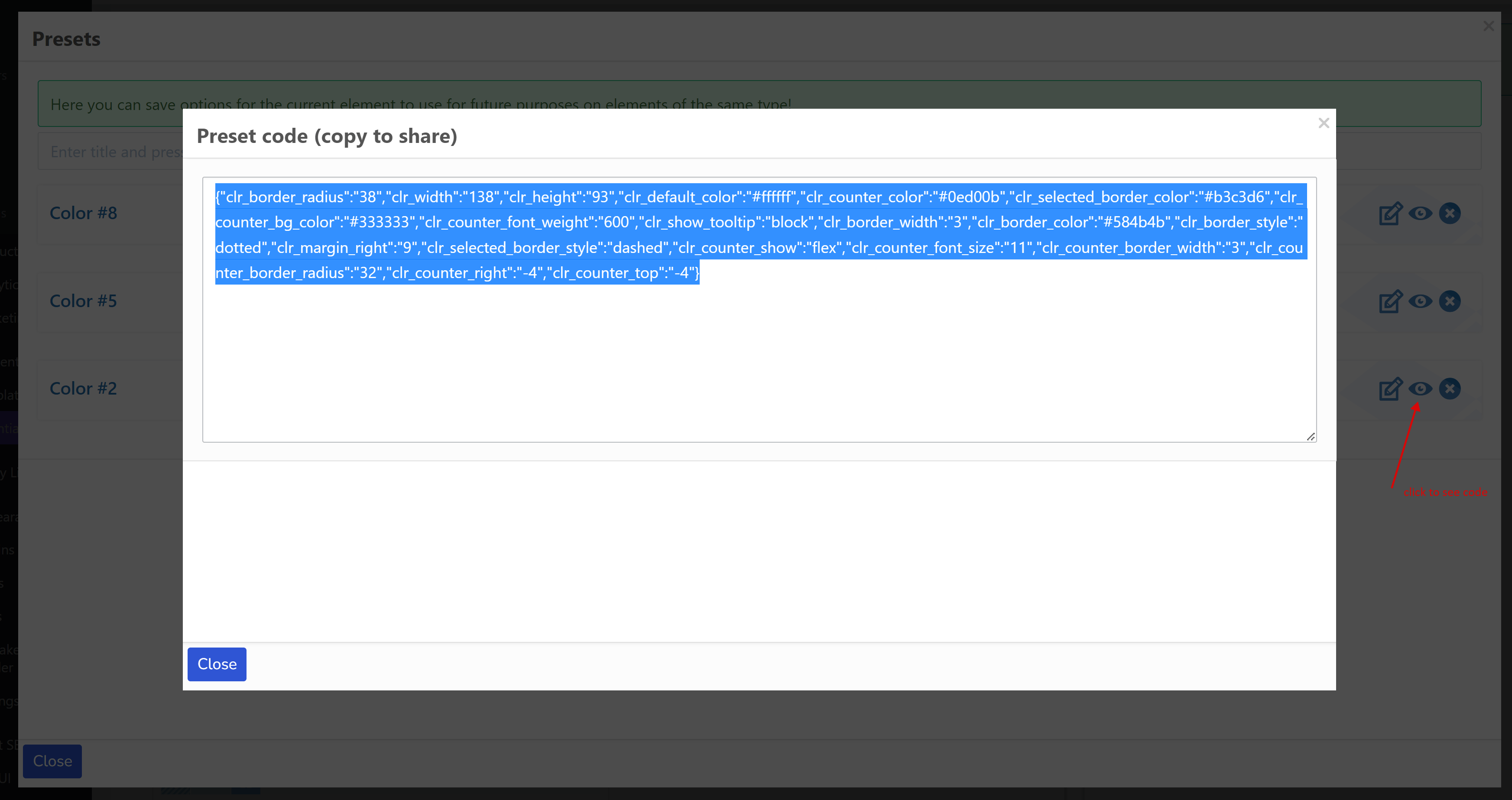
- Condividi la tua preimpostazione come informazioni testuali con un'altra persona (sviluppatori, colleghi, siti, ecc.). Clicca sul pulsante occhio.
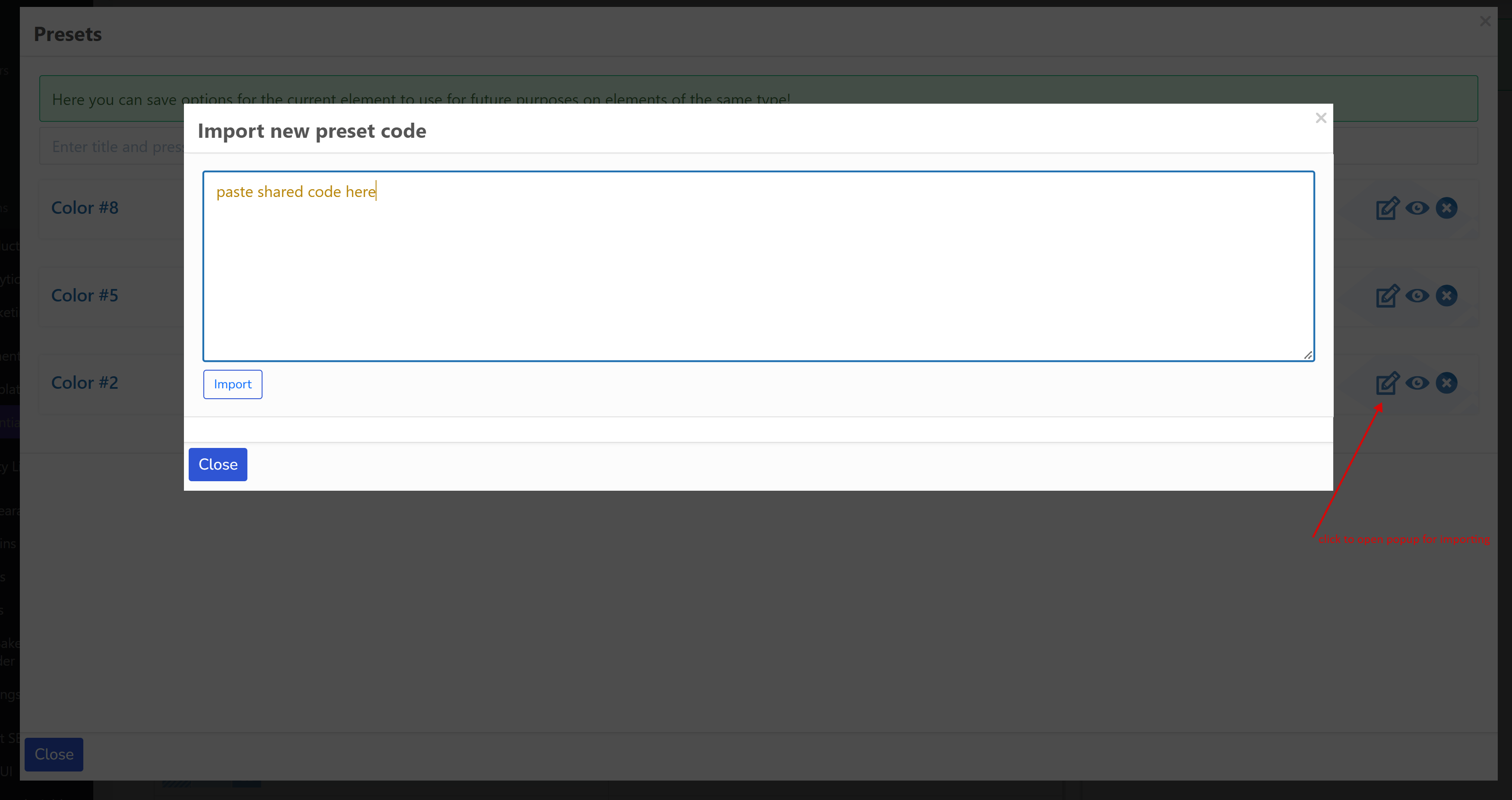
- Importa il codice della preimpostazione condiviso da qualcuno. Clicca sul pulsante modifica. Incolla il codice. Premi il pulsante 'Importa'.
Colore
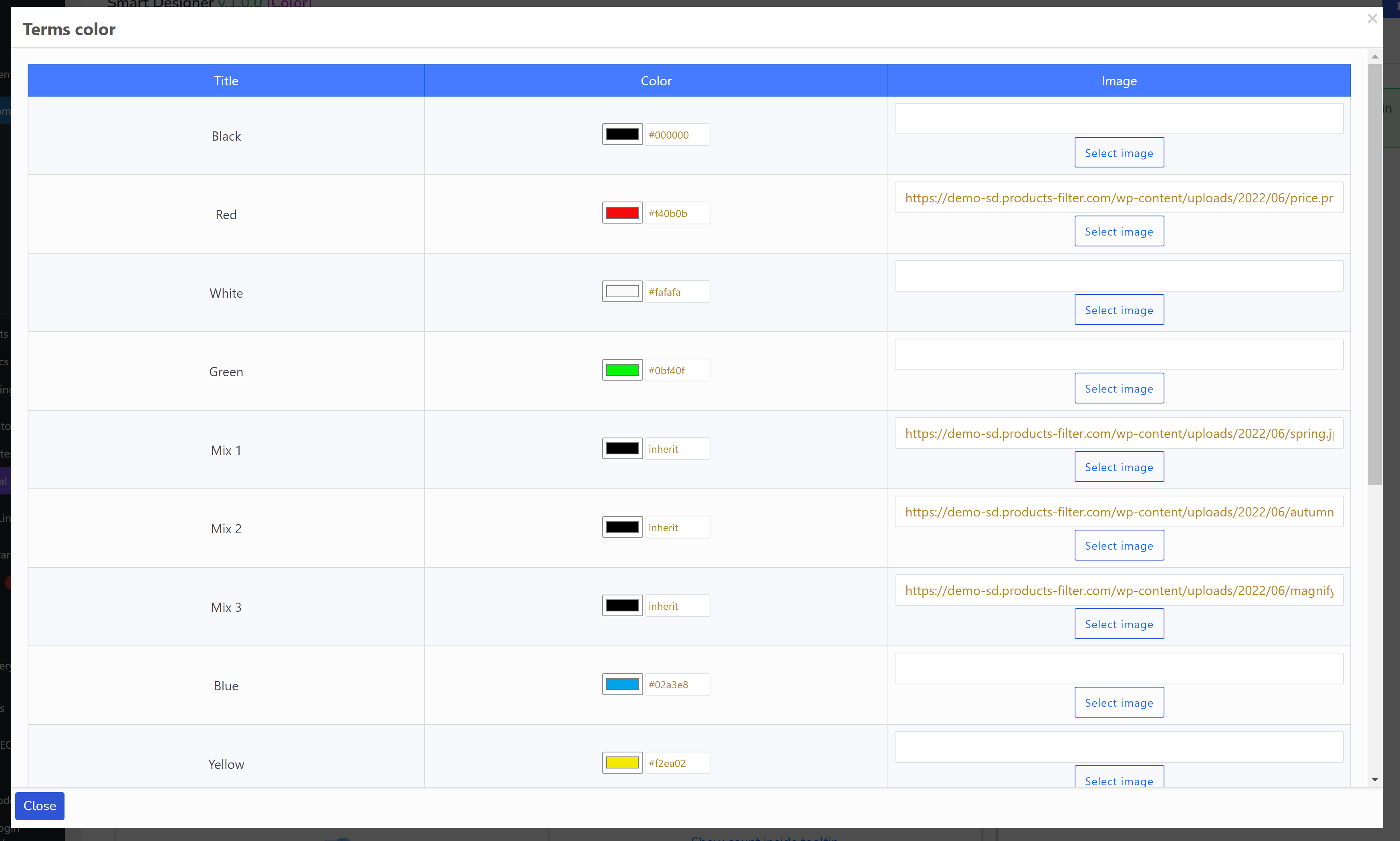
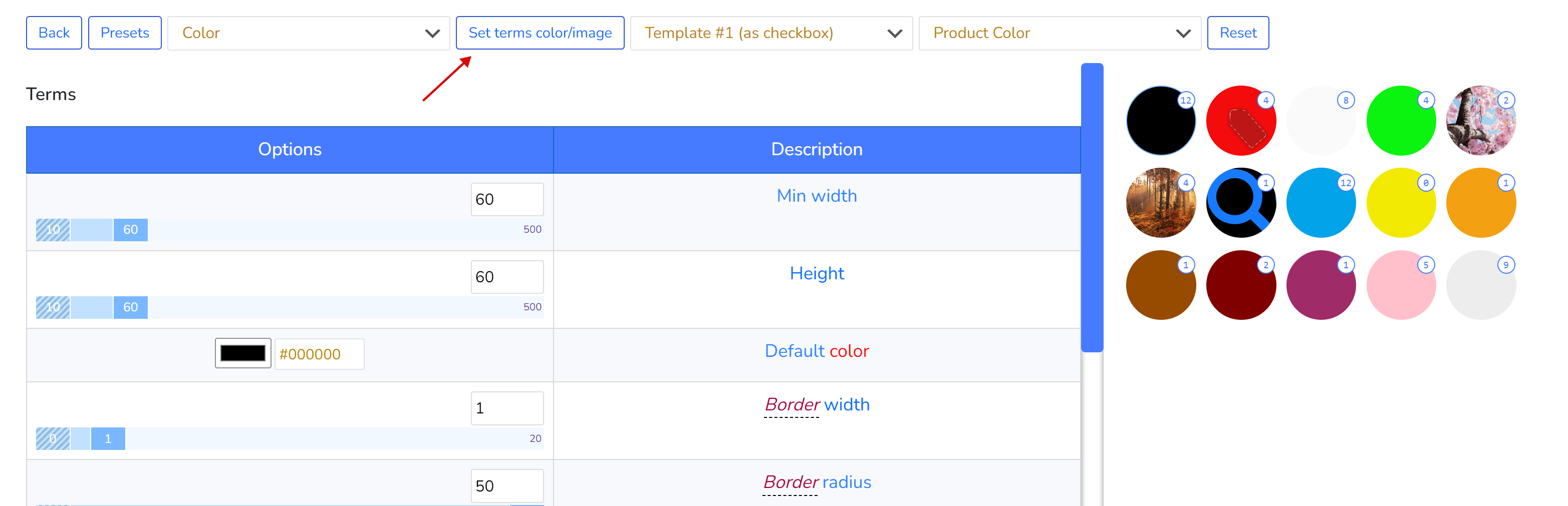
L'elemento colore è un elemento speciale con una propria funzionalità: assegnazione di colori e immagini per ogni termine della tassonomia selezionata (vedi menu a tendina prima del pulsante 'Reimposta') tramite popup
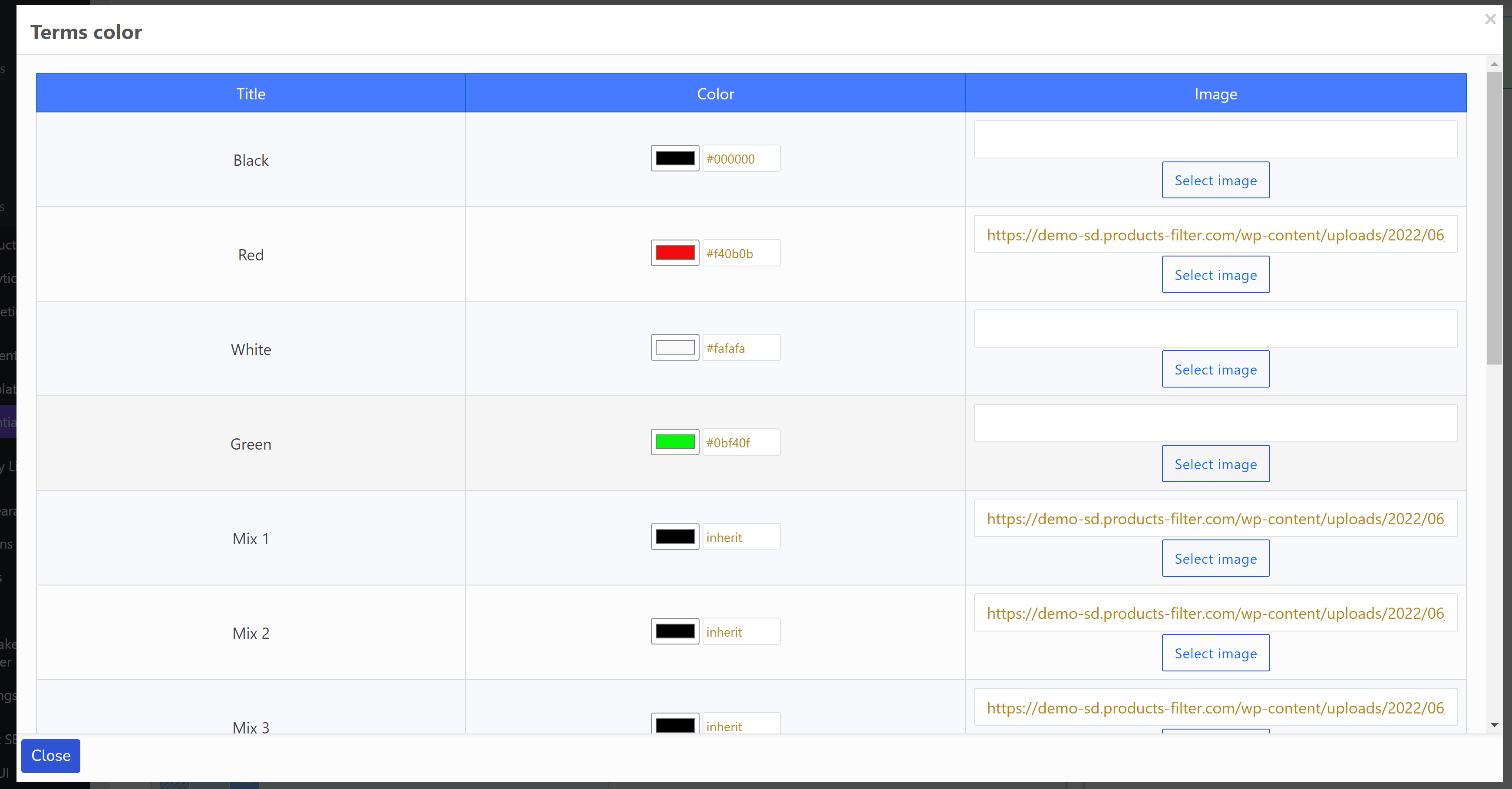
I dati sono memorizzati in chiavi meta speciali dei termini:
- woof_sd_color
- woof_sd_color_image
Queste chiavi possono essere sovrascritte nel file functions.php del tema WordPress corrente nel caso in cui tu abbia già impostato opzioni di colore per i tuoi termini a modo tuo, utilizza i seguenti hook:
- get_woof_sd_term_color_key – hook per memorizzare i dati colore dei termini della tassonomia
add_filter('get_woof_sd_term_color', function ($term_id) { $meta_key = '__YOUR_OWN_KEY__'; $color = get_term_meta($term_id, $meta_key, true);//you can use your own code to get term color using its $term_id return $color ? $color : 'inherit'; }); - get_woof_sd_term_color_image_key– hook per memorizzare i dati immagine dei termini della tassonomia
add_filter('get_woof_sd_term_color_image', function ($term_id) {
    $meta_key = '__YOUR_OWN_KEY__';
    $img = get_term_meta($term_id, $meta_key, true);//you can use your own code to get term color using its $term_id
    return $img ? $img : '__YOU_CAN_PLACE_HERE_YOUR_DEFAULT_IMAGE_LINK__';
});
Elementi personalizzati solo per sviluppatori
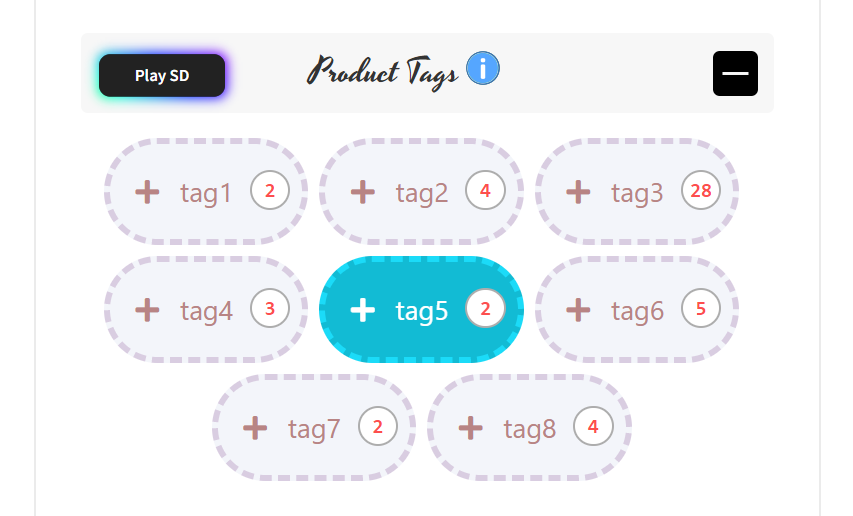
WOOF SD consente agli sviluppatori di creare i propri elementi personalizzati; tutto ciò che serve è un buon codice CSS+HTML. Ecco un esempio: https://codepen.io/quinlo/pen/ReMRXz – questo è sufficiente per creare un elemento filtro, puoi vederlo sul sito demo -> 'Tag prodotti'
Nell'immagine qui sotto puoi vedere come aggiungere tale elemento al sistema:
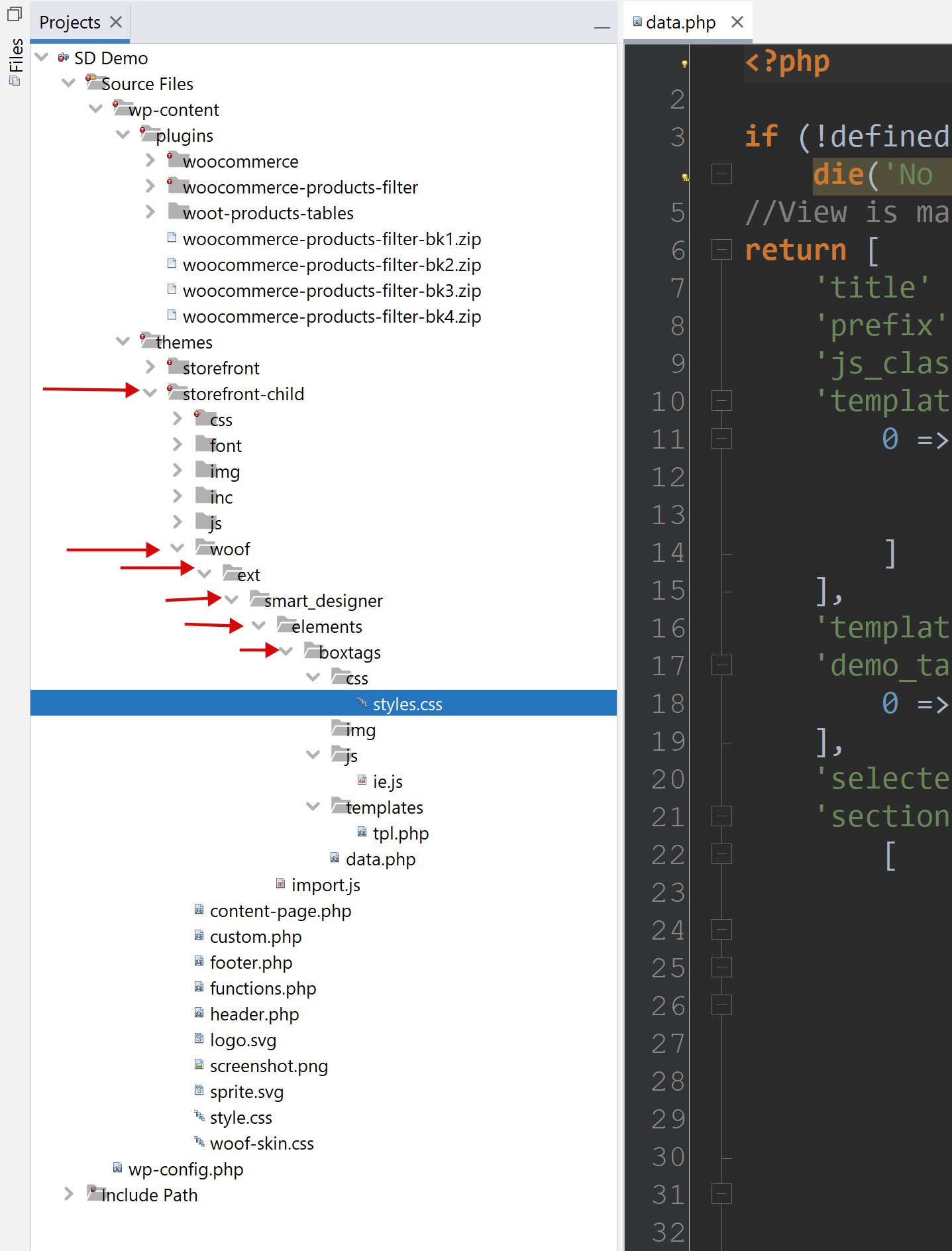
- nel tema WordPress corrente (meglio usare un tema child) crea la cartella 'woof'
- nella cartella 'woof' crea la cartella 'ext'
- nella cartella 'ext' crea la cartella 'smart_designer'
- nella cartella 'smart_designer' crea la cartella elements
- nella cartella 'elements' crea una cartella con il nome che desideri, usa underscore se necessario
- la cartella del tipo di elemento personalizzato deve contenere i seguenti file:
- css/styles.css – tutto il codice CSS dell'elemento
- js/ie.js – la tua classe JS, estende IE, basta copiare e incollare:
'use strict';
import {IE, Helper} from '../../../import.js';//created automatically
//This class is for constructor on backend
//!!Rename class and put its name into file data.php field js_class
export default class Boxtags extends IE {
    draw() {
        super.draw();

        Helper.ajax(null, {}, template => {
            let terms = this.visor.sd.demo_taxonomies_terms;
            let block = this.assemble_terms(terms, template);

            this.container.insertAdjacentHTML('afterbegin', block);
            if (this.container.querySelectorAll('input')) {
                this.container.querySelectorAll('input')[0].setAttribute('checked', true);//for visual test
            }

            this.container.className = `woof_list_${this.template_folder}_sd_${this.template_num}`;
            this.wrapper.appendChild(this.container);
        }, false, this.template_url);
    }
}
Rinomina la tua classe JS (invece di Boxtags), è importante e viene utilizzata nel file data.php
- templates/tpl.php – può avere anche più file se necessario, nominarli come tpl-1.php, tpl-2.php, ecc. Tutti i file template devono essere dichiarati nel file data.php.
- data.php – qui c'è un array di opzioni, le cui chiavi vengono utilizzate nel file css/styles.css e anche nei template
<?php if (!defined('ABSPATH')) die('No direct access allowed'); //View is managed by the Data! return [ 'title' => 'Box tags', //!! 'prefix' => 'boxtags_', //!!unique prefix for css vars 'js_class' => 'Boxtags', //!!important, class name from ie.js 'templates' => [ 0 => [ 'title' => esc_html__('Template #1', 'woocommerce-products-filter'), 'use_subterms' => 0//will subterms display or only parent terms depending of the current taxonomy ] ], 'template' => 0, 'demo_taxonomies' => [ 0 => esc_html__('Example terms by real taxonomy', 'woocommerce-products-filter') ], 'selected_demo_taxonomy' => 0, //demo data for visor 'sections' => [ [ 'title' => esc_html__('Terms', 'woocommerce-products-filter'), 'table' => [ 'header' => [ [ 'value' => esc_html__('Options', 'woocommerce-products-filter'), 'width' => '50%', 'action' => 'save_custom_element_option' ], [ 'value' => esc_html__('Description', 'woocommerce-products-filter'), 'width' => '50%', ], ], 'rows' => [ 'padding_vertical' => [ ['value' => ['element' => 'ranger', 'value' => 8, 'min' => 0, 'max' => 30], 'measure' => 'px'], ['value' => esc_html__('Padding vertical', 'woocommerce-products-filter')] ], 'padding_side' => [ ['value' => ['element' => 'ranger', 'value' => 12, 'min' => 0, 'max' => 30], 'measure' => 'px'], ['value' => esc_html__('Padding horizontal', 'woocommerce-products-filter')] ], 'font_family' => [ ['value' => ['element' => 'text', 'value' => 'Segoe UI'], 'measure' => ''], ['value' => esc_html__('Text font family (theme must support)', 'woocommerce-products-filter'), 'help' => '#'] ], 'font_size' => [ ['value' => ['element' => 'ranger', 'value' => 13, 'min' => 8, 'max' => 24], 'measure' => 'px'], ['value' => esc_html__('Text font size', 'woocommerce-products-filter')] ], 'font_weight' => [ ['value' => ['element' => 'select', 'value' => 400, 'options' => [ '100' => '100', '200' => '200', '300' => '300', '400' => '400', '500' => '500', '600' => '600', '700' => '700', '800' => '800' ], 'conditions' => []]], ['value' => 'Text font weight'], //cell ], 'color' => [ ['value' => ['element' => 'color', 'value' => '#adadad']], ['value' => esc_html__('Text color', 'woocommerce-products-filter')] ], 'margin_right' => [ ['value' => ['element' => 'ranger', 'value' => 5, 'min' => 0, 'max' => 30], 'measure' => 'px'], ['value' => esc_html__('Margin right', 'woocommerce-products-filter')] ], 'margin_bottom' => [ ['value' => ['element' => 'ranger', 'value' => 5, 'min' => 0, 'max' => 30], 'measure' => 'px'], ['value' => esc_html__('Margin bottom', 'woocommerce-products-filter')] ], 'bg_color_r' => [ ['value' => ['element' => 'ranger', 'value' => 255, 'min' => 0, 'max' => 255], 'measure' => ''], ['value' => esc_html__('Background color red channel', 'woocommerce-products-filter')] ], 'bg_color_g' => [ ['value' => ['element' => 'ranger', 'value' => 255, 'min' => 0, 'max' => 255], 'measure' => ''], ['value' => esc_html__('Background color green channel', 'woocommerce-products-filter')] ], 'bg_color_b' => [ ['value' => ['element' => 'ranger', 'value' => 255, 'min' => 0, 'max' => 255], 'measure' => ''], ['value' => esc_html__('Background color blue channel', 'woocommerce-products-filter')] ], 'bg_color_op' => [ ['value' => ['element' => 'ranger', 'value' => 9, 'min' => 0, 'max' => 10], 'measure' => ''], ['value' => esc_html__('Background color opacity', 'woocommerce-products-filter')] ], 'bg_image' => [ ['value' => ['element' => 'image', 'value' => ''], 'before' => 'url(', 'after' => ')'], //cell ['value' => esc_html__('Background image', 'woocommerce-products-filter')] //cell ], 'border_width' => [ ['value' => ['element' => 'ranger', 'value' => 2, 'min' => 0, 'max' => 10], 'measure' => 'px'], ['value' => esc_html__('Border width', 'woocommerce-products-filter')] ], 'border_style' => [ ['value' => ['element' => 'select', 'value' => 'solid', 'options' => [ 'dotted' => 'dotted', 'dashed' => 'dashed', 'solid' => 'solid', 'double' => 'double', 'groove' => 'groove', 'ridge' => 'ridge', 'inset' => 'inset', 'outset' => 'outset', 'none' => 'none', 'hidden' => 'hidden' ]]], ['value' => 'Border style'], ], 'border_radius' => [ ['value' => ['element' => 'ranger', 'value' => 25, 'min' => 0, 'max' => 50], 'measure' => 'px'], ['value' => esc_html__('Border radius', 'woocommerce-products-filter')] ], 'border_color_r' => [ ['value' => ['element' => 'ranger', 'value' => 139, 'min' => 0, 'max' => 255], 'measure' => ''], ['value' => esc_html__('Border color red channel', 'woocommerce-products-filter')] ], 'border_color_g' => [ ['value' => ['element' => 'ranger', 'value' => 139, 'min' => 0, 'max' => 255], 'measure' => ''], ['value' => esc_html__('Border color green channel', 'woocommerce-products-filter')] ], 'border_color_b' => [ ['value' => ['element' => 'ranger', 'value' => 139, 'min' => 0, 'max' => 255], 'measure' => ''], ['value' => esc_html__('Border color blue channel', 'woocommerce-products-filter')] ], 'border_color_op' => [ ['value' => ['element' => 'ranger', 'value' => 3, 'min' => 0, 'max' => 10], 'measure' => ''], ['value' => esc_html__('Border color opacity', 'woocommerce-products-filter')] ], 'checkbox_font_family' => [ ['value' => ['element' => 'text', 'value' => 'Font Awesome 5 Free'], 'measure' => '', 'before' => '"', 'after' => '"'], ['value' => esc_html__('Checkbox font family (theme must support)', 'woocommerce-products-filter'), 'help' => '#'] ], 'checkbox_font_size' => [ ['value' => ['element' => 'ranger', 'value' => 12, 'min' => 8, 'max' => 72], 'measure' => 'px'], ['value' => esc_html__('Checkbox font size', 'woocommerce-products-filter')] ], 'checkbox_content' => [ ['value' => ['element' => 'text', 'value' => "\f067"], 'measure' => '', 'before' => '"', 'after' => '"'], ['value' => esc_html__('Checkbox content', 'woocommerce-products-filter'), 'help' => '#'] ], 'checkbox_content_selected' => [ ['value' => ['element' => 'text', 'value' => "\f00c"], 'measure' => '', 'before' => '"', 'after' => '"'], ['value' => esc_html__('Checkbox content selected', 'woocommerce-products-filter'), 'help' => '#'] ], 'transition' => [ ['value' => ['element' => 'ranger', 'value' => 200, 'min' => 0, 'max' => 1000], 'measure' => 's'], //cell ['value' => esc_html__('Transition (ms)', 'woocommerce-products-filter')] //cell ], ] ] ], [ 'title' => esc_html__('Hovered(Selected) Terms', 'woocommerce-products-filter'), 'table' => [ 'header' => [ [ 'value' => esc_html__('Options', 'woocommerce-products-filter'), 'width' => '50%', 'action' => 'save_custom_element_option' ], [ 'value' => esc_html__('Description', 'woocommerce-products-filter'), 'width' => '50%' ], ], 'rows' => [ 'selected_color' => [ ['value' => ['element' => 'color', 'value' => '#ffffff']], ['value' => esc_html__('Text color', 'woocommerce-products-filter')] ], 'selected_bg_color_r' => [ ['value' => ['element' => 'ranger', 'value' => 18, 'min' => 0, 'max' => 255], 'measure' => ''], ['value' => esc_html__('Background color red channel', 'woocommerce-products-filter')] ], 'selected_bg_color_g' => [ ['value' => ['element' => 'ranger', 'value' => 187, 'min' => 0, 'max' => 255], 'measure' => ''], ['value' => esc_html__('Background color green channel', 'woocommerce-products-filter')] ], 'selected_bg_color_b' => [ ['value' => ['element' => 'ranger', 'value' => 212, 'min' => 0, 'max' => 255], 'measure' => ''], ['value' => esc_html__('Background color blue channel', 'woocommerce-products-filter')] ], 'selected_bg_color_op' => [ ['value' => ['element' => 'ranger', 'value' => 10, 'min' => 0, 'max' => 10], 'measure' => ''], ['value' => esc_html__('Background color opacity', 'woocommerce-products-filter')] ], 'selected_bg_image' => [ ['value' => ['element' => 'image', 'value' => ''], 'before' => 'url(', 'after' => ')'], //cell ['value' => esc_html__('Background image', 'woocommerce-products-filter')] //cell ], 'selected_border_color_r' => [ ['value' => ['element' => 'ranger', 'value' => 27, 'min' => 0, 'max' => 255], 'measure' => ''], ['value' => esc_html__('Border color red channel', 'woocommerce-products-filter')] ], 'selected_border_color_g' => [ ['value' => ['element' => 'ranger', 'value' => 219, 'min' => 0, 'max' => 255], 'measure' => ''], ['value' => esc_html__('Border color green channel', 'woocommerce-products-filter')] ], 'selected_border_color_b' => [ ['value' => ['element' => 'ranger', 'value' => 248, 'min' => 0, 'max' => 255], 'measure' => ''], ['value' => esc_html__('Border color blue channel', 'woocommerce-products-filter')] ], 'selected_border_color_op' => [ ['value' => ['element' => 'ranger', 'value' => 10, 'min' => 0, 'max' => 10], 'measure' => ''], ['value' => esc_html__('Border color opacity', 'woocommerce-products-filter')] ], 'selected_border_width' => [ ['value' => ['element' => 'ranger', 'value' => 2, 'min' => 0, 'max' => 10], 'measure' => 'px'], ['value' => esc_html__('Border width', 'woocommerce-products-filter')] ], 'selected_border_style' => [ ['value' => ['element' => 'select', 'value' => 'solid', 'options' => [ 'dotted' => 'dotted', 'dashed' => 'dashed', 'solid' => 'solid', 'double' => 'double', 'groove' => 'groove', 'ridge' => 'ridge', 'inset' => 'inset', 'outset' => 'outset', 'none' => 'none', 'hidden' => 'hidden' ]]], ['value' => 'Border style'], ], 'selected_scale' => [ ['value' => ['element' => 'ranger', 'value' => 100, 'min' => 50, 'max' => 200], 'measure' => ''], //cell ['value' => esc_html__('Scale', 'woocommerce-products-filter')] //cell ], ] ] ], [ 'title' => esc_html__('Counter', 'woocommerce-products-filter'), 'table' => [ 'header' => [ [ 'value' => esc_html__('Options', 'woocommerce-products-filter'), 'width' => '50%', 'action' => 'save_custom_element_option' ], [ 'value' => esc_html__('Description', 'woocommerce-products-filter'), 'width' => '50%', ] ], 'rows' => [ 'counter_show' => [ ['value' => ['element' => 'switcher', 'value' => 'inline-flex', 'yes' => 'inline-flex', 'no' => 'none']], //cell ['value' => esc_html__('Show counter', 'woocommerce-products-filter')] //cell ], 'counter_width' => [ ['value' => ['element' => 'ranger', 'value' => 14, 'min' => 10, 'max' => 72, 'conditions' => [ 'hide' => [ 'counter_show' => 'none'//if this selected element will be hidden ]]], 'measure' => 'px'], ['value' => esc_html__('Min width', 'woocommerce-products-filter')] ], 'counter_height' => [ ['value' => ['element' => 'ranger', 'value' => 14, 'min' => 10, 'max' => 72, 'conditions' => [ 'hide' => [ 'counter_show' => 'none'//if this selected element will be hidden ]]], 'measure' => 'px'], ['value' => esc_html__('Min height', 'woocommerce-products-filter')] ], 'counter_top' => [ ['value' => ['element' => 'ranger', 'value' => -2, 'min' => -100, 'max' => 100, 'conditions' => [ 'hide' => [ 'counter_show' => 'none'//if this selected element will be hidden ]]], 'measure' => 'px'], //cell ['value' => esc_html__('Top', 'woocommerce-products-filter')] //cell ], 'counter_right' => [ ['value' => ['element' => 'ranger', 'value' => -3, 'min' => -100, 'max' => 100, 'conditions' => [ 'hide' => [ 'counter_show' => 'none'//if this selected element will be hidden ]]], 'measure' => 'px'], ['value' => esc_html__('Right', 'woocommerce-products-filter')] ], 'counter_font_size' => [ ['value' => ['element' => 'ranger', 'value' => 9, 'min' => 8, 'max' => 48, 'conditions' => [ 'hide' => [ 'counter_show' => 'none'//if this selected element will be hidden ]]], 'measure' => 'px'], //cell ['value' => esc_html__('Text font size', 'woocommerce-products-filter')] //cell ], 'counter_color' => [ ['value' => ['element' => 'color', 'value' => '#777777', 'conditions' => [ 'hide' => [ 'counter_show' => 'none'//if this selected element will be hidden ]]]], //cell ['value' => esc_html__('Text color', 'woocommerce-products-filter')] //cell ], 'counter_font_family' => [ ['value' => ['element' => 'text', 'value' => 'consolas', 'conditions' => [ 'hide' => [ 'counter_show' => 'none'//if this selected element will be hidden ]]], 'measure' => ''], //cell ['value' => esc_html__('Text font family (theme must support)', 'woocommerce-products-filter')], //cell ], 'counter_font_weight' => [ ['value' => ['element' => 'select', 'value' => 500, 'options' => [ '100' => '100', '200' => '200', '300' => '300', '400' => '400', '500' => '500', '600' => '600', '700' => '700', '800' => '800' ], 'conditions' => [ 'hide' => [ 'counter_show' => 'none'//if this selected element will be hidden ]]]], ['value' => 'Text font weight'], //cell ], 'counter_side_padding' => [ ['value' => ['element' => 'ranger', 'value' => 0, 'min' => 0, 'max' => 48, 'conditions' => [ 'hide' => [ 'counter_show' => 'none'//if this selected element will be hidden ]]], 'measure' => 'px'], //cell ['value' => esc_html__('Side padding', 'woocommerce-products-filter')] //cell ], 'counter_bg_color' => [ ['value' => ['element' => 'color', 'value' => '#ffffff', 'conditions' => [ 'hide' => [ 'counter_show' => 'none'//if this selected element will be hidden ]]]], //cell ['value' => esc_html__('Background color', 'woocommerce-products-filter')] //cell ], 'counter_bg_image' => [ ['value' => ['element' => 'image', 'value' => '', 'conditions' => [ 'hide' => [ 'counter_show' => 'none'//if this selected element will be hidden ]]], 'before' => 'url(', 'after' => ')'], //cell ['value' => esc_html__('Background image', 'woocommerce-products-filter')] //cell ], 'counter_border_width' => [ ['value' => ['element' => 'ranger', 'value' => 1, 'min' => 0, 'max' => 10, 'conditions' => [ 'hide' => [ 'counter_show' => 'none'//if this selected element will be hidden ]]], 'measure' => 'px'], //cell ['value' => esc_html__('Border width', 'woocommerce-products-filter')] //cell ], 'counter_border_radius' => [ ['value' => ['element' => 'ranger', 'value' => 50, 'min' => 0, 'max' => 50, 'conditions' => [ 'hide' => [ 'counter_show' => 'none'//if this selected element will be hidden ]]], 'measure' => '%'], //cell ['value' => esc_html__('Border radius', 'woocommerce-products-filter')] //cell ], 'counter_border_color' => [ ['value' => ['element' => 'color', 'value' => '#adadad', 'conditions' => [ 'hide' => [ 'counter_show' => 'none'//if this selected element will be hidden ]]]], //cell ['value' => esc_html__('Border color', 'woocommerce-products-filter')] //cell ], 'counter_border_style' => [ ['value' => ['element' => 'select', 'value' => 'solid', 'options' => [ 'dotted' => 'dotted', 'dashed' => 'dashed', 'solid' => 'solid', 'double' => 'double', 'groove' => 'groove', 'ridge' => 'ridge', 'inset' => 'inset', 'outset' => 'outset', 'none' => 'none', 'hidden' => 'hidden' ], 'conditions' => [ 'hide' => [ 'counter_show' => 'none'//if this selected element will be hidden ]]]], ['value' => 'Border style'], //cell ], ] ] ], ] ]; - Nel file data.php fai attenzione ai campi: title – nome del tuo elemento nel pannello superiore di SD, prefix – prefisso univoco per le variabili CSS, js_class – importante, nome della classe da ie.js
- Successivamente nel file tpl.php aggiungi il tuo codice HTML:
<?php $custom_postfix = 'boxtags'; ?>
<div class="woof-sd-ie woof-sd-ie-<?php echo $custom_postfix ?> woof-sd-ie-<?php echo $custom_postfix ?>___TERM_ID__ __CLASS__">
    <input type="checkbox" hidden id="__ID__"
           data-tax="__DATA_TAX__"
           name="__SLUG__" data-term-id="__TERM_ID__"
           value="__VALUE__" __CHECKED__ __DISABLED__
           onchange="woof_checkbox_process_data(this, this.checked)"
           hidden
           />
    <label for="__ID__">
        <span>__CONTENT__ <span class="woof-sd-ie-count">__COUNT__</span></span>
    </label>

    <input type="hidden" value="__TERM_NAME__" data-anchor="woof_n___DATA_ANCHOR__" />

</div>
Non dimenticare di cambiare la variabile $custom_postfix con il nome della cartella del tuo elemento (lo stesso campo prefix del file data.php).
- Il template ha stringhe speciali che vengono sostituite al volo quando WOOF SD stampa i tag sul frontend:
- __TERM_ID__ – ID del termine corrente stampato
- __CLASS__ – classe CSS di sistema
- __DATA_TAX__ – nome della tassonomia del termine corrente
- __SLUG__ – slug del termine corrente
- __ID__ – id generato automaticamente per l'etichetta
- __VALUE__ – valore selezionato qui
- __CHECKED__ – deve essere in checkbox o radio per renderlo selezionato o meno
- __DISABLED__ – deve essere in checkbox o radio per renderlo disabilitato o meno
- __CONTENT__ – titolo del termine da mostrare ai clienti
- __COUNT__ – numero di termini
- __RESET_RADIO_BTN__ – utilizzato solo per radio per reimpostare il pulsante radio selezionato sul frontend
- __DATA_ANCHOR__ – sempre richiesto per input nascosto
- __TERM_NAME__ – nome del termine corrente
- Usa un wrapper div sempre uguale a quello nell'esempio sopra, e all'interno il tuo codice HTML. Entrambi gli input, checkbox o radio + input nascosti, devono sempre essere presenti!
- Il template ha stringhe speciali che vengono sostituite al volo quando WOOF SD stampa i tag sul frontend:
-
Campi:
- templates – aggiungi template di layout dello stesso elemento, o del suo comportamento (radio o checkbox).
- template – numero del template selezionato per default
- demo_taxonomies – usa così com'è nel codice sopra, serve per visualizzare le tassonomie del negozio nel costruttore
- sections – qui in righe sono posizionate le opzioni, hanno le proprie chiavi univoche (relative al file data.php) e sono di diversi tipi:
- ranger – crea un controllo intervallo con un cursore da min a max
'padding_vertical' => [
      ['value' => ['element' => 'ranger', 'value' => 8, 'min' => 0, 'max' => 30], 'measure' => 'px'],
      ['value' => esc_html__('Padding vertical', 'woocommerce-products-filter')]
  ],
Fai attenzione al campo 'measure', devono esserci unità di misura adeguate
- text – campo di testo
'font_family' => [ ['value' => ['element' => 'text', 'value' => 'Segoe UI'], 'measure' => ''], ['value' => esc_html__('Text font family (theme must support)', 'woocommerce-products-filter'), 'help' => '#'] ], - select – menu a tendina per selezionare valori predefiniti
'font_weight' => [ ['value' => ['element' => 'select', 'value' => 400, 'options' => [ '100' => '100', '200' => '200', '300' => '300', '400' => '400', '500' => '500', '600' => '600', '700' => '700', '800' => '800' ], 'conditions' => []]], ['value' => 'Text font weight'], //cell ], - color – genera un input colore
'color' => [ ['value' => ['element' => 'color', 'value' => '#adadad']], ['value' => esc_html__('Text color', 'woocommerce-products-filter')] ], - image – genera un input di testo e un pulsante per selezionare un'immagine dalla galleria media del sito
'bg_image' => [ ['value' => ['element' => 'image', 'value' => ''], 'before' => 'url(', 'after' => ')'], //cell ['value' => esc_html__('Background image', 'woocommerce-products-filter')] //cell ], - In tutti gli elementi, il valore del campo ha un valore predefinito che deve essere lo stesso di styles.css
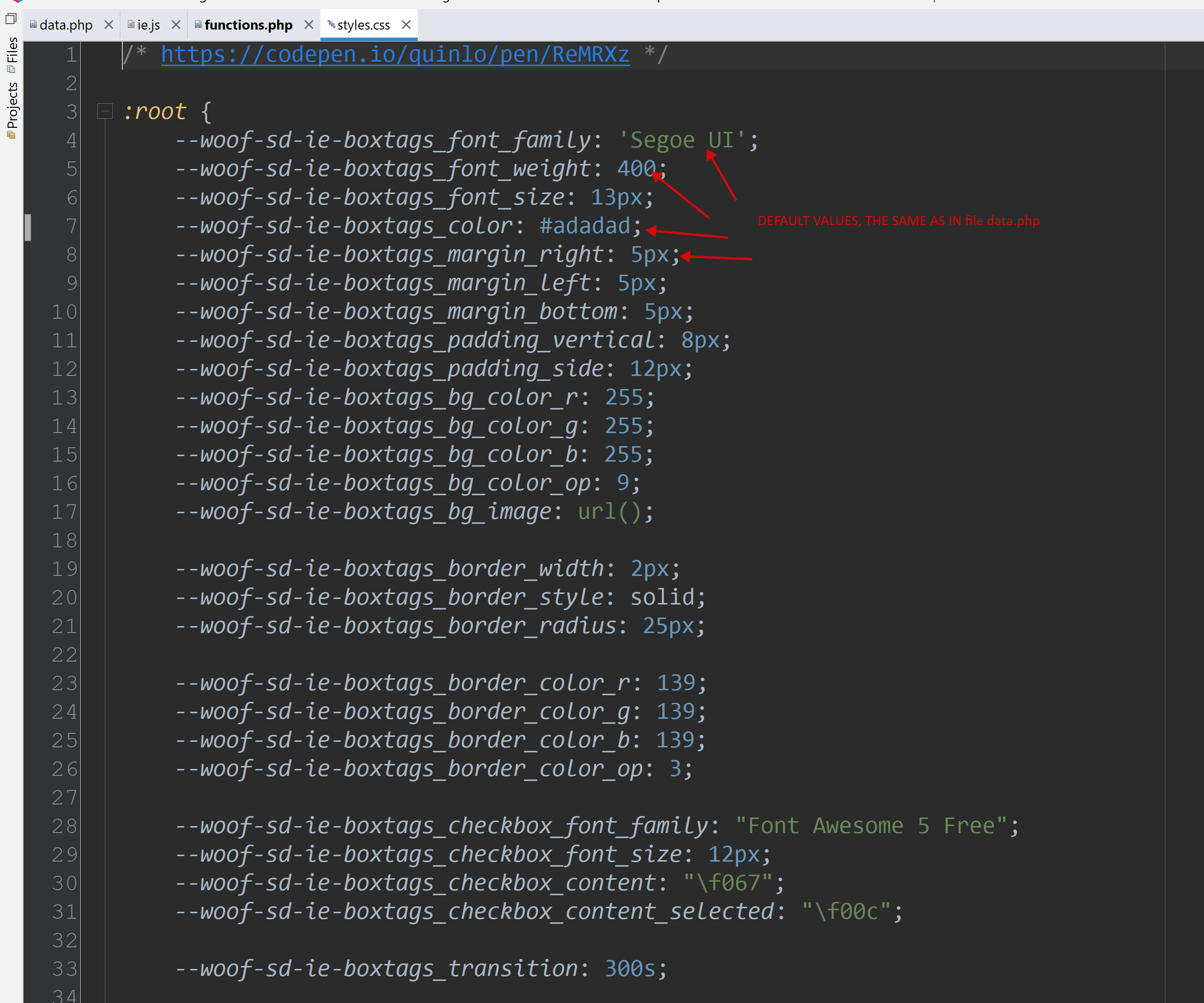
- tutte le chiavi all'interno del file CSS devono essere utilizzate con il prefisso '–woof-sd-ie-' + il prefisso preso dal file data.php -> campo 'prefix'!
- ranger – crea un controllo intervallo con un cursore da min a max
- Il file woof/ext/smart_designer/import.js viene creato automaticamente dal sistema e non deve essere modificato manualmente!!
- In breve, puoi scaricare un esempio di elemento personalizzato e ricrearlo utilizzando il tuo CSS e HTML