WooCommerce Filter by Attribute Not Working: How to Fix It
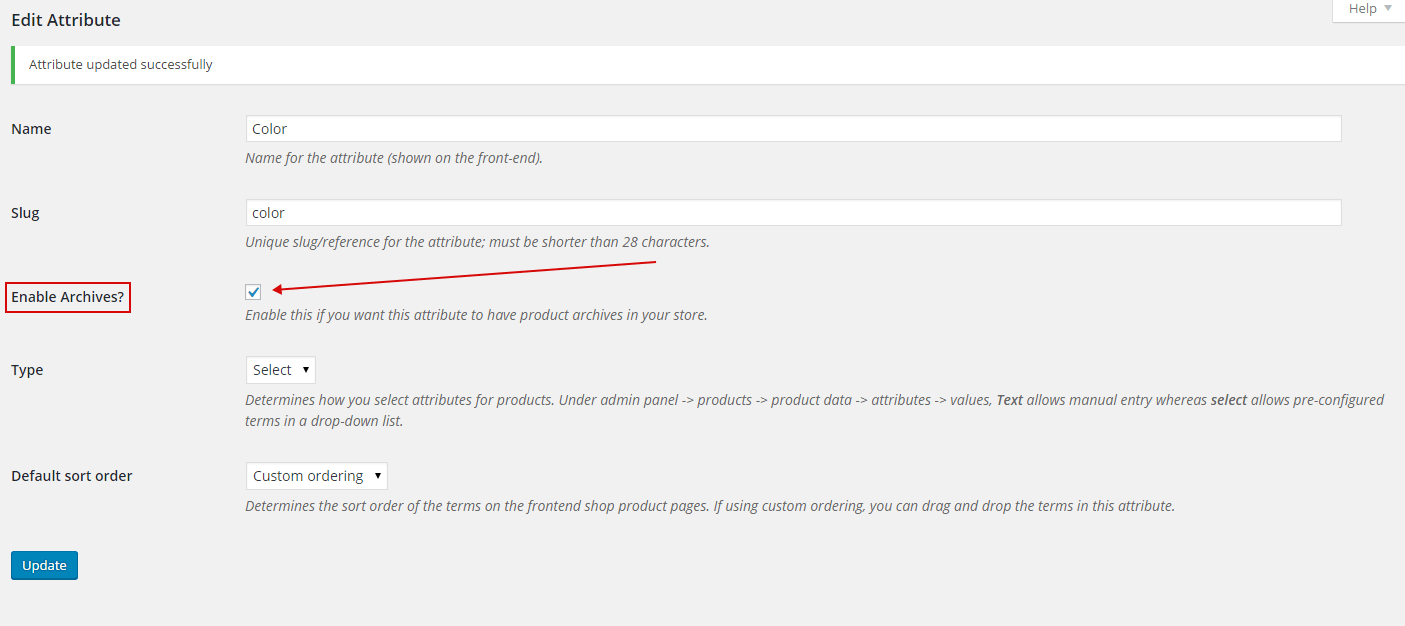
When the WooCommerce filter by attribute shows no options or returns nothing, there are usually two reasons:
- In the attributes settings checkbox ‘Enable Archives?‘ should be checked!! If you see that term-page for the first time and that checkbox is checked – any way press save button on the page.
- Type should be ‘Select‘ – Type determines how you select attributes for products. Under admin panel -> products -> product data -> attributes -> values, Text allows manual entry whereas select allows pre-configured terms in a drop-down list.
- NOT SURE: Name of the term slug should be created with using underscore ‘_’ and not with minus ‘-‘. For example pa_brand-name is not right slug name, and filtering doesn work well because of it. It should be named as: pa_brand_name
- Note: if you see that checkboxes are checked in the terms options – any way press save button there to be sure.